Updated Nov 2, 2026, from what MacPip lists today.
Risposta breve
MacPip lists 3 screen recorders for Mac, and a person has checked 3 of them.2 di esse hanno una versione gratuita.2 di queste si acquistano con una licenza una tantum.2 di queste sono in abbonamento.There is no single best screen recorder for everyone, so MacPip does not rank them.Se la vuoi gratis, inizia da ScreenToast.
Apps a person checked come first, newest check first. Never ordered by payment.
A screen recorder used to be a button and a file. The ones Mac makers build now do more of the editing for you: the view zooms in where you click, the cursor glides instead of jumping, and captions appear without typing them.
That style came from product demos and tutorials, and it is what the three recorders on MacPip are built for. They overlap a lot. Where they differ is how they charge, which macOS they need, and one or two features that will matter to some people and not at all to others.
So this page does not crown a winner. It shows what each one does, what it costs, and which kind of person it suits.
What these 3 apps offer, by their listings. An app can offer several, so the bars do not add up to 3.
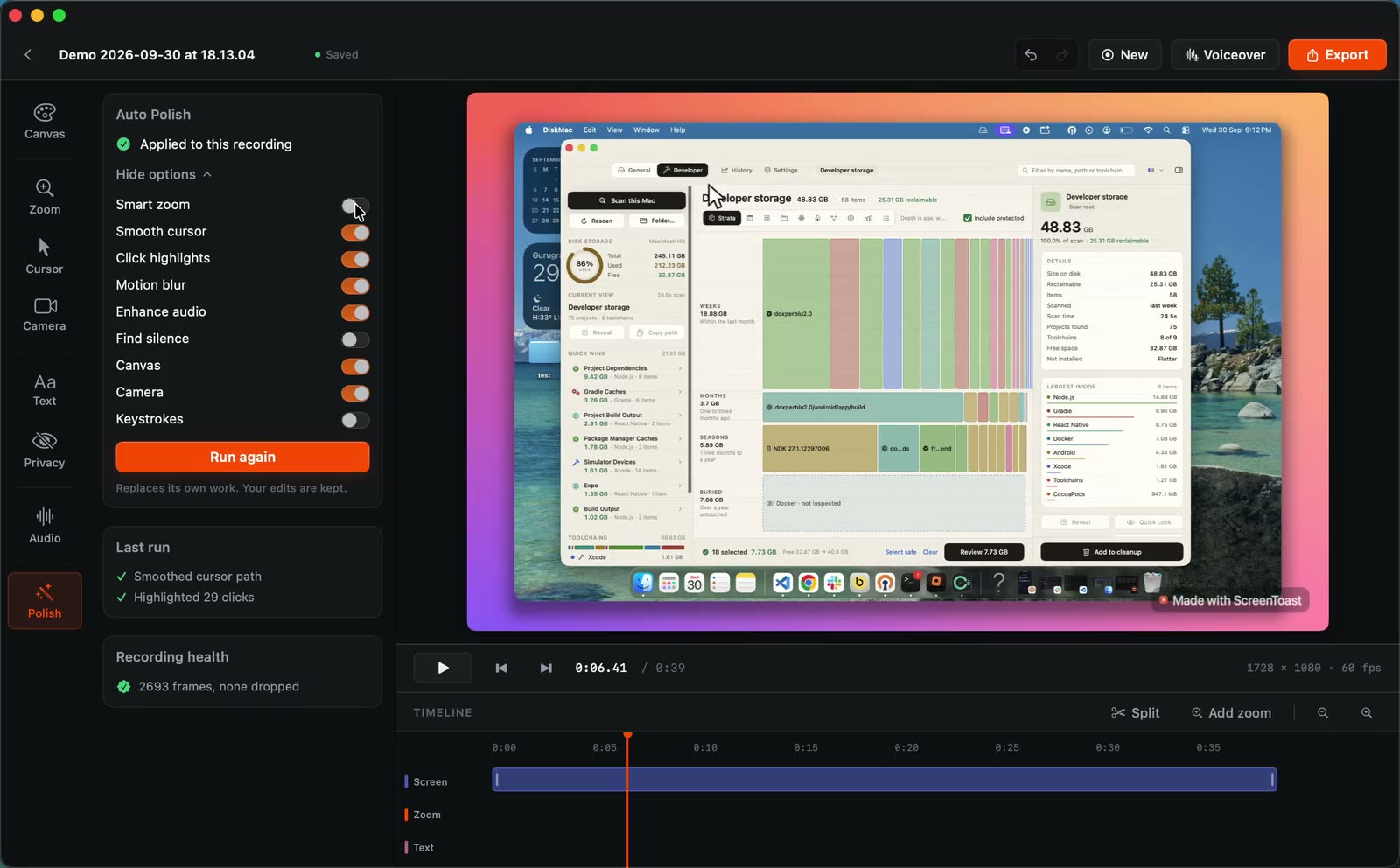
ScreenToast turns a raw recording into a finished product demo: automatic zooms, a smoothed cursor, captions and a spoken voiceover. The detail that stands out is that it hides secrets automatically, by its maker's description. That matters if your demo shows a dashboard with real data or a key on screen.
Editing is free. Pro is a subscription from $4.92 a month, which suits people who record demos every week more than people who need one video. It is built in Swift and needs macOS 14 or later.
Smooth Recorder keeps it simple: $19, paid once, no subscription. It zooms in on every click, smooths the cursor and adds captions, so a quick demo needs less editing afterwards.
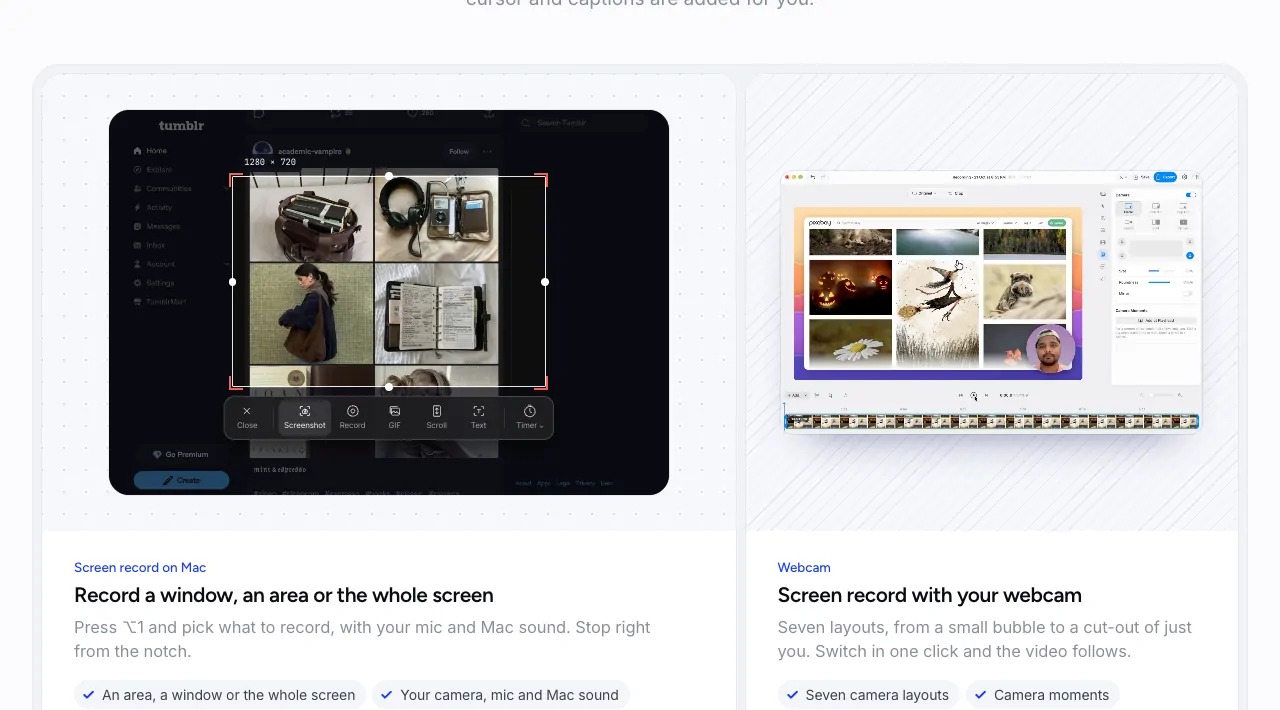
Screenshots, GIFs and scrolling capture are built in, which makes it handy for docs and README files as well as video. It needs macOS 15 or later, so check your version before you buy.
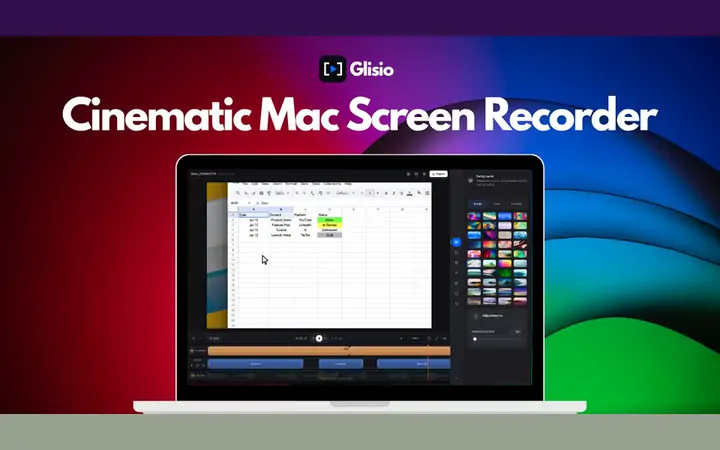
Glisio is the one to look at if your videos go to more than one place. It records your display, webcam, microphone and system audio in a single take, then lets you edit on your Mac with click-based zooms, cursor smoothing, Smart Cut, backgrounds and branding.
Exports come in 16:9, 9:16 and 1:1, so one recording can become a tutorial and a vertical clip. AI captions and an AI voiceover are there if you want them, and a screenshot tool called Snap is built in.
The free version is real but limited: exports stop at 30 seconds and carry a watermark. Pro Lifetime removes both for $79, paid once.
Before you pay: your Mac already records its screen
Press Shift-Command-5 and macOS opens its own screenshot and recording controls. QuickTime Player can record the screen too. Both are free and already on your Mac.
What they give you is a plain recording: no zoom on clicks, no smoothed cursor, no captions. If a plain recording is all you need, you can stop here. The apps below are worth paying for when the video is going to be watched by customers or followers and you want it to look finished without an hour in an editor.
How to choose
Check your macOS first. Glisio needs macOS 13 Ventura or later, ScreenToast needs macOS 14 or later, and Smooth Recorder needs macOS 15 or later. Nothing else matters if it will not install.
Decide how you want to pay. ScreenToast: Free to edit, Pro from $4.92/mo. Smooth Recorder: $19 once. Glisio: Free to try, Pro $79 once.
Videos for social as well as YouTube?Glisio exports 9:16 and 1:1 as well as 16:9, and records your webcam in the same take.
Real customer data on screen?ScreenToast hides secrets automatically, by its maker's description. Still watch the export before you post it.
GIFs for a README, or a long page to capture?Smooth Recorder has GIFs and scrolling capture built in.
Try it on your own work. Record the demo you actually need to make, not a test clip. Zoom that looks good on a settings window can feel busy on a code editor.
What our check means
A person at MacPip opened each checked app and compared it with its maker's description, on the date in the table. It is a light check. It does not judge video quality and it is not a security audit. Here is how we check.
Scegli Smooth Recorder se preferisci pagare una volta sola invece di abbonarti.
Domande
What is the best screen recorder for Mac?
There is no single best one for everyone. MacPip lists 3: ScreenToast, Smooth Recorder, Glisio. If you want it free, look at ScreenToast. If you would rather pay once than subscribe, look at Smooth Recorder.
Are there free screen recorders for Mac?
Sì. Con una versione gratuita su MacPip: ScreenToast, Glisio.
Which screen recorders for Mac have a one-time price?
Con un'opzione una tantum, così puoi evitare l'abbonamento: Smooth Recorder, Glisio.
Which screen recorders run natively on Apple silicon?
Nessuna l'ha ancora dichiarato.
Which screen recorders has a person checked?
Ognuna ha un report con la data sulla sua pagina: ScreenToast, Smooth Recorder, Glisio.
Come ordina MacPip queste app?
Prima ci sono le app che una persona ha verificato, con la verifica più recente in cima, poi le altre in base a quando sono state aggiunte. Il pagamento non cambia mai l'ordine, e le righe sponsorizzate sono etichettate e tenute separate.
 Realizzato da ScreenToast. Built in SwiftSito webOn X