 Nowe
 CartogramApp StoreNoweLive 3D map wallpapers of your own places for your Mac…autor: RRound Tower Software Studios LimitedFree with in-app purchases
 Macdio - Live Radio & PodcastsWyróżnioneLive radio and podcasts in one app. Transcripts made on your device, Auto Shazam on AppleOdwiedź
 LivedioWyróżnionePlay your own IPTV, M3U and Xtream playlists, media servers and cloud drivesOdwiedźTwoja aplikacja tutajNotch Spot za 79 USD tygodniowo. Najpierw zobacz swój.Zobacz
Wpisy zostają w języku, w którym napisali je ich twórcy.

Local-first image, GIF, video and metadata tools in one Mac app
Nominee, MacPip Awards 2026Głosuj


Grafiq to aplikacja na Mac z kategorii „Projektowanie i multimedia”:Local-first image, GIF, video and metadata tools in one Mac app.MacPip sprawdził ją 25 lis 2026.
Grafiq is a practical, local-first media utility for everyday image, GIF, video, and metadata work.
It brings a wide set of useful file tools into one straightforward Mac app: convert images and videos, resize large files, upscale photos, remove backgrounds, crop images/GIFs/videos, edit metadata, build GIFs and MP4s, find duplicates, organize files, redact private information, and more.
Grafiq is designed like an old-school utility: direct, useful, and private. Choose your files, choose a tool, export the result. No account required.
Note: Local AI image features, including Background Remover and RealESRGAN AI upscaling, are available on Apple silicon Macs. Intel Macs can still use Grafiq’s non-AI tools, including classic resizing/upscaling.
Key features include:
Convert supported image files do JPEG, PNG, WEBP, BMP, or TIFF. Convert supported videos to MP4. Save outputs to a Converted folder or a custom destination.
View and edit image captions, EXIF descriptions, author, copyright, keywords, and GPS-related fields. Edit supported document metadata, import metadata from CSV, export metadata to CSV, and search metadata across files.
Write captions into image metadata and optionally overlay captions directly onto exported images.
Niebieski ptaszek nie gwarantuje bezpieczeństwa. Przeczytaj jak poznać, czy aplikacja na Mac jest bezpieczna.
To Twoja aplikacja, więc oto jej własny znaczek na Twoją stronę. Prowadzi z powrotem tutaj, pokazuje Twoje prawdziwe głosy i czyni Twoją aplikację Przyjacielem MacPip.


<a href="https://macpip.com/apps/grafiq?ref=badge"><img src="https://macpip.com/badge/grafiq.svg" height="58" alt="Grafiq is listed on MacPip"></a>
Zapytaj swojego asystenta AI o Grafiq, np. „Grafiq: czy warto?” Połącz MacPip
NoweCartogramApp StoreNoweLive 3D map wallpapers of your own places for your Mac…autor: RRound Tower Software Studios LimitedFree with in-app purchases Nowe
 Loom StorytellerApp StoreNoweTurn CSV and SQLite data into charts you can read and shareautor: MMichael Senkow0,99 USD jednorazowo
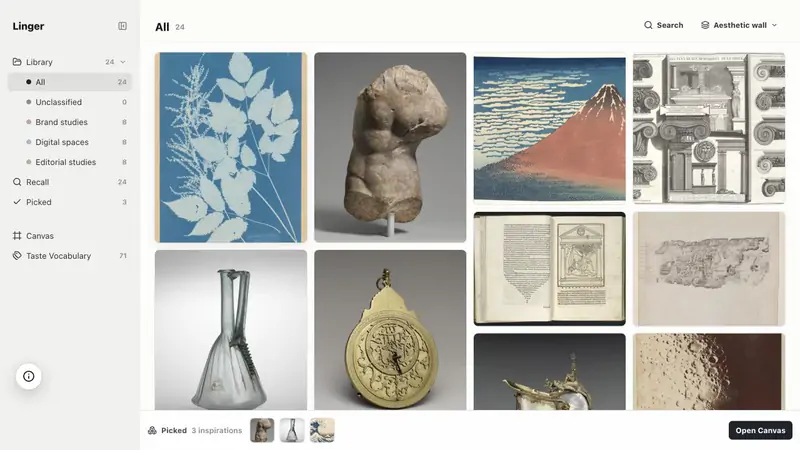
 LingerSave what moves you. Recall it in your own words.autor: LLucius Miao, BlackHarbor Analytics Limited$39 once (Lifetime $79). 14-day free tri
 -20%
 Moodydesign library for your screenshots and links.autor:
 Nikhil Yadav10