Updated Nov 5, 2026, from what MacPip lists today.
Kurze Antwort
MacPip lists 3 window managers for Mac, and a person has checked 1 of them.All of them sell a one-time license.There is no single best window manager for everyone, so MacPip does not rank them.Wenn du lieber einmal zahlst, statt ein Abo abzuschließen, fang mit Backdrop an.
Apps a person checked come first, newest check first. Never ordered by payment.
macOS has never been great at arranging windows. Recent versions help: since macOS 15 Sequoia you can drag a window to a screen edge to tile it, and Stage Manager groups windows by task. A window manager goes further, and the ones on MacPip go in different directions.
Two ideas show up here. One keeps windows organized by project, so a whole set of windows comes back together. The other is the scrolling layout: windows sit side by side on a strip that runs past the edges of the screen, so nothing shrinks and you slide between them.
All 3 sell a one-time license with no subscription, so the choice is about how you like to work, not about the bill.
What these 3 apps offer, by their listings. An app can offer several, so the bars do not add up to 3.
Kostenlose Version0 von 3
Pay once3 von 3
Abo0 von 3
Native to Apple silicon2 von 3
Open Source0 von 3
Funktioniert offline1 von 3
Von einer Person geprüft1 von 3
One-time price in US dollars, as each listing states it, lowest first. Launch prices count where the listing says so.
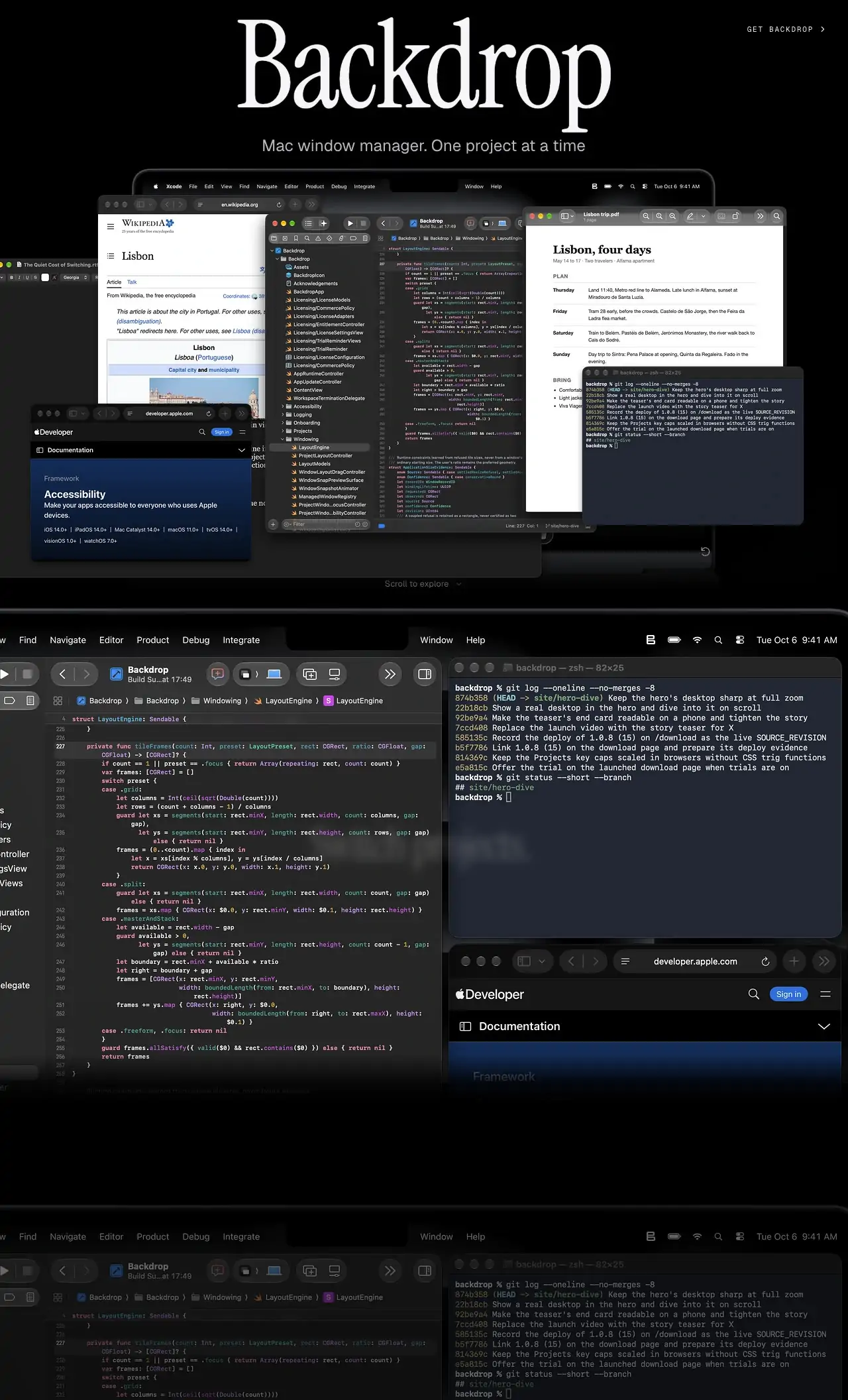
Backdrop organizes your windows by project, so switching from one piece of work to another brings the right set of windows back together. It is a native Mac app, needs macOS 14 or later and no account. Try it free for 10 days, then pay $9.90 once.
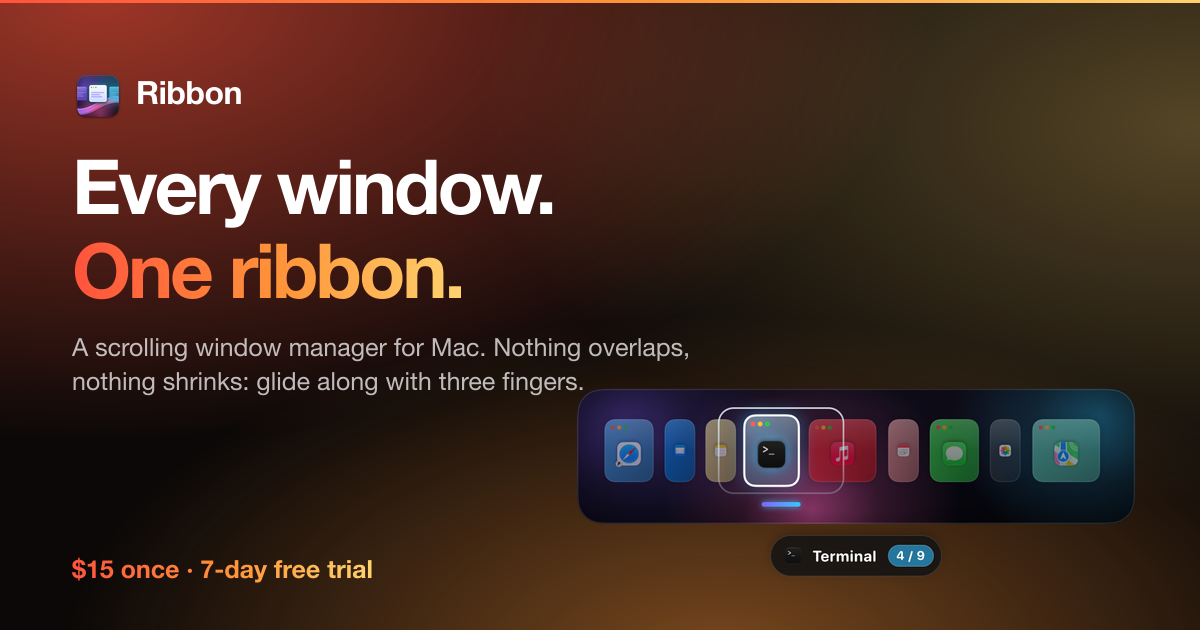
Ribbon is a scrolling window manager built around one promise: nothing ever shrinks. Windows sit side by side on a strip past the edges of the screen, and a swipe slides the next one in at full size.
It works with trackpad gestures, keyboard arrows and the mouse, and warns you if another app already owns the same swipe. No account, no subscription: $15 once for up to 3 Macs, with a 7-day trial and a 10-day refund. It needs macOS 14 or later, and its maker names Rectangle and Magnet as the apps it replaces.
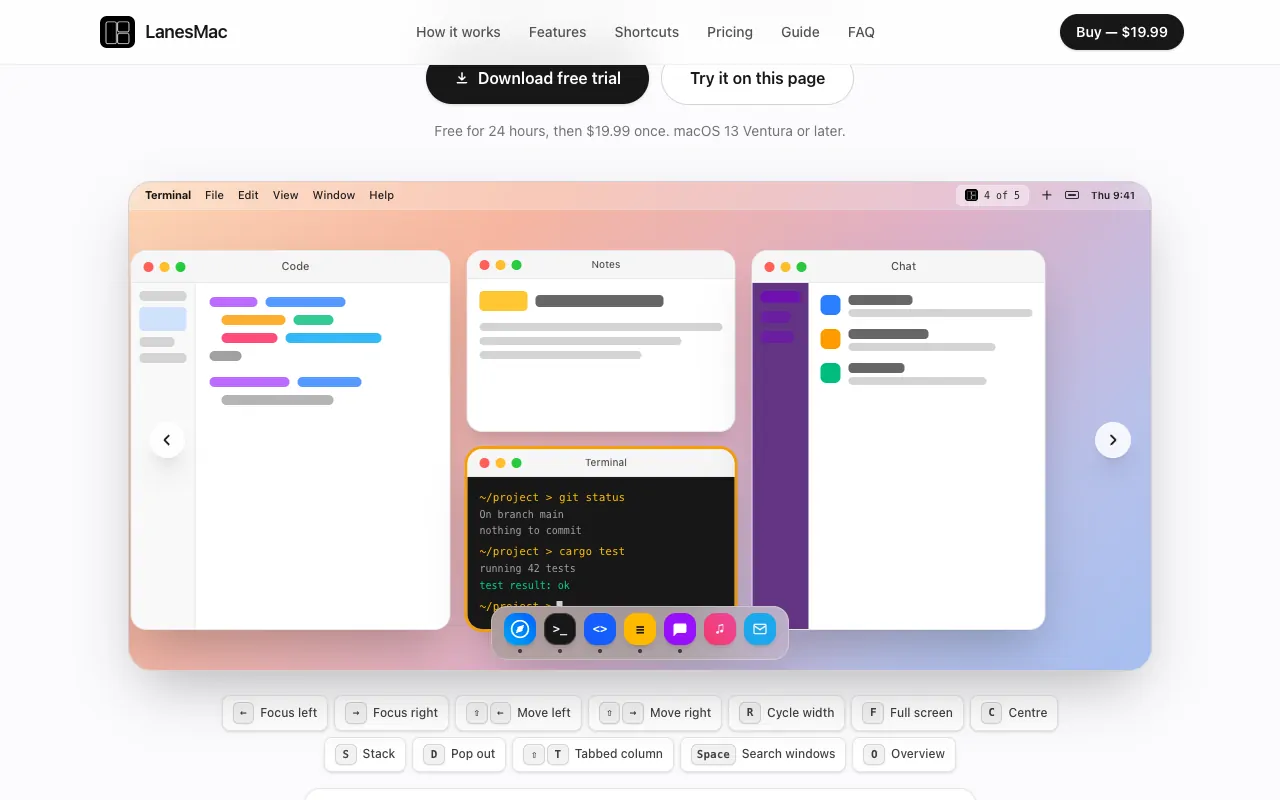
LanesMac is a scrolling tiling window manager, inspired by PaperWM and niri on Linux. Every window gets its own column on an endless strip, and you move along the strip instead of stacking windows. It is $19.99 once, with a 24-hour free trial, and needs macOS 13 Ventura or later.
On macOS 15 or later, try the built-in tiling before you buy: drag a window to an edge or corner, or hold Option while dragging, and use Window > Move & Resize in any app's menu bar. If that covers you, you are done.
How to choose a window manager
Check your macOS. LanesMac needs macOS 13 Ventura or later, Backdrop needs macOS 14 or later, and Ribbon needs macOS 14 Sonoma or later.
Snap or scroll? If you like a few windows in fixed halves and quarters, the built-in tiling may be enough. If you juggle many windows at full size, a scrolling layout is worth a try.
Work in projects?Backdrop organizes windows by project.
Trackpad person?Ribbon works with trackpad gestures, keyboard arrows and the mouse, and warns you if another app already owns the same swipe.
Coming from Linux?LanesMac is inspired by PaperWM and niri: every window gets its own column on an endless strip.
Use the trial. Window managers change muscle memory. Give one a full working day before you decide.
Nimm Backdrop, wenn du lieber einmal zahlst, statt ein Abo abzuschließen.
Nimm Ribbon, wenn sie nativ auf Apple silicon laufen soll.
Nimm LanesMac, wenn sie offline funktionieren soll, wie ihr Maker sagt.
Fragen
What is the best window manager for Mac?
There is no single best one for everyone. MacPip lists 3: Backdrop, Ribbon, LanesMac. If you would rather pay once than subscribe, look at Backdrop. If you want it to run natively on Apple silicon, look at Ribbon. If you need it to work offline, as its maker says it does, look at LanesMac.
Are there free window managers for Mac?
Keine der Apps auf MacPip hat bisher eine bestätigte kostenlose Version.
Which window managers for Mac have a one-time price?
Mit Einmalkauf-Option, damit du ein Abo vermeiden kannst: Backdrop, Ribbon, LanesMac.
Which window managers run natively on Apple silicon?
Nach Angabe der Maker oder nach unserer Prüfung: Ribbon, LanesMac.
Which window managers has a person checked?
Jede hat einen datierten Bericht auf ihrer Seite: Backdrop.
Wie sortiert MacPip diese Apps?
Apps, die eine Person geprüft hat, kommen zuerst, die neueste Prüfung vorn, danach der Rest nach Datum des Hinzufügens. Bezahlung ändert die Reihenfolge nie, und gesponserte Zeilen sind gekennzeichnet und getrennt.