PatrocinarIniciar sesiónEnviar

Las fichas se mantienen en el idioma en que las escribieron sus creadores.

Best of MacPip

Las mejores utilidades para Mac

Updated Nov 8, 2026, from what MacPip lists today.

Respuesta corta

MacPip lists 17 utilities for Mac, and a person has checked 3 of them.10 de ellas tienen una versión gratuita.10 de ellas venden una licencia de pago único.1 de ellas se paga por suscripción.There is no single best utility for everyone, so MacPip does not rank them.Si lo quieres gratis, empieza por UsageBeacon.

Apps a person checked come first, newest check first. Never ordered by payment.

What these 17 apps offer, by their listings. An app can offer several, so the bars do not add up to 17.
Versión gratuita10 de 17
Pay once10 de 17
Suscripción1 de 17
Native to Apple silicon9 de 17
Código abierto3 de 17
Funciona sin conexión5 de 17
Revisada por una persona3 de 17
One-time price in US dollars, as each listing states it, lowest first. 7 apps have no plain dollar one-time price and are left out. Launch prices count where the listing says so.
MouseUp$7.99
Arkivor$9.99
MacWall$12.99
Phosphor$19.99

Compared

AppQué hacePrecioGratis o de pagoApple siliconCódigo abiertoHecho porRevisada
UsageBeaconSee your remaining Cursor, Claude, and Codex usage budgets right in the Mac menu bar.Gratis y de código abiertoVersión gratuitaNo indicadoSíDavid Cohen3 nov
MacWallCinematic 4K live wallpapers, built for Mac12,99 US$ una vezPago únicoNo indicadoNoMacWall Team31 oct
PhosphorPhosphor for Mac is a native display utilityGratis, Pro $19.99 onceVersión gratuitaPago únicoNo indicadoNoArnav Kulshreshtha31 oct
MouseUpFix ghost double-clicks and get trackpad-smooth scrolling on any mouse.$7.99 once, free trialPago únicoSí, y en Intel, según su creadorNoDavid TranPendiente
CliptureClipture is a lightweight screenshot tool built for macOS.Free with in-app purchasesVersión gratuitaNo indicadoNo昆 王Pendiente
PasteNook ClipboardPasteNook is a beautiful and smart clipboard history tool designed for macOS.Free with in-app purchasesVersión gratuitaNo indicadoNo昆 王Pendiente
AirCalendarCheck the date, see what’s coming up and keep your tasks close at hand.Gratis, Pro $1.99 onceVersión gratuitaPago únicoNo indicadoNo昆 王Pendiente
ArkivorOpen ZIP, RAR and 7Z archives on your Mac9,99 US$ una vezPago únicoNo indicadoNoKamil AltunPendiente
TaskglassTaskglass is a native macOS app that shows what's slowing$5 once (launch), then $9Pago únicoSí, y en Intel, según su creadorNoJunaidPendiente
Disk ReviewerReview-first cleaner: inspect caches, leftovers and similar photos; nothing preselected.Free with in-app purchasesVersión gratuitaSí, y en Intel, según su creadorNoApis Systems LLCPendiente
TouchNowStream and control your Mac from your iPhone or iPadFree on Wi-Fi; remote $2.99/moVersión gratuitaSuscripciónSí, y en Intel, según su creadorNoNo indicadoPendiente
Local Music OrganizerFind duplicates, repair Music.app libraries and analyze audio on Mac.$29.99 once, 3-day free trialPago únicoSí, y en Intel, según su creadorNoSergey BelenkyPendiente
DormouseKeep your MacBook from draining while it sleeps.Gratis, Pro $4.99 once, 14-day trialVersión gratuitaPago únicoSí, y en Intel, según su creadorNoHalis Eren Özgür / eren.clickPendiente
Gestures For FoldersGestures for Folders brings browser-style trackpad navigation to your Finder windows.0,99 US$ una vezPago únicoNo indicadoNoAJA Digital LLCPendiente
MacOS CleanerFree native Mac cleaner and uninstallerFree and source-availableVersión gratuitaSí, solo Apple silicon, según su creadorSíAleksandr Tk (AlexTkDev)Pendiente
OpenNavoFree, open-source Homebrew GUI for Mac with built-in malware scanning.Gratis y de código abiertoVersión gratuitaSí, y en Intel, según su creadorSíNo indicadoPendiente
RabbitSee your Android phone's notifications natively on your Mac.49 US$ una vezPago únicoSí, y en Intel, según su creadorNoNo indicadoPendiente

12 of them, up close

The 12 below come first in the table: apps a person checked, newest check first. The other 5 are in the table above.

UsageBeacon

See your remaining Cursor, Claude, and Codex usage budgets right in the Mac menu bar.

Versión gratuitaCódigo abiertoRevisada el 3 nov
UsageBeacon on a Mac

UsageBeacon turns your Cursor, Claude and Codex usage into remaining percentages, budgets and reset windows in the menu bar, so you know before you hit a limit. It is free and open source, and needs macOS 14 Sonoma or later.

Precio
Gratis y de código abierto
Needs
macOS 14 Sonoma o posterior
Its maker says it replaces
SessionWatcher

UsageBeacon on MacPip More Menu Bar apps

MacWall

Cinematic 4K live wallpapers, built for Mac

Pay onceRevisada el 31 oct
MacWall on a Mac

From its maker: MacWall is a native macOS app that turns looping video into your desktop wallpaper. It is written in Swift, decodes video in hardware, and lives in the menu bar rather than the Dock.

Precio
12,99 US$ una vez
Needs
macOS 15 o posterior
Its maker says it replaces
Backdrop, Wallspace, Wallper, Muro, Wallpaper Engine, Aerial, Plash

MacWall on MacPip More Utilities apps

MouseUp

Fix ghost double-clicks and get trackpad-smooth scrolling on any mouse.

Pay onceApple silicon
MouseUp on a Mac

From its maker: MouseUp (formerly Mac Mouse Fixer) makes any external mouse feel at home on macOS. It blocks the ghost double-clicks that worn switches cause, so one click is one click again, and turns every wheel notch into one smooth, trackpad-like glide.

Oferta
50% off Lifetime, until Dec 5
Precio
$7.99 once, free trial
Needs
macOS 12 Monterey o posterior
Its maker says it replaces
Mac Mouse Fix, SteerMouse, Mos, Logi Options+

MouseUp on MacPip More Utilities apps

Clipture

Clipture is a lightweight screenshot tool built for macOS.

Versión gratuita
Clipture on a Mac
Hecho por 昆 王App Store

From its maker: Clipture is a lightweight screenshot tool built for macOS. It brings screenshots, scrolling capture, text recognition, QR code recognition, translation, and annotation together in one clear workflow.

Precio
Free with in-app purchases
Needs
macOS 12 Monterey o posterior

Clipture on MacPip More Utilities apps

PasteNook Clipboard

PasteNook is a beautiful and smart clipboard history tool designed for macOS.

Versión gratuita
PasteNook Clipboard on a Mac
Hecho por 昆 王App Store

From its maker: PasteNook is a beautiful and smart clipboard history tool designed for macOS. It helps you save, search and reuse the text, links, images, files and work materials you copy every day.

Precio
Free with in-app purchases
Needs
macOS 14 Sonoma o posterior

PasteNook Clipboard on MacPip More Utilities apps

AirCalendar

Check the date, see what’s coming up and keep your tasks close at hand.

Versión gratuitaPay once
AirCalendar on a Mac
Hecho por 昆 王Sitio web

From its maker: Check the date, see what’s coming up and keep your tasks close at hand. AirCalendar brings a monthly calendar, lunar dates, holidays, events and to-dos to your Mac menu bar.

Precio
Gratis, Pro $1.99 once
Needs
macOS 14 Sonoma o posterior

AirCalendar on MacPip More Utilities apps

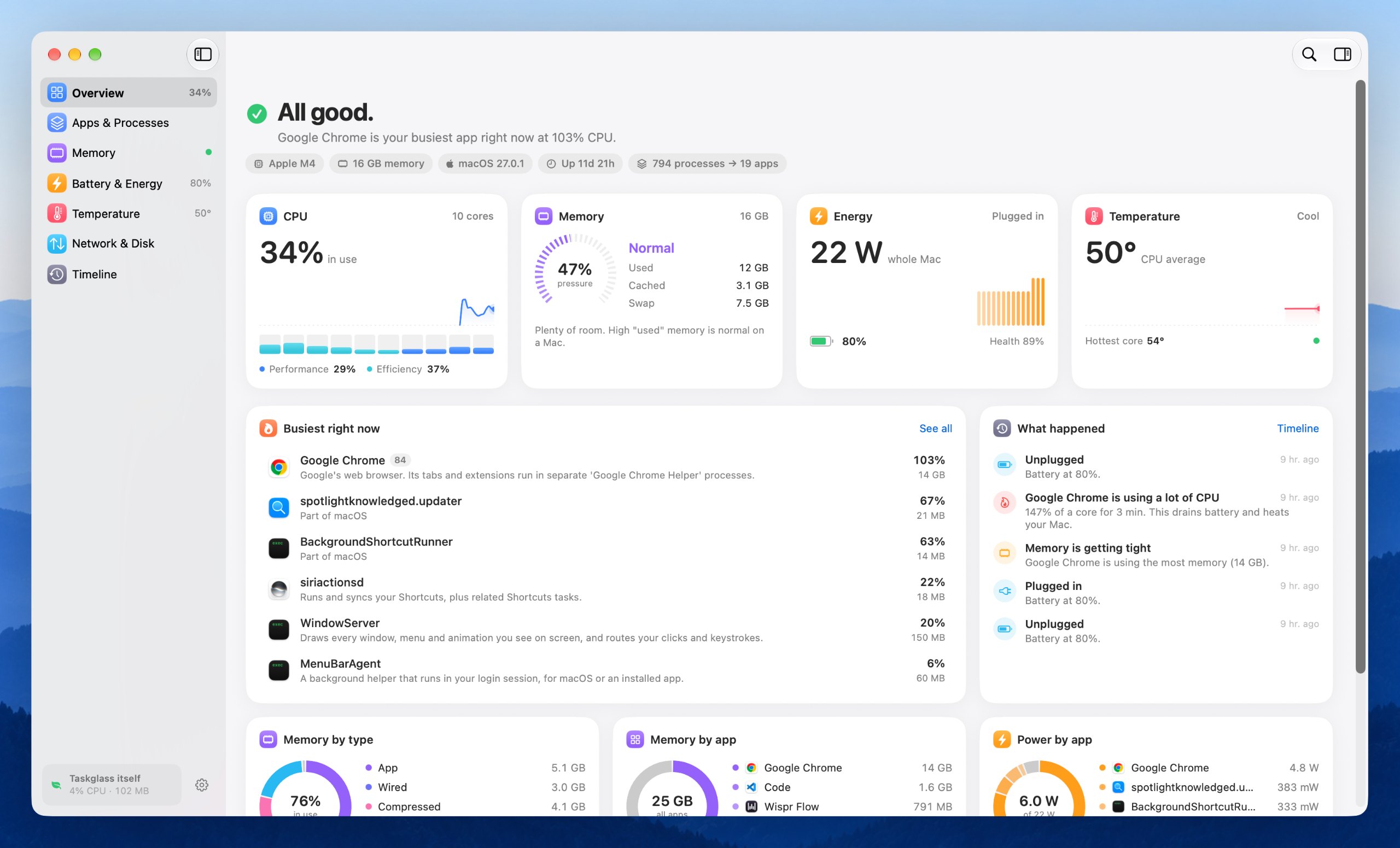
Taskglass

Taskglass is a native macOS app that shows what's slowing

Pay onceApple siliconFunciona sin conexión
Taskglass on a Mac

From its maker: Taskglass is a native macOS app that shows what's slowing, heating or draining your Mac, and explains it in plain English.

Precio
$5 once (launch), then $9
Needs
macOS 14 Sonoma o posterior
Its maker says it replaces
iStats, Vitals

Taskglass on MacPip More Productivity apps

Disk Reviewer

Review-first cleaner: inspect caches, leftovers and similar photos; nothing preselected.

Versión gratuitaApple siliconFunciona sin conexión
Disk Reviewer on a Mac

From its maker: Disk Reviewer is a review-first Mac cleaner that lists caches, app leftovers and similar photos with their size and full path; nothing is preselected. The free core includes Smart Scan, Applications, Similar Photos and a menu-bar space monitor.

Precio
Free with in-app purchases
Needs
macOS 13 Ventura o posterior

Disk Reviewer on MacPip More Utilities apps

TouchNow

Stream and control your Mac from your iPhone or iPad

Versión gratuitaSuscripciónApple silicon
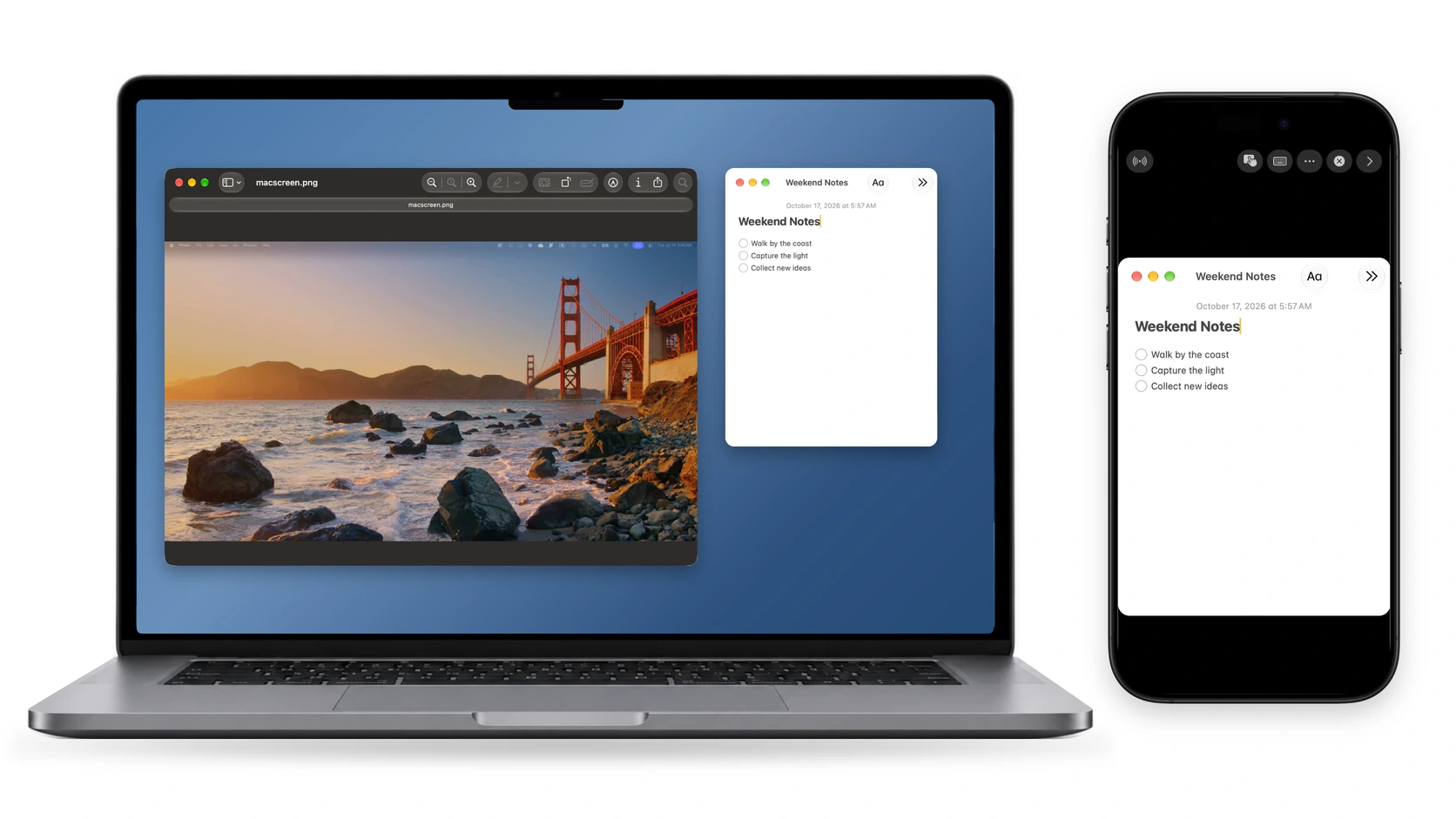
TouchNow on a Mac

From its maker: Stream and control your Mac from your iPhone or iPad with trackpad, direct touch, a full Mac keyboard and a customizable game controller. Use an iPhone or iPad as a second display.

Precio
Free on Wi-Fi; remote $2.99/mo
Needs
macOS 13 Ventura o posterior

TouchNow on MacPip More Utilities apps

Local Music Organizer

Find duplicates, repair Music.app libraries and analyze audio on Mac.

Pay onceApple siliconFunciona sin conexión
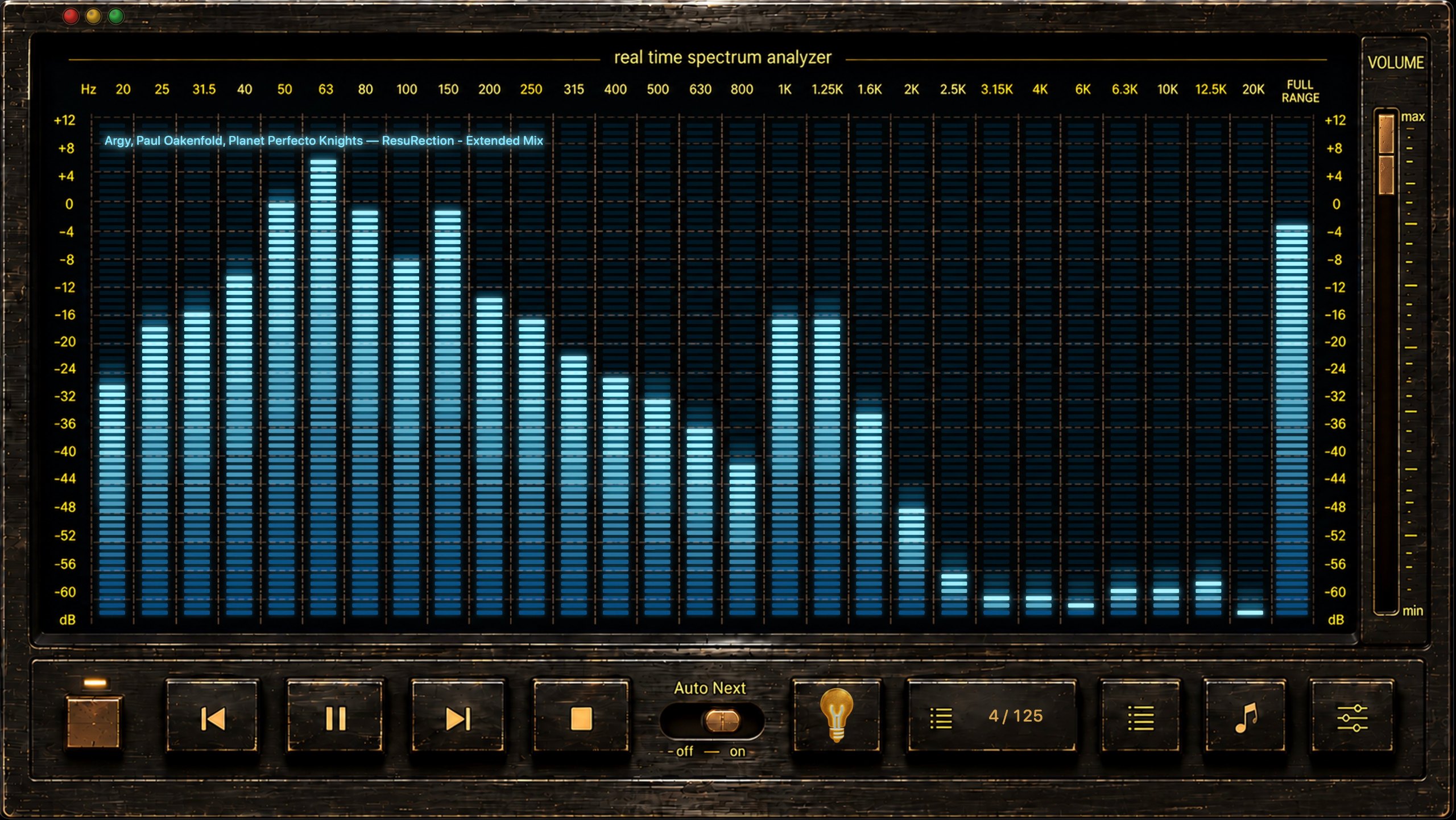
Local Music Organizer on a Mac

From its maker: Local Music Organizer is a native macOS toolkit for large offline Music.app collections. Its SQLite index helps find missing files, duplicate records, repeated playlist entries, incomplete albums, missing artwork and playlists.

Precio
$29.99 once, 3-day free trial
Needs
macOS 14 Sonoma o posterior

Local Music Organizer on MacPip More Music apps

Cuál elegir

What to look for

Fíjate en que diga con claridad a qué accede, que tenga una actualización reciente para tu versión de macOS y que sea fácil de desinstalar.

Preguntas

What is the best utility for Mac?

There is no single best one for everyone. MacPip lists 17: UsageBeacon, MacWall, Phosphor, MouseUp, Clipture, PasteNook Clipboard, AirCalendar, Arkivor, Taskglass, Disk Reviewer, TouchNow, Local Music Organizer and 5 more. If you want it free, look at UsageBeacon. If you would rather pay once than subscribe, look at MacWall. If you want open source code, look at UsageBeacon.

Are there free utilities for Mac?

Sí. Con una versión gratuita en MacPip: UsageBeacon, Phosphor, Clipture, PasteNook Clipboard, AirCalendar, Disk Reviewer, TouchNow, Dormouse, MacOS Cleaner, OpenNavo.

Which utilities for Mac have a one-time price?

Con opción de pago único, para que evites una suscripción: MacWall, Phosphor, MouseUp, AirCalendar, Arkivor, Taskglass, Local Music Organizer, Dormouse, Gestures For Folders, Rabbit.

Which utilities run natively on Apple silicon?

Según sus creadores o según nuestra revisión: MouseUp, Taskglass, Disk Reviewer, TouchNow, Local Music Organizer, Dormouse, MacOS Cleaner, OpenNavo, Rabbit.

Which utilities has a person checked?

Cada una tiene un informe con fecha en su página: UsageBeacon, MacWall, Phosphor.

¿Cómo ordena MacPip estas apps?

Primero van las apps que una persona ha revisado, con la revisión más reciente al principio, y después el resto según cuándo se añadieron. El pago nunca cambia el orden, y las filas patrocinadas están etiquetadas y separadas.

Relacionado