안녕하세요, Pip이에요이 Featured 앱들이 제 노치에 번갈아 나와요.
iPip제출

등록 정보는 메이커가 쓴 언어 그대로 남아요.

MacPip 베스트

Mac용 Best Notchnook 대안

2026년 11월 9일 업데이트, 오늘 MacPip에 등록된 앱 기준.

짧은 답

MacPip lists 4 Notchnook alternatives for Mac, and MacPip has checked 1 of them.그중 1개에 무료 버전이 있어요.그중 3개는 한 번 결제하는 라이선스를 판매해요.There is no single best Notchnook alternative for everyone, so MacPip does not rank them.무료를 원한다면 이것부터 보세요: MacSpaces.

확인된 앱이 먼저 나오고, 최근에 확인한 앱이 앞에 와요. 결제로 순서를 정하지 않아요.

등록 정보 기준으로 본 앱 4개의 특징이에요. 한 앱이 여러 개에 해당할 수 있어서 막대를 모두 더해도 4개가 되지 않아요.
무료 버전4개 중 1개
한 번만 결제4개 중 3개
구독4개 중 0개
Apple silicon 네이티브4개 중 3개
오픈 소스4개 중 1개
오프라인 작동4개 중 2개
확인됨4개 중 1개
각 등록 정보에 적힌 미국 달러 기준 일회성 가격, 낮은 순. 앱 1개는 달러로 된 단순 일회성 가격이 없어서 뺐어요. 등록 정보에 적혀 있으면 출시 가격도 포함해요.
NotchAboveUS$1.99
PapaUS$4.99
ToolnotchUS$4.99

비교

앱하는 일가격무료 또는 유료Apple silicon오픈 소스제작확인됨
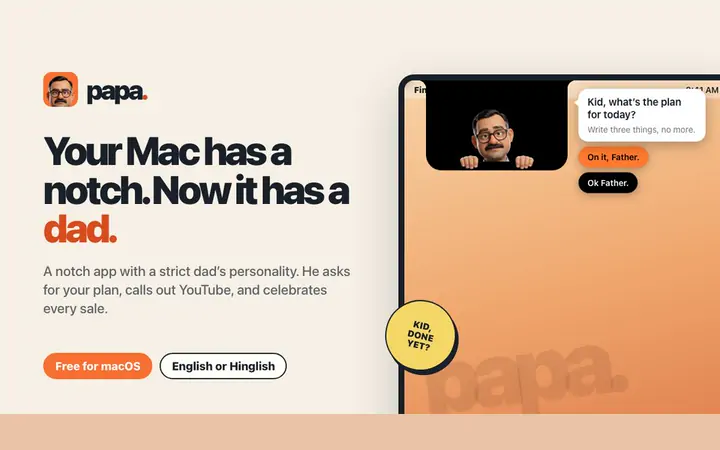
PapaA Mac notch app with a dad personality that keeps you honest about your day.$4.99 once (launch price)일회성명시되지 않음아니요KariaJeet10월 30일
MacSpacesMacSpaces turns your notch into a workstation.무료무료 버전네, 메이커 말에 따르면 Intel도 지원해요예명시되지 않음대기 중
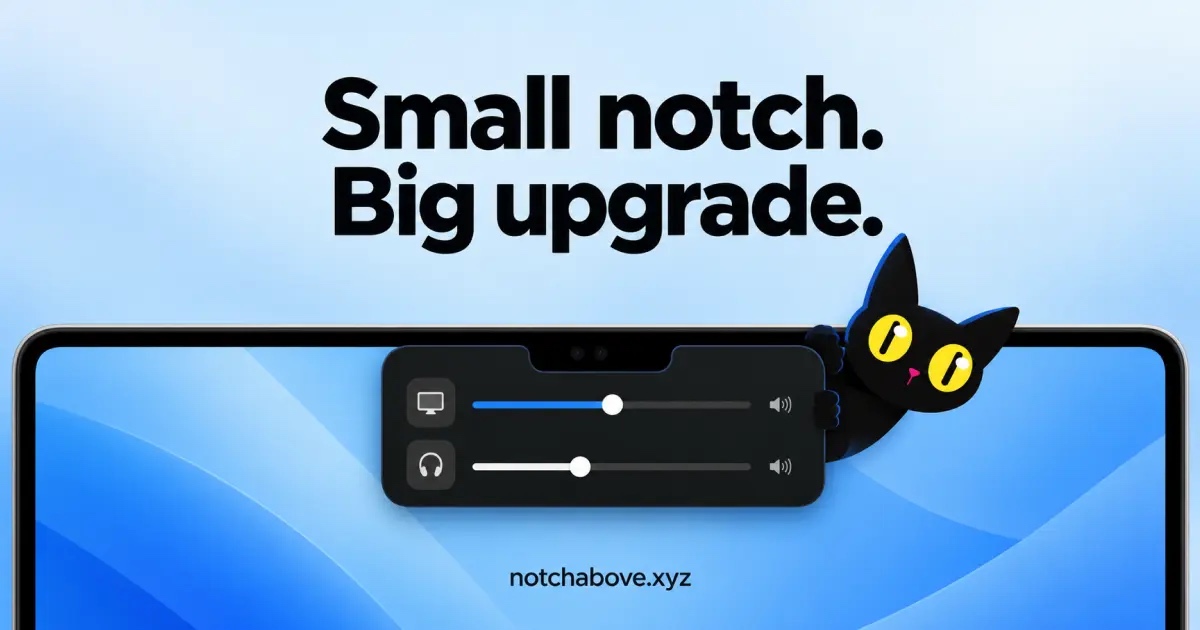
NotchAboveA Mac notch app: set each device's volume before you switch$1.99 once (launch), then $9.99일회성네, 메이커 말에 따르면 Intel도 지원해요아니요Sharman대기 중
ToolnotchWindows, AI agents, calls and clipboard in your Mac's notchUS$4.99 한 번일회성네, 메이커 말에 따르면 Intel도 지원해요아니요Jo대기 중

앱 하나하나 보기

Papa 앱 아이콘

Papa

A Mac notch app with a dad personality that keeps you honest about your day.

한 번만 결제10월 30일에 확인됨
Mac에서 실행 중인 Papa

Papa는 노치에 살고 인도 아빠 같은 성격을 가졌어요. 매일 아침 계획을 묻고, YouTube 같은 방해되는 사이트에 시간 제한을 걸고, Stripe와 Dodo의 매출을 응원하고, 밤에는 무엇을 해냈는지 확인해요. 출시 가격으로 한 번 US$4.99이고, 3일 체험판이 있으며, macOS 14 이상이 필요해요.

가격
$4.99 once (launch price)
필요 사양
macOS 14 이상
메이커가 말하는 대체 앱
Notchnook, NotchOwl, The Boring Notch

MacPip의 Papa 더 많은 노치 앱

MacSpaces 앱 아이콘

MacSpaces

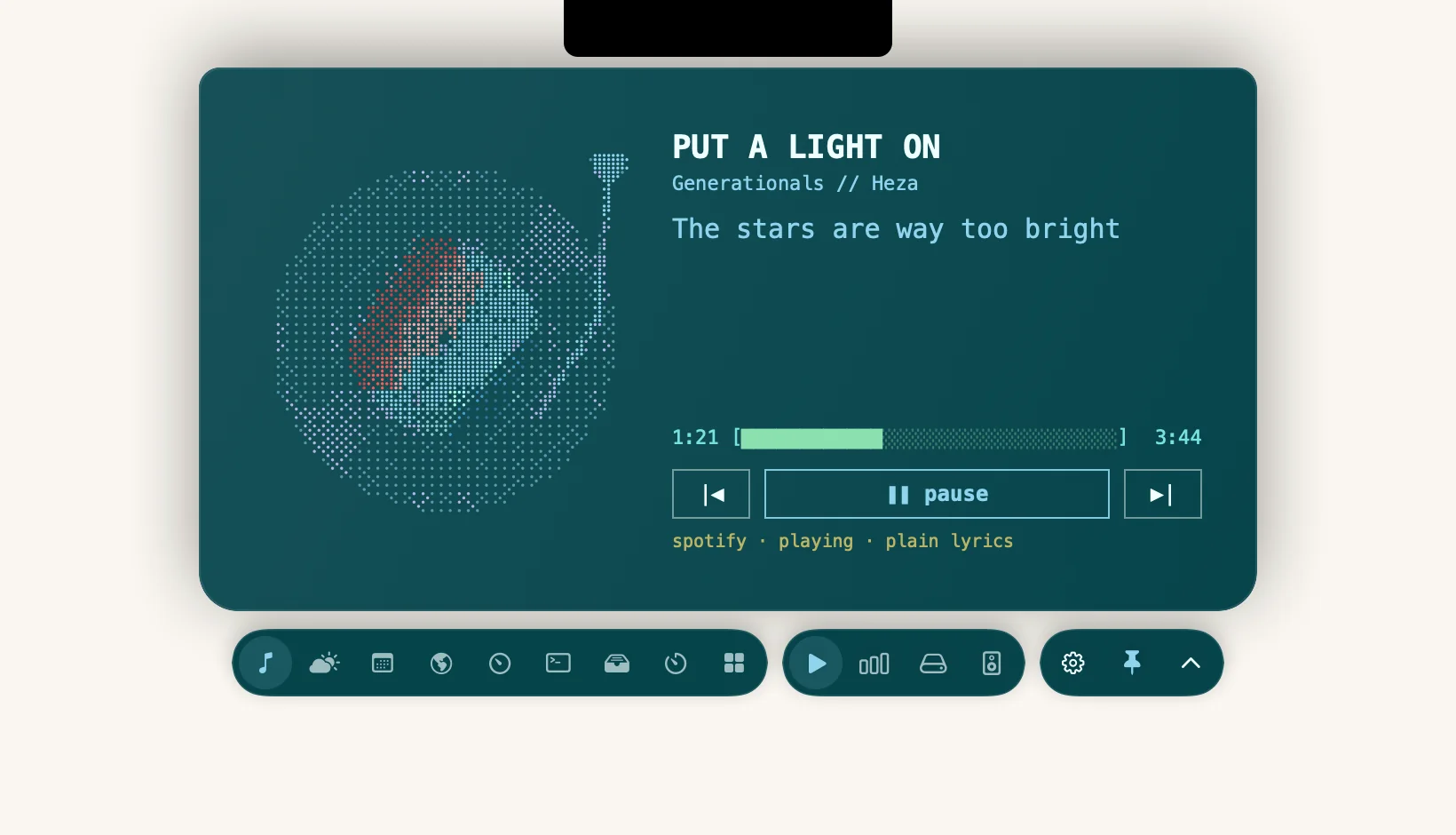
MacSpaces turns your notch into a workstation.

무료 버전Apple silicon오픈 소스오프라인 작동
Mac에서 실행 중인 MacSpaces

메이커의 말: MacSpaces turns your notch into a workstation. Free and open source, for macOS 13 or later.

가격
무료
필요 사양
macOS 13 Ventura 이상
메이커가 말하는 대체 앱
Droppy, NotchNook

MacPip의 MacSpaces 더 많은 노치 앱

NotchAbove 앱 아이콘

NotchAbove

A Mac notch app: set each device's volume before you switch

한 번만 결제Apple silicon오프라인 작동
Mac에서 실행 중인 NotchAbove

From its maker: A Mac notch app: set each device's volume before you switch, track Claude Code, Codex and Cursor, push에서 GitHub, see your sales. Works with or without a notch로.

특가
100% OFF for 10 users, until Nov 30
가격
$1.99 once (launch), then $9.99
필요 사양
macOS 13 Ventura 이상
메이커가 말하는 대체 앱
Droppy, NotchNook, Aclove, Notchy, TopNotch, SoundSource

MacPip의 NotchAbove 더 많은 노치 앱

Toolnotch 앱 아이콘

Toolnotch

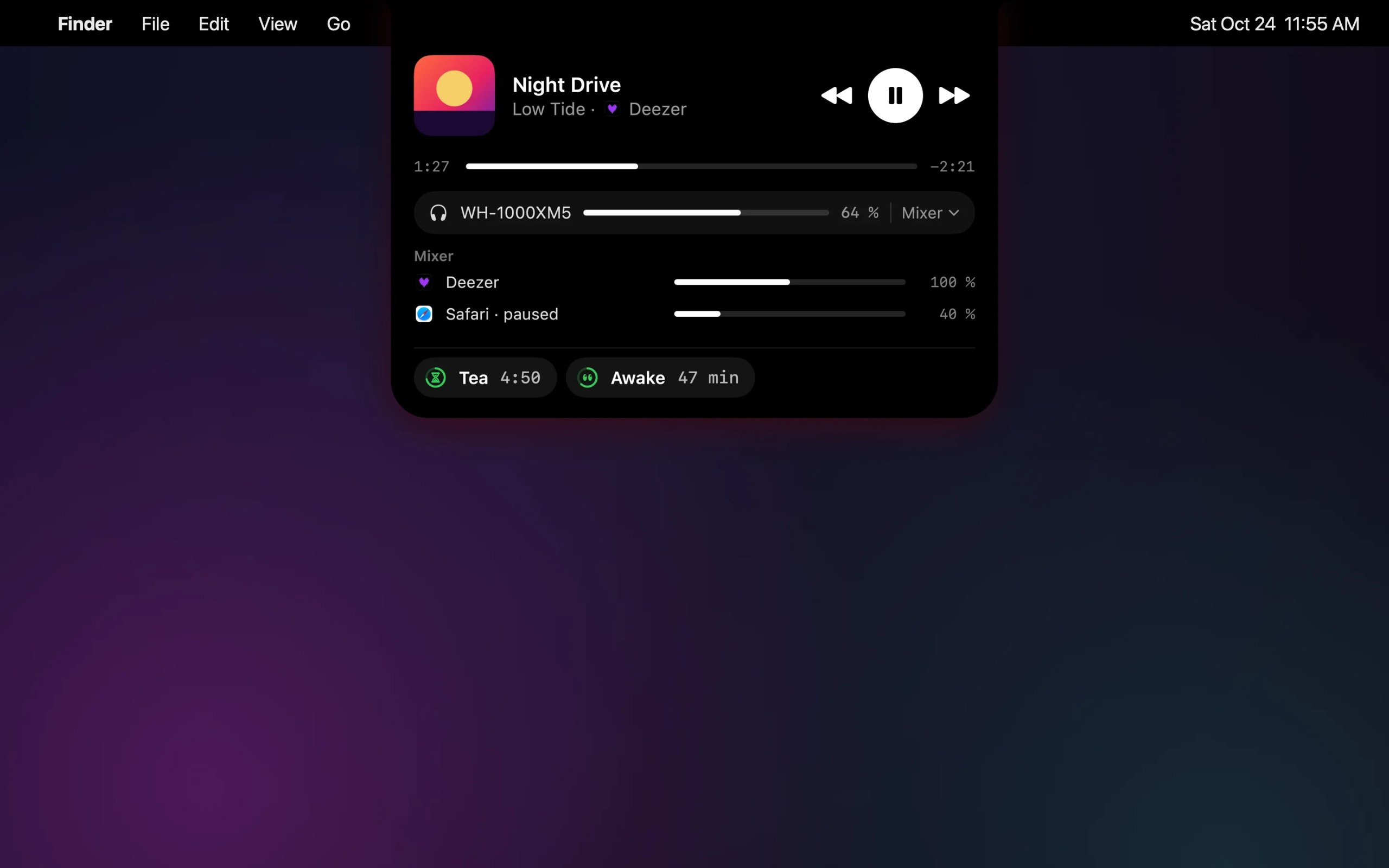
Windows, AI agents, calls and clipboard in your Mac's notch

한 번만 결제Apple silicon
Mac에서 실행 중인 Toolnotch
만든 사람: Jo웹사이트X에서

메이커의 말: Toolnotch turns the MacBook notch into small tools that show up when you need them. It works on Macs without a notch too.

특가
$4.99 lifetime, until Jan 4
가격
US$4.99 한 번
필요 사양
macOS 15 Sequoia 이상
메이커가 말하는 대체 앱
NotchNook, Maccy, Paste, Rectangle

MacPip의 Toolnotch 더 많은 노치 앱

무엇을 고를까

살펴볼 점

Each of these is named by its own maker as an alternative에서 Notchnook. That is the maker's claim, so check that it does the part of Notchnook you use로.

질문

What is the best Notchnook alternative for Mac?

There is no single best one for everyone. MacPip lists 4: Papa, MacSpaces, NotchAbove, Toolnotch. If you want it free, look at MacSpaces. If you would rather pay once than subscribe, look at Papa. If you want it to run natively on Apple silicon, look at NotchAbove. If you need it to work offline, as its maker says it does, look at MacSpaces. If you want open source code, look at MacSpaces.

Are there free Notchnook alternatives for Mac?

네. MacPip에서 무료 버전이 있는 앱: MacSpaces.

Which Notchnook alternatives for Mac have a one-time price?

한 번 결제하는 옵션이 있어 구독을 피할 수 있어요: Papa, NotchAbove, Toolnotch.

Which Notchnook alternatives run natively on Apple silicon?

메이커의 설명 또는 우리의 확인에 따른 앱: MacSpaces, NotchAbove, Toolnotch.

Which Notchnook alternatives has MacPip checked?

각 앱 페이지에 날짜가 적힌 리포트가 있어요: Papa.

MacPip은 이 앱들을 어떻게 정렬하나요?

확인된 앱이 먼저 나오고, 최근에 확인한 앱이 앞에 오며, 나머지는 추가된 순서예요. 결제는 순서를 절대 바꾸지 않고, 스폰서 줄은 표시를 붙여 따로 둬요.

관련 글