안녕하세요, Pip이에요이 Featured 앱들이 제 노치에 번갈아 나와요.
iPip제출

등록 정보는 메이커가 쓴 언어 그대로 남아요.

MacPip 베스트

Mac용 “시스템 모니터링” 카테고리에서 한 번 결제로 사는 최고의 앱

2026년 11월 22일 업데이트, 오늘 MacPip에 등록된 앱 기준.

짧은 답

MacPip lists 8 one-time purchase system monitoring apps for Mac, and MacPip has checked none of them yet.그중 1개에 무료 버전이 있어요.모두 한 번 결제하는 라이선스를 팔아요.그중 1개는 구독으로 판매돼요.There is no single best one-time purchase system monitor for everyone, so MacPip does not rank them.무료를 원한다면 이것부터 보세요: Pikori.

확인된 앱이 먼저 나오고, 최근에 확인한 앱이 앞에 와요. 결제로 순서를 정하지 않아요.

등록 정보 기준으로 본 앱 8개의 특징이에요. 한 앱이 여러 개에 해당할 수 있어서 막대를 모두 더해도 8개가 되지 않아요.
무료 버전8개 중 1개
한 번만 결제8개 중 8개
구독8개 중 1개
Apple silicon 네이티브8개 중 7개
오픈 소스8개 중 1개
오프라인 작동8개 중 4개
확인됨8개 중 0개
각 등록 정보에 적힌 미국 달러 기준 일회성 가격, 낮은 순. 앱 2개는 달러로 된 단순 일회성 가격이 없어서 뺐어요. 등록 정보에 적혀 있으면 출시 가격도 포함해요.
PikoriUS$1.99
WiAwareUS$14.99
BatFiUS$15
MoleUS$19

비교

앱하는 일가격무료 또는 유료Apple silicon오픈 소스제작확인됨
Priv8Scout WorkbenchWi-Fi site surveys, heat maps and 18 network tools14-day trial, then one-time or yearly일회성구독네, 메이커 말에 따르면 Apple silicon만 지원해요아니요Ray대기 중
DockMagicA second Dock for your Mac with live widgets for agents, revenue and more$25 / $40 / $60 lifetime일회성네, 메이커 말에 따르면 Intel도 지원해요아니요Don대기 중
PikoriClaude Code and Codex limits in your Mac menu barFree, extra characters from $1.99 once무료 버전일회성네, 메이커 말에 따르면 Intel도 지원해요아니요명시되지 않음대기 중
BatFiPower management for your Mac: charge limit, energy use and power modes.US$15 한 번일회성네, 메이커 말에 따르면 Apple silicon만 지원해요아니요micropixels대기 중
MoleReview-before-delete cleaner for leftovers, caches, and disk space$19 one-time일회성네, 메이커 말에 따르면 Intel도 지원해요예Tw93대기 중
WiAwareKnow before your call breaks. Menu bar WiFi check that says if calls will work.$14.99 once, 14-day free trial일회성명시되지 않음아니요Sooraj P대기 중
HeartbeatMac모든 프로세스를 앱별로 묶어 주는 Activity Monitor 대안$5 launch, then $29일회성네, 메이커 말에 따르면 Intel도 지원해요아니요Chethan Kumar S N대기 중
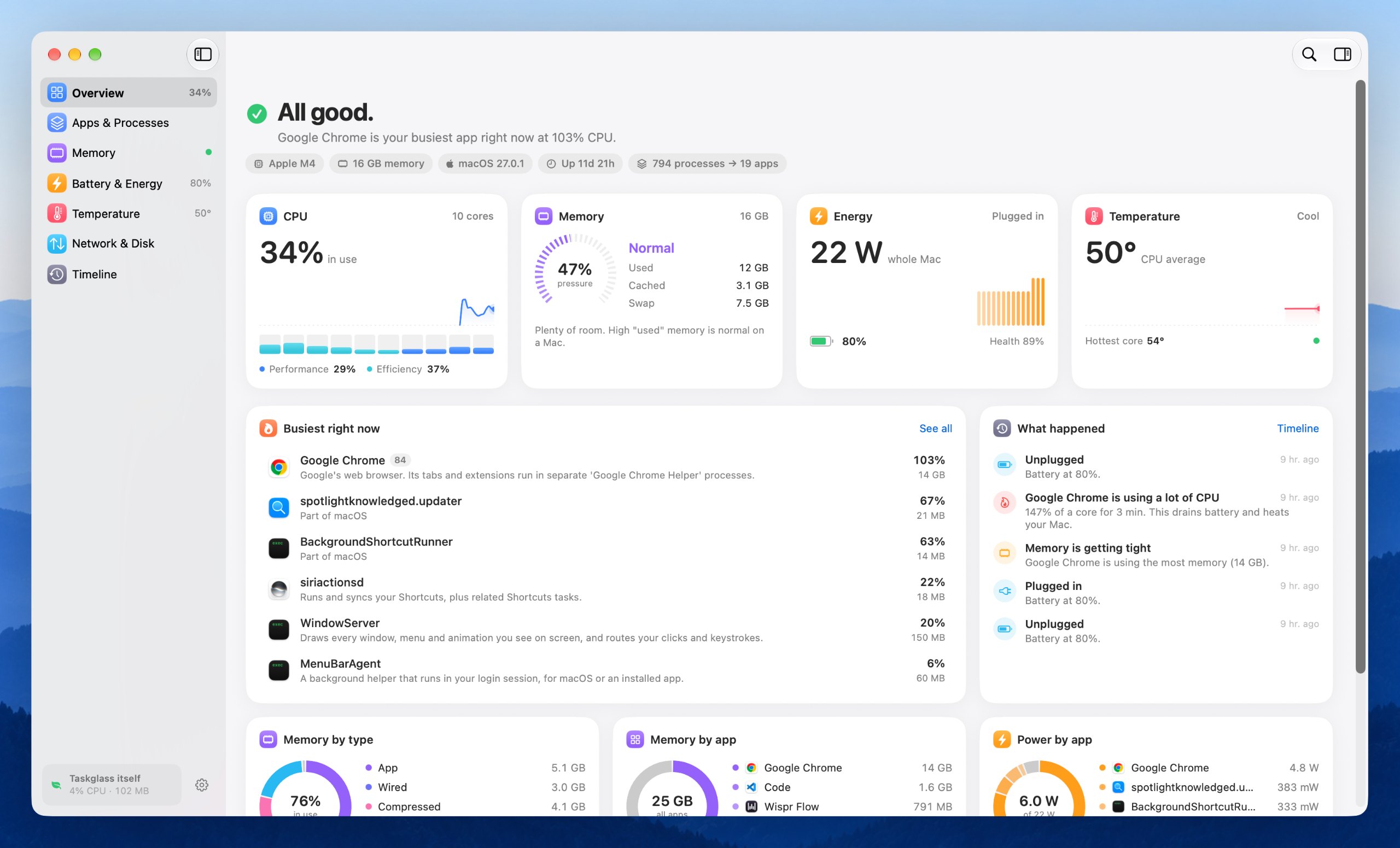
TaskglassTaskglass is a native macOS app that shows what's slowing$5 once (launch), then $9일회성네, 메이커 말에 따르면 Intel도 지원해요아니요Junaid대기 중

앱 하나하나 보기

Priv8Scout Workbench 앱 아이콘

Priv8Scout Workbench

Wi-Fi site surveys, heat maps and 18 network tools

한 번만 결제구독Apple silicon
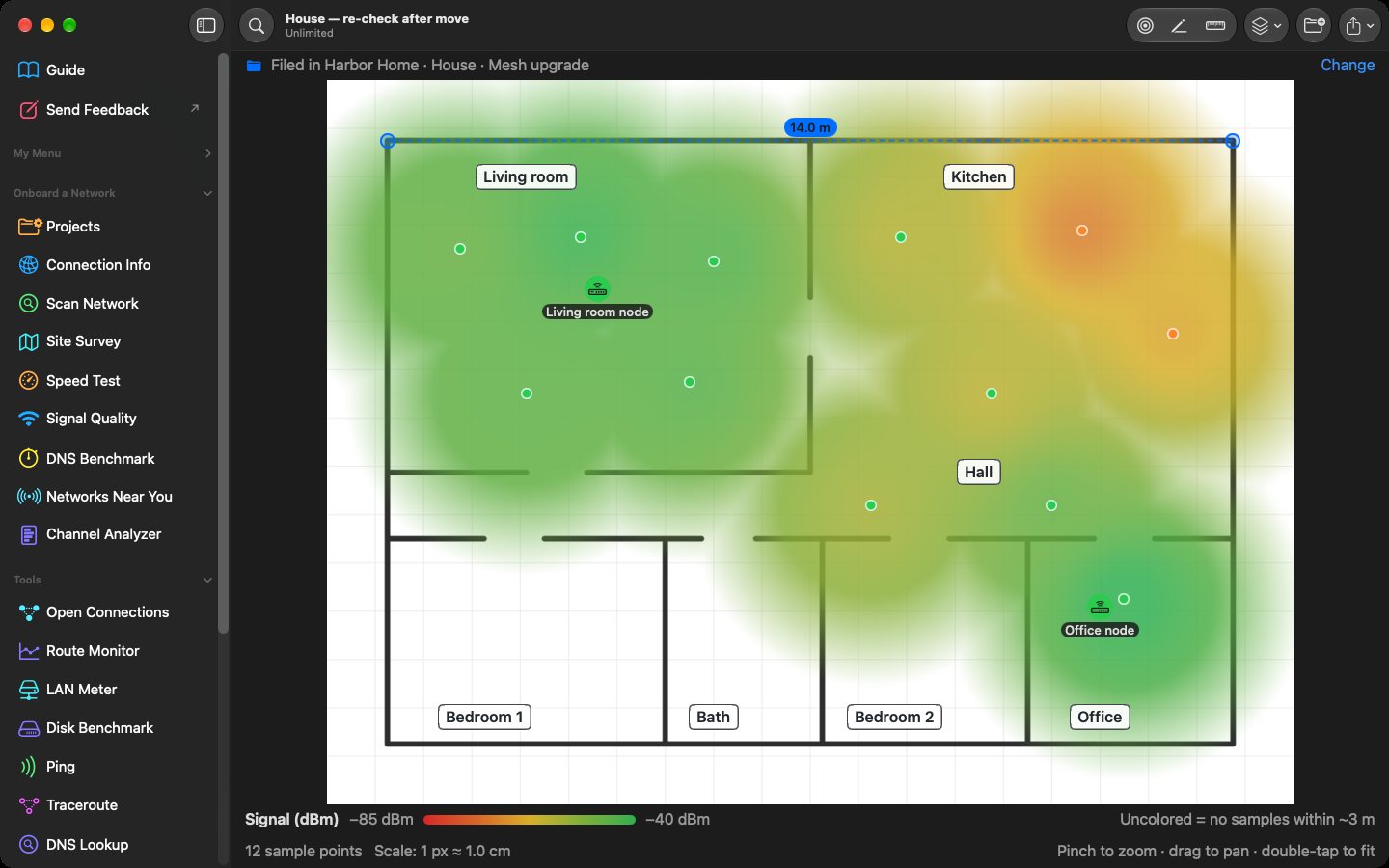
Mac에서 실행 중인 Priv8Scout Workbench
만든 사람: Ray웹사이트

메이커의 말: Priv8Scout Workbench is a Mac toolkit for seeing, measuring and diagnosing a network. Walk a floor plan to build a Wi-Fi heat map, see nearby access points with channel analysis and signal strength in dBm, and spot unfamiliar devices on your LAN.

가격
14-day trial, then one-time or yearly
필요 사양
macOS 26 Tahoe 이상

MacPip의 Priv8Scout Workbench 더 많은 네트워킹과 VPN 앱

DockMagic 앱 아이콘

DockMagic

A second Dock for your Mac with live widgets for agents, revenue and more

한 번만 결제Apple silicon
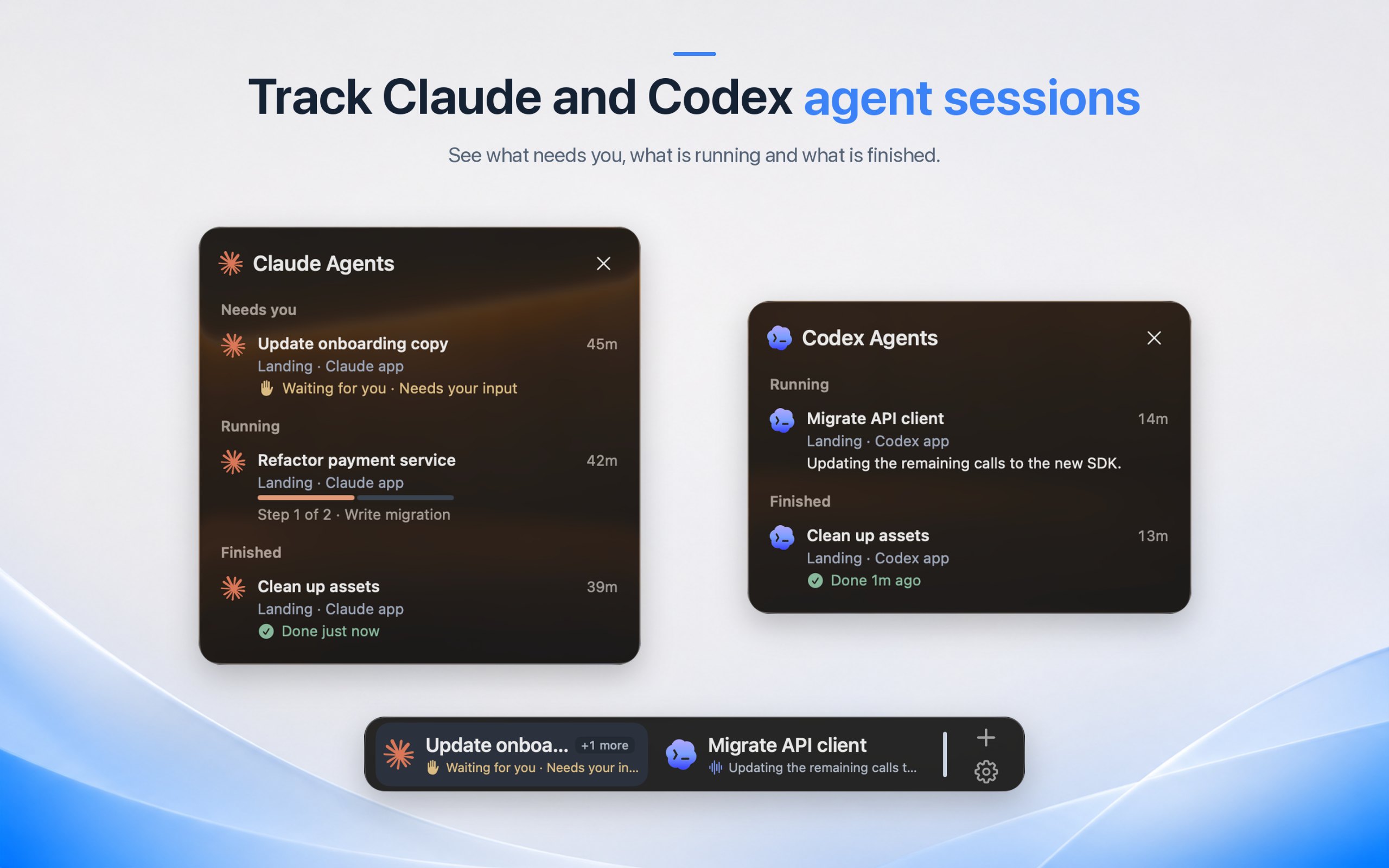
Mac에서 실행 중인 DockMagic

메이커의 말: DockMagic adds a second Dock to your Mac, beside the Apple Dock, with live widgets you arrange yourself. It does not replace or control the Apple Dock.

특가
Up to 50% off lifetime, until Nov 30
가격
$25 / $40 / $60 lifetime
필요 사양
macOS 14 Sonoma 이상

MacPip의 DockMagic 더 많은 생산성 앱

Pikori 앱 아이콘

Pikori

Claude Code and Codex limits in your Mac menu bar

무료 버전한 번만 결제Apple silicon
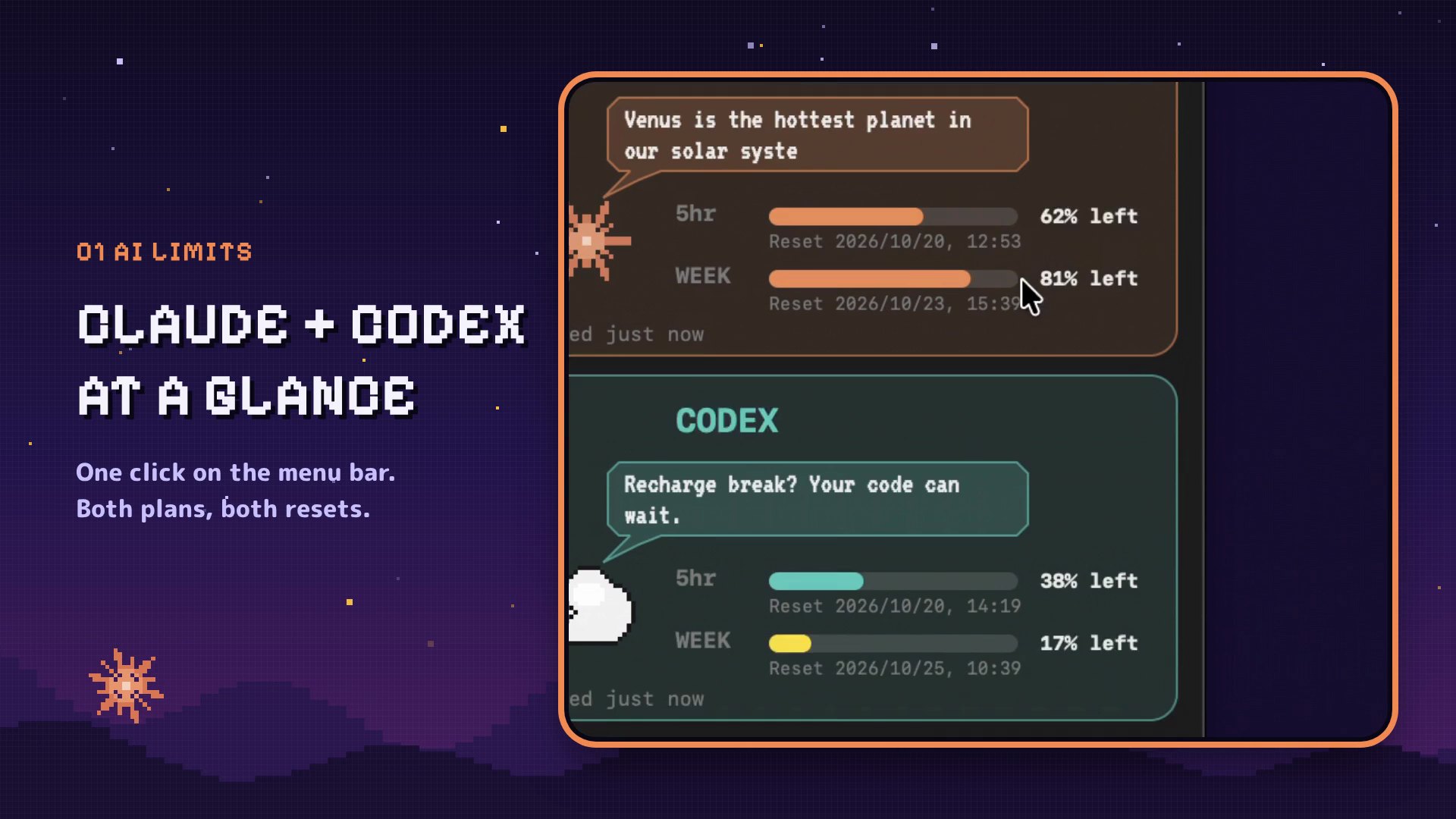
Mac에서 실행 중인 Pikori

메이커의 말: A Mac menu bar app for people who code with Claude Code and Codex. It shows what's left of the 5-hour and weekly limits for both, with the exact reset times, and sends a notification at 10%.

가격
Free, extra characters from $1.99 once
필요 사양
macOS 13 Ventura 이상

MacPip의 Pikori 더 많은 메뉴 막대 앱

BatFi 앱 아이콘

BatFi

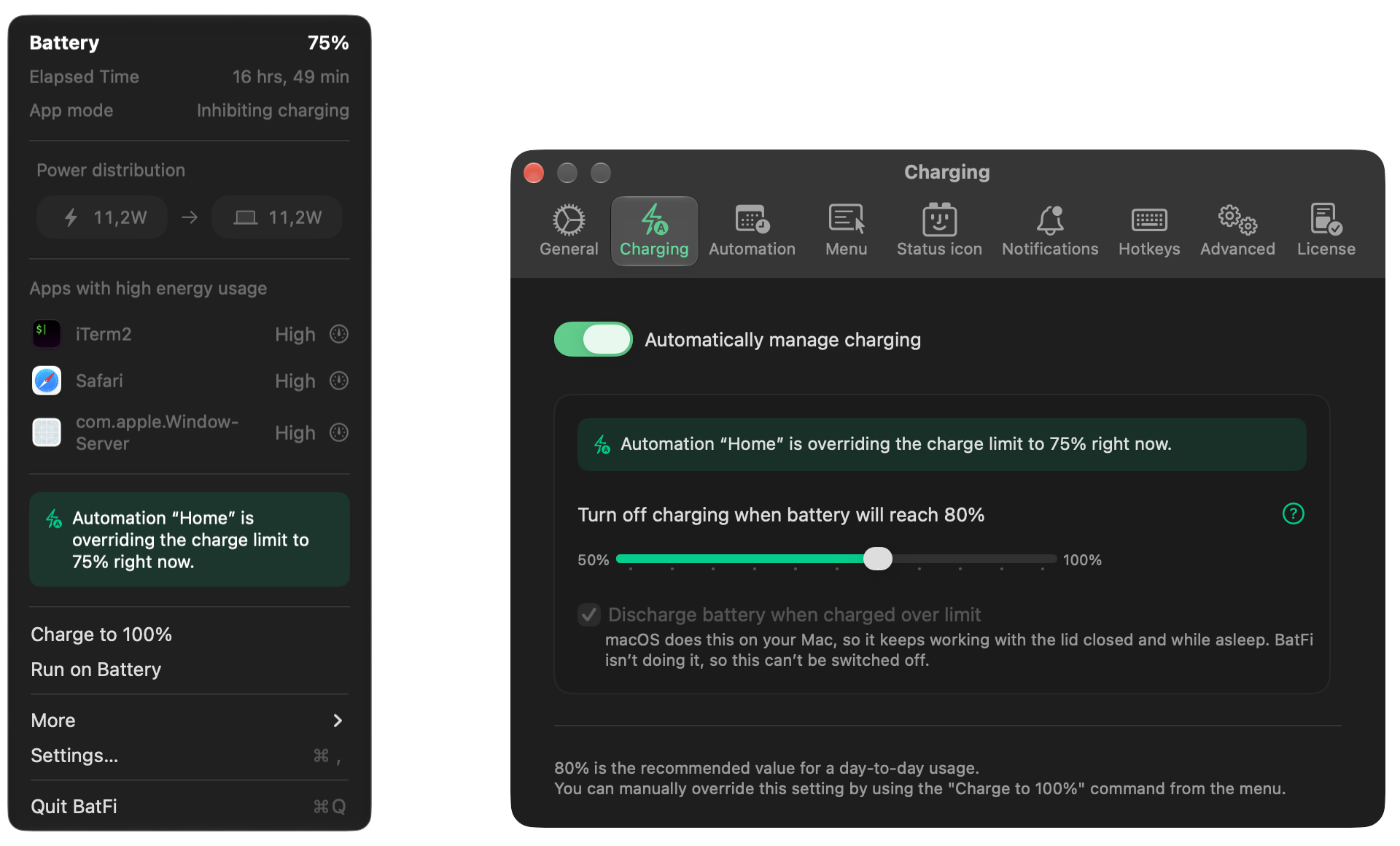
Power management for your Mac: charge limit, energy use and power modes.

한 번만 결제Apple silicon오프라인 작동
Mac에서 실행 중인 BatFi

메이커의 말: BatFi manages your Mac's power. Hold a charge limit anywhere from 50% to 100%, with rules by time and place, and charge to 100% when you need it.

가격
US$15 한 번
필요 사양
macOS 14 Sonoma 이상
메이커가 말하는 대체 앱
AlDente

MacPip의 BatFi 더 많은 시스템 모니터링 앱

Mole 앱 아이콘

Mole

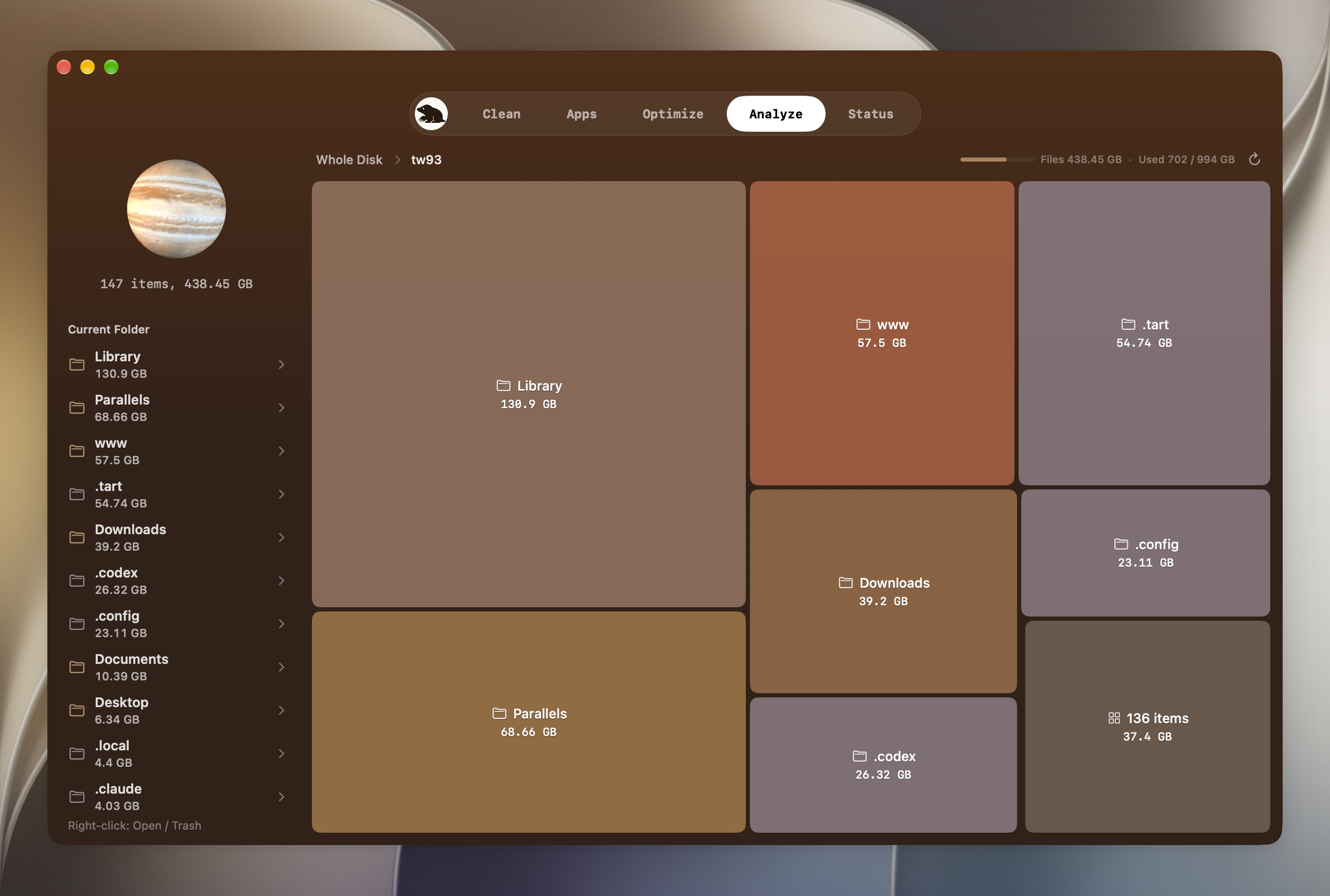
Review-before-delete cleaner for leftovers, caches, and disk space

한 번만 결제Apple silicon오픈 소스오프라인 작동
Mac에서 실행 중인 Mole

메이커의 말: Mole helps you review leftovers after uninstalls, clear caches, and see what's using disk space before anything is deleted. The command-line tool is free and open source.

가격
$19 one-time
필요 사양
macOS 14 Sonoma 이상
메이커가 말하는 대체 앱
CleanMyMac, DaisyDisk, AppCleaner

MacPip의 Mole 더 많은 정리 및 유지 관리 앱

WiAware 앱 아이콘

WiAware

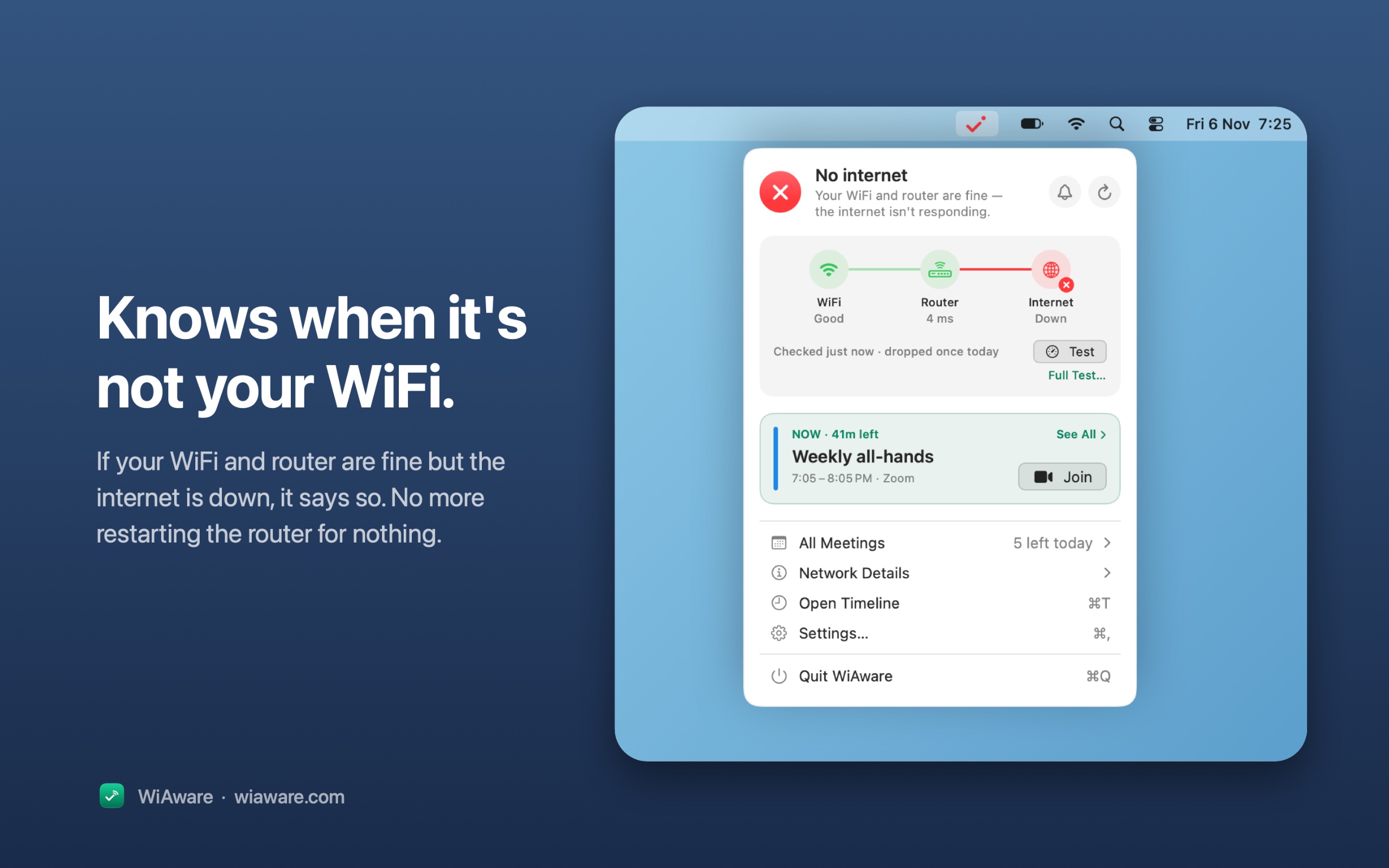
Know before your call breaks. Menu bar WiFi check that says if calls will work.

한 번만 결제
Mac에서 실행 중인 WiAware

메이커의 말: WiAware lives in your Mac’s menu bar and tells you, in plain words, whether your connection is good enough for a call. The icon is the answer: a full wave means calls are fine, a broken wave means they may stutter, and a dot means they won’t work.

특가
30% off, first 30 buyers, until Nov 20
가격
$14.99 once, 14-day free trial
필요 사양
macOS 15 Sequoia 이상
메이커가 말하는 대체 앱
WiFi Signal, iStat Menus, WiFi Explorer, NetSpot

MacPip의 WiAware 더 많은 네트워킹과 VPN 앱

Taskglass 앱 아이콘

Taskglass

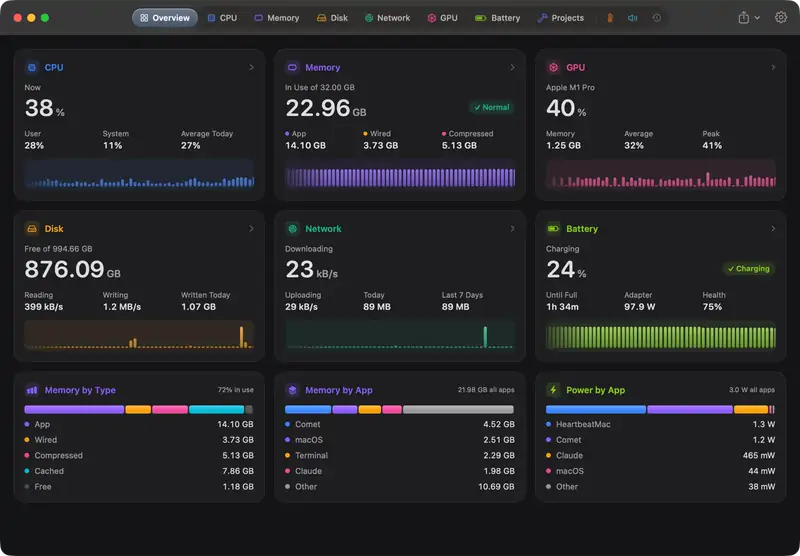
Taskglass is a native macOS app that shows what's slowing

한 번만 결제Apple silicon오프라인 작동
Mac에서 실행 중인 Taskglass

메이커의 말: Taskglass is a native macOS app that shows what's slowing, heating or draining your Mac, and explains it in plain English.

가격
$5 once (launch), then $9
필요 사양
macOS 14 Sonoma 이상
메이커가 말하는 대체 앱
iStats, Vitals

MacPip의 Taskglass 더 많은 생산성 앱

무엇을 고를까

살펴볼 점

Look for low overhead of its own, which sensors it reads on Apple silicon, and whether it can live in the menu bar.

질문

What is the best one-time purchase system monitor for Mac?

There is no single best one for everyone. MacPip lists 8: Priv8Scout Workbench, DockMagic, Pikori, BatFi, Mole, WiAware, HeartbeatMac, Taskglass. If you want it free, look at Pikori. If you would rather pay once than subscribe, look at DockMagic. If you want it to run natively on Apple silicon, look at Priv8Scout Workbench. If you need it to work offline, as its maker says it does, look at BatFi. If you want open source code, look at Mole.

Which one-time purchase system monitoring apps run natively on Apple silicon?

메이커의 설명 또는 우리의 확인에 따른 앱: Priv8Scout Workbench, DockMagic, Pikori, BatFi, Mole, HeartbeatMac, Taskglass.

Which one-time purchase system monitoring apps has MacPip checked?

None yet. They say Check pending until they are checked.

MacPip은 이 앱들을 어떻게 정렬하나요?

확인된 앱이 먼저 나오고, 최근에 확인한 앱이 앞에 오며, 나머지는 추가된 순서예요. 결제는 순서를 절대 바꾸지 않고, 스폰서 줄은 표시를 붙여 따로 둬요.
관련 글