SponsorInloggenIndienen

Vermeldingen blijven in de taal waarin hun makers ze hebben geschreven.

Best of MacPip

Best apps for a new MacBook (Air and Pro)

Updated Nov 8, 2026, from what MacPip lists today.

Kort antwoord

MacPip lists 12 apps for a new MacBook, and a person has checked 9 of them.5 ervan hebben een gratis versie.10 ervan verkopen een eenmalige licentie.2 ervan worden betaald via een abonnement.There is no single best app for a new MacBook for everyone, so MacPip does not rank them.Als je een gratis app wilt, begin dan met Kofe Flow.

Apps a person checked come first, newest check first. Never ordered by payment.

A new MacBook Air or MacBook Pro is fast out of the box. The first week is when you notice the small things: the notch eats your menu bar icons, windows pile up on a 13 inch screen, the SSD fills up faster than you expected.

This page picks apps for those first-week jobs, up to two per job, from what MacPip lists. Every pick runs natively on Apple silicon or is built with Apple's own tools, by its maker's word, and apps a person checked come first. 12 apps made it.

What these 12 apps offer, by their listings. An app can offer several, so the bars do not add up to 12.
Gratis versie5 van 12
Pay once10 van 12
Abonnement2 van 12
Native to Apple silicon8 van 12
Open source1 van 12
Werkt offline5 van 12
Gecontroleerd door een persoon9 van 12
One-time price in US dollars, as each listing states it, lowest first. 4 apps have no plain dollar one-time price and are left out. Launch prices count where the listing says so.
Droppy$9.99
Kofe Flow$14.99
LanesMac$19.99

Compared

AppWat het doetPrijsGratis of betaaldApple siliconOpen sourceGemaakt doorGecontroleerd
DroppyA Dynamic Island, File Tray and clipboard history for your Mac$9.99 once for 2 Macs, 3-day free trialEenmaligJa, en op Intel, zegt de makerNoJordy Spruit8 nov
CuewakeLeave it here. Find it when you’re back.$9EenmaligJa, alleen Apple silicon, zegt de makerNoDanny3 nov
AtticScreenshots and downloads put themselves away.$5 once (launch), then $9 and $15EenmaligJa, en op Intel, zegt de makerNoPablo Fernández Jiménez3 nov
Kofe FlowA calm Pomodoro timer for your Mac menu bar, with an iPhone app that stays in sync.Free, Lifetime Pro $14.99 one-timeGratis versieEenmaligNiet vermeldNoNiet vermeld3 nov
EspressoEspresso is the Everything-style file search app for MacFree for personal use, Pro €19 onceGratis versieEenmaligJa, en op Intel, zegt de makerNoMoka Solutions3 nov
TidymintFree, open-source Mac cleaner with no tracking.Gratis en open sourceGratis versieJa, en op Intel, zegt de makerJaNiet vermeld3 nov
Storeboard : ASO AssistantNative Mac app that designs, keyword-optimizes and localizes App Store screenshots$49.99 ONE-TIMEEenmaligNiet vermeldNoDigital Sauce3 nov
ScreenToastMac screen recorder that turns a raw recording into a finished product demoFree to edit, Pro from $4.92/moGratis versieAbonnementNiet vermeldNoScreenToast. Built in Swift31 okt
BackdropA native Mac window manager that organizes your windows by project.US$ 9,90 eenmaligEenmaligNiet vermeldNoS4ck330 okt
PasteNotchClipboard history, right in your Mac’s notch$4.99 once; Cloud $4.99/mo; 14-day trialEenmaligAbonnementJa, en op Intel, zegt de makerNoVladimir BabicIn afwachting
ActionClipTurn selected text into actions and create your own Mac workflowsGratis, Pro from $12 onceGratis versieEenmaligJa, alleen Apple silicon, zegt de makerNoAdvait VaidyaIn afwachting
LanesMacA scrolling tiling window manager for macOS, inspired by PaperWM and niri.$19.99 once, 24-hour free trialEenmaligJa, en op Intel, zegt de makerNoHarix Global Solutions Private LimitedIn afwachting

Up to two apps per job, chosen by one rule: they run natively on Apple silicon or are built with Apple's own tools, by their makers' word, and apps a person checked come first.

Make the notch useful

Droppy

A Dynamic Island, File Tray and clipboard history for your Mac

Pay onceApple siliconGecontroleerd op 8 nov
Droppy on a Mac

From its maker: Droppy brings files, clipboard history and everyday controls to your Mac's notch or a floating Dynamic Island. Gather files in the File Tray, find text, links, images and files you copied, control music and arrange shelf widgets for your daily tools.

Prijs
$9.99 once for 2 Macs, 3-day free trial
Needs
macOS 14 Sonoma of nieuwer

Droppy on MacPip More Notch apps

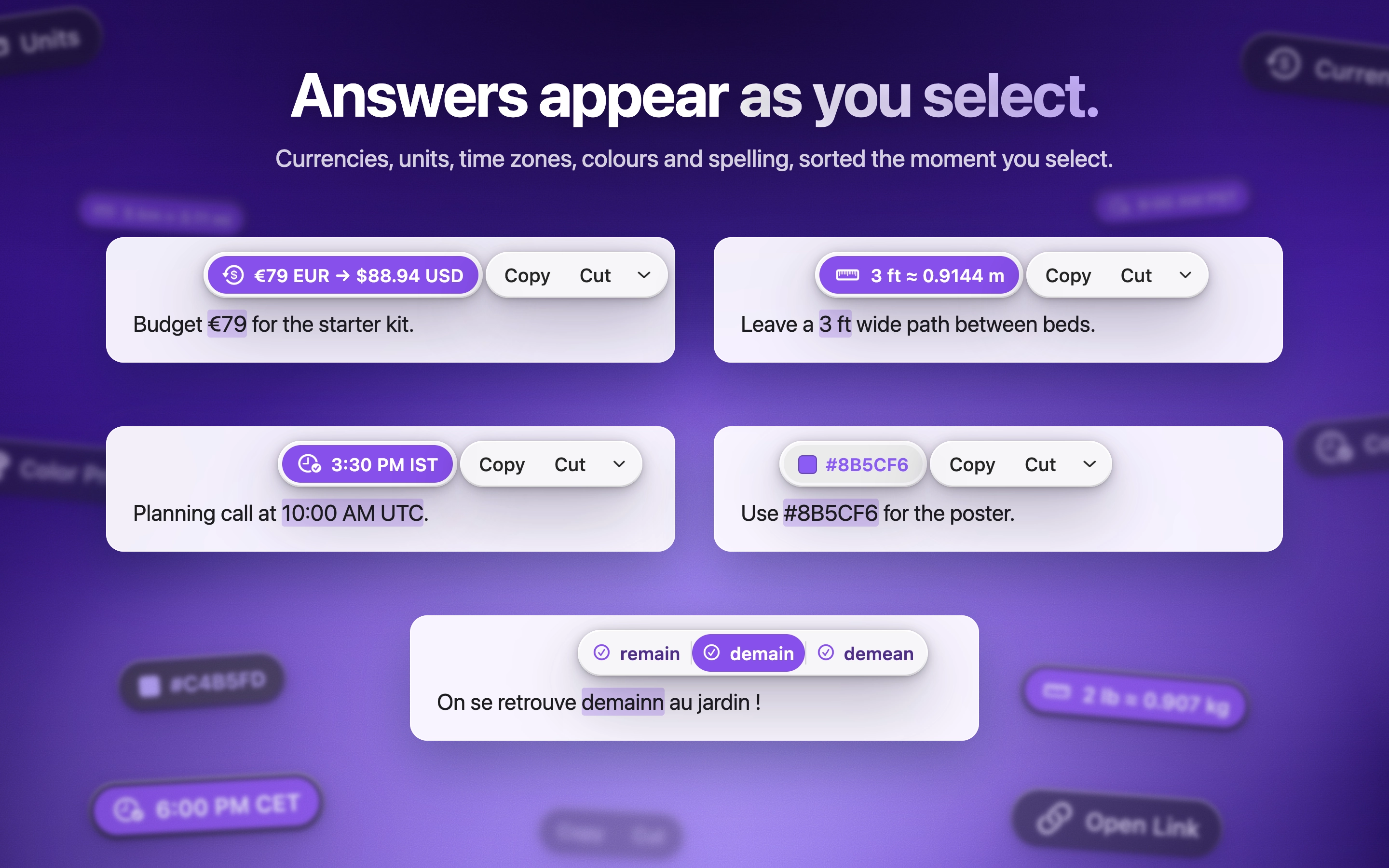
Cuewake

Leave it here. Find it when you’re back.

Pay onceApple siliconWerkt offlineGecontroleerd op 3 nov
Cuewake on a Mac
Gemaakt door DannyWebsiteOn X

Cuewake lets you attach notes, checklists, links and files to Mac apps and webpages, so your next step is waiting when you come back to them. It is a one-time purchase at $9, needs no account, works offline and runs natively on Apple silicon. It needs macOS 14 Sonoma or later.

Prijs
$9
Needs
macOS 14 Sonoma of nieuwer
Its maker says it replaces
Apple Notes, Apple Reminders

Cuewake on MacPip More Notch apps

Tidy a crowded menu bar

Attic

Screenshots and downloads put themselves away.

Pay onceApple siliconGecontroleerd op 3 nov
Attic on a Mac

Attic tidies up after you. Old screenshots and downloads move to a folder on your Mac by themselves, and nothing is ever deleted. No cloud and no account. It is $5 once at its launch price, then $9 and $15.

Prijs
$5 once (launch), then $9 and $15
Needs
macOS 14 Sonoma of nieuwer

Attic on MacPip More Menu Bar apps

Kofe Flow

A calm Pomodoro timer for your Mac menu bar, with an iPhone app that stays in sync.

Gratis versiePay onceGecontroleerd op 3 nov
Kofe Flow on a Mac

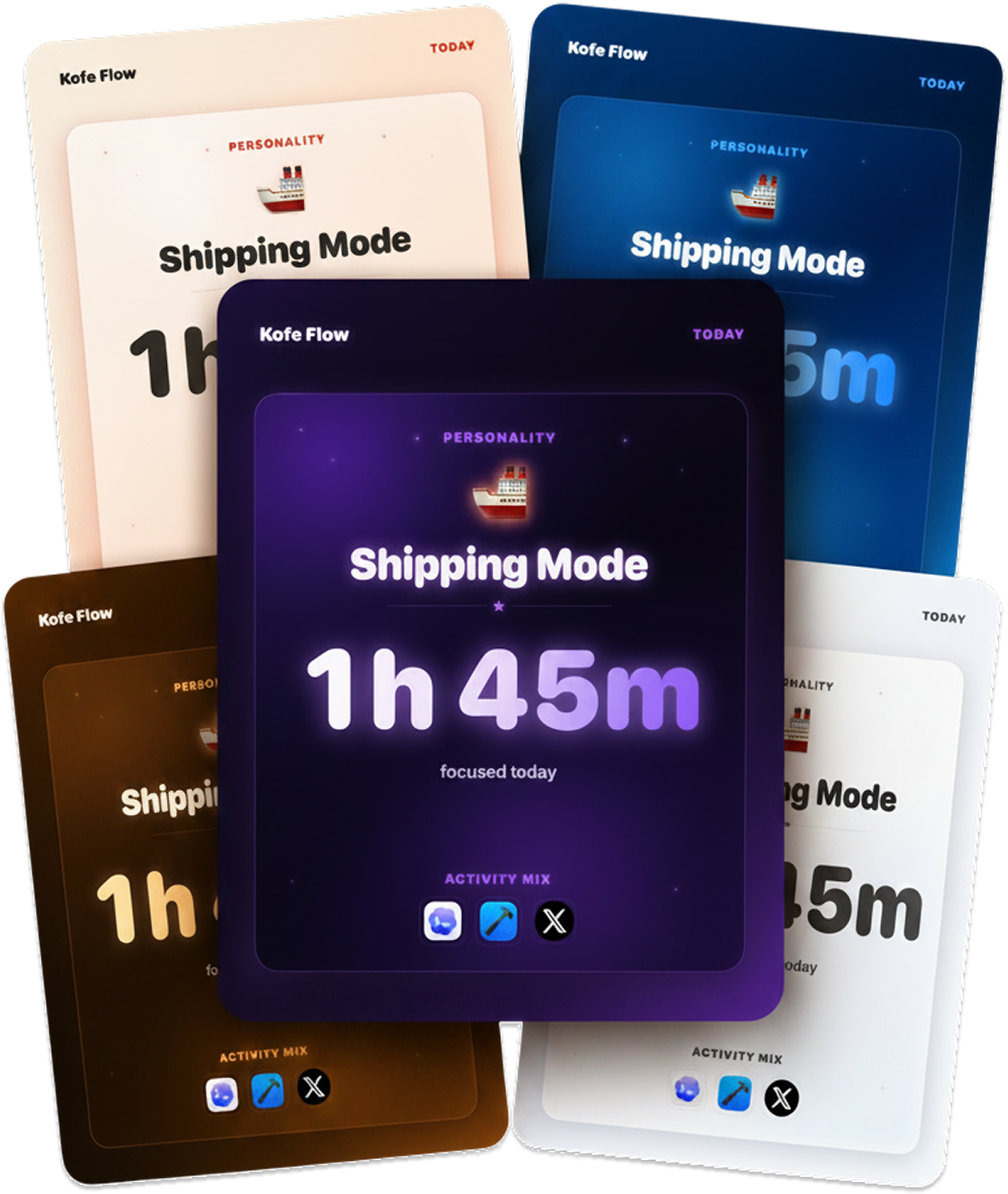
Kofe Flow is a calm Pomodoro timer in the menu bar, with an iPhone app that stays in sync. Focus analytics stay on your Mac, and timer sync is optional and anonymous. It is free, with Lifetime Pro at $14.99 once.

Prijs
Free, Lifetime Pro $14.99 one-time

Kofe Flow on MacPip More Menu Bar apps

Arrange windows on a laptop screen

Backdrop

A native Mac window manager that organizes your windows by project.

Pay onceGecontroleerd op 30 okt
Backdrop on a Mac
Gemaakt door S4ck3WebsiteOn X

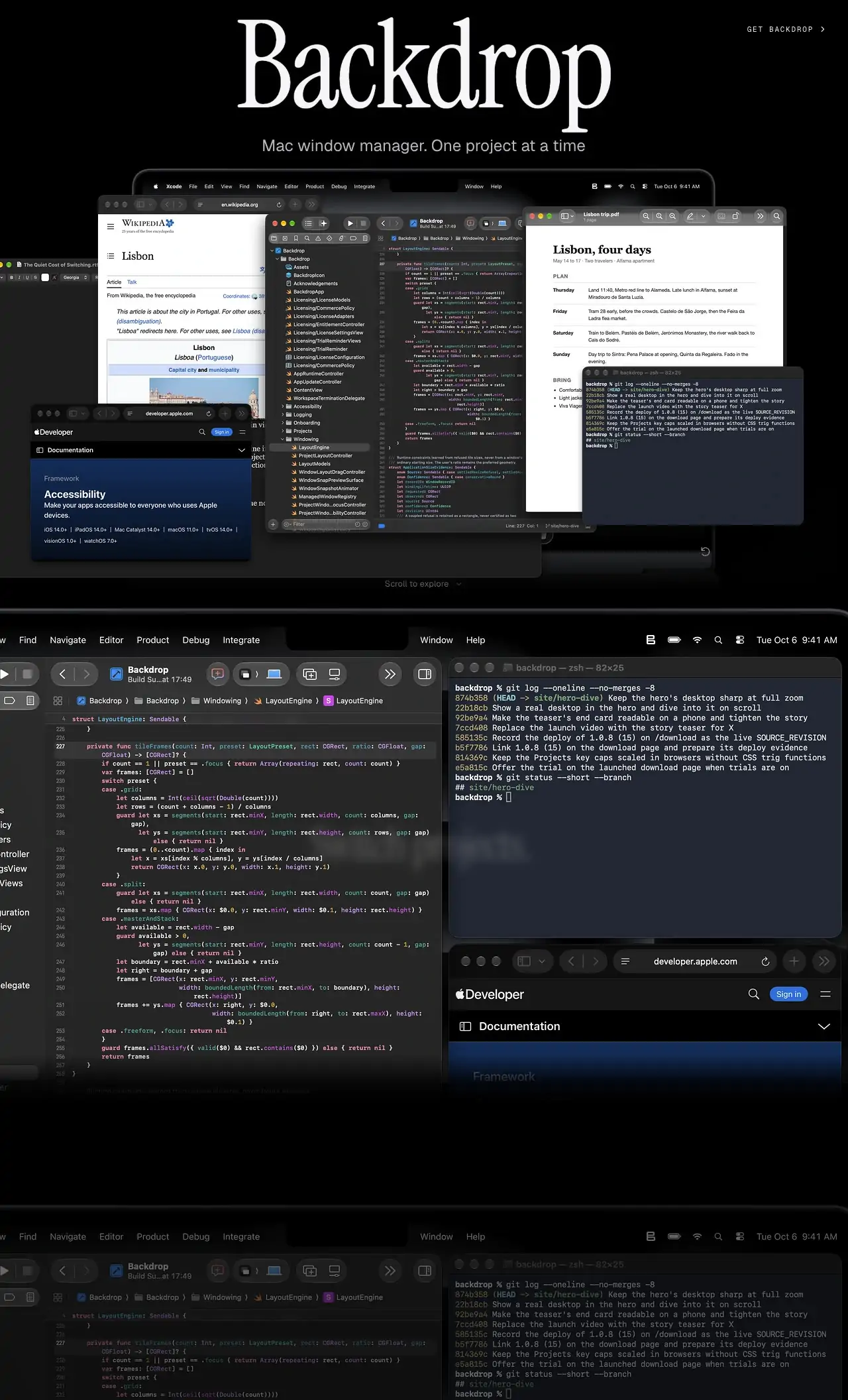
Backdrop organizes your windows by project, so switching from one piece of work to another brings the right set of windows back together. It is a native Mac app, needs macOS 14 or later and no account. Try it free for 10 days, then pay $9.90 once.

Prijs
US$ 9,90 eenmalig
Needs
macOS 14 of nieuwer

Backdrop on MacPip More Window Management apps

LanesMac

A scrolling tiling window manager for macOS, inspired by PaperWM and niri.

Pay onceApple siliconWerkt offline
LanesMac on a Mac

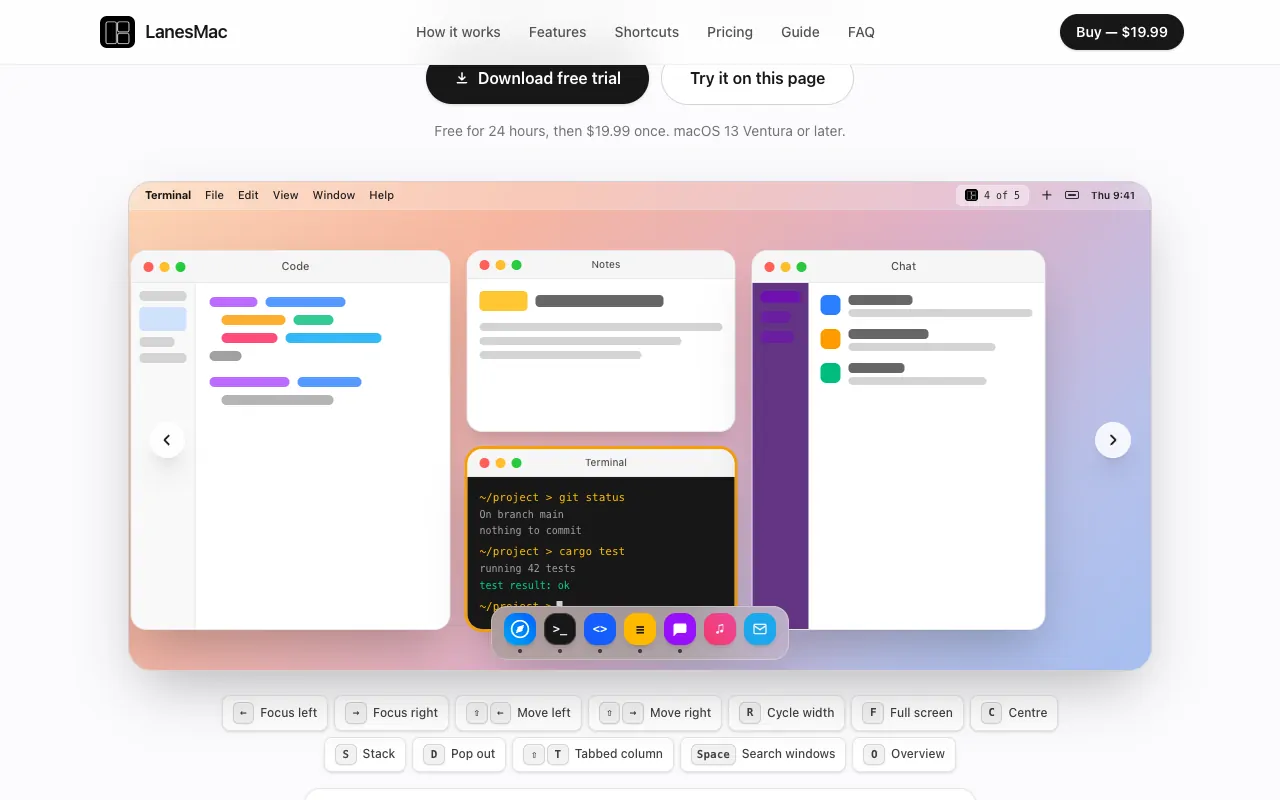
LanesMac is a scrolling tiling window manager, inspired by PaperWM and niri on Linux. Every window gets its own column on an endless strip, and you move along the strip instead of stacking windows. It is $19.99 once, with a 24-hour free trial, and needs macOS 13 Ventura or later.

Prijs
$19.99 once, 24-hour free trial
Needs
macOS 13 Ventura of nieuwer

LanesMac on MacPip More Window Management apps

Keep the SSD from filling up

Espresso

Espresso is the Everything-style file search app for Mac

Gratis versiePay onceApple siliconWerkt offlineGecontroleerd op 3 nov
Espresso on a Mac

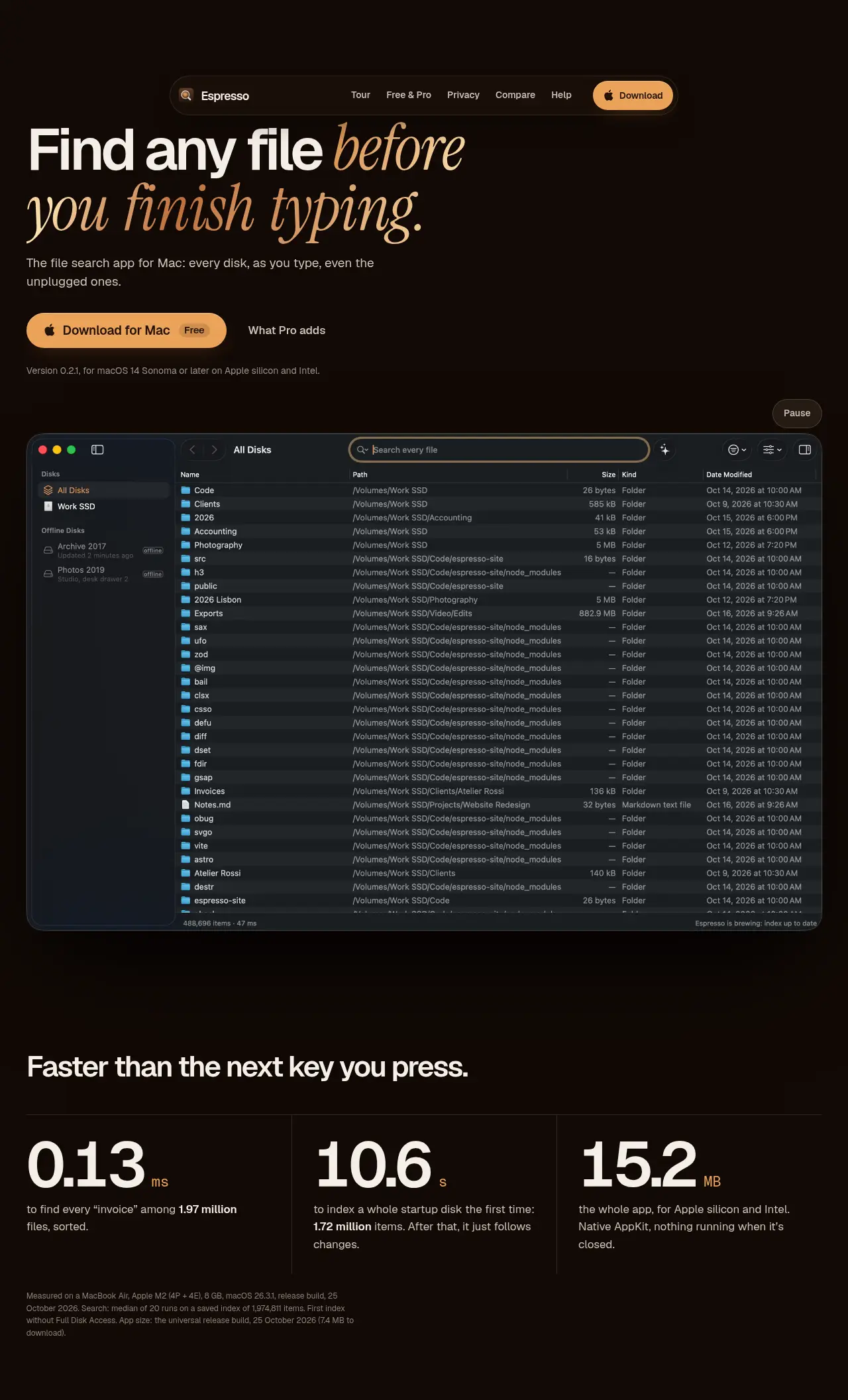
From its maker: Espresso is the Everything-style file search app voor Mac: every file on every disk as you type, even disks that aren’t connected. Native, private, free for personal use.

Prijs
Free for personal use, Pro €19 once
Needs
macOS 14 Sonoma of nieuwer

Espresso on MacPip More Files and Storage apps

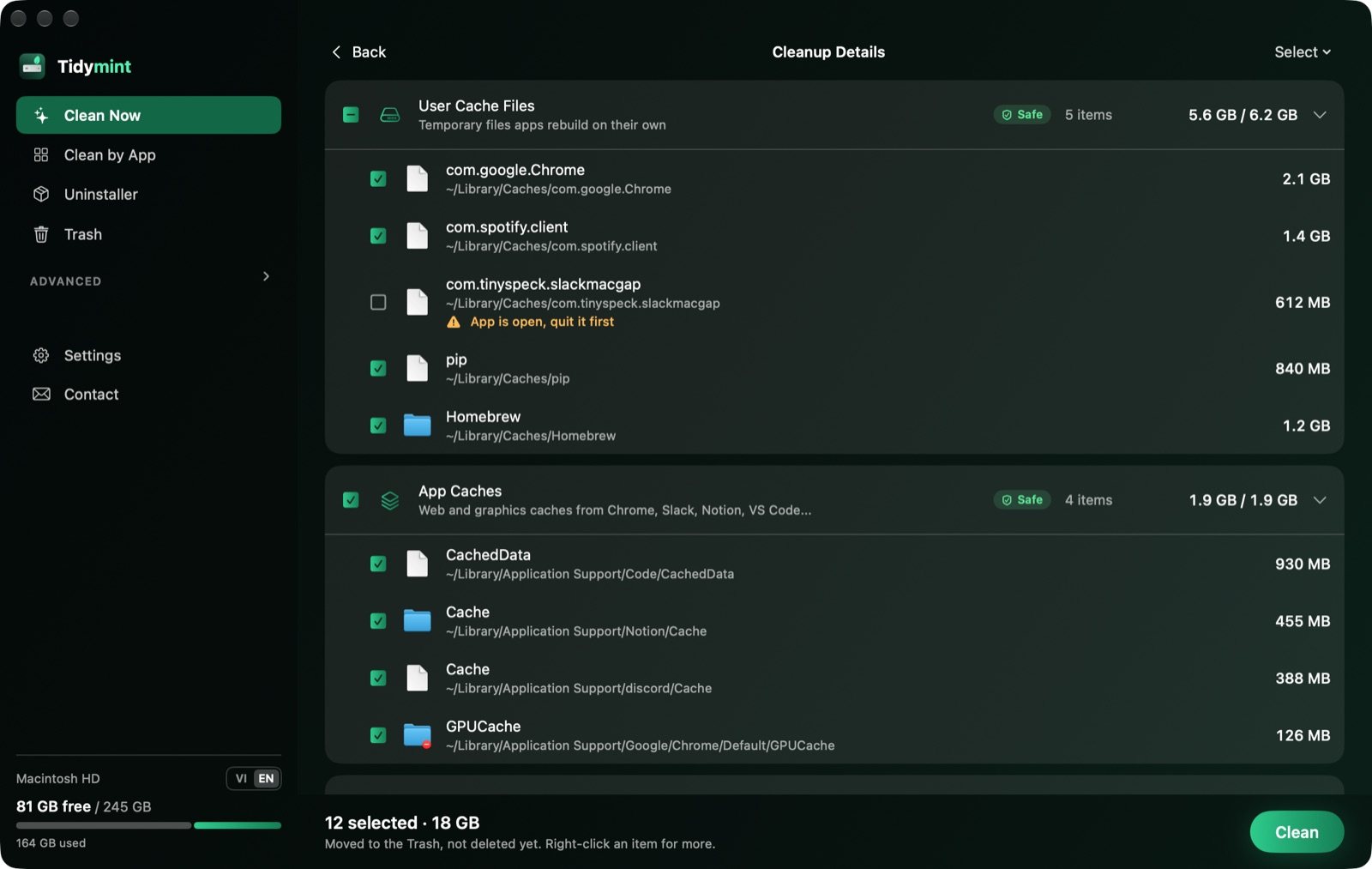
Tidymint

Free, open-source Mac cleaner with no tracking.

Gratis versieApple siliconOpen sourceWerkt offlineGecontroleerd op 3 nov
Tidymint on a Mac

From its maker: Tidymint is a free, open-source Mac cleaner with no tracking. It shows what fills your disk space, explains each item, and moves only what you pick to the Trash, so the last cleanup can be undone.

Prijs
Gratis en open source
Needs
macOS 14 Sonoma of nieuwer
Its maker says it replaces
CleanMyMac, AppCleaner, DaisyDisk

Tidymint on MacPip More Cleanup and Maintenance apps

Copy, paste and type faster

ActionClip

Turn selected text into actions and create your own Mac workflows

Gratis versiePay onceApple silicon
ActionClip on a Mac

ActionClip puts a small action menu beside text you select: copy, rewrite, translate, search or run a saved workflow. You can describe a new action and it builds one using AI prompts, JavaScript, AppleScript or shell commands. Free for 30 actions a day, with lifetime licenses from $12. It is a native Swift app for Apple silicon with macOS 15 or later.

Prijs
Gratis, Pro from $12 once
Needs
macOS 15 Sequoia of nieuwer
Its maker says it replaces
PopClip

ActionClip on MacPip More Clipboard and Text apps

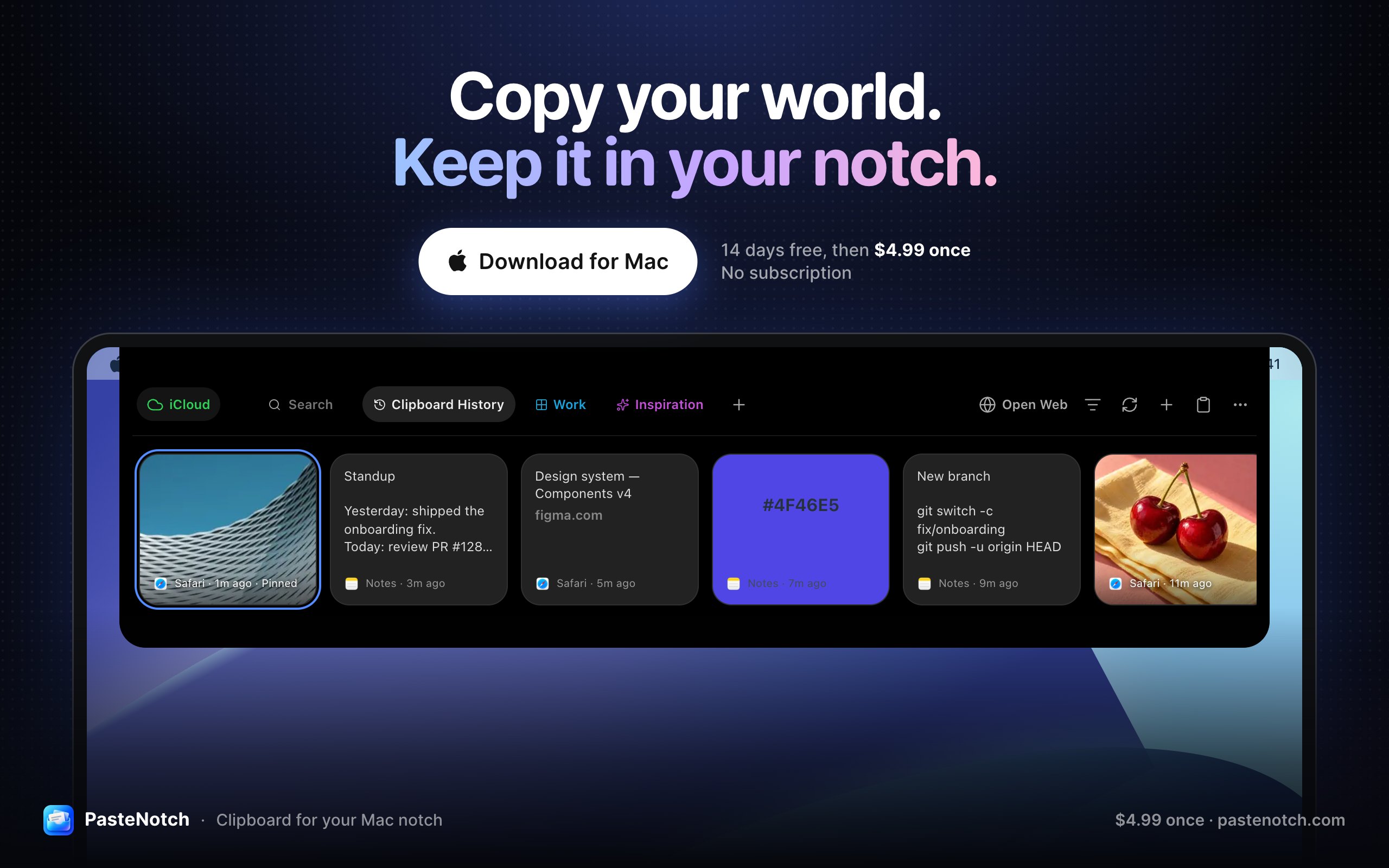
PasteNotch

Clipboard history, right in your Mac’s notch

Pay onceAbonnementApple siliconWerkt offline
PasteNotch on a Mac
Gemaakt door Vladimir BabicWebsite

From its maker: PasteNotch keeps the things you copy within reach, so you can find them again without digging through windows. - Search copied text, links, images and files.

Prijs
$4.99 once; Cloud $4.99/mo; 14-day trial
Needs
macOS 14 Sonoma of nieuwer
Its maker says it replaces
Paste, Maccy, CopyClip

PasteNotch on MacPip More Clipboard and Text apps

Record and capture the screen

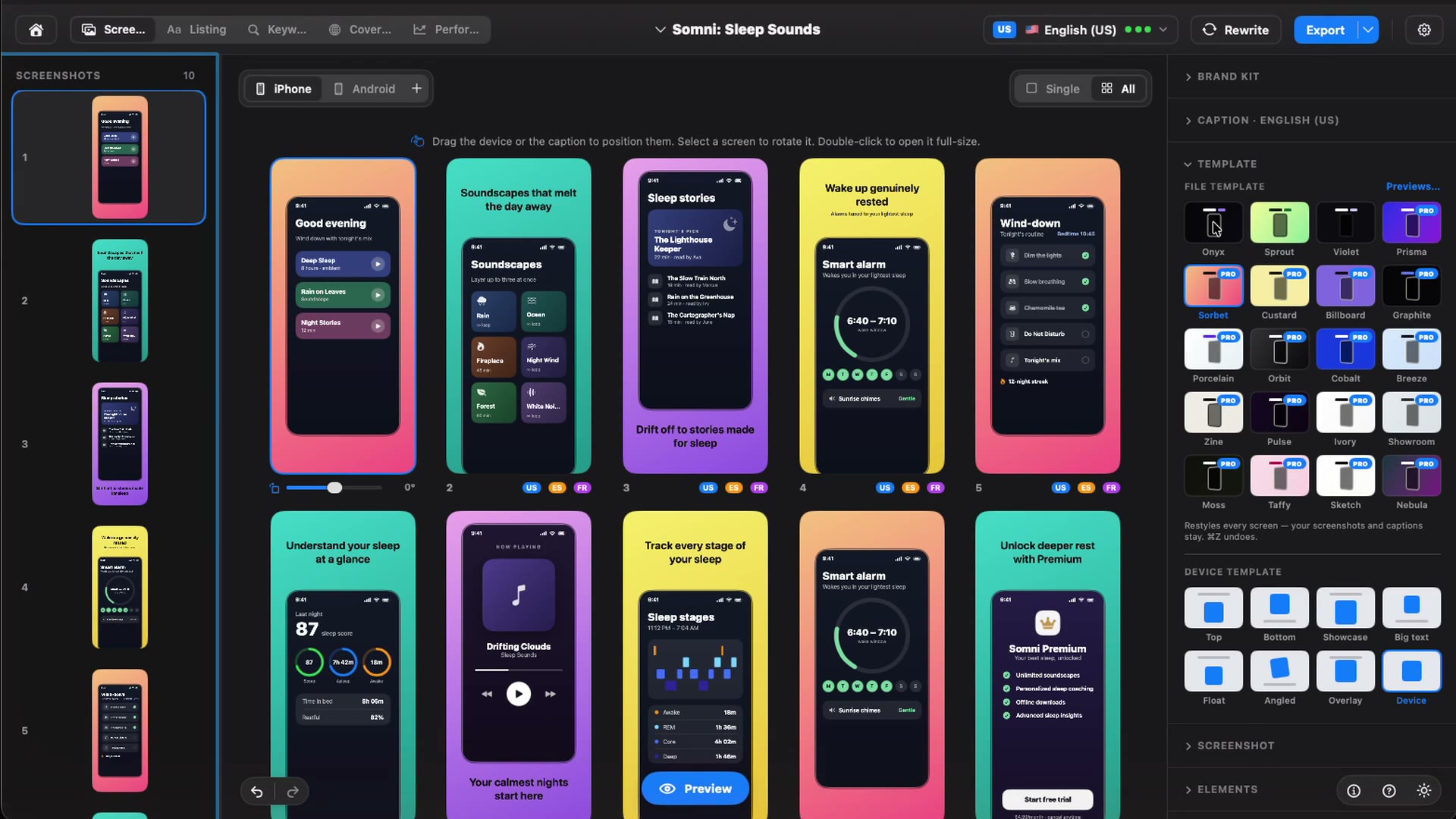
Storeboard : ASO Assistant

Native Mac app that designs, keyword-optimizes and localizes App Store screenshots

Pay onceGecontroleerd op 3 nov
Storeboard : ASO Assistant on a Mac
Gemaakt door Digital SauceWebsite

From its maker: Native Mac app that designs, keyword-optimizes and localizes App Store screenshots and listing metadata using on-device Apple Intelligence. Free to download with an optional one-time Storeboard Pro unlock.

Prijs
$49.99 ONE-TIME
Needs
macOS 13.0 (Ventura) or later
Its maker says it replaces
https://appscreens.com, https://theapplaunchpad.com, https://app-mockup.com

Storeboard : ASO Assistant on MacPip More Screenshots apps

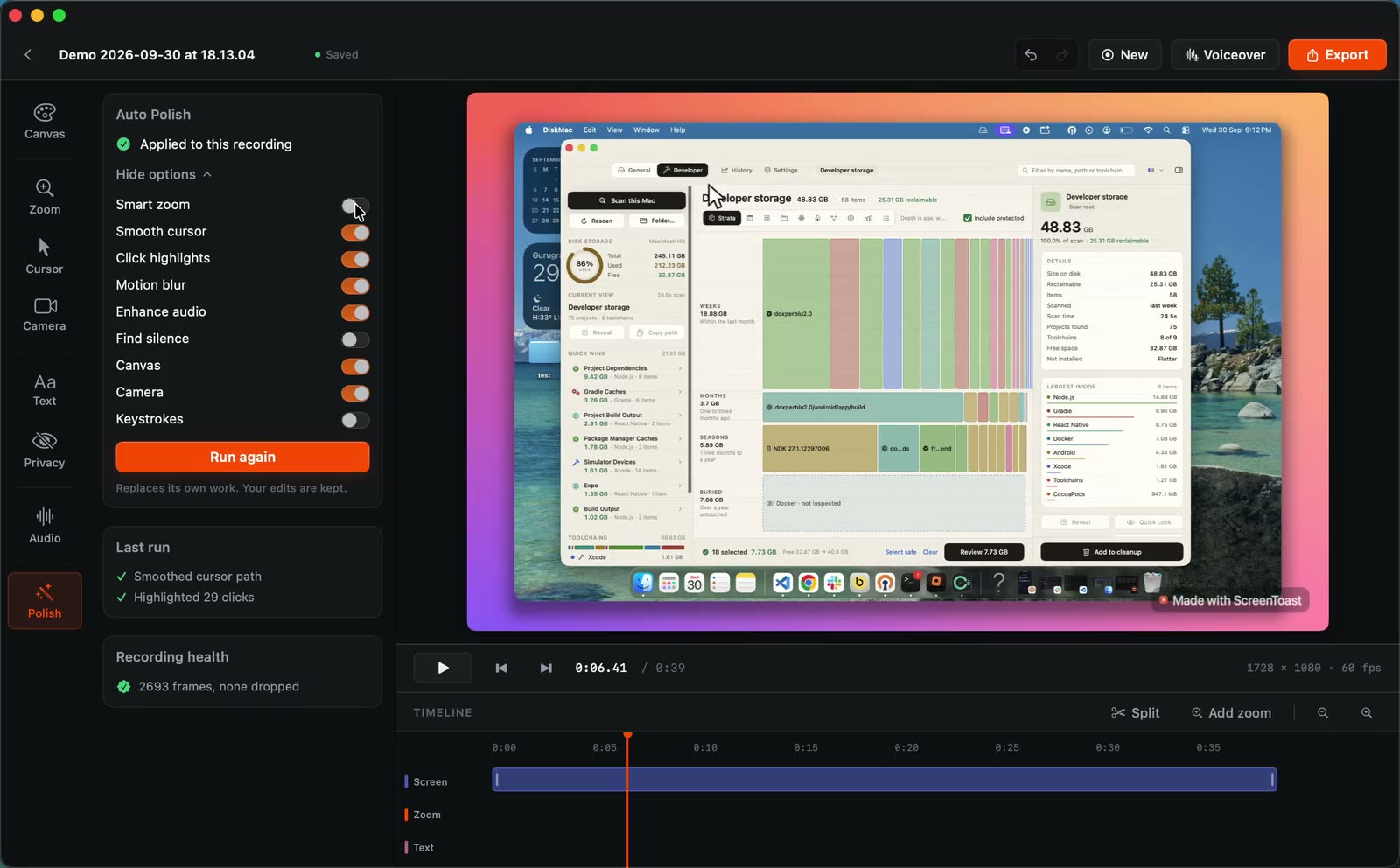
ScreenToast

Mac screen recorder that turns a raw recording into a finished product demo

Gratis versieAbonnementGecontroleerd op 31 okt
ScreenToast on a Mac

ScreenToast turns a raw recording into a finished product demo: automatic zooms, a smoothed cursor, captions and a spoken voiceover. The detail that stands out is that it hides secrets automatically, by its maker's description. That matters if your demo shows a dashboard with real data or a key on screen.

Editing is free. Pro is a subscription from $4.92 a month, which suits people who record demos every week more than people who need one video. It is built in Swift and needs macOS 14 or later.

Prijs
Free to edit, Pro from $4.92/mo
Needs
macOS 14 of nieuwer

ScreenToast on MacPip More Screen Recording apps

Set these up first, for free

  • Turn on FileVault in System Settings > Privacy & Security, if setup did not already.
  • Look at storage in System Settings > General > Storage before you install much, so you know your starting point.
  • Try the built-in tiling. On macOS 15 or later, drag a window to a screen edge.
  • Learn Shift-Command-5 for screenshots and screen recordings.

More for your MacBook

Welke je moet kiezen

Vragen

What is the best app for a new MacBook?

There is no single best one for everyone. MacPip lists 12: Droppy, Cuewake, Attic, Kofe Flow, Espresso, Tidymint, Storeboard : ASO Assistant, ScreenToast, Backdrop, PasteNotch, ActionClip, LanesMac. If you want it free, look at Kofe Flow. If you would rather pay once than subscribe, look at Droppy. If you want it to run natively on Apple silicon, look at Cuewake. If you need it to work offline, as its maker says it does, look at Espresso. If you want open source code, look at Tidymint.

Are there free apps for a new MacBook?

Ja. Met een gratis versie op MacPip: Kofe Flow, Espresso, Tidymint, ScreenToast, ActionClip.

Which apps for a new MacBook have a one-time price?

Met een eenmalige optie, zodat je een abonnement kunt vermijden: Droppy, Cuewake, Attic, Kofe Flow, Espresso, Storeboard : ASO Assistant, Backdrop, PasteNotch, ActionClip, LanesMac.

Which apps for a new MacBook run natively on Apple silicon?

Volgens de makers of volgens onze controle: Droppy, Cuewake, Attic, Espresso, Tidymint, PasteNotch, ActionClip, LanesMac.

Which apps for a new MacBook has a person checked?

Elke app heeft een gedateerd rapport op zijn pagina: Droppy, Cuewake, Attic, Kofe Flow, Espresso, Tidymint, Storeboard : ASO Assistant, ScreenToast, Backdrop.

Hoe sorteert MacPip deze apps?

Apps die een persoon heeft gecontroleerd komen eerst, de nieuwste controle bovenaan, daarna de rest op datum van toevoegen. Betaling verandert de volgorde nooit, en gesponsorde rijen zijn gelabeld en apart gehouden.

What apps should I install on a new MacBook?

Start with what fixes your first-week friction: something for the notch and the menu bar, a window manager for a small screen, and a way to keep storage in check. This page picks up to two apps per job, all native to Apple silicon by their makers' word.

Do these apps work on MacBook Air and MacBook Pro?

They are Mac apps, so they run on both, as long as your macOS version meets each app's minimum, shown in its profile. Notch apps matter most on models with a notch.

Gerelateerd