赞助登录提交

收录页保持开发者撰写时所用的语言。

Best of MacPip

Best design and media apps for Mac

Updated Nov 6, 2026, from what MacPip lists today.

简短回答

MacPip 收录了 6 款适用于 Mac 的“设计与媒体”类别应用,其中有 2 款有人检查过。其中有 3 款有免费版本。其中有 4 款出售一次性买断授权。There is no single best design app for everyone, so MacPip does not rank them.如果你宁愿买断一次也不想订阅,先看 Linger。

Apps a person checked come first, newest check first. Never ordered by payment.

What these 6 apps offer, by their listings. An app can offer several, so the bars do not add up to 6.
免费版本3 / 6
Pay once4 / 6
订阅0 / 6
Native to Apple silicon4 / 6
开源3 / 6
可离线使用2 / 6
已由人工检查2 / 6

Compared

应用功能价格免费还是付费Apple silicon开源开发者已检查
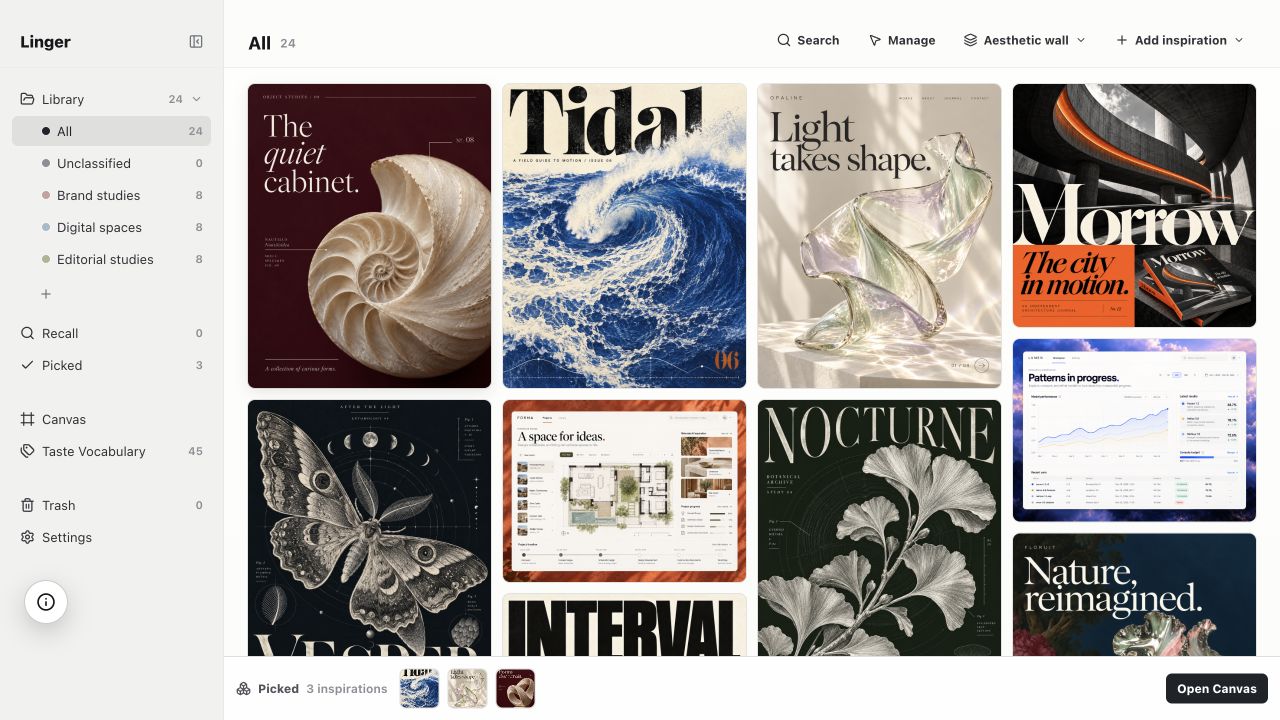
LingerSave what moves you. Recall it in your own words.$39 once (Lifetime $79). 14-day free tri一次性支持,开发者表示仅支持 Apple siliconNoLucius Miao, BlackHarbor Analytics Limited11月3日
MoodyOne visual library for your screenshots and links.未说明一次性通用NoNikhil Yadav10月30日
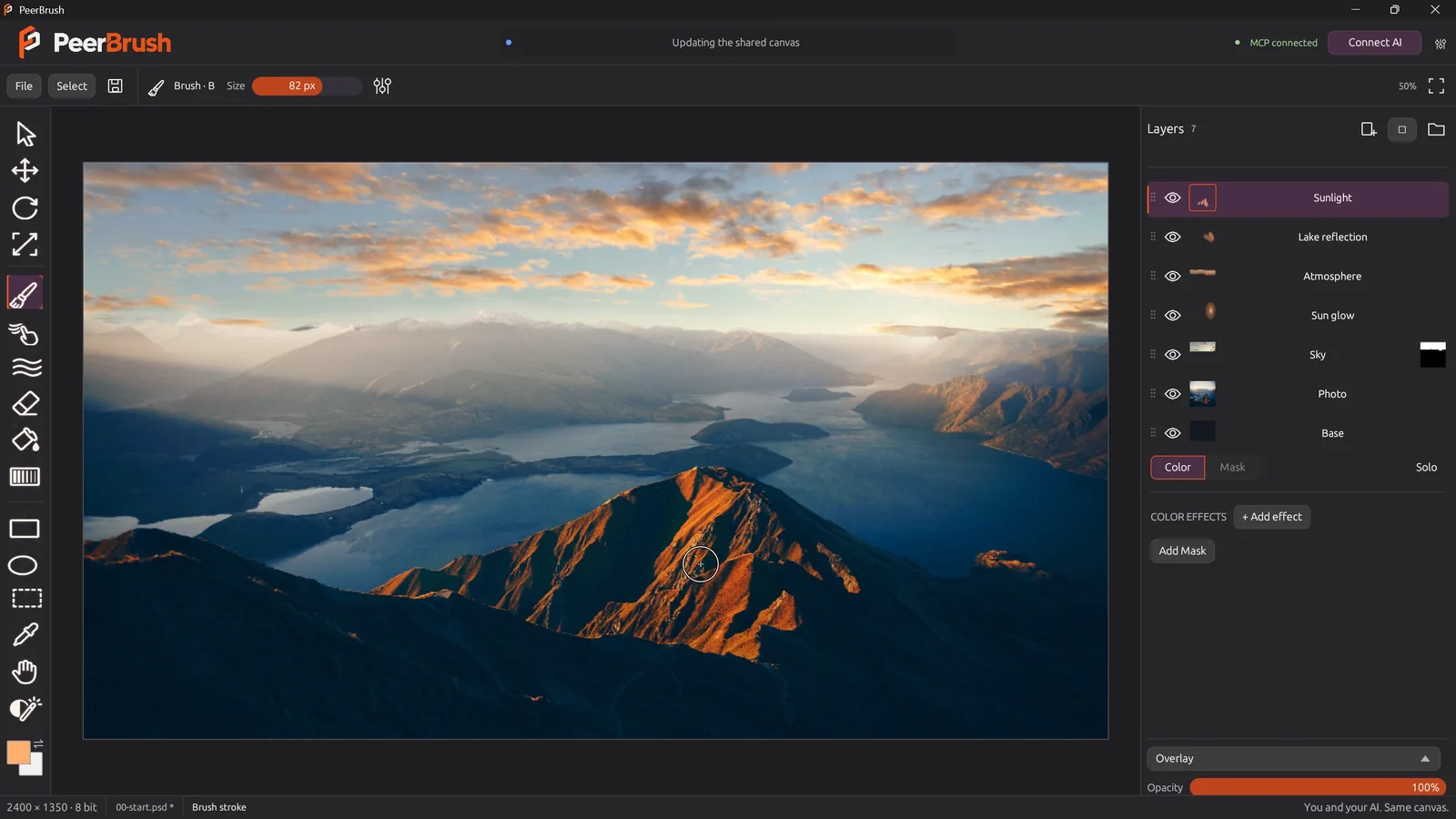
PeerBrushFree, open-source painting and layered PSD editing, with optional MCP collaboration.免费且开源免费版本支持,开发者表示仅支持 Apple silicon是未说明待定
FeatherviewFree, open-source, keyboard-driven image viewer for macOS with batch conversion.免费免费版本支持,开发者表示也支持 Intel是Joachim Rütter待定
Super High FivesAn open-source colour picker app for macOS免费且开源免费版本一次性未说明是未说明待定
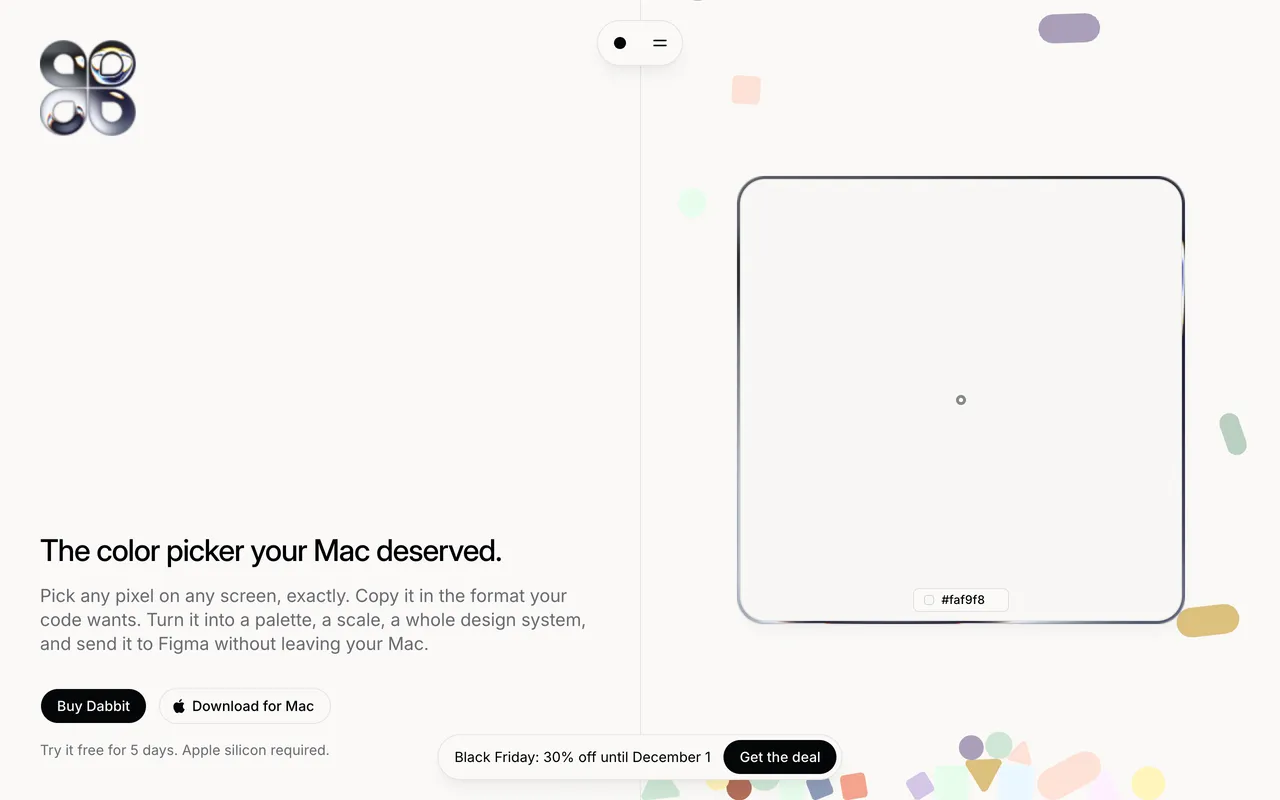
DabbitDabbit is a pixel-exact, color-managed color picker for macOS.From $19 once, 5-day free trial一次性支持,开发者表示仅支持 Apple siliconNoMichael Andreuzza待定

The apps, one by one

Linger

Save what moves you. Recall it in your own words.

Pay onceApple silicon检查于 11月3日
Linger on a Mac

From its maker: Built for designers, photographers, and visual thinkers, Linger is a private, local-first aesthetic library for macOS. It keeps your saved images, screenshots, and sources together with your own notes and vocabulary.

价格
$39 once (Lifetime $79). 14-day free tri
Needs
macOS 11 Big Sur 或更高版本
Its maker says it replaces
Eagle, mymind, Pinterest

Linger on MacPip More Design and Media apps

Moody

One visual library for your screenshots and links.

Pay once检查于 10月30日
Moody on a Mac

From its maker: A personal library for saving design inspiration on macOS. It captures screenshots, drag-drops, and links into one visual, searchable app.

优惠
减 20%
价格
未说明
Needs
macOS 26 或更高版本
Its maker says it replaces
Eagle

Moody on MacPip More Design and Media apps

PeerBrush

Free, open-source painting and layered PSD editing, with optional MCP collaboration.

免费版本Apple silicon开源
PeerBrush on a Mac

From its maker: A free, open-source image editor where you and connected AI agents work on the same editable document.

价格
免费且开源
Needs
macOS 11 Big Sur 或更高版本

PeerBrush on MacPip More Design and Media apps

Featherview

Free, open-source, keyboard-driven image viewer for macOS with batch conversion.

免费版本Apple silicon开源可离线使用
Featherview on a Mac

From its maker: Free, open-source, keyboard-driven image viewer for macOS with batch conversion. The next photo is ready before you ask for it.

价格
免费
Needs
macOS 14 Sonoma 或更高版本
Its maker says it replaces
Preview, XnView MP

Featherview on MacPip More Photos apps

Dabbit

Dabbit is a pixel-exact, color-managed color picker for macOS.

Pay onceApple silicon
Dabbit on a Mac

From its maker: Dabbit is a pixel-exact, color-managed color picker for macOS. Pick anywhere on screen, copy in any format, build palettes and design systems, and send them straight to Figma.

优惠
减 30%
价格
From $19 once, 5-day free trial
Needs
macOS 14 Sonoma 或更高版本

Dabbit on MacPip More Design and Media apps

该选哪个

What to look for

Look for the file formats it opens and exports, whether it needs an account, and how it handles large files.

问题

What is the best design app for Mac?

There is no single best one for everyone. MacPip lists 6: Linger, Moody, PeerBrush, Featherview, Super High Fives, Dabbit. If you would rather pay once than subscribe, look at Linger.

适用于 Mac 的“设计与媒体”类别有免费应用吗?

有。MacPip 上有免费版本的:PeerBrush, Featherview, Super High Fives。

适用于 Mac 的“设计与媒体”类别应用中,哪些是一次性买断价格?

有一次性买断选项,可以避开订阅:Linger, Moody, Super High Fives, Dabbit。

Which design and media apps run natively on Apple silicon?

按开发者所述或按我们的检查:Linger, PeerBrush, Featherview, Dabbit。

“设计与媒体”类别应用中,哪些有人检查过?

每款都在自己的页面上有带日期的报告:Linger, Moody。

MacPip 如何给这些应用排序?

有人检查过的应用排在前面,最近检查的在最前,其余按添加时间排列。付费不会改变排序,赞助行会有标注并单独放置。

相关内容