스폰서로그인제출

등록 정보는 메이커가 쓴 언어 그대로 남아요.

Best of MacPip

Best design and media apps for Mac

Updated Nov 6, 2026, from what MacPip lists today.

짧은 답

MacPip에는 Mac용 “디자인 및 미디어” 카테고리 앱이 6개 있고, 그중 2개를 사람이 확인했어요.그중 3개에 무료 버전이 있어요.그중 4개는 한 번 결제하는 라이선스를 판매해요.There is no single best design app for everyone, so MacPip does not rank them.구독보다 한 번만 결제하고 싶다면 이것부터 보세요: Linger.

Apps a person checked come first, newest check first. Never ordered by payment.

What these 6 apps offer, by their listings. An app can offer several, so the bars do not add up to 6.
무료 버전6개 중 3개
Pay once6개 중 4개
구독6개 중 0개
Native to Apple silicon6개 중 4개
오픈 소스6개 중 3개
오프라인 작동6개 중 2개
사람이 확인함6개 중 2개

Compared

앱하는 일가격무료 또는 유료Apple silicon오픈 소스제작확인됨
LingerSave what moves you. Recall it in your own words.$39 once (Lifetime $79). 14-day free tri일회성네, 개발자 말에 따르면 Apple silicon만 지원해요NoLucius Miao, BlackHarbor Analytics Limited11월 3일
MoodyOne visual library for your screenshots and links.명시되지 않음일회성유니버설NoNikhil Yadav10월 30일
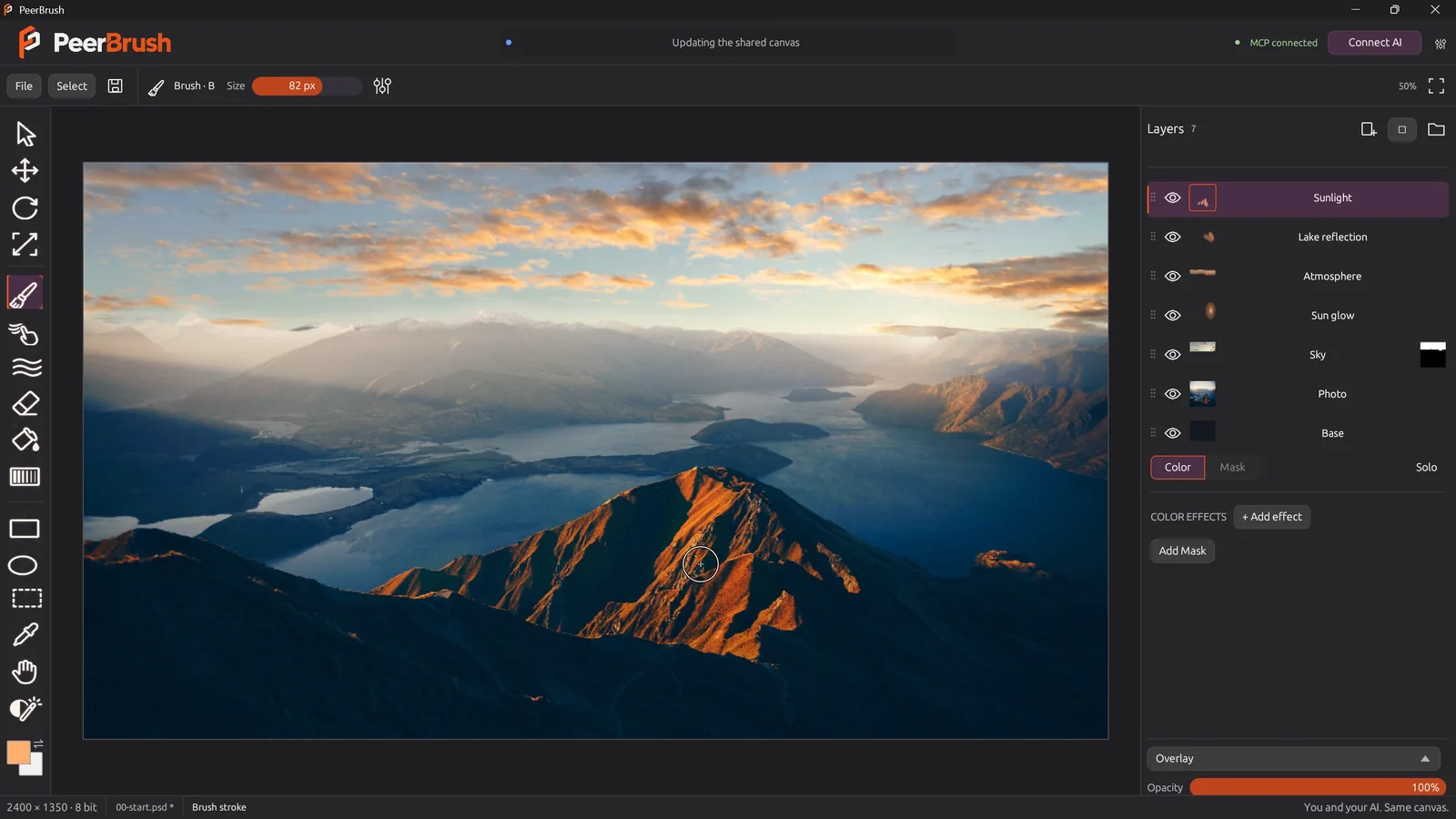
PeerBrushFree, open-source painting and layered PSD editing, with optional MCP collaboration.무료 및 오픈 소스무료 버전네, 개발자 말에 따르면 Apple silicon만 지원해요예명시되지 않음대기 중
FeatherviewFree, open-source, keyboard-driven image viewer for macOS with batch conversion.무료무료 버전네, 개발자 말에 따르면 Intel도 지원해요예Joachim Rütter대기 중
Super High FivesAn open-source colour picker app for macOS무료 및 오픈 소스무료 버전일회성명시되지 않음예명시되지 않음대기 중
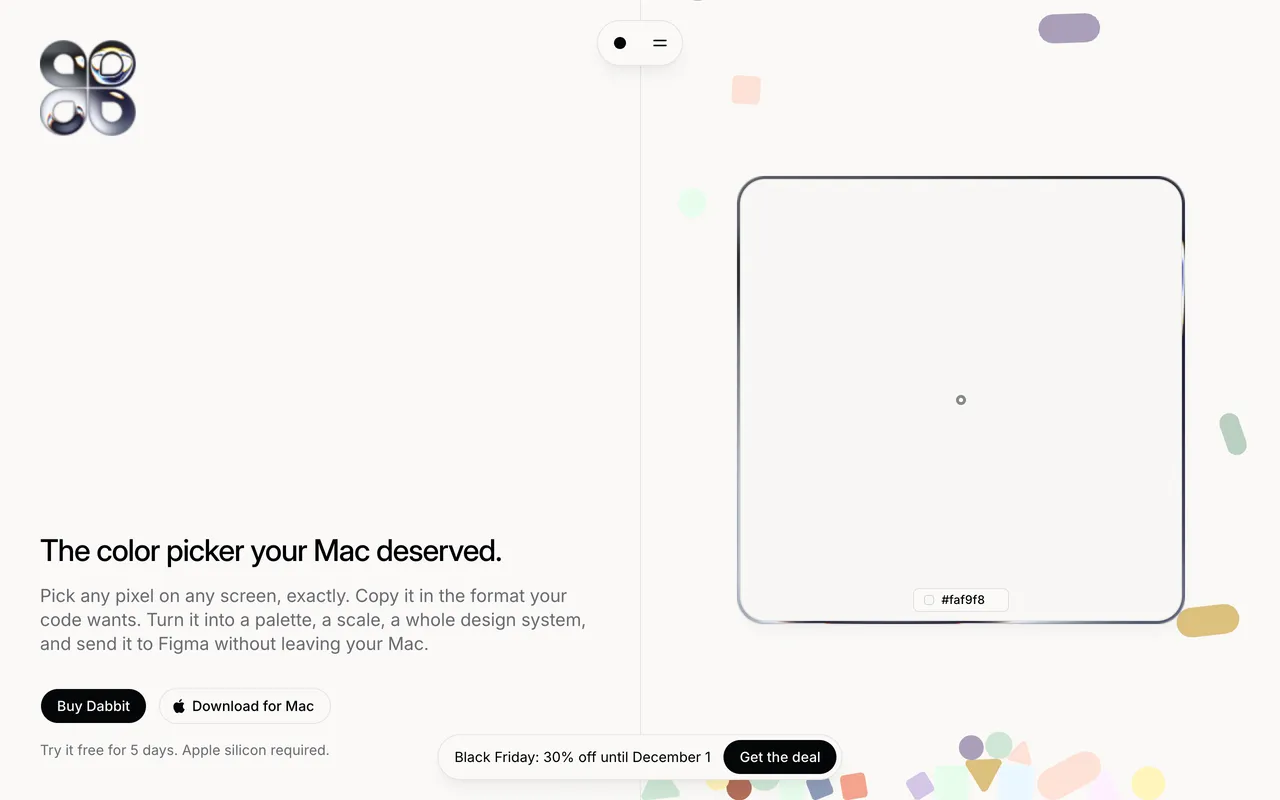
DabbitDabbit is a pixel-exact, color-managed color picker for macOS.From $19 once, 5-day free trial일회성네, 개발자 말에 따르면 Apple silicon만 지원해요NoMichael Andreuzza대기 중

The apps, one by one

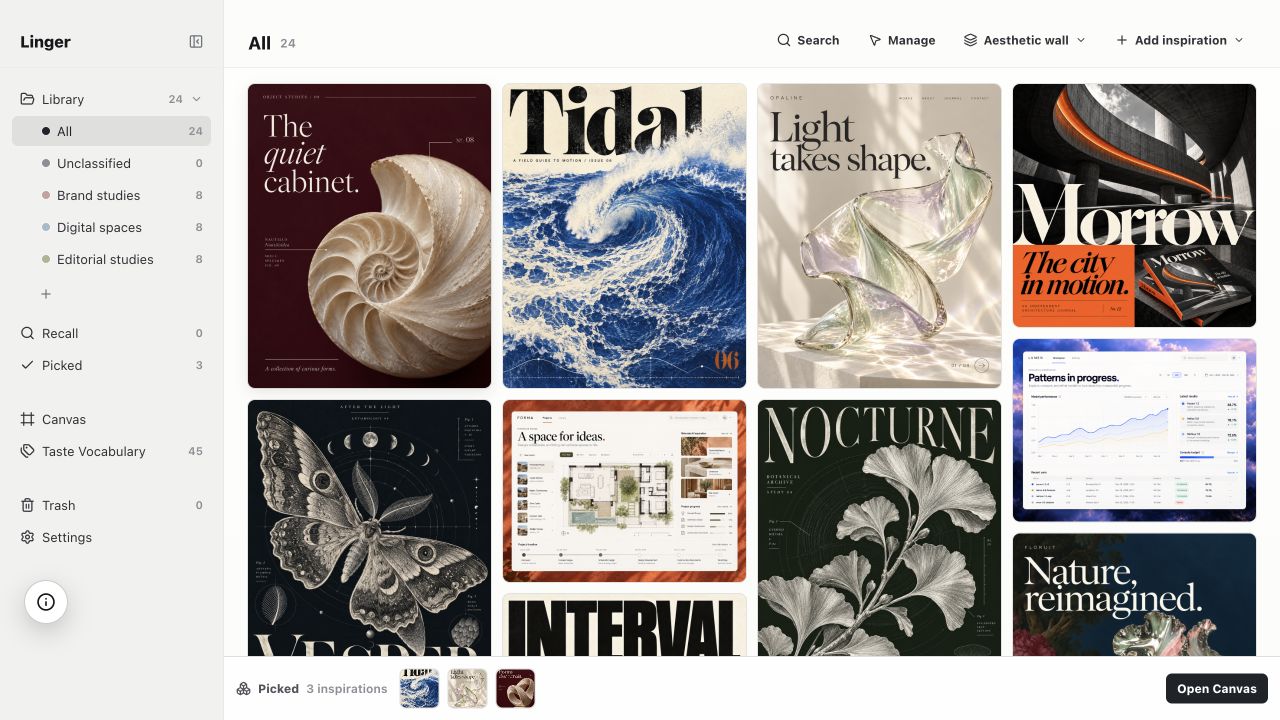
Linger

Save what moves you. Recall it in your own words.

Pay onceApple silicon11월 3일에 확인됨
Linger on a Mac

From its maker: Built for designers, photographers, and visual thinkers, Linger is a private, local-first aesthetic library for macOS. It keeps your saved images, screenshots, and sources together with your own notes and vocabulary.

가격
$39 once (Lifetime $79). 14-day free tri
Needs
macOS 11 Big Sur 이상
Its maker says it replaces
Eagle, mymind, Pinterest

Linger on MacPip More Design and Media apps

Moody

One visual library for your screenshots and links.

Pay once10월 30일에 확인됨
Moody on a Mac

From its maker: A personal library for saving design inspiration on macOS. It captures screenshots, drag-drops, and links into one visual, searchable app.

특가
20% 할인
가격
명시되지 않음
Needs
macOS 26 이상
Its maker says it replaces
Eagle

Moody on MacPip More Design and Media apps

Featherview

Free, open-source, keyboard-driven image viewer for macOS with batch conversion.

무료 버전Apple silicon오픈 소스오프라인 작동
Featherview on a Mac

From its maker: Free, open-source, keyboard-driven image viewer for macOS with batch conversion. The next photo is ready before you ask for it.

가격
무료
Needs
macOS 14 Sonoma 이상
Its maker says it replaces
Preview, XnView MP

Featherview on MacPip More Photos apps

Dabbit

Dabbit is a pixel-exact, color-managed color picker for macOS.

Pay onceApple silicon
Dabbit on a Mac

From its maker: Dabbit is a pixel-exact, color-managed color picker for macOS. Pick anywhere on screen, copy in any format, build palettes and design systems, and send them straight to Figma.

특가
30% 할인
가격
From $19 once, 5-day free trial
Needs
macOS 14 Sonoma 이상

Dabbit on MacPip More Design and Media apps

무엇을 고를까

What to look for

Look for the file formats it opens and exports, whether it needs an account, and how it handles large files.

질문

What is the best design app for Mac?

There is no single best one for everyone. MacPip lists 6: Linger, Moody, PeerBrush, Featherview, Super High Fives, Dabbit. If you would rather pay once than subscribe, look at Linger.

Mac용 “디자인 및 미디어” 카테고리에 무료 앱이 있나요?

네. MacPip에서 무료 버전이 있는 앱: PeerBrush, Featherview, Super High Fives.

Mac용 “디자인 및 미디어” 카테고리 앱 중 한 번 결제하는 가격의 앱은 무엇인가요?

한 번 결제하는 옵션이 있어 구독을 피할 수 있어요: Linger, Moody, Super High Fives, Dabbit.

Which design and media apps run natively on Apple silicon?

개발자의 설명 또는 우리의 확인에 따른 앱: Linger, PeerBrush, Featherview, Dabbit.

“디자인 및 미디어” 카테고리 앱 중 사람이 확인한 앱은 무엇인가요?

각 앱 페이지에 날짜가 적힌 리포트가 있어요: Linger, Moody.

MacPip은 이 앱들을 어떻게 정렬하나요?

사람이 확인한 앱이 먼저 나오고, 최근에 확인한 순서대로 정렬돼요. 그다음에 나머지 앱이 추가된 순서대로 나와요. 결제는 순서를 절대 바꾸지 않으며, 스폰서 줄은 표시가 붙고 따로 분리돼요.

관련 글