Hallo, ich bin PipDiese Featured-Apps wechseln sich in meinem Notch ab.
iPipEinreichen

Einträge bleiben in der Sprache, in der ihre Maker sie geschrieben haben.

Das Beste auf MacPip

Die besten Apps der Kategorie „Meetings und Präsentationen“ für Mac zum Einmalkauf

Aktualisiert am 22. Nov. 2026, aus dem, was MacPip heute listet.

Kurze Antwort

MacPip lists 8 one-time purchase meeting and presenting apps for Mac, and MacPip has checked 1 of them.5 davon haben eine kostenlose Version.Alle verkaufen eine einmalige Lizenz.3 davon werden im Abo verkauft.There is no single best one-time purchase presentation app for everyone, so MacPip does not rank them.Wenn du sie kostenlos willst, fang mit RemoteTime an.

Geprüfte Apps kommen zuerst, die neueste Prüfung zuerst. Nie nach Bezahlung sortiert.

Was diese 8 Apps laut ihren Einträgen bieten. Eine App kann mehreres bieten, deshalb ergeben die Balken zusammen nicht 8.
Kostenlose Version5 von 8
Einmal zahlen8 von 8
Abo3 von 8
Nativ für Apple silicon6 von 8
Open Source0 von 8
Funktioniert offline2 von 8
Geprüft1 von 8
Einmalpreis in US-Dollar, wie im jeweiligen Eintrag angegeben, der niedrigste zuerst. 4 Apps haben keinen einfachen Einmalpreis in Dollar und fehlen. Launch-Preise zählen, wo der Eintrag es so angibt.
PointerBeam2,99 $
JellyDraw9,99 $
TalkY24,50 $
Metatron59 $

Im Vergleich

AppWas es machtPreisKostenlos oder kostenpflichtigApple siliconOpen SourceGemacht vonGeprüft
TalkYA teleprompter that keeps your script next to the camera on your Mac.24,50 $ einmalEinmaligNicht angegebenNeinleo_mercerr30. Okt.
PointerBeamA laser pointer for your Mac cursor. Hold Command to draw on screen while you present.14-day free trial, then $2.99 onceEinmaligNicht angegebenNeinTheQuokkaCompanyAusstehend
RemoteTimeA native macOS menu-bar world clock for distributed teams.Free, Pro €9.99 onceKostenlose VersionEinmaligJa, nur Apple silicon, sagt ihr MakerNeinRemoteTimeAusstehend
MetatronThe AI work assistant on your Mac that makes sure nothing slips.$59 once, free for 14 daysEinmaligJa, nur Apple silicon, sagt ihr MakerNeinMetatronAusstehend
WispimThe script scrolls itself as you speakKostenlosKostenlose VersionEinmaligAboJa, und auf Intel, sagt ihr MakerNeinZhenyaAusstehend
Karl: Meeting NotesMeeting notes made on your Mac. No bot, no account.Kostenlos, Pro verfügbarKostenlose VersionEinmaligAboJa, nur Apple silicon, sagt ihr MakerNeinNicht angegebenAusstehend
VoxStudioRecord, transcribe, search and edit audio and video on MacKostenlos, Pro verfügbarKostenlose VersionEinmaligAboJa, nur Apple silicon, sagt ihr MakerNeinNicht angegebenAusstehend
JellyDrawZeichne auf deinen Mac-Bildschirm. Zeichnungen bleiben an dem Fenster haften, auf dem sie sind.Free, with Pro at $9.99 one-timeKostenlose VersionEinmaligJa, nur Apple silicon, sagt ihr MakerNeinJellyDrawAusstehend

Die Apps im Einzelnen

App-Symbol von TalkY

TalkY

A teleprompter that keeps your script next to the camera on your Mac.

Einmal zahlenGeprüft 30. Okt.
TalkY auf einem Mac

Vom Maker: TalkY is a simple teleprompter for macOS that keeps your script right next to the camera, so you can keep eye contact while recording videos, presenting or speaking on camera. It stays invisible in screen recordings.

Preis
24,50 $ einmal

TalkY auf MacPip Weitere Apps für Meetings und Präsentationen

App-Symbol von PointerBeam

PointerBeam

A laser pointer for your Mac cursor. Hold Command to draw on screen while you present.

Einmal zahlen
PointerBeam auf einem Mac

Vom Maker: PointerBeam puts a bright laser dot on your cursor so people can follow it during a presentation or screen share. Hold Command and move the mouse to draw on top of anything on screen.

Preis
14-day free trial, then $2.99 once
Benötigt
macOS 14 Sonoma oder neuer

PointerBeam auf MacPip Weitere Produktivitäts-Apps

App-Symbol von RemoteTime

RemoteTime

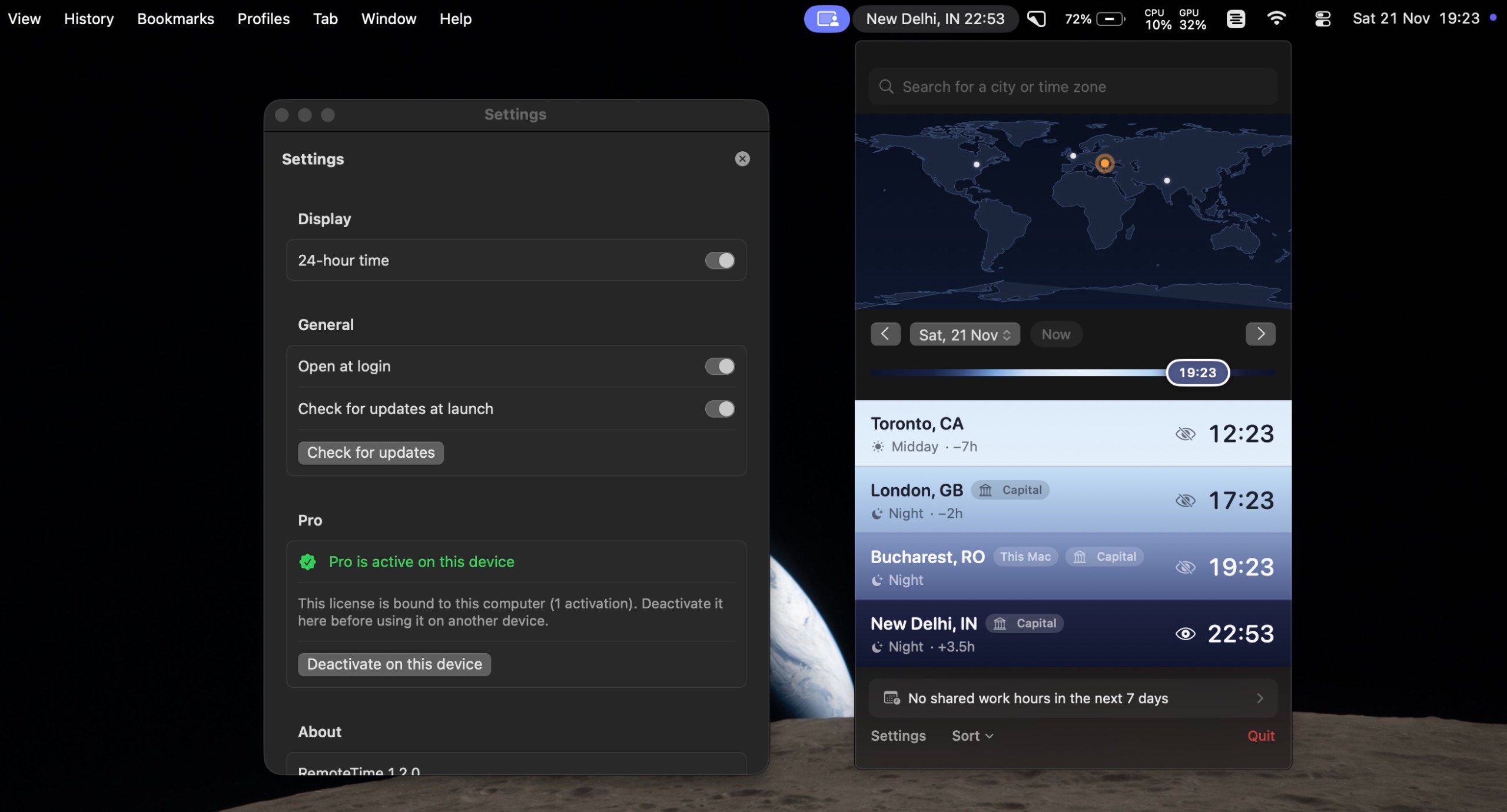
A native macOS menu-bar world clock for distributed teams.

Kostenlose VersionEinmal zahlenApple siliconFunktioniert offline
RemoteTime auf einem Mac

Vom Maker: A native macOS menu-bar world clock for distributed teams. See the live time in every city on your team, drag a what-if marker to plan meetings, and find your shared work hours, DST-correct, fully offline.

Preis
Free, Pro €9.99 once
Benötigt
macOS 14 Sonoma oder neuer

RemoteTime auf MacPip Weitere Apps für Meetings und Präsentationen

App-Symbol von Metatron

Metatron

The AI work assistant on your Mac that makes sure nothing slips.

Einmal zahlenApple silicon
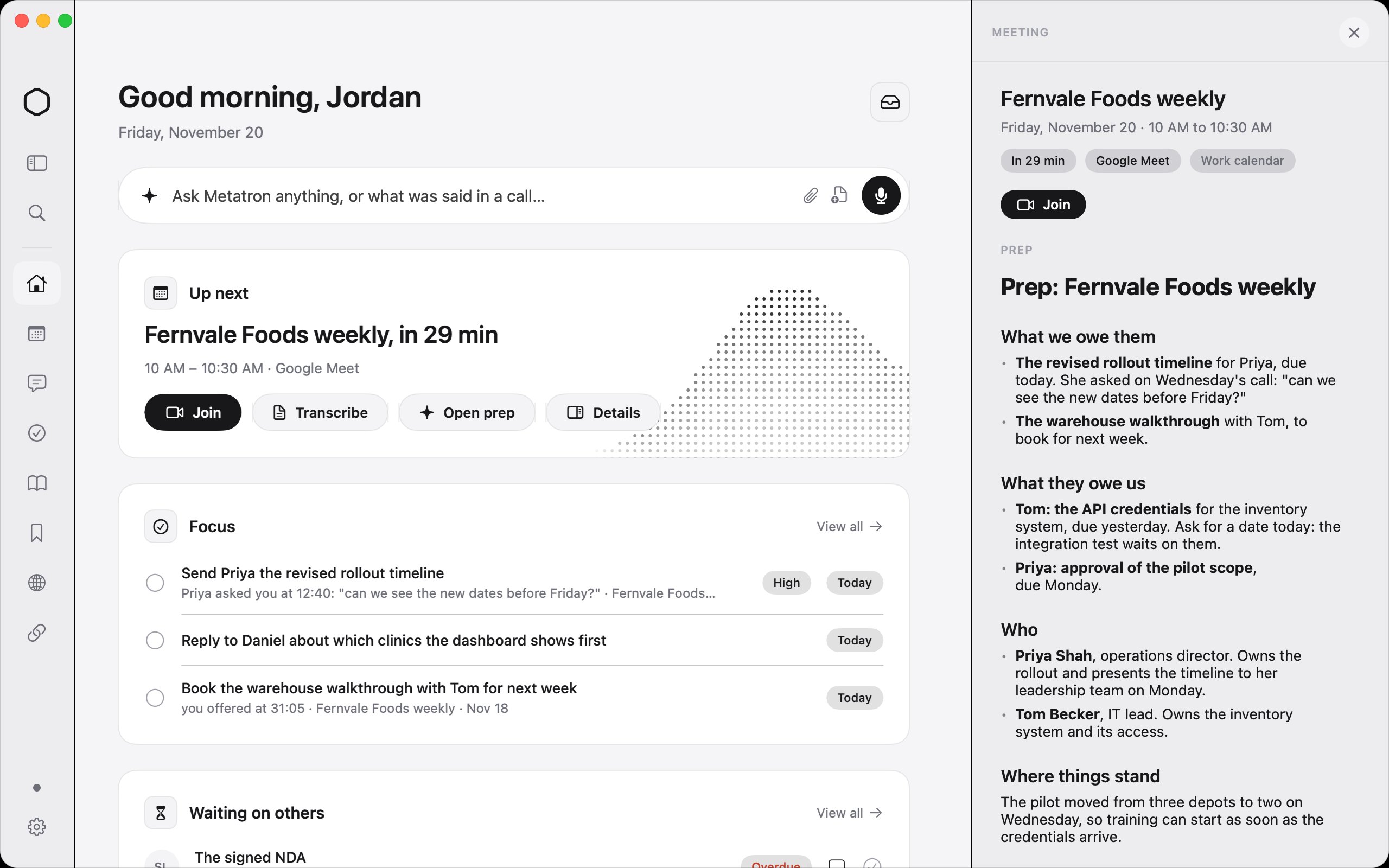
Metatron auf einem Mac
Gemacht von MetatronWebsite

Vom Maker: Metatron is an AI work assistant for your Mac. It records your calls with no bot, reads your work email, chats and apps, and keeps one list of what you promised and what you're owed, with who asked and when.

Preis
$59 once, free for 14 days
Benötigt
macOS 26 Tahoe oder neuer
Laut Maker ersetzt sie
Granola, Otter.ai, Fireflies.ai, Read AI

Metatron auf MacPip Weitere KI-Apps

App-Symbol von Wispim

Wispim

The script scrolls itself as you speak

Kostenlose VersionEinmal zahlenAboApple silicon
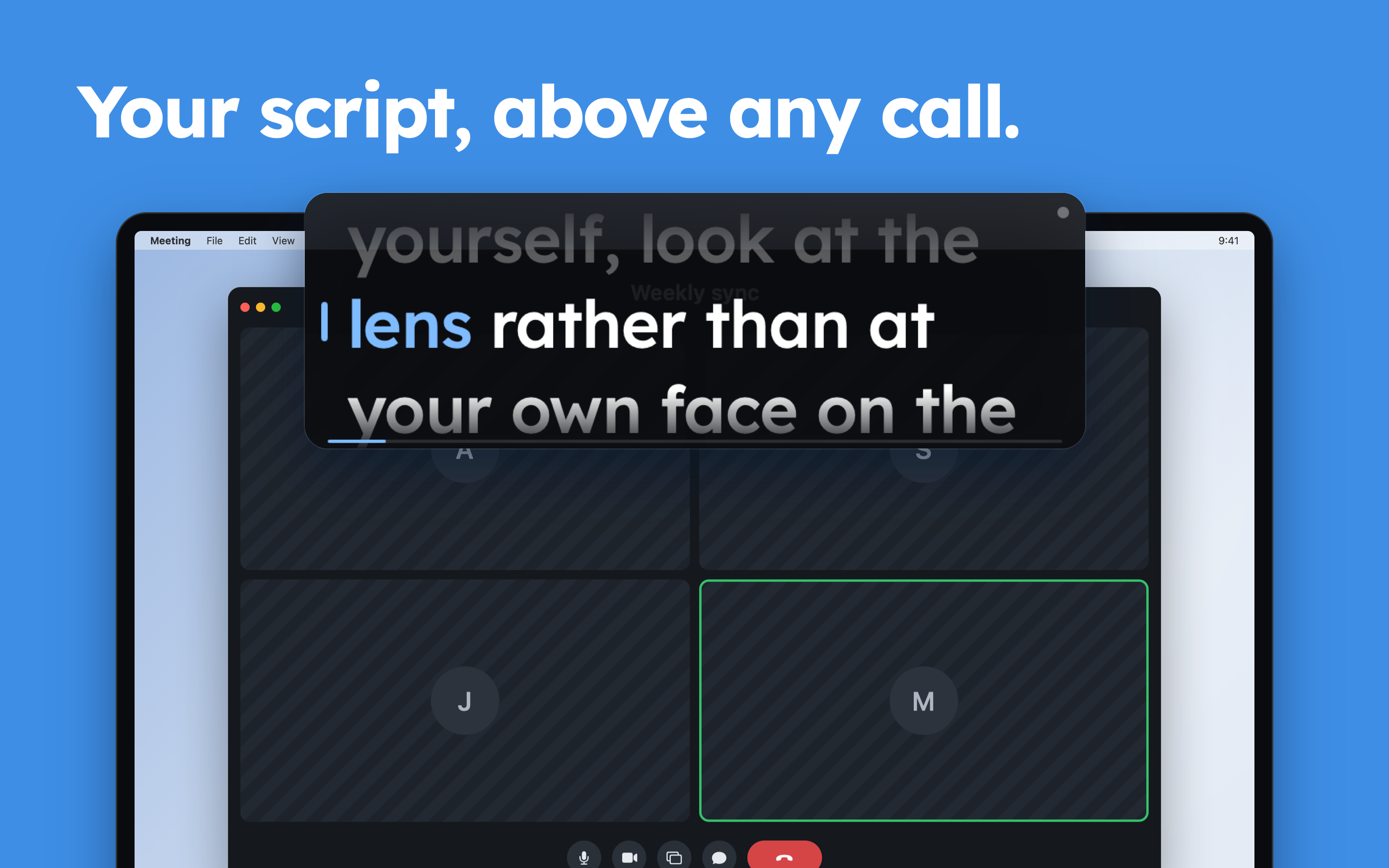
Wispim auf einem Mac
Gemacht von ZhenyaWebsite

Vom Maker: Wispim is a teleprompter for meetings, presentations and webinars: the script sits in a floating panel above your call or your slides, right next to the camera. Most teleprompters scroll at a fixed speed and leave you chasing the text.

Preis
Kostenlos
Benötigt
macOS 13 Ventura oder neuer

Wispim auf MacPip Weitere Apps für Meetings und Präsentationen

App-Symbol von Karl: Meeting Notes

Karl: Meeting Notes

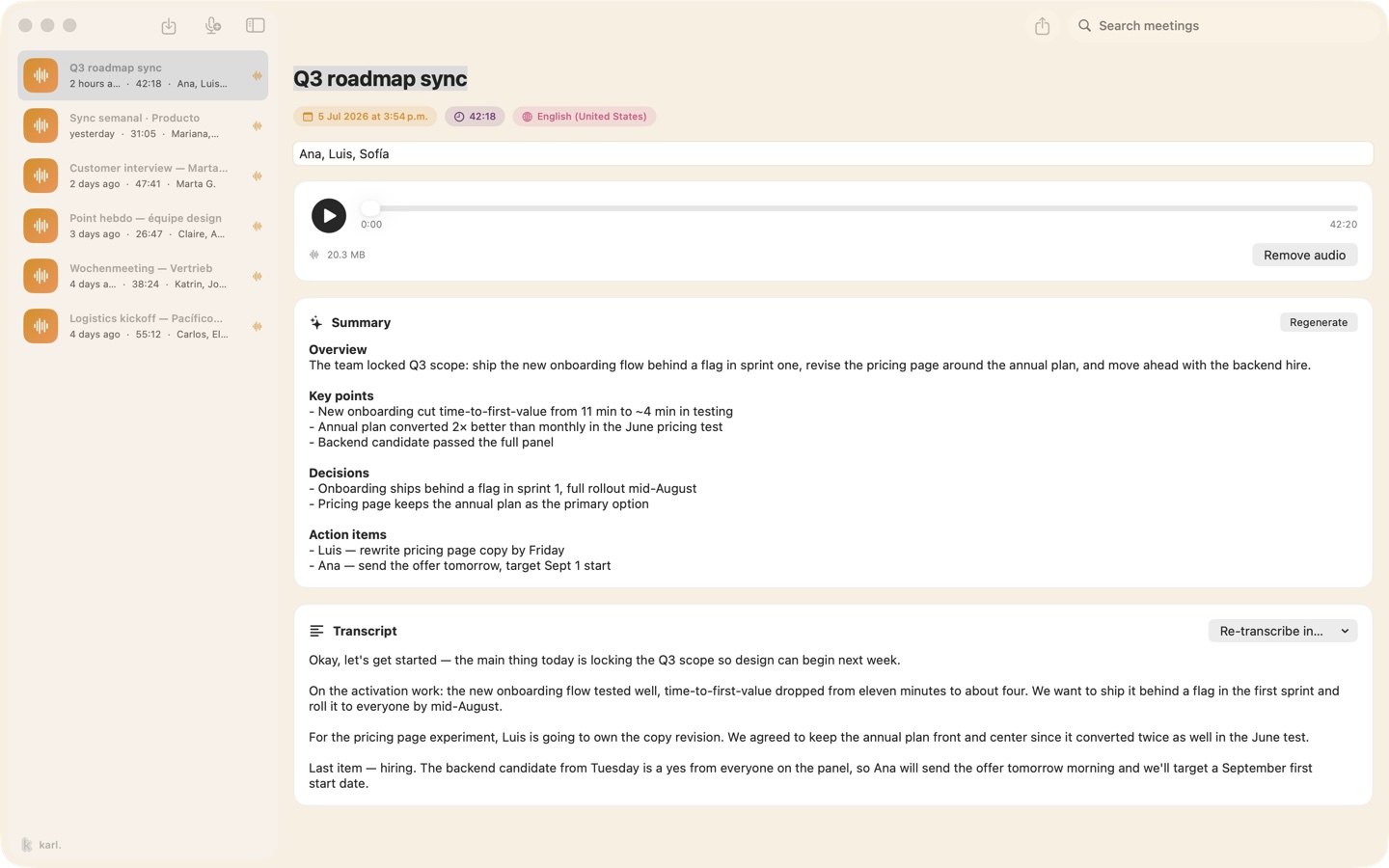
Meeting notes made on your Mac. No bot, no account.

Kostenlose VersionEinmal zahlenAboApple silicon
Karl: Meeting Notes auf einem Mac

Vom Maker: Karl turns meetings into notes without sending anything anywhere. On the Mac it records your microphone and the call's audio together, transcribes as you talk, and gives you a summary and action items when you stop, all on the device.

Preis
Kostenlos, Pro verfügbar
Benötigt
macOS 26 oder neuer

Karl: Meeting Notes auf MacPip Weitere Apps für Meetings und Präsentationen

App-Symbol von VoxStudio

VoxStudio

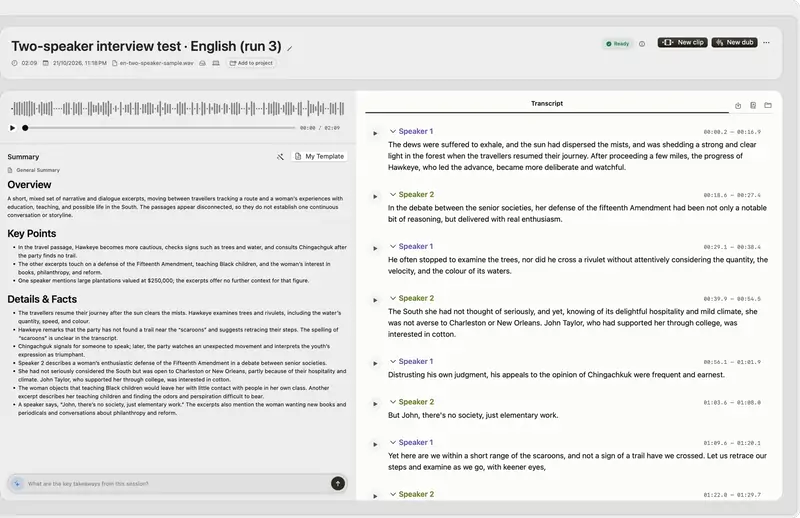
Record, transcribe, search and edit audio and video on Mac

Kostenlose VersionEinmal zahlenAboApple silicon
VoxStudio auf einem Mac

Vom Maker: Native Mac app for Apple silicon: on-device transcription, cited answers across your recordings, subtitles, clips, voiceover and a local MCP server. Try it for 14 days.

Preis
Kostenlos, Pro verfügbar
Benötigt
macOS 15 Sequoia oder neuer

VoxStudio auf MacPip Weitere Apps für Diktat und Transkription

App-Symbol von JellyDraw

JellyDraw

Zeichne auf deinen Mac-Bildschirm. Zeichnungen bleiben an dem Fenster haften, auf dem sie sind.

Kostenlose VersionEinmal zahlenApple siliconFunktioniert offline
JellyDraw auf einem Mac

Vom Maker: JellyDraw is a menu bar app for drawing and highlighting over any app on your Mac. Each drawing sticks to the window it was drawn on, so when you move, resize or minimize the window, your marks go with it.

Preis
Free, with Pro at $9.99 one-time
Benötigt
macOS 26 Tahoe oder neuer
Laut Maker ersetzt sie
Presentify, Epic Pen, ScreenBrush, ZoomIt

JellyDraw auf MacPip Weitere Apps für Meetings und Präsentationen

Welche du nehmen solltest

Worauf du achten solltest

Look for which meeting apps it works with, whether it records anyone, and what it shows on a shared screen.

Fragen

What is the best one-time purchase presentation app for Mac?

There is no single best one for everyone. MacPip lists 8: TalkY, PointerBeam, RemoteTime, Metatron, Wispim, Karl: Meeting Notes, VoxStudio, JellyDraw. If you want it free, look at RemoteTime. If you would rather pay once than subscribe, look at TalkY. If you want it to run natively on Apple silicon, look at VoxStudio. If you need it to work offline, as its maker says it does, look at JellyDraw.

Which one-time purchase meeting and presenting apps run natively on Apple silicon?

Nach Angabe der Maker oder nach unserer Prüfung: RemoteTime, Metatron, Wispim, Karl: Meeting Notes, VoxStudio, JellyDraw.

Which one-time purchase meeting and presenting apps has MacPip checked?

Jede hat einen datierten Bericht auf ihrer Seite: TalkY.

Wie sortiert MacPip diese Apps?

Geprüfte Apps kommen zuerst, die neueste Prüfung zuerst, danach der Rest danach, wann er hinzugefügt wurde. Bezahlung ändert nie die Reihenfolge, und gesponserte Zeilen sind gekennzeichnet und getrennt.

Verwandt