Ciao, sono PipQueste app Featured si alternano nel mio notch.
iPipInvia

Le schede restano nella lingua in cui i loro creatori le hanno scritte.

I migliori di MacPip

Le migliori app ad acquisto unico della categoria «Riunioni e presentazioni» per Mac

Aggiornato il 22 nov 2026, da ciò che MacPip elenca oggi.

Risposta breve

MacPip lists 8 one-time purchase meeting and presenting apps for Mac, and MacPip has checked 1 of them.5 di esse hanno una versione gratuita.Si acquistano tutte con una licenza una tantum.3 di queste sono vendute in abbonamento.There is no single best one-time purchase presentation app for everyone, so MacPip does not rank them.Se la vuoi gratis, inizia da RemoteTime.

Le app verificate vengono prima, a partire dalla verifica più recente. L'ordine non dipende mai dai pagamenti.

Cosa offrono queste 8 app, secondo le loro schede. Un'app può offrire più cose, quindi le barre non sommano a 8.
Versione gratuita5 di 8
Paghi una volta8 di 8
Abbonamento3 di 8
Nativa per Apple silicon6 di 8
Open source0 di 8
Funziona offline2 di 8
Verificata1 di 8
Prezzo una tantum in dollari USA, come indicato da ogni scheda, dal più basso. App senza un semplice prezzo una tantum in dollari, escluse: 4. I prezzi di lancio contano quando la scheda lo dice.
PointerBeam2,99 USD
JellyDraw9,99 USD
TalkY24,50 USD
Metatron59 USD

A confronto

AppChe cosa faPrezzoGratis o a pagamentoApple siliconOpen sourceRealizzato daVerificata
TalkYA teleprompter that keeps your script next to the camera on your Mac.24,50 USD una tantumUna tantumNon indicatoNoleo_mercerr30 ott
PointerBeamA laser pointer for your Mac cursor. Hold Command to draw on screen while you present.14-day free trial, then $2.99 onceUna tantumNon indicatoNoTheQuokkaCompanyIn sospeso
RemoteTimeA native macOS menu-bar world clock for distributed teams.Free, Pro €9.99 onceVersione gratuitaUna tantumSì, solo Apple silicon, secondo il suo creatoreNoRemoteTimeIn sospeso
MetatronThe AI work assistant on your Mac that makes sure nothing slips.$59 once, free for 14 daysUna tantumSì, solo Apple silicon, secondo il suo creatoreNoMetatronIn sospeso
WispimThe script scrolls itself as you speakGratisVersione gratuitaUna tantumAbbonamentoSì, e anche su Intel, secondo il suo creatoreNoZhenyaIn sospeso
Karl: Meeting NotesMeeting notes made on your Mac. No bot, no account.Gratis, Pro disponibileVersione gratuitaUna tantumAbbonamentoSì, solo Apple silicon, secondo il suo creatoreNoNon indicatoIn sospeso
VoxStudioRecord, transcribe, search and edit audio and video on MacGratis, Pro disponibileVersione gratuitaUna tantumAbbonamentoSì, solo Apple silicon, secondo il suo creatoreNoNon indicatoIn sospeso
JellyDrawDisegna sullo schermo del tuo Mac. I disegni restano attaccati alla finestra su cui si trovano.Free, with Pro at $9.99 one-timeVersione gratuitaUna tantumSì, solo Apple silicon, secondo il suo creatoreNoJellyDrawIn sospeso

Le app, una per una

Icona dell'app TalkY

TalkY

A teleprompter that keeps your script next to the camera on your Mac.

Paghi una voltaVerificata il 30 ott
TalkY su un Mac

Dal suo creatore: TalkY is a simple teleprompter for macOS that keeps your script right next to the camera, so you can keep eye contact while recording videos, presenting or speaking on camera. It stays invisible in screen recordings.

Prezzo
24,50 USD una tantum

TalkY su MacPip Altre app per riunioni e presentazioni

Icona dell'app PointerBeam

PointerBeam

A laser pointer for your Mac cursor. Hold Command to draw on screen while you present.

Paghi una volta
PointerBeam su un Mac

Dal suo creatore: PointerBeam puts a bright laser dot on your cursor so people can follow it during a presentation or screen share. Hold Command and move the mouse to draw on top of anything on screen.

Prezzo
14-day free trial, then $2.99 once
Richiede
macOS 14 Sonoma o successivo

PointerBeam su MacPip Altre app di produttività

Icona dell'app RemoteTime

RemoteTime

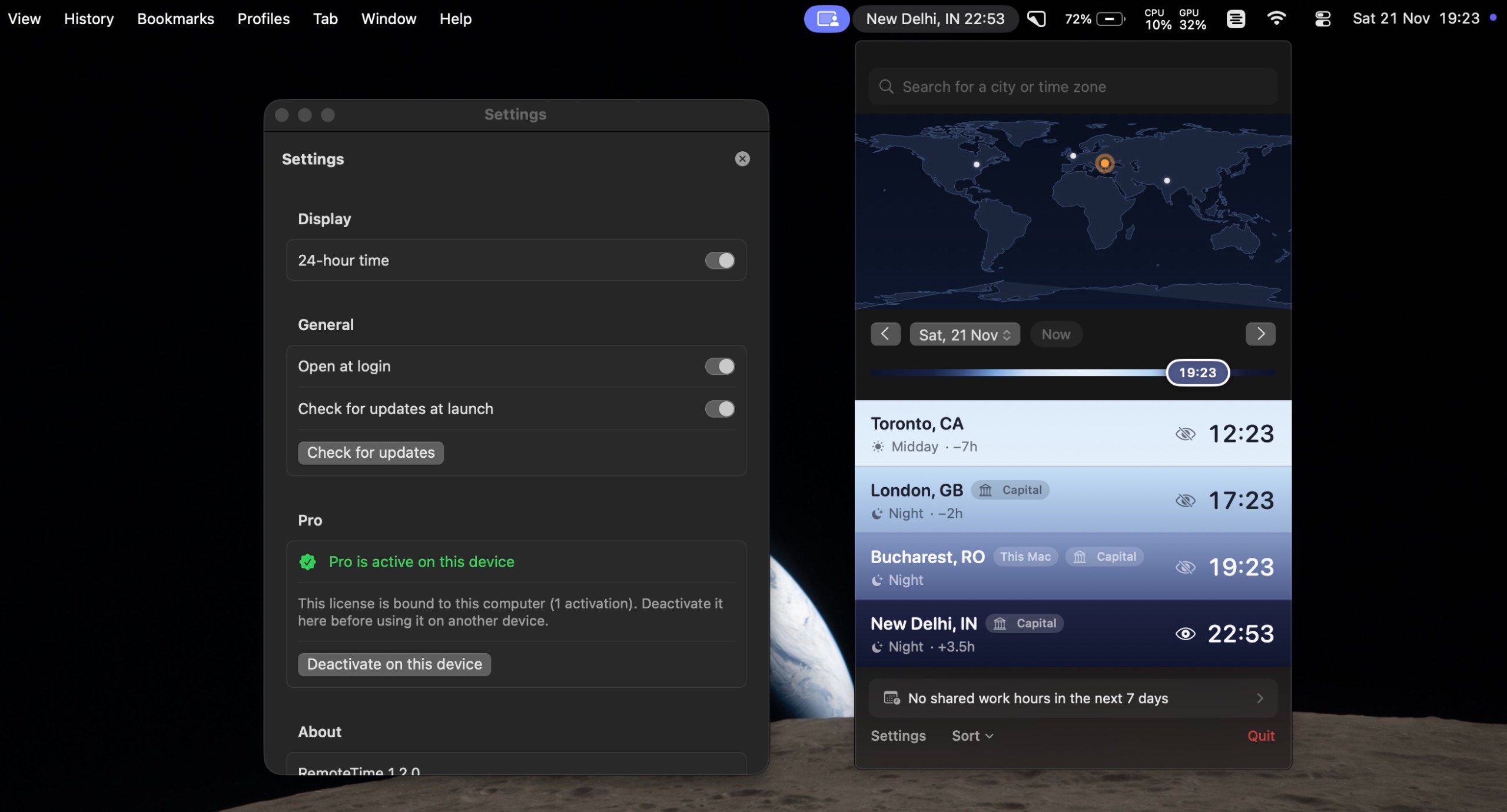
A native macOS menu-bar world clock for distributed teams.

Versione gratuitaPaghi una voltaApple siliconFunziona offline
RemoteTime su un Mac

Dal suo creatore: A native macOS menu-bar world clock for distributed teams. See the live time in every city on your team, drag a what-if marker to plan meetings, and find your shared work hours, DST-correct, fully offline.

Prezzo
Free, Pro €9.99 once
Richiede
macOS 14 Sonoma o successivo

RemoteTime su MacPip Altre app per riunioni e presentazioni

Icona dell'app Metatron

Metatron

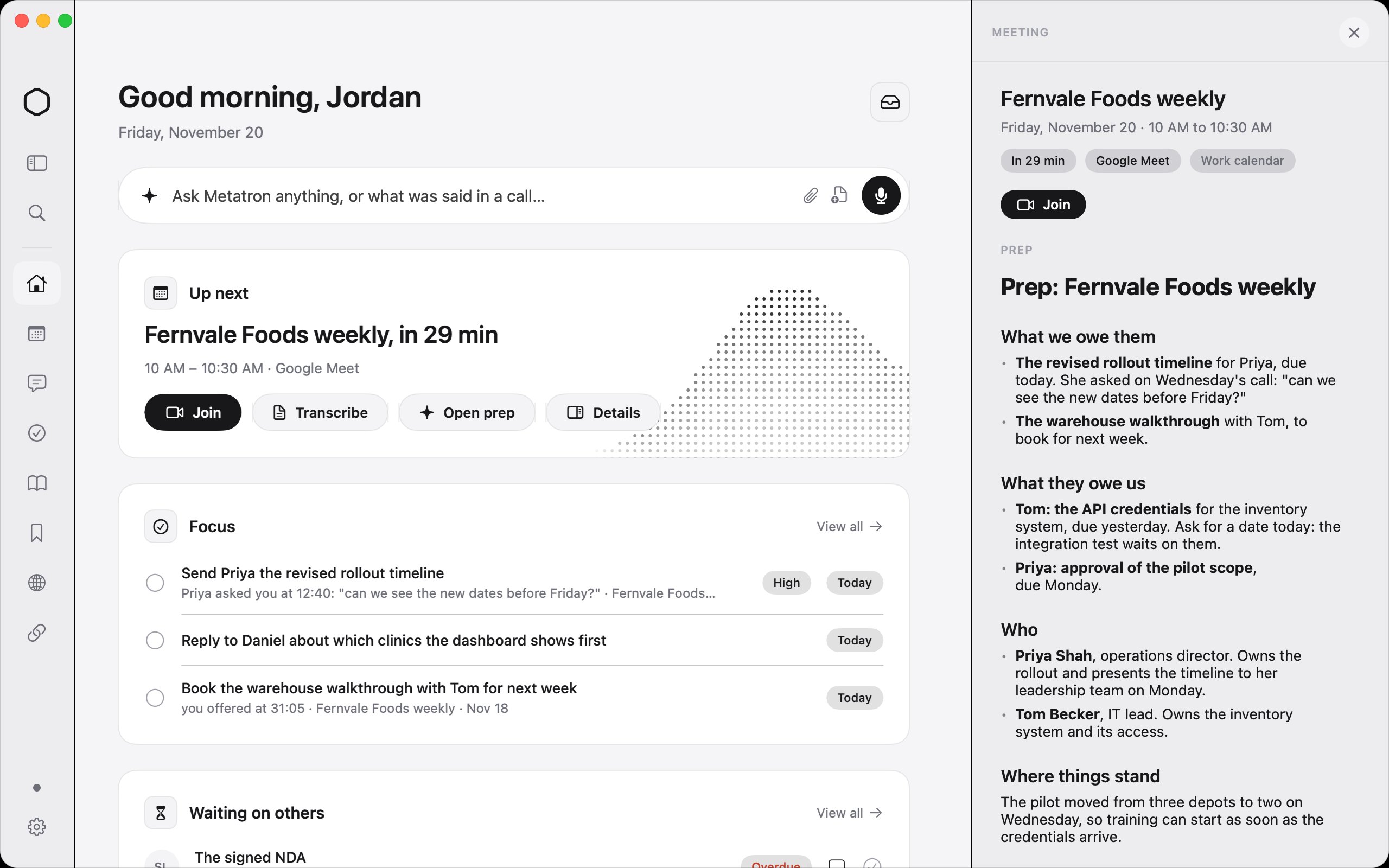
The AI work assistant on your Mac that makes sure nothing slips.

Paghi una voltaApple silicon
Metatron su un Mac
Creato da MetatronSito web

Dal suo creatore: Metatron is an AI work assistant for your Mac. It records your calls with no bot, reads your work email, chats and apps, and keeps one list of what you promised and what you're owed, with who asked and when.

Prezzo
$59 once, free for 14 days
Richiede
macOS 26 Tahoe o successivo
Secondo il creatore sostituisce
Granola, Otter.ai, Fireflies.ai, Read AI

Metatron su MacPip Altre app AI

Icona dell'app Wispim

Wispim

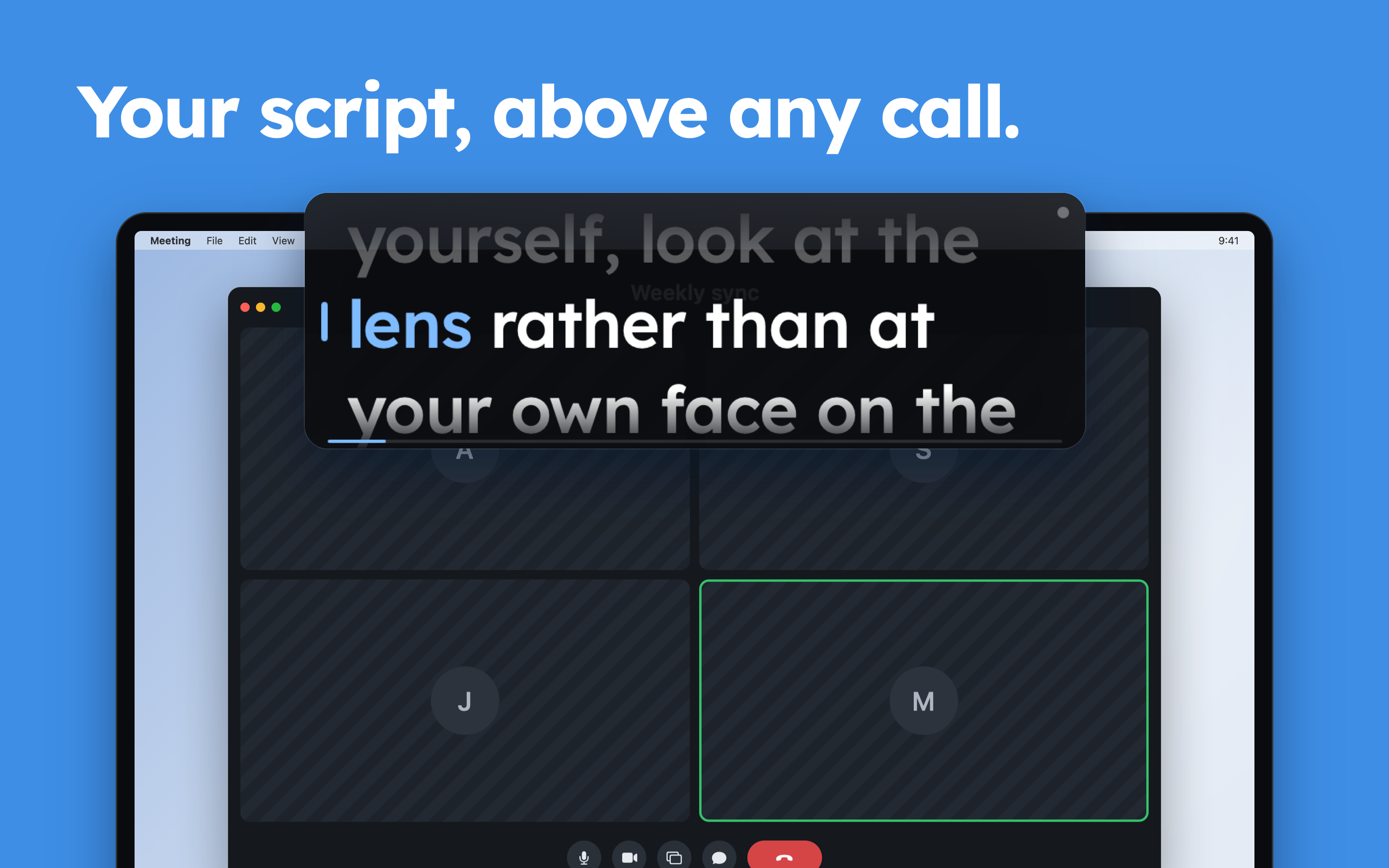
The script scrolls itself as you speak

Versione gratuitaPaghi una voltaAbbonamentoApple silicon
Wispim su un Mac
Creato da ZhenyaSito web

Dal suo creatore: Wispim is a teleprompter for meetings, presentations and webinars: the script sits in a floating panel above your call or your slides, right next to the camera. Most teleprompters scroll at a fixed speed and leave you chasing the text.

Prezzo
Gratis
Richiede
macOS 13 Ventura o successivo

Wispim su MacPip Altre app per riunioni e presentazioni

Icona dell'app Karl: Meeting Notes

Karl: Meeting Notes

Meeting notes made on your Mac. No bot, no account.

Versione gratuitaPaghi una voltaAbbonamentoApple silicon
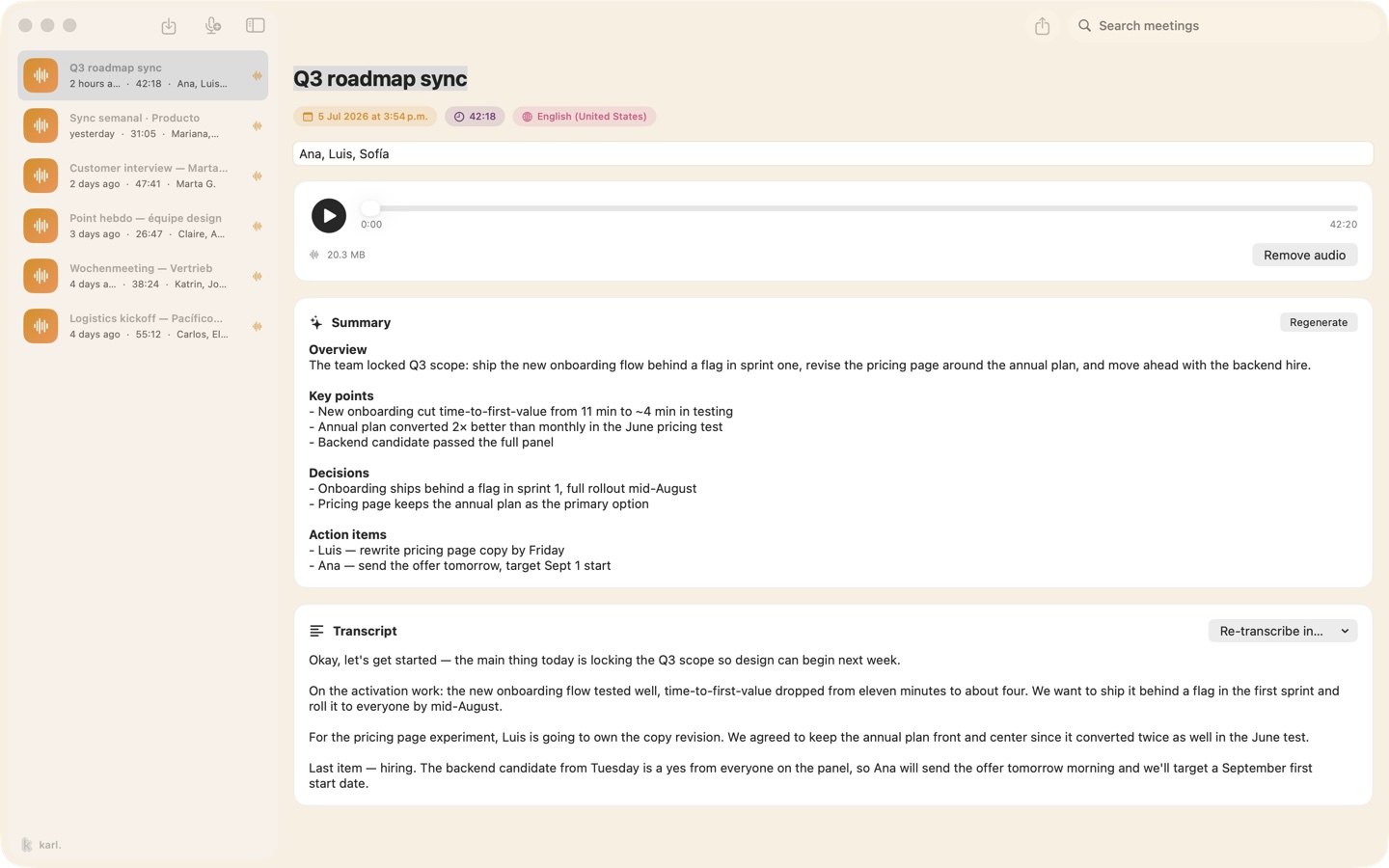
Karl: Meeting Notes su un Mac

Dal suo creatore: Karl turns meetings into notes without sending anything anywhere. On the Mac it records your microphone and the call's audio together, transcribes as you talk, and gives you a summary and action items when you stop, all on the device.

Prezzo
Gratis, Pro disponibile
Richiede
macOS 26 o successivo

Karl: Meeting Notes su MacPip Altre app per riunioni e presentazioni

Icona dell'app VoxStudio

VoxStudio

Record, transcribe, search and edit audio and video on Mac

Versione gratuitaPaghi una voltaAbbonamentoApple silicon
VoxStudio su un Mac

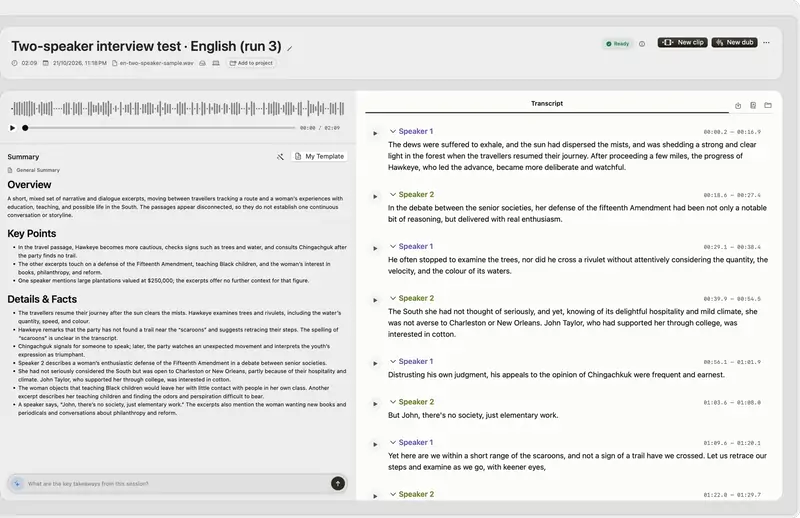
Dal suo creatore: Native Mac app for Apple silicon: on-device transcription, cited answers across your recordings, subtitles, clips, voiceover and a local MCP server. Try it for 14 days.

Prezzo
Gratis, Pro disponibile
Richiede
macOS 15 Sequoia o successivo

VoxStudio su MacPip Altre app per dettatura e trascrizione

Icona dell'app JellyDraw

JellyDraw

Disegna sullo schermo del tuo Mac. I disegni restano attaccati alla finestra su cui si trovano.

Versione gratuitaPaghi una voltaApple siliconFunziona offline
JellyDraw su un Mac

Dal suo creatore: JellyDraw is a menu bar app for drawing and highlighting over any app on your Mac. Each drawing sticks to the window it was drawn on, so when you move, resize or minimize the window, your marks go with it.

Prezzo
Free, with Pro at $9.99 one-time
Richiede
macOS 26 Tahoe o successivo
Secondo il creatore sostituisce
Presentify, Epic Pen, ScreenBrush, ZoomIt

JellyDraw su MacPip Altre app per riunioni e presentazioni

Quale scegliere

Cosa guardare

Look for which meeting apps it works with, whether it records anyone, and what it shows on a shared screen.

Domande

What is the best one-time purchase presentation app for Mac?

There is no single best one for everyone. MacPip lists 8: TalkY, PointerBeam, RemoteTime, Metatron, Wispim, Karl: Meeting Notes, VoxStudio, JellyDraw. If you want it free, look at RemoteTime. If you would rather pay once than subscribe, look at TalkY. If you want it to run natively on Apple silicon, look at VoxStudio. If you need it to work offline, as its maker says it does, look at JellyDraw.

Which one-time purchase meeting and presenting apps run natively on Apple silicon?

Secondo i loro creatori o secondo la nostra verifica: RemoteTime, Metatron, Wispim, Karl: Meeting Notes, VoxStudio, JellyDraw.

Which one-time purchase meeting and presenting apps has MacPip checked?

Ognuna ha un report con la data sulla sua pagina: TalkY.

Come ordina MacPip queste app?

Le app verificate vengono prima, a partire dalla verifica più recente, poi le altre in base a quando sono state aggiunte. I pagamenti non cambiano mai l'ordine, e le righe sponsorizzate sono etichettate e tenute a parte.

Correlati