スポンサーサインイン登録

掲載内容は、開発者が書いた言語のまま表示されます。

MacPipのおすすめ

Mac向け「クリップボードとテキスト」カテゴリの買い切りのおすすめアプリ

2026年11月10日更新。MacPipが今日掲載しているものから。

結論

MacPip lists 8 one-time purchase clipboard and text apps for Mac, and a person has checked 2 of them.そのうち2件に無料版があります。どれも買い切りライセンスを販売しています。そのうち1件はサブスクリプション制です。There is no single best one-time purchase clipboard manager for everyone, so MacPip does not rank them.サブスクリプションより一度だけ払いたいなら、Droppyから始めてください。

人がチェックしたアプリが先で、チェックの新しい順です。支払いで並び順を決めることはありません。

これら8件のアプリが提供するもの(掲載ページによる)。1つのアプリが複数を提供することもあるので、棒の合計は8になりません。
無料版2 / 8
買い切り8 / 8
サブスクリプション1 / 8
Apple siliconネイティブ7 / 8
オープンソース0 / 8
オフラインで動作4 / 8
人が確認済み2 / 8
各掲載ページに書かれている米ドルの買い切り価格、安い順。掲載ページにそう書かれている場合は、ローンチ価格を使っています。
TypeNod$9.90
Droppy$9.99
dofu$9.99
Reel$11.99

比較

アプリ機能価格無料か有料かApple siliconオープンソース作者確認済み
DroppyA Dynamic Island, File Tray and clipboard history for your Mac$9.99 once for 2 Macs, 3-day free trial買い切りはい、作者によるとIntelでも動きますいいえJordy Spruit11月8日
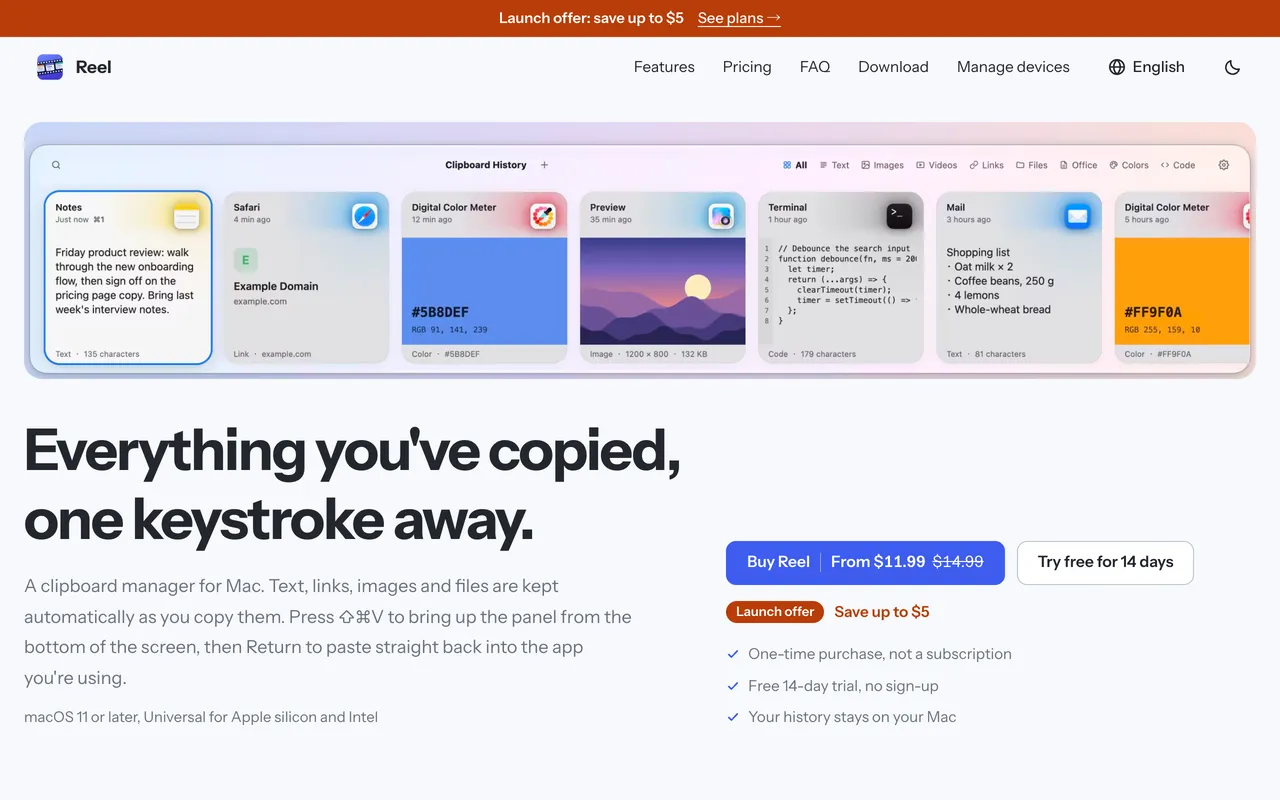
ReelMac向けのClipboard manager: search, pin and paste anything you copied$11.99 once (2 Macs $19.99)買い切り記載なしいいえCanonForge Apps11月3日
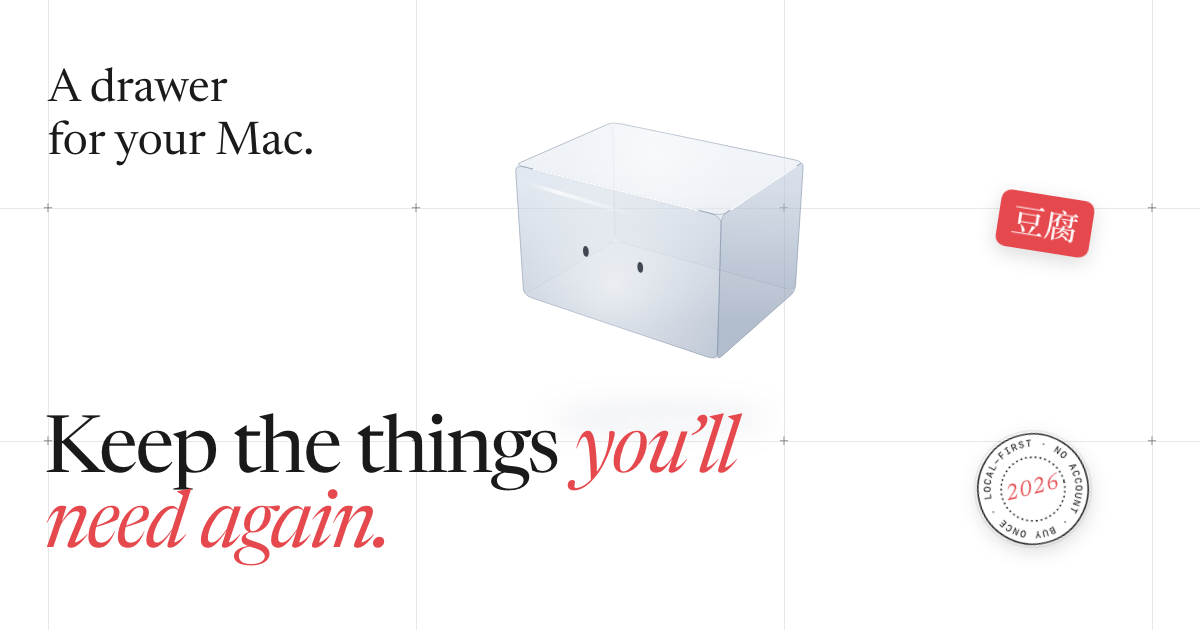
dofuA private drawer at the top of your Mac for the addresses, tax IDs, bank details and scans$9.99 once (launch), then $19.99買い切りはい、作者によるとApple siliconのみですいいえ記載なし保留中
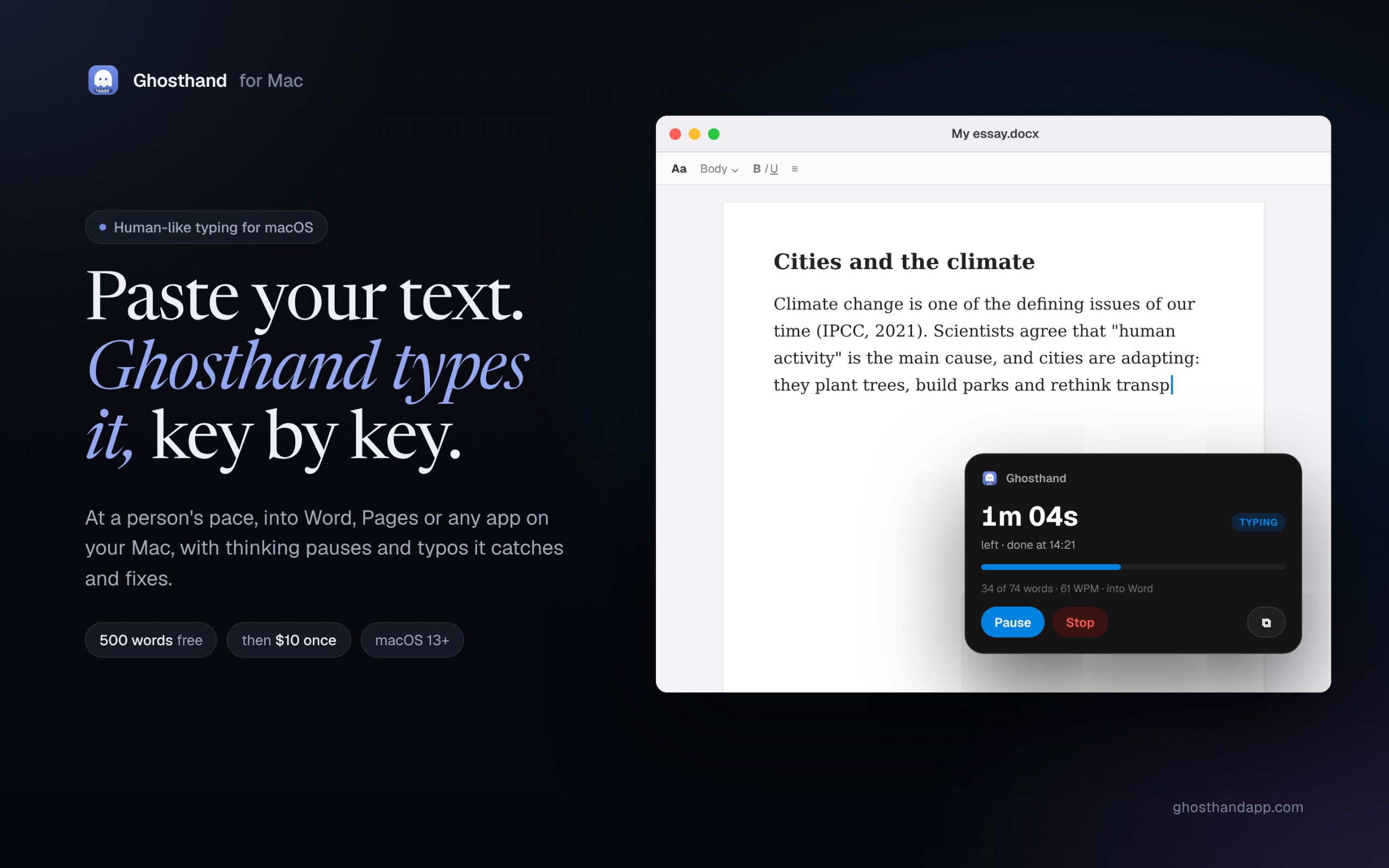
GhosthandAn auto typer for Mac that types your pasted text like a person and waits for saves$10 1回買い切りはい、作者によるとIntelでも動きますいいえ記載なし保留中
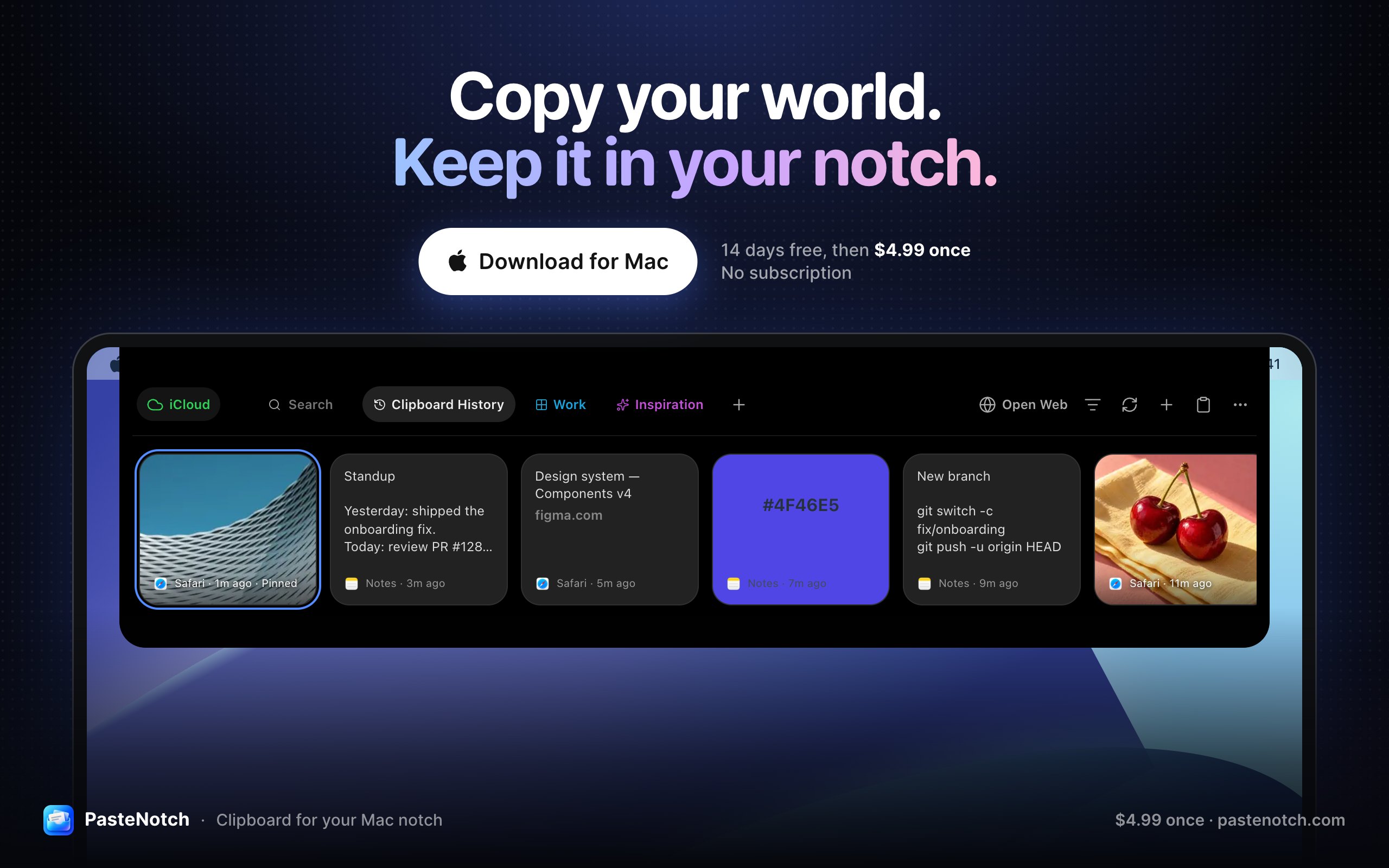
PasteNotchClipboard history, right in your Mac’s notch$4.99 once; Cloud $4.99/mo; 14-day trial買い切りサブスクリプションはい、作者によるとIntelでも動きますいいえVladimir Babic保留中
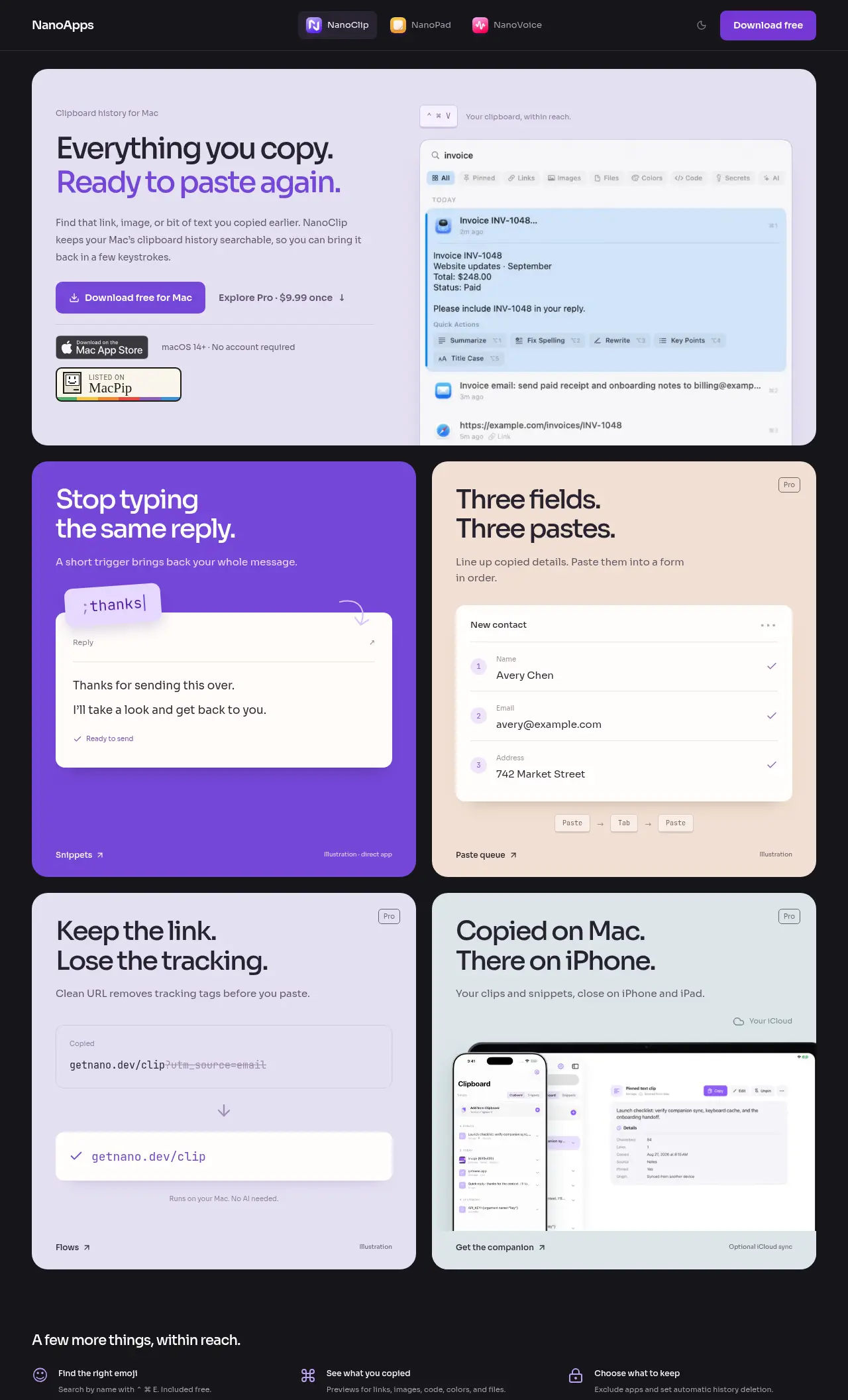
NanoClipA keyboard-first clipboard manager with searchable history and AI FlowsFree, Pro $9.99 once無料版買い切りはい、作者によるとIntelでも動きますいいえDigital Toys保留中
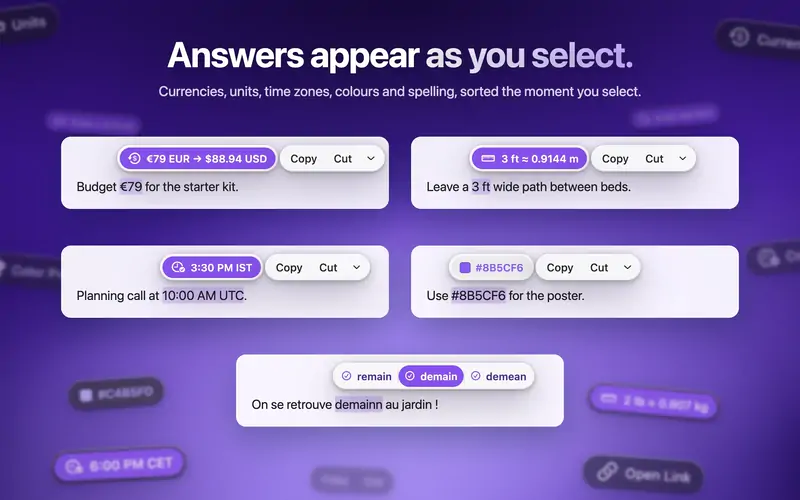
ActionClipTurn selected text into actions and create your own Mac workflowsFree, Pro from $12 once無料版買い切りはい、作者によるとApple siliconのみですいいえAdvait Vaidya保留中
TypeNodPreview on-device translations as you type, then confirm insertion on MacUS$9.90 lifetime, tax incl.; no trial買い切りはい、作者によるとIntelでも動きますいいえSELFARK LTD保留中

アプリを一つずつ

Droppyのアプリアイコン

Droppy

A Dynamic Island, File Tray and clipboard history for your Mac

買い切りApple silicon11月8日に確認済み
Mac上のDroppy

開発者より: Droppy brings files, clipboard history and everyday controls to your Mac's notch or a floating Dynamic Island. Gather files in the File Tray, find text, links, images and files you copied, control music and arrange shelf widgets for your daily tools.

価格
$9.99 once for 2 Macs, 3-day free trial
必要環境
macOS 14 Sonoma以降

MacPipのDroppy ほかのノッチアプリ

Reelのアプリアイコン

Reel

Mac向けのClipboard manager: search, pin and paste anything you copied

買い切り11月3日に確認済み
Mac上のReel

Reelは、丁寧に作られた昔ながらのクリップボードマネージャーです。Shift-Command-Vを押し、コピーしたものを見つけてReturnを押すと、直前に使っていたアプリに貼り付けられます。テキスト、リンク、コード、色、画像、ファイルを保存し、検索、スニペット用のピンボード、プレビューもあります。ローンチ価格で1台のMac向けに買い切り$11.99、14日間の体験版があり、macOS 11以降が必要です。

価格
$11.99 once (2 Macs $19.99)
必要環境
macOS 11 以降
開発者によると代わりになるもの
Paste, Maccy, Raycast clipboard history

MacPipのReel ほかのクリップボードとテキストアプリ

dofuのアプリアイコン

dofu

A private drawer at the top of your Mac for the addresses, tax IDs, bank details and scans

買い切りApple siliconオフラインで動作
Mac上のdofu

開発者より: A private drawer at the top of your Mac for the addresses, tax IDs, bank details and scans you keep looking for.

価格
$9.99 once (launch), then $19.99
必要環境
macOS 26 Tahoe以降

MacPipのdofu ほかの生産性アプリ

Ghosthandのアプリアイコン

Ghosthand

An auto typer for Mac that types your pasted text like a person and waits for saves

買い切りApple siliconオフラインで動作
Mac上のGhosthand

開発者より: An auto typer for Mac that types your pasted text like a person into Microsoft Word, Pages, Google Docs and any app: human speed, thinking pauses, corrected typos.

価格
$10 1回
必要環境
macOS 13 Ventura以降

MacPipのGhosthand ほかの生産性アプリ

PasteNotchのアプリアイコン

PasteNotch

Clipboard history, right in your Mac’s notch

買い切りサブスクリプションApple siliconオフラインで動作
Mac上のPasteNotch

開発者より: PasteNotch keeps the things you copy within reach, so you can find them again without digging through windows. - Search copied text, links, images and files.

価格
$4.99 once; Cloud $4.99/mo; 14-day trial
必要環境
macOS 14 Sonoma以降
開発者によると代わりになるもの
Paste, Maccy, CopyClip

MacPipのPasteNotch ほかのクリップボードとテキストアプリ

NanoClipのアプリアイコン

NanoClip

A keyboard-first clipboard manager with searchable history and AI Flows

無料版買い切りApple siliconオフラインで動作
Mac上のNanoClip

開発者より: NanoClip is a clipboard manager for Mac users who want to easily find and reuse copied content. It's especially helpful for those who type the same replies or fill out forms frequently.

特典
25% オフ
価格
Free, Pro $9.99 once
必要環境
macOS 14 Sonoma以降
開発者によると代わりになるもの
maccy

MacPipのNanoClip ほかの生産性アプリ

ActionClipのアプリアイコン

ActionClip

Turn selected text into actions and create your own Mac workflows

無料版買い切りApple silicon
Mac上のActionClip

ActionClipは、選択したテキストの横に小さなアクションメニューを表示します。コピー、書き直し、翻訳、検索、保存したワークフローの実行ができます。新しいアクションを説明すると、AIのプロンプト、JavaScript、AppleScript、シェルコマンドを使って作ってくれます。1日30回のアクションまでは無料で、永続ライセンスは$12からです。Apple silicon向けのネイティブSwiftアプリで、macOS 15以降が必要です。

価格
Free, Pro from $12 once
必要環境
macOS 15 Sequoia以降
開発者によると代わりになるもの
PopClip

MacPipのActionClip ほかのクリップボードとテキストアプリ

TypeNodのアプリアイコン

TypeNod

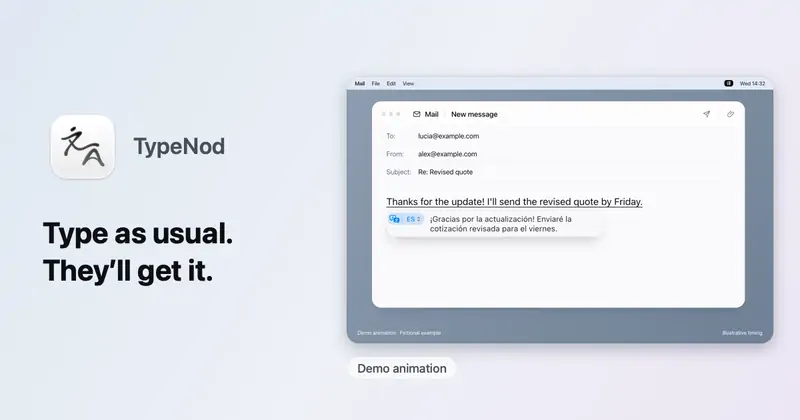
Preview on-device translations as you type, then confirm insertion on Mac

買い切りApple silicon
Mac上のTypeNod

TypeNodは、ピンイン、英語、スペイン語、フランス語で入力しながら、デバイス上の翻訳をプレビューし、確定すると挿入する入力メソッドです。入力したテキストはアップロードされず、クリップボードも読み取りません。使うすべてのMacで使える永続ライセンスが$9.90で、30日間の返金保証があり、体験版はありません。macOS 26以降が必要です。

価格
US$9.90 lifetime, tax incl.; no trial
必要環境
macOS 26 Tahoe以降

MacPipのTypeNod ほかのクリップボードとテキストアプリ

どれを選ぶか

見るべきポイント

Look for how much history it keeps, whether it can skip password managers, and whether the history stays on your Mac.

質問

What is the best one-time purchase clipboard manager for Mac?

There is no single best one for everyone. MacPip lists 8: Droppy, Reel, dofu, Ghosthand, PasteNotch, NanoClip, ActionClip, TypeNod. If you would rather pay once than subscribe, look at Droppy. If you want it to run natively on Apple silicon, look at Droppy.

Which one-time purchase clipboard and text apps run natively on Apple silicon?

作者の申告、または当サイトの確認による一覧:Droppy, dofu, Ghosthand, PasteNotch, NanoClip, ActionClip, TypeNod。

Which one-time purchase clipboard and text apps has a person checked?

どれもページに日付入りのレポートがあります:Droppy, Reel。

MacPipはこれらのアプリをどの順に並べていますか?

人が確認したアプリが先に表示され、確認が新しい順に並びます。その後に残りが追加された順に続きます。支払いで順番が変わることはなく、スポンサー枠にはラベルを付けて分けています。

関連