스폰서로그인제출

등록 정보는 메이커가 쓴 언어 그대로 남아요.

MacPip 베스트

Best free note taking and writing apps for Mac

2026년 11월 11일 업데이트, 오늘 MacPip에 등록된 앱 기준.

짧은 답

MacPip lists 10 free note taking and writing apps for Mac, and a person has checked 3 of them.모두 무료 버전이 있어요.그중 6개는 한 번 결제하는 라이선스를 판매해요.그중 2개는 구독제예요.There is no single best free note taking app for everyone, so MacPip does not rank them.무료를 원한다면 이것부터 보세요: Seedlore.

사람이 확인한 앱이 먼저 나오고, 최근에 확인한 앱이 앞에 와요. 결제로 순서를 정하지 않아요.

등록 정보 기준으로 본 앱 10개의 특징이에요. 한 앱이 여러 개에 해당할 수 있어서 막대를 모두 더해도 10개가 되지 않아요.
무료 버전10개 중 10개
한 번만 결제10개 중 6개
구독10개 중 2개
Apple silicon 네이티브10개 중 8개
오픈 소스10개 중 3개
오프라인 작동10개 중 6개
사람이 확인함10개 중 3개
각 등록 정보에 적힌 미국 달러 기준 일회성 가격, 낮은 순. 앱 7개는 달러로 된 단순 일회성 가격이 없어서 뺐어요. 등록 정보에 적혀 있으면 출시 가격도 포함해요.
NanoPadUS$14.99
LocArkUS$24.90
ResurfUS$39

비교

앱하는 일가격무료 또는 유료Apple silicon오픈 소스제작확인됨
SeedloreWatch your love grow into a living treeFree, Premium monthly, yearly or once무료 버전일회성구독네, 메이커 말에 따르면 Intel도 지원해요아니요ixl21s11월 3일
Oh My NotesA floating Today layer for MacFree · Pro from $7.99무료 버전일회성명시되지 않음아니요명시되지 않음11월 3일
FolioWriting and notes app for Mac5 EUR무료 버전일회성명시되지 않음아니요Folio Hecho con cari11월 3일
ResurfA local library for saving and searching notes, bookmarks, and filesFree, Pro $39 once, 7-day trial무료 버전일회성네, 메이커 말에 따르면 Intel도 지원해요아니요Dipmal Lakhani대기 중
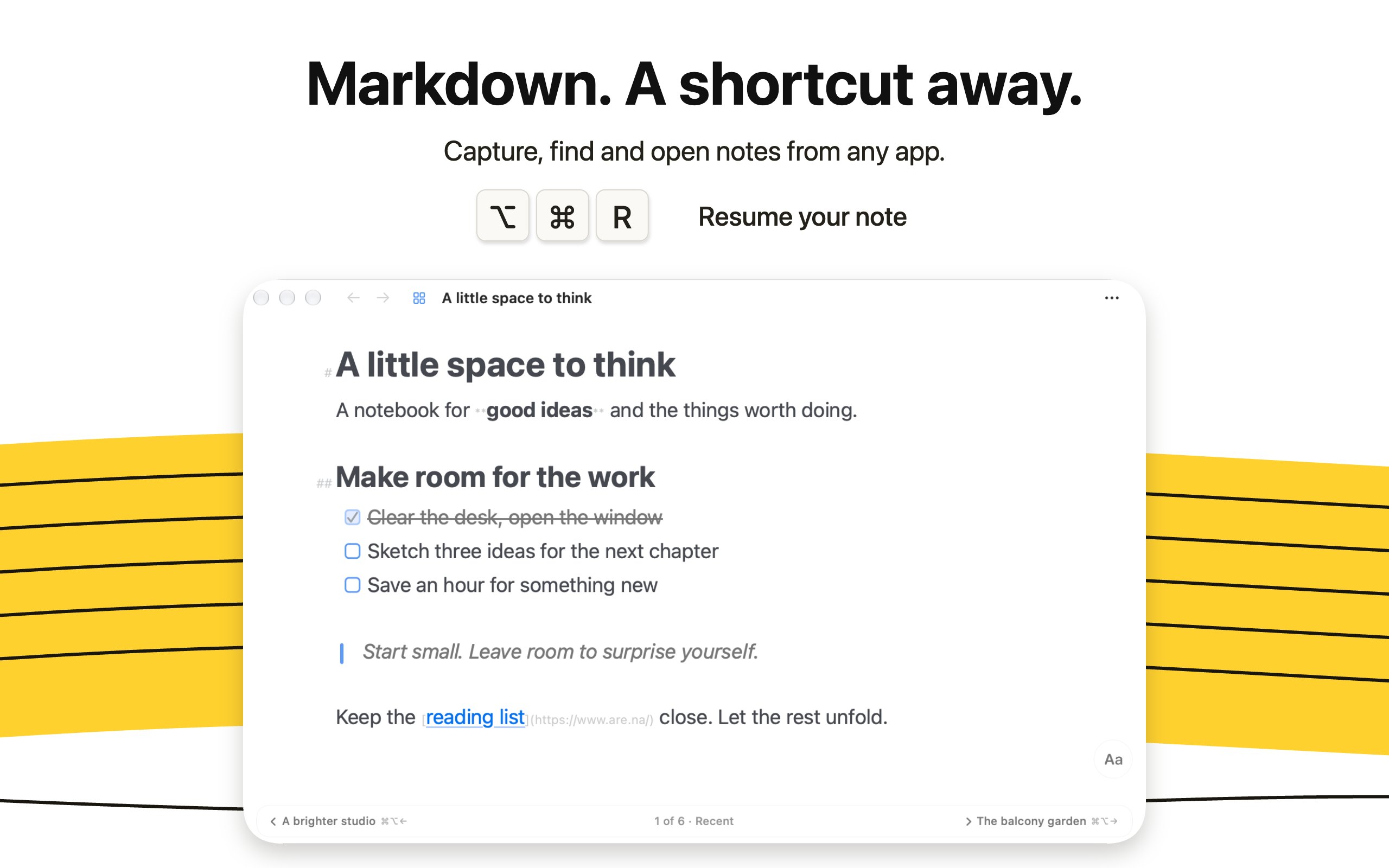
MiaoYanA light Markdown notebook for writing wellFree on Mac, $12.99 on the App Store무료 버전네, 메이커 말에 따르면 Intel도 지원해요예Tw93대기 중
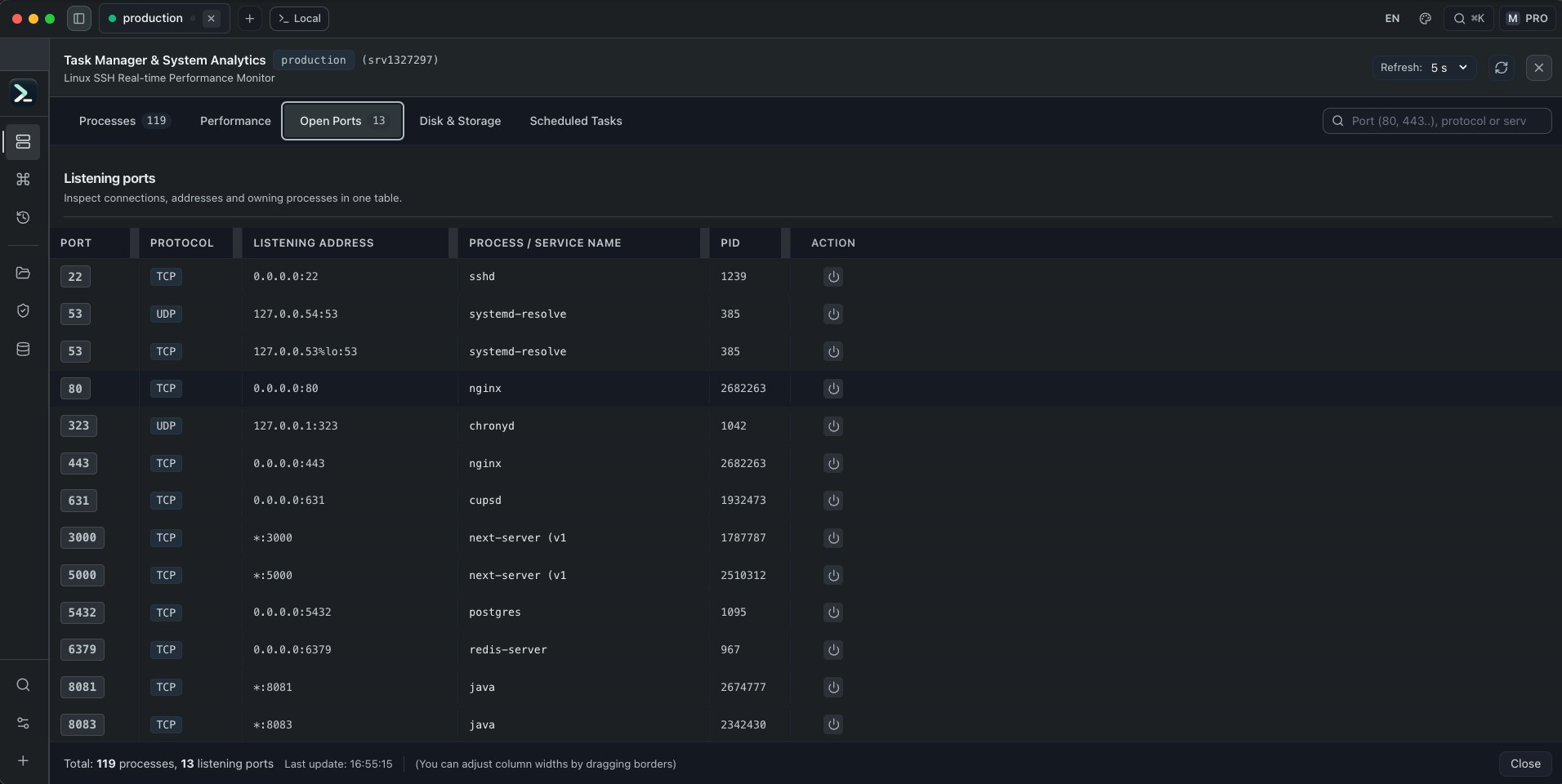
All in TermA Mac terminal and server operations workspace with SSH무료무료 버전네, 메이커 말에 따르면 Intel도 지원해요아니요명시되지 않음대기 중
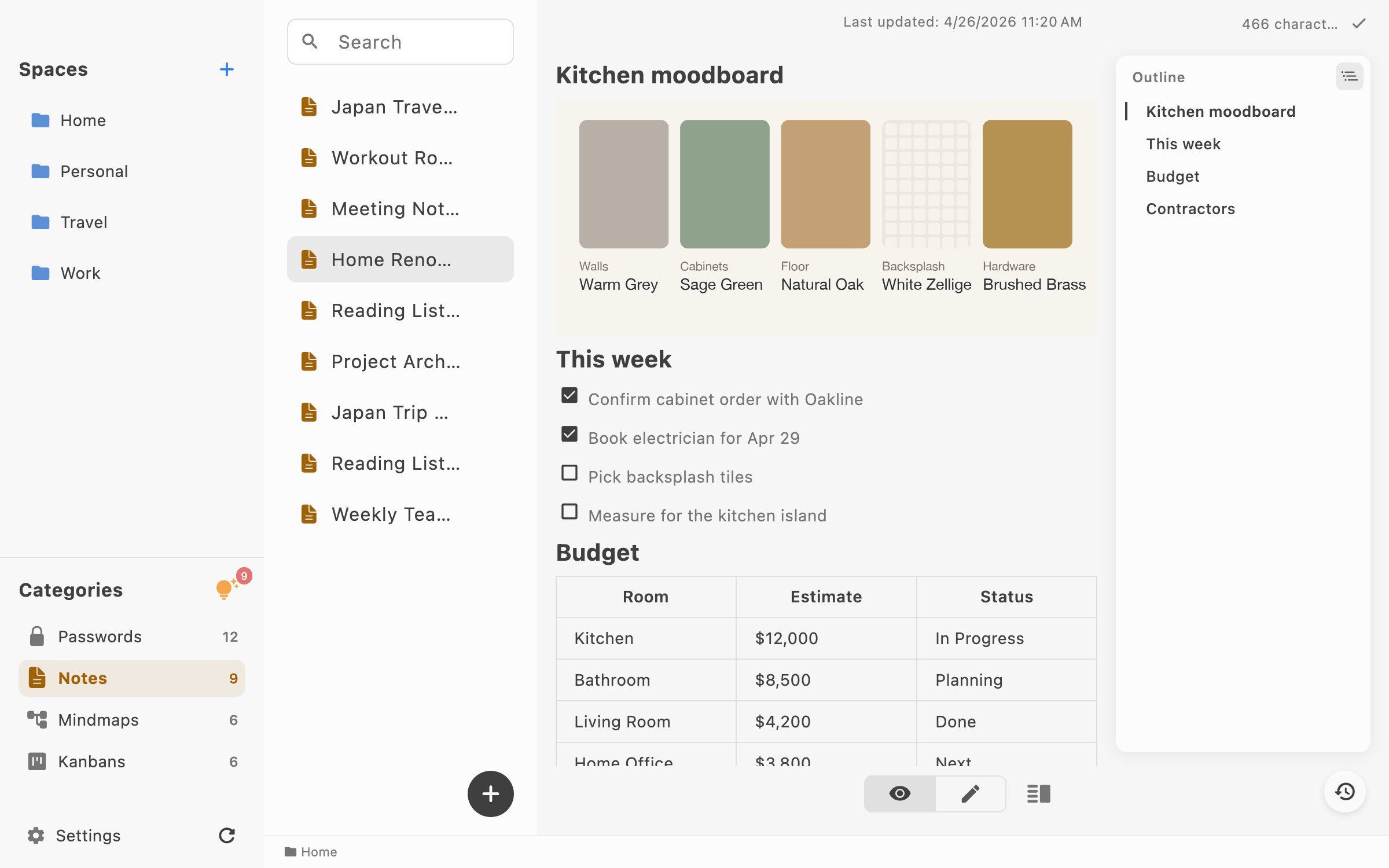
NanoPadMarkdown notes, tasks, and saved links for MacFree, Pro $14.99 once무료 버전일회성네, 메이커 말에 따르면 Intel도 지원해요아니요Digital Toys대기 중
LocArkLocal-first notes, password records and personal workspaceFree; Pro $4.90/yr or $24.90 lifetime무료 버전일회성구독네, 메이커 말에 따르면 Intel도 지원해요아니요SELFARK LTD대기 중
LokalBotYour personal context engine.무료 및 오픈 소스무료 버전네, 메이커 말에 따르면 Apple silicon만 지원해요예명시되지 않음대기 중
SonderSonder is a free, open-source markdown editor for Mac.무료 및 오픈 소스무료 버전네, 메이커 말에 따르면 Intel도 지원해요예명시되지 않음대기 중

앱 하나하나 보기

Seedlore 앱 아이콘

Seedlore

Watch your love grow into a living tree

무료 버전한 번만 결제구독Apple silicon오프라인 작동11월 3일에 확인됨
Mac에서 실행 중인 Seedlore

메이커의 말: Seedlore turns your time together into a tree that grows with your relationship, from a tiny seed to a big old tree that feels your real weather. Count every day together and never miss an anniversary.

특가
Seedlore 33% off yearly, until Nov 30
가격
Free, Premium monthly, yearly or once
필요 사양
macOS 26 Tahoe 이상
메이커가 말하는 대체 앱
My Love

MacPip의 Seedlore 더 많은 재미와 즐거움 앱

Oh My Notes 앱 아이콘

Oh My Notes

A floating Today layer for Mac

무료 버전한 번만 결제11월 3일에 확인됨
Mac에서 실행 중인 Oh My Notes

Oh My Notes는 떠 있는 오늘 레이어예요. 메모, 할 일, 미리 알림이 전체 화면에서도 모든 앱 위에 떠 있어요. 메모는 내가 소유하는 일반 Markdown 파일이고, Pro에서는 내 폴더나 Obsidian 보관함에 둘 수 있어요. 무료로 써 볼 수 있고, Pro는 US$7.99부터예요. 계정은 필요 없어요.

가격
Free · Pro from $7.99
필요 사양
macOS 13 이상

MacPip의 Oh My Notes 더 많은 글쓰기 및 메모 앱

Folio 앱 아이콘

Folio

Writing and notes app for Mac

무료 버전한 번만 결제11월 3일에 확인됨
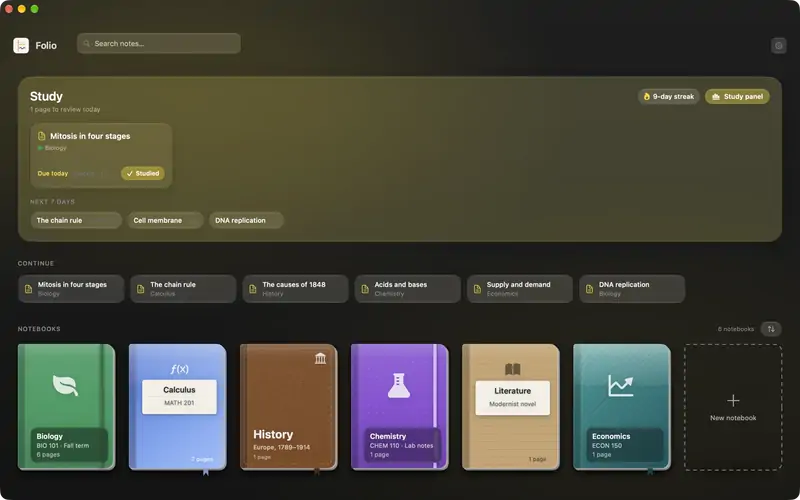
Mac에서 실행 중인 Folio

Folio는 네이티브 학습 앱이에요. 책장에 꽂힌 노트북, 서식 있는 텍스트 페이지, 주석을 달 수 있는 PDF, FSRS 간격 반복으로 일정이 잡히는 AI 플래시카드, 퀴즈와 시험, 그리고 내 메모를 두고 이야기하는 학습 도우미가 있어요. 등록 정보는 스페인어로 쓰여 있어요. 가격은 5유로예요.

가격
5 EUR
메이커가 말하는 대체 앱
Notion

MacPip의 Folio 더 많은 글쓰기 및 메모 앱

Resurf 앱 아이콘

Resurf

A local library for saving and searching notes, bookmarks, and files

무료 버전한 번만 결제Apple silicon오프라인 작동
Mac에서 실행 중인 Resurf

메이커의 말: A fully local personal context library for Mac, iPhone, and iPad. Save notes, links, images, and documents.

가격
Free, Pro $39 once, 7-day trial
필요 사양
macOS 14 Sonoma 이상
메이커가 말하는 대체 앱
mymind, eagle, raindrop, fabric

MacPip의 Resurf 더 많은 글쓰기 및 메모 앱

MiaoYan 앱 아이콘

MiaoYan

A light Markdown notebook for writing well

무료 버전Apple silicon오픈 소스오프라인 작동
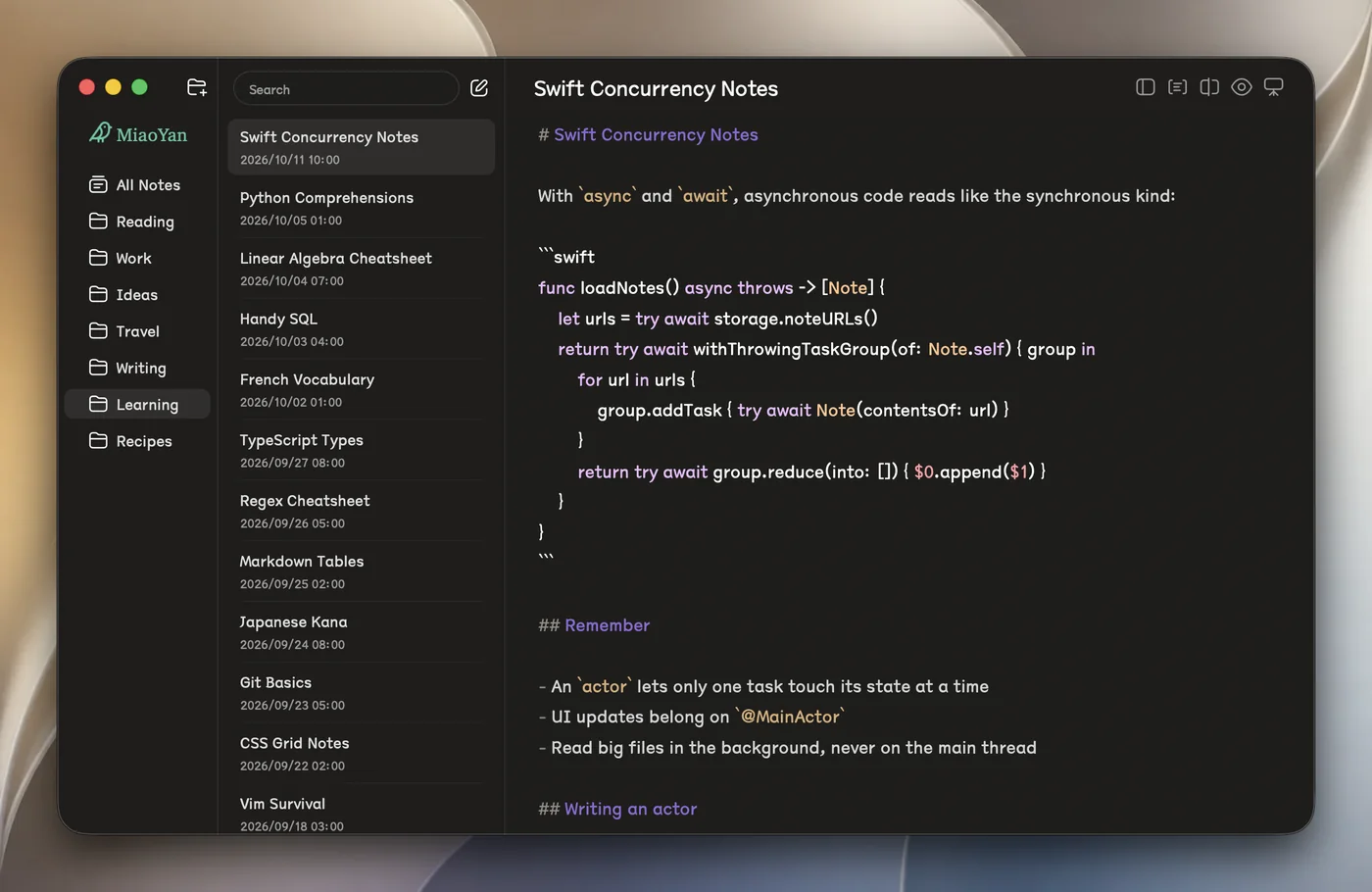
Mac에서 실행 중인 MiaoYan

메이커의 말: MiaoYan is a native Markdown note app for Mac, iPhone and iPad. Your notes are plain Markdown files in a folder you choose, so any editor can open them, and through iCloud Drive the same folders show up on iPhone and iPad.

가격
Free on Mac, $12.99 on the App Store
필요 사양
macOS 12 Monterey 이상

MacPip의 MiaoYan 더 많은 글쓰기 및 메모 앱

LocArk 앱 아이콘

LocArk

Local-first notes, password records and personal workspace

무료 버전한 번만 결제구독Apple silicon
Mac에서 실행 중인 LocArk

LocArk는 Markdown 메모, 비밀번호 기록, 받은 편지함을 위한 로컬 우선 작업 공간이에요. 내가 고른 폴더에 저장하고 마스터 비밀번호로 암호화해요. 핵심 기능은 오프라인에서 작동하고, 호스팅 클라우드 동기화는 없어요. 메모는 무료이고, Pro는 칸반 보드와 마인드맵을 더해 주며 연 US$4.90 또는 평생 US$24.90이에요. macOS 12 Monterey 이상, Intel과 Apple silicon에서 실행돼요.

가격
Free; Pro $4.90/yr or $24.90 lifetime
필요 사양
macOS 12 Monterey 이상

MacPip의 LocArk 더 많은 글쓰기 및 메모 앱

LokalBot 앱 아이콘

LokalBot

Your personal context engine.

무료 버전Apple silicon오픈 소스오프라인 작동
Mac에서 실행 중인 LokalBot

LokalBot은 통화에 봇을 들이지 않고 회의를 녹음한 뒤, Mac에서 받아쓰고 요약해요. 회의 내용도 검색할 수 있고, 켜 두면 화면에서 본 것도 검색해요. 처리는 기본적으로 로컬에서 해요. 무료 오픈 소스이고, Apple silicon과 macOS 15 Sequoia 이상용이에요.

가격
무료 및 오픈 소스
필요 사양
macOS 15 Sequoia 이상

MacPip의 LokalBot 더 많은 글쓰기 및 메모 앱

Sonder 앱 아이콘

Sonder

Sonder is a free, open-source markdown editor for Mac.

무료 버전Apple silicon오픈 소스오프라인 작동
Mac에서 실행 중인 Sonder

Sonder는 무료 오픈 소스 Markdown 편집기예요. 내 .md 파일 폴더를 그대로 열어서 가져오거나 내보낼 게 없고, 집중 모드와 이미 쓰는 AI 도구를 더해 줘요. 오프라인에서 작동하고 macOS 14 Sonoma 이상이 필요해요.

가격
무료 및 오픈 소스
필요 사양
macOS 14 Sonoma 이상

MacPip의 Sonder 더 많은 글쓰기 및 메모 앱

무엇을 고를까

살펴볼 점

Look for plain files you can take with you, how it syncs, and whether you can leave without losing your notes.

질문

What is the best free note taking app for Mac?

There is no single best one for everyone. MacPip lists 10: Seedlore, Oh My Notes, Folio, Resurf, MiaoYan, All in Term, NanoPad, LocArk, LokalBot, Sonder. If you want it free, look at Seedlore. If you would rather pay once than subscribe, look at Oh My Notes. If you want it to run natively on Apple silicon, look at Seedlore. If you need it to work offline, as its maker says it does, look at Seedlore.

Which free note taking and writing apps run natively on Apple silicon?

메이커의 설명 또는 우리의 확인에 따른 앱: Seedlore, Resurf, MiaoYan, All in Term, NanoPad, LocArk, LokalBot, Sonder.

Which free note taking and writing apps has a person checked?

각 앱 페이지에 날짜가 적힌 리포트가 있어요: Seedlore, Oh My Notes, Folio.

MacPip은 이 앱들을 어떻게 정렬하나요?

사람이 확인한 앱이 먼저 나오고, 최근에 확인한 순서대로 정렬돼요. 그다음에 나머지 앱이 추가된 순서대로 나와요. 결제는 순서를 절대 바꾸지 않으며, 스폰서 줄은 표시가 붙고 따로 분리돼요.

관련 글