SponsorSign inSubmit
Best of MacPip

Best free note taking and writing apps for Mac

Updated Nov 11, 2026, from what MacPip lists today.

Short answer

MacPip lists 10 free note taking and writing apps for Mac, and a person has checked 3 of them.All of them have a free version.6 of them sell a one-time license.2 of them are paid by subscription.There is no single best free note taking app for everyone, so MacPip does not rank them.If you want it free, start with Seedlore.

Apps a person checked come first, newest check first. Never ordered by payment.

What these 10 apps offer, by their listings. An app can offer several, so the bars do not add up to 10.
Free version10 of 10
Pay once6 of 10
Subscription2 of 10
Native to Apple silicon8 of 10
Open source3 of 10
Works offline6 of 10
Checked by a person3 of 10
One-time price in US dollars, as each listing states it, lowest first. 7 apps have no plain dollar one-time price and are left out. Launch prices count where the listing says so.
NanoPad$14.99
LocArk$24.90

Compared

AppWhat it doesPriceFree or paidApple siliconOpen sourceMade byChecked
SeedloreWatch your love grow into a living treeFree, Premium monthly, yearly or onceFree versionOne-timeSubscriptionYes, and Intel, its maker saysNoixl21sNov 3
Oh My NotesA floating Today layer for MacFree · Pro from $7.99Free versionOne-timeNot statedNoNot statedNov 3
FolioWriting and notes app for Mac5 EURFree versionOne-timeNot statedNoFolio Hecho con cariNov 3
ResurfA local library for saving and searching notes, bookmarks, and filesFree, Pro $39 once, 7-day trialFree versionOne-timeYes, and Intel, its maker saysNoDipmal LakhaniPending
MiaoYanA light Markdown notebook for writing wellFree on Mac, $12.99 on the App StoreFree versionYes, and Intel, its maker saysYesTw93Pending
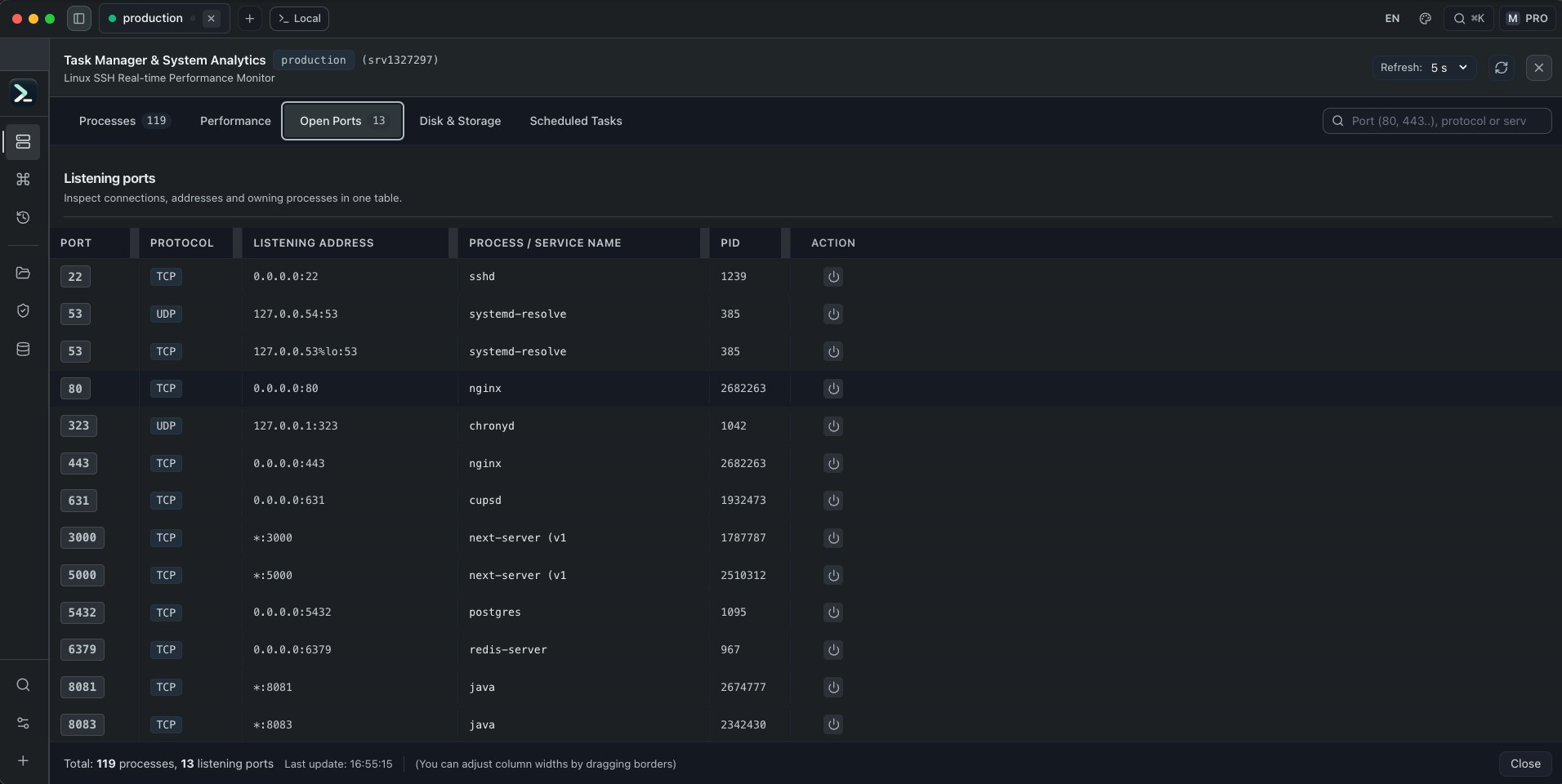
All in TermA Mac terminal and server operations workspace with SSHFreeFree versionYes, and Intel, its maker saysNoNot statedPending
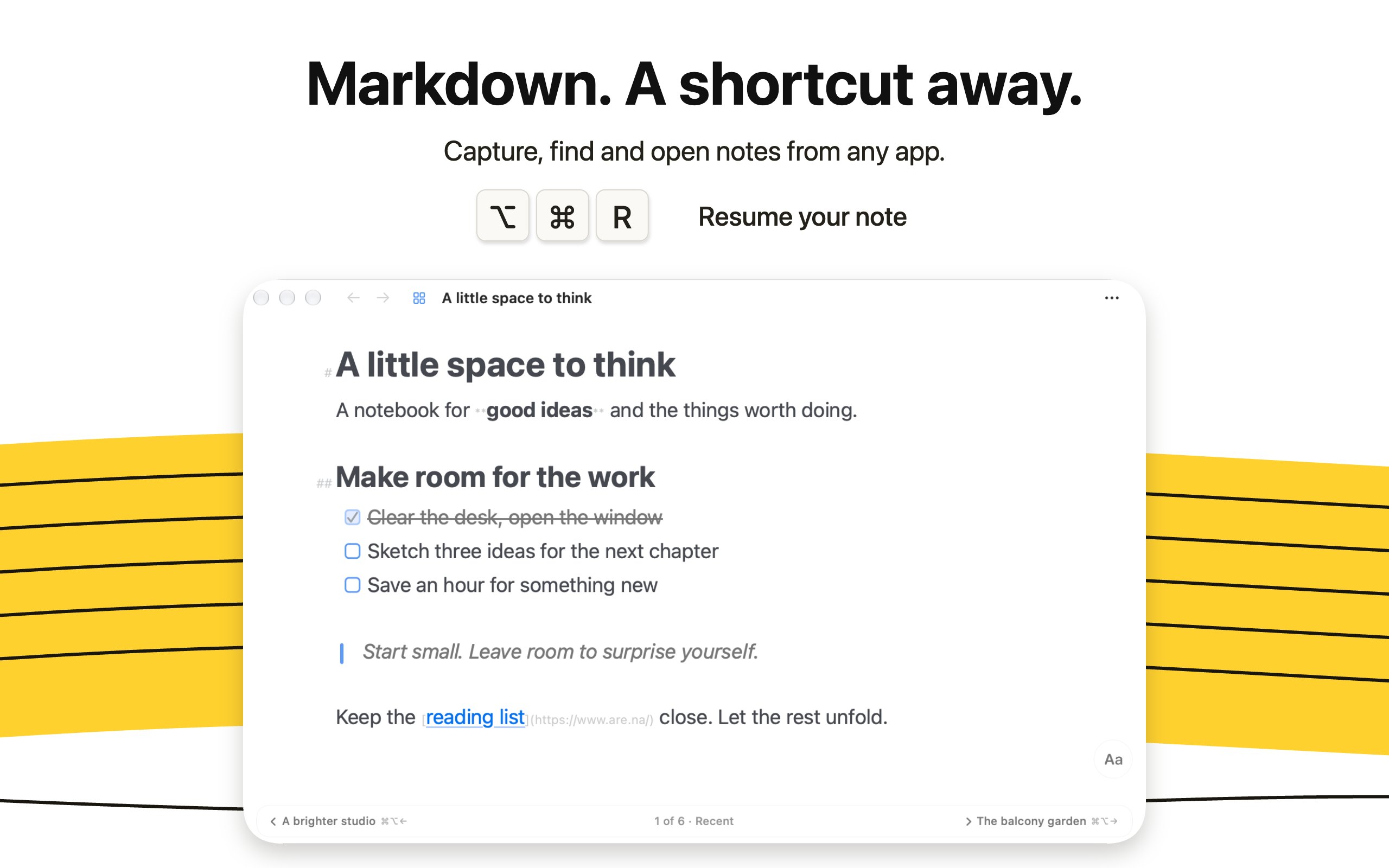
NanoPadMarkdown notes, tasks, and saved links for MacFree, Pro $14.99 onceFree versionOne-timeYes, and Intel, its maker saysNoDigital ToysPending
LocArkLocal-first notes, password records and personal workspaceFree; Pro $4.90/yr or $24.90 lifetimeFree versionOne-timeSubscriptionYes, and Intel, its maker saysNoSELFARK LTDPending
LokalBotYour personal context engine.Free and open sourceFree versionYes, Apple silicon only, its maker saysYesNot statedPending
SonderSonder is a free, open-source markdown editor for Mac.Free and open sourceFree versionYes, and Intel, its maker saysYesNot statedPending

The apps, one by one

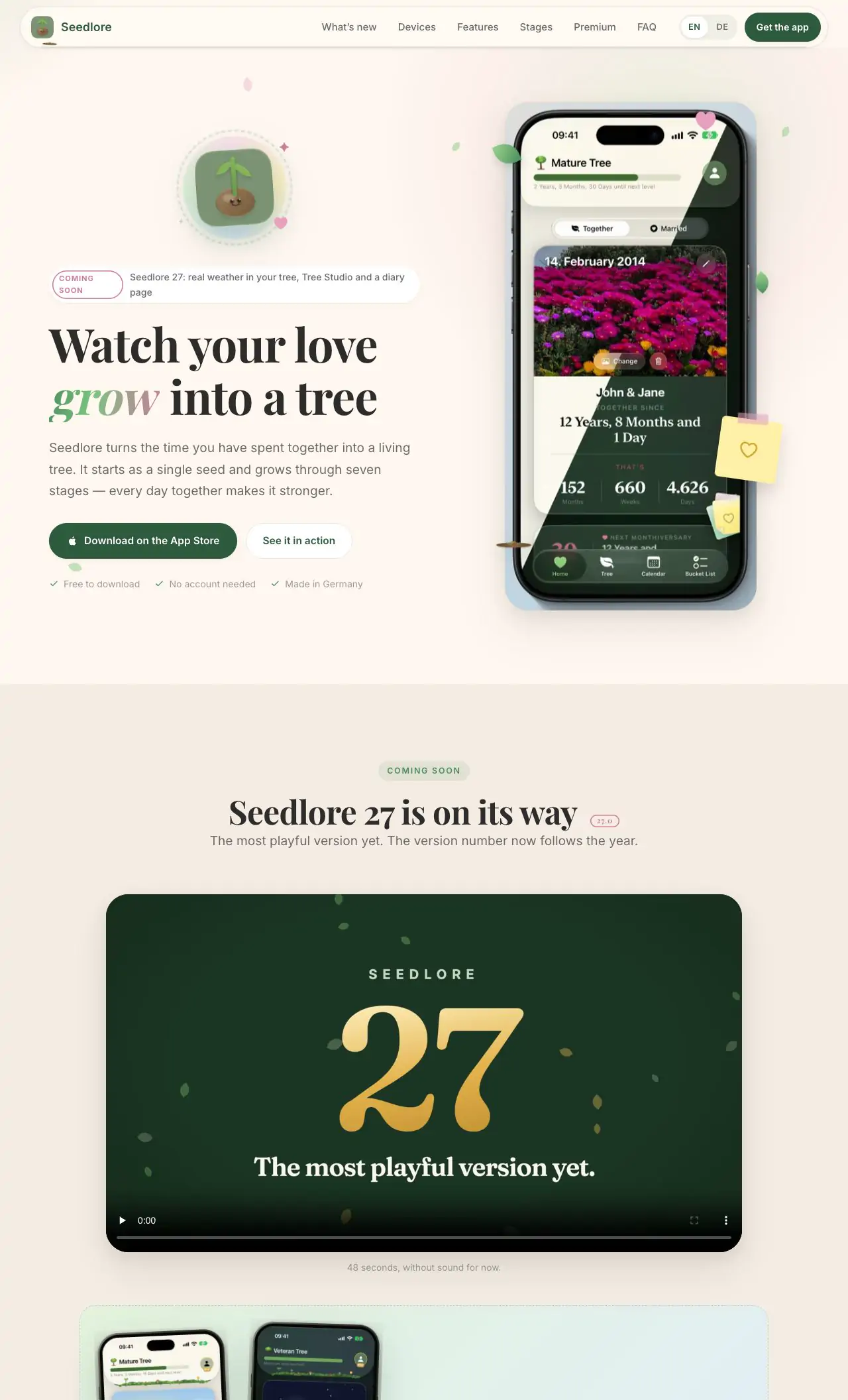
Seedlore app icon

Seedlore

Watch your love grow into a living tree

Free versionPay onceSubscriptionApple siliconWorks offlineChecked Nov 3
Seedlore on a Mac

From its maker: Seedlore turns your time together into a tree that grows with your relationship, from a tiny seed to a big old tree that feels your real weather. Count every day together and never miss an anniversary.

Deal
Seedlore 33% off yearly, until Nov 30
Price
Free, Premium monthly, yearly or once
Needs
macOS 26 Tahoe or later
Its maker says it replaces
My Love

Seedlore on MacPip More fun and delight apps

Oh My Notes app icon

Oh My Notes

A floating Today layer for Mac

Free versionPay onceChecked Nov 3
Oh My Notes on a Mac

Oh My Notes is a floating Today layer: notes, to-dos and reminders that sit above every app, even in fullscreen. Notes are plain Markdown files you own, and Pro can keep them in your own folder or Obsidian vault. Free to try, with Pro from $7.99. No account.

Price
Free · Pro from $7.99
Needs
macOS 13 or later

Oh My Notes on MacPip More writing and notes apps

Folio app icon

Folio

Writing and notes app for Mac

Free versionPay onceChecked Nov 3
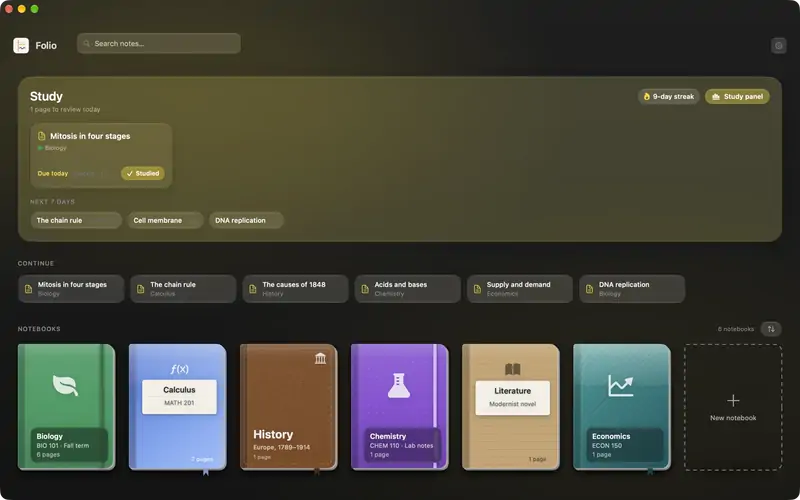
Folio on a Mac

Folio is a native study app: notebooks on a shelf, rich text pages, PDFs you can annotate, AI flashcards scheduled with FSRS spaced repetition, quizzes and exams, and a study assistant that talks about your notes. Its listing is written in Spanish. It costs 5 euros.

Price
5 EUR
Its maker says it replaces
Notion

Folio on MacPip More writing and notes apps

Resurf app icon

Resurf

A local library for saving and searching notes, bookmarks, and files

Free versionPay onceApple siliconWorks offline
Resurf on a Mac

From its maker: A fully local personal context library for Mac, iPhone, and iPad. Save notes, links, images, and documents.

Price
Free, Pro $39 once, 7-day trial
Needs
macOS 14 Sonoma or later
Its maker says it replaces
mymind, eagle, raindrop, fabric

Resurf on MacPip More writing and notes apps

MiaoYan app icon

MiaoYan

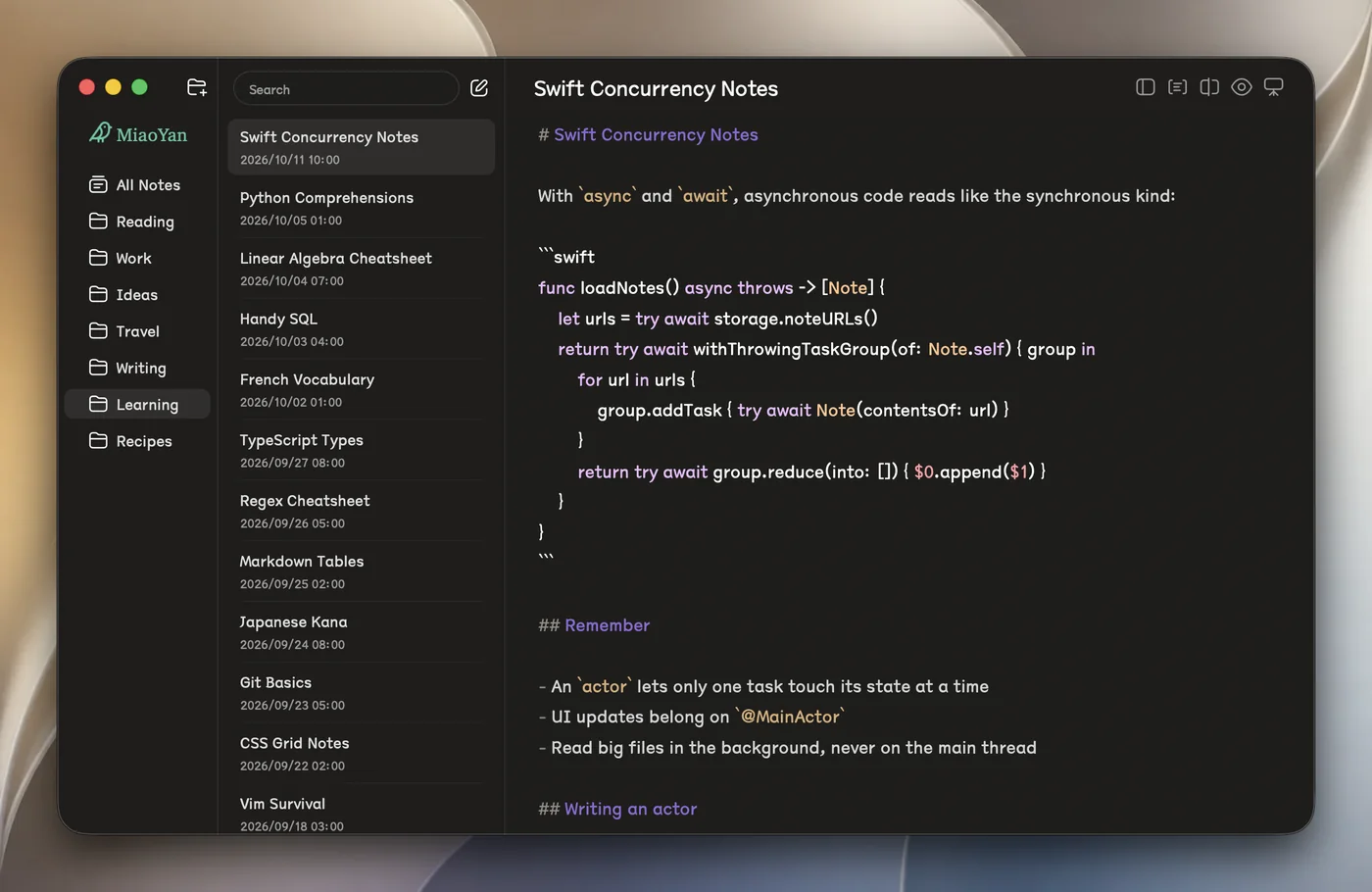
A light Markdown notebook for writing well

Free versionApple siliconOpen sourceWorks offline
MiaoYan on a Mac

From its maker: MiaoYan is a native Markdown note app for Mac, iPhone and iPad. Your notes are plain Markdown files in a folder you choose, so any editor can open them, and through iCloud Drive the same folders show up on iPhone and iPad.

Price
Free on Mac, $12.99 on the App Store
Needs
macOS 12 Monterey or later

MiaoYan on MacPip More writing and notes apps

LocArk app icon

LocArk

Local-first notes, password records and personal workspace

Free versionPay onceSubscriptionApple silicon
LocArk on a Mac

LocArk is a local-first workspace for Markdown notes, password records and an inbox, stored in a folder you choose and encrypted with a master password. Core features work offline, and there is no hosted cloud sync. Notes are free; Pro adds kanban boards and mind maps for $4.90 a year or $24.90 lifetime. It runs on macOS 12 Monterey or later, Intel and Apple silicon.

Price
Free; Pro $4.90/yr or $24.90 lifetime
Needs
macOS 12 Monterey or later

LocArk on MacPip More writing and notes apps

LokalBot app icon

LokalBot

Your personal context engine.

Free versionApple siliconOpen sourceWorks offline
LokalBot on a Mac

LokalBot records meetings without a bot joining the call, then transcribes and summarizes them on your Mac. It can also search your meetings and, if you turn it on, what you saw on screen. Processing runs locally by default. It is free and open source, for Apple silicon with macOS 15 Sequoia or later.

Price
Free and open source
Needs
macOS 15 Sequoia or later

LokalBot on MacPip More writing and notes apps

Sonder app icon

Sonder

Sonder is a free, open-source markdown editor for Mac.

Free versionApple siliconOpen sourceWorks offline
Sonder on a Mac

Sonder is a free, open-source Markdown editor. It opens your own folder of .md files, so there is nothing to import or export, and adds a Focus Mode plus the AI tools you already have. It works offline and needs macOS 14 Sonoma or later.

Price
Free and open source
Needs
macOS 14 Sonoma or later

Sonder on MacPip More writing and notes apps

Which one to pick

What to look for

Look for plain files you can take with you, how it syncs, and whether you can leave without losing your notes.

Questions

What is the best free note taking app for Mac?

There is no single best one for everyone. MacPip lists 10: Seedlore, Oh My Notes, Folio, Resurf, MiaoYan, All in Term, NanoPad, LocArk, LokalBot, Sonder. If you want it free, look at Seedlore. If you would rather pay once than subscribe, look at Oh My Notes. If you want it to run natively on Apple silicon, look at Seedlore. If you need it to work offline, as its maker says it does, look at Seedlore.

Which free note taking and writing apps run natively on Apple silicon?

By their makers' word or by our check: Seedlore, Resurf, MiaoYan, All in Term, NanoPad, LocArk, LokalBot, Sonder.

Which free note taking and writing apps has a person checked?

Each has a dated report on its page: Seedlore, Oh My Notes, Folio.

How does MacPip order these apps?

Apps a person has checked come first, newest check first, then the rest by when they were added. Payment never changes the order, and sponsored rows are labeled and kept apart.

Related