
Salut, je suis PipCes apps Featured passent à tour de rôle dans mon notch.
iPipSoumettre

Les fiches restent dans la langue dans laquelle leurs créateurs les ont écrites.
YapToText
Icône de l'app YapToText
Parcourir

YapToText

Private offline dictation and speech to text
Ryleigh Newman, créateur de YapToTextCréée parRyleigh NewmanNV 1
Free, optional tip jarmacOS 14 Sonoma+Apple silicon uniquementFonctionne hors ligneOpen sourceDictée et transcription
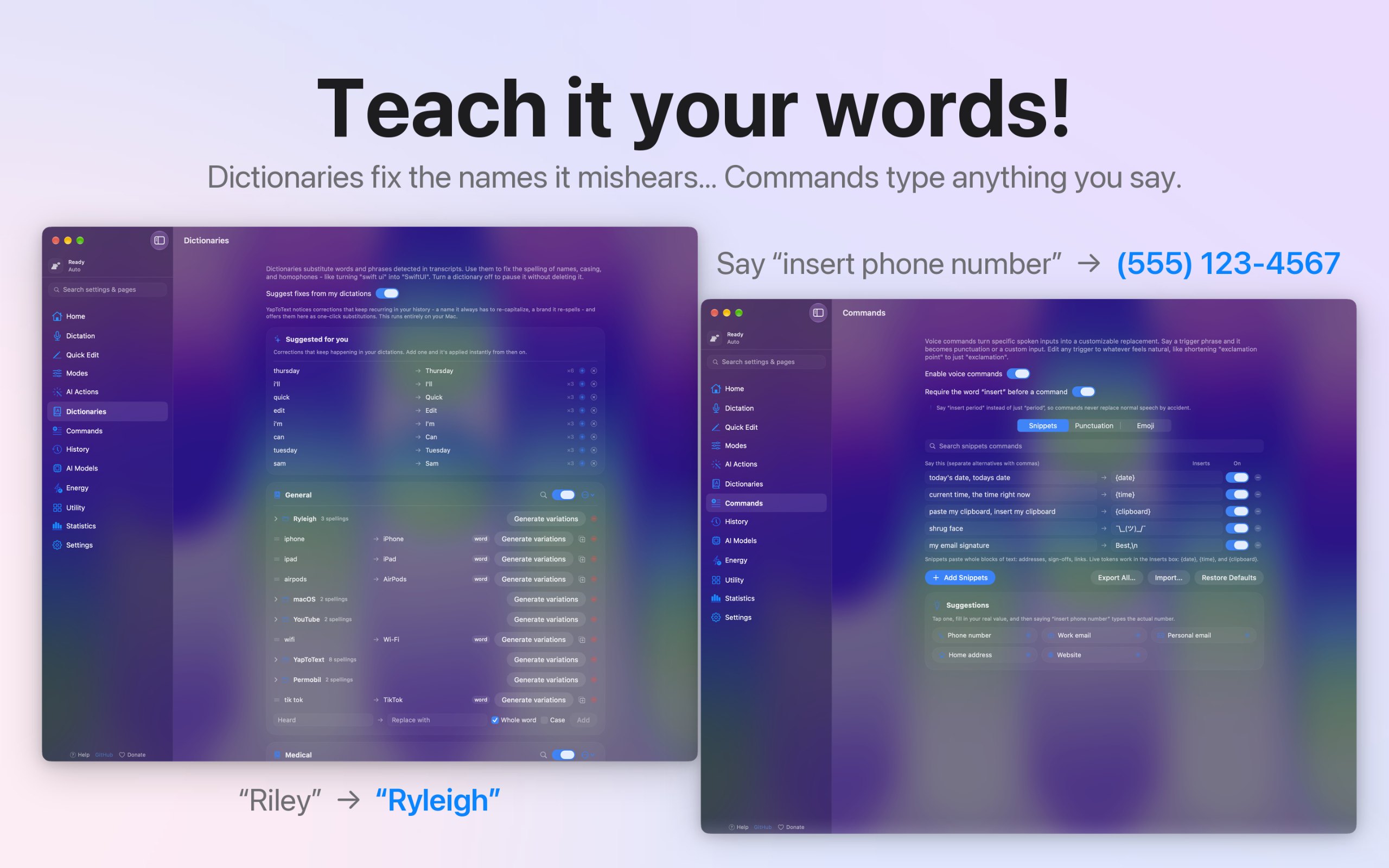
YapToText, capture d'écran 1 sur 6YapToText, capture d'écran 2 sur 6YapToText, capture d'écran 3 sur 6YapToText, capture d'écran 4 sur 6YapToText, capture d'écran 5 sur 6YapToText, capture d'écran 6 sur 6

À propos de cette app

YapToText est une app pour Mac de la catégorie « Dictée et transcription » :Private offline dictation and speech to text.Elle fonctionne sur Apple silicon.Elle n'a pas encore été vérifiée.

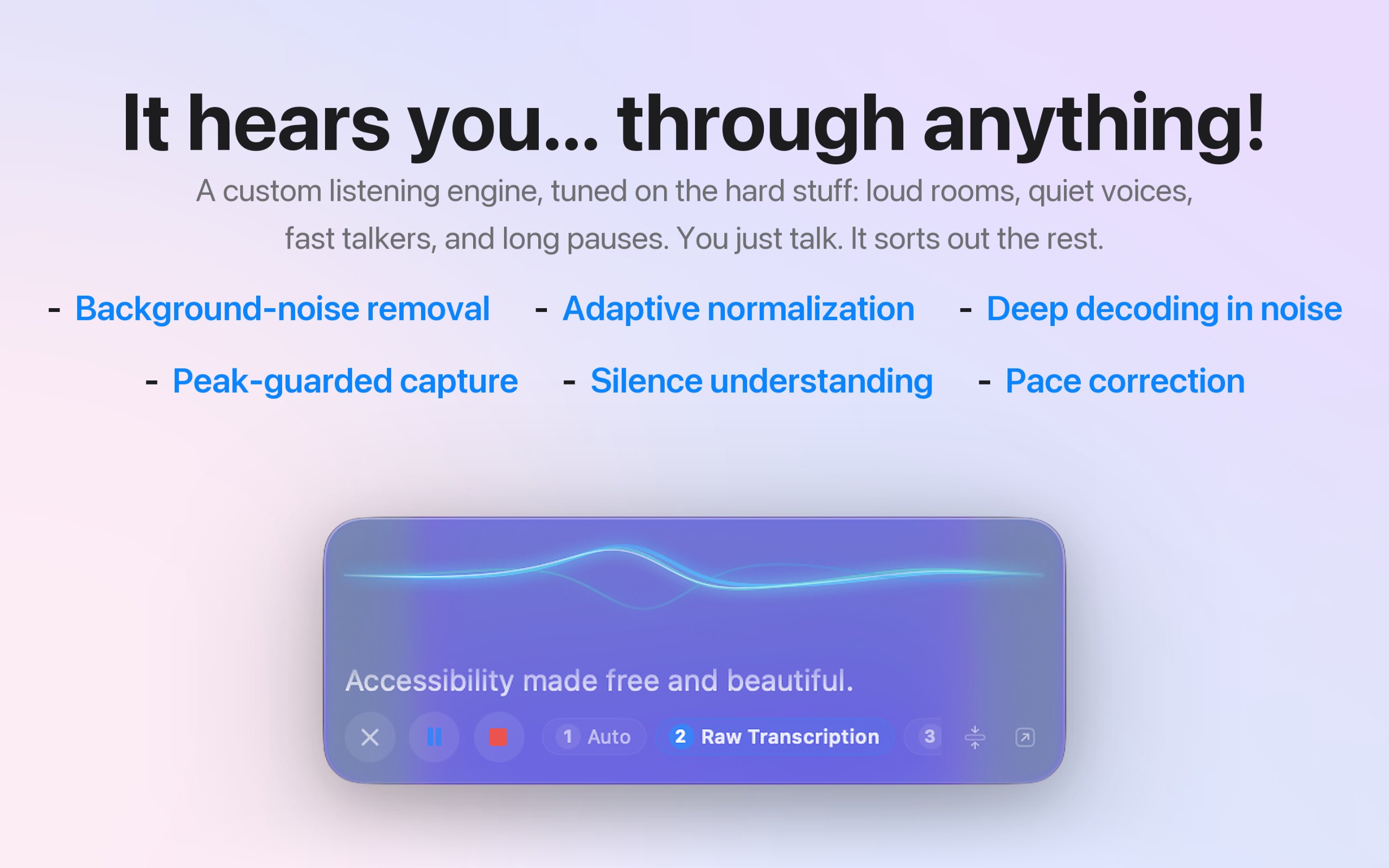
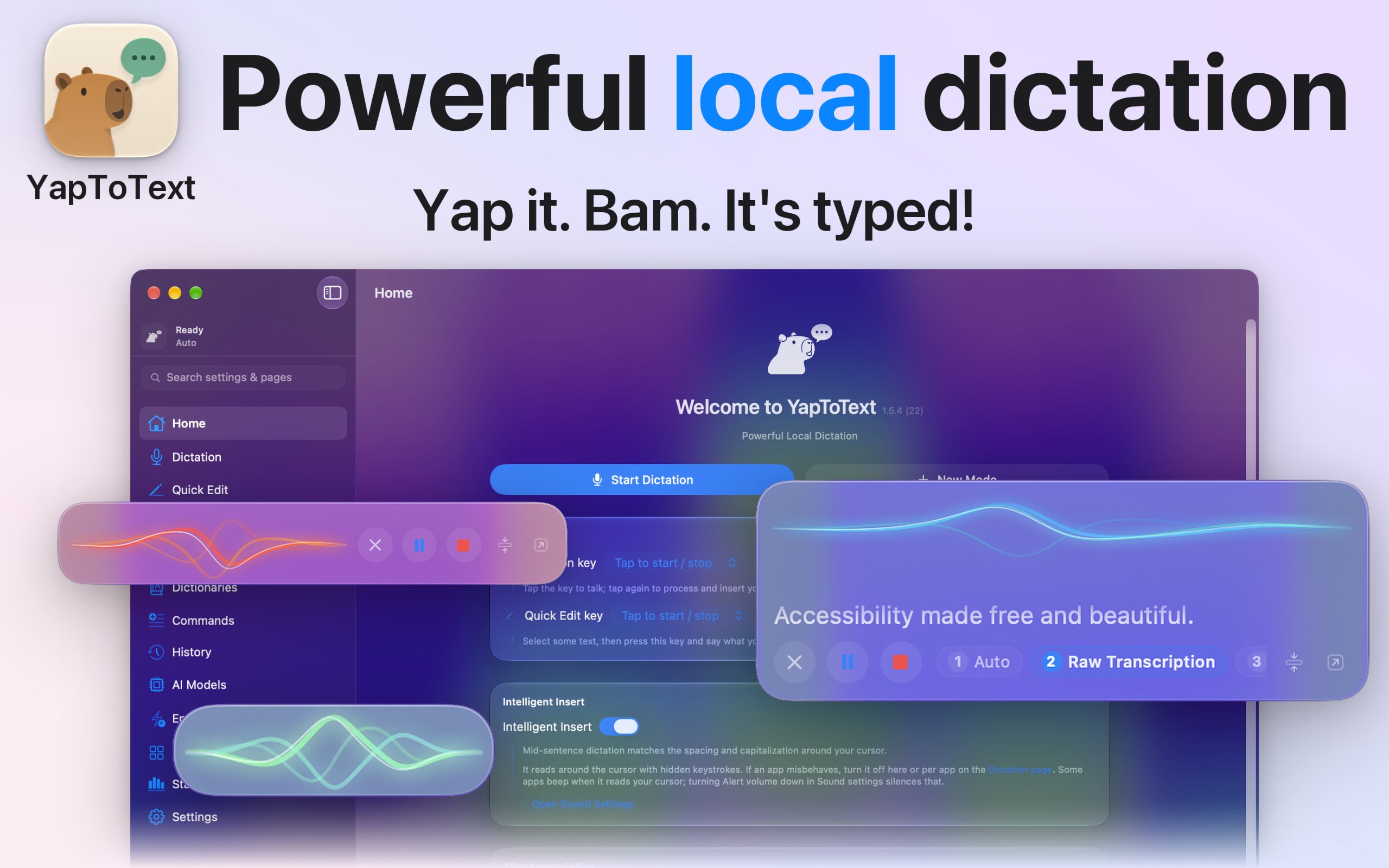
I dictate everything I write, because typing is hard for me, so I built YapToText to be the dictation app I wanted to use all day. Press one key, talk, and your words land where your cursor is, in any app. Speech recognition and cleanup both run on your Mac, so your voice never leaves it.

  • Whisper Large v3 Turbo speech to text, fully offline
  • Local AI cleanup of filler words, false starts, and punctuation
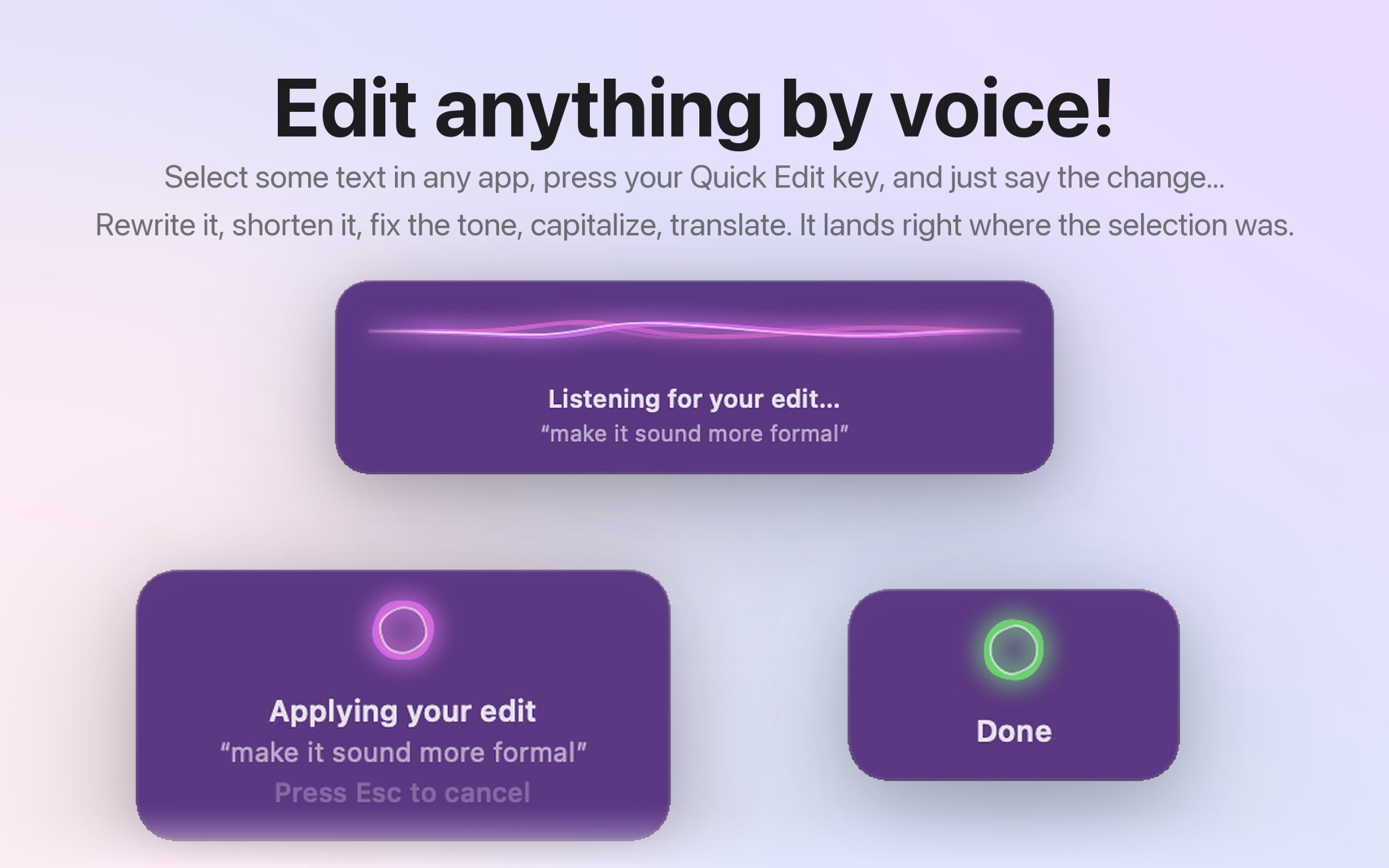
  • Quick Edit: select text, hold a key, and say the change
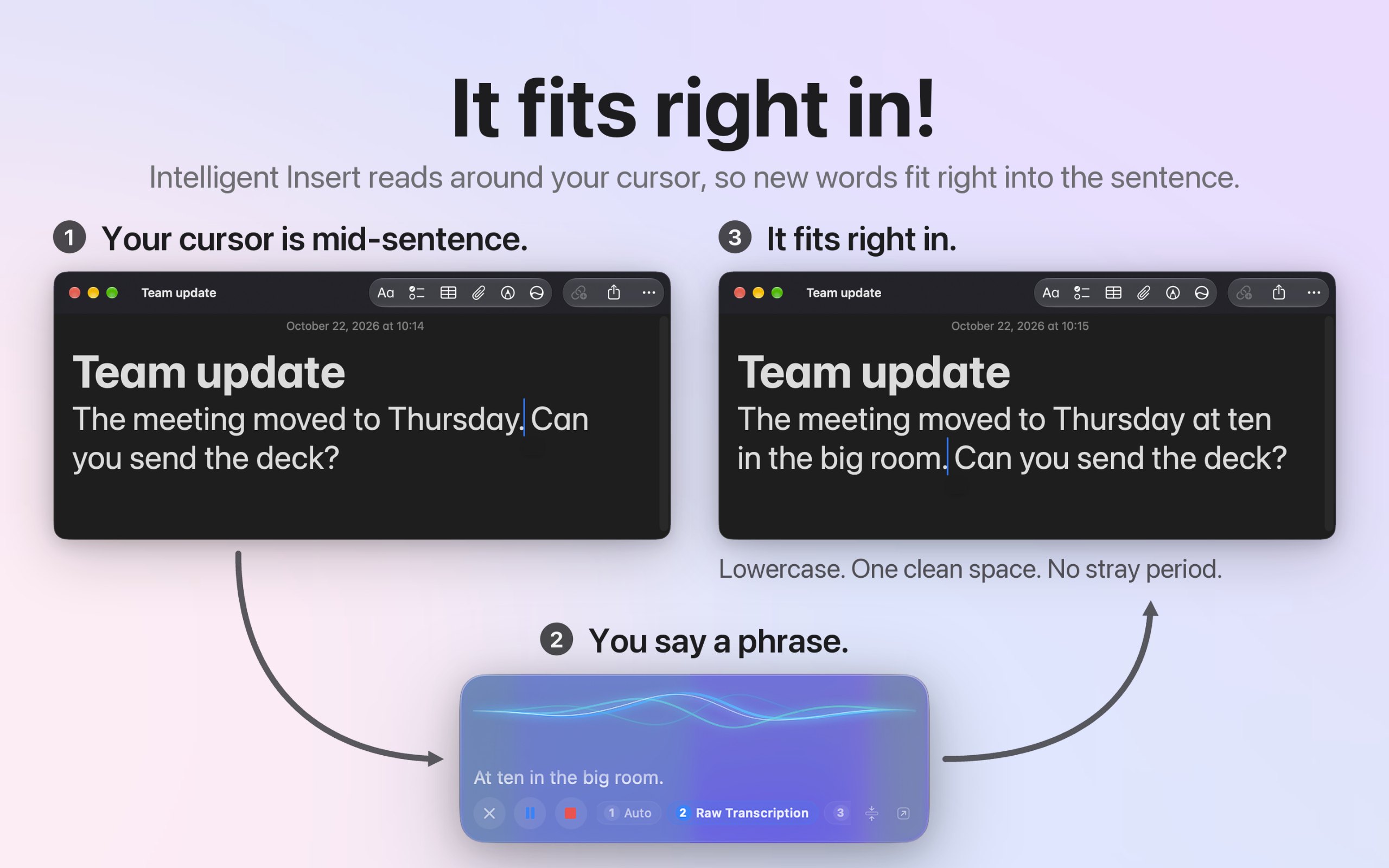
  • Intelligent Insert matches case and spacing mid-sentence
  • Modes for email, messages, notes, and code, set per app
  • Dictionary, voice commands, and spoken punctuation
  • Audio file transcription, with full history and search
  • Works alongside VoiceOver and Voice Control
  • Open source, no account, no tracking, 27 languages

Faits

Prix
Free, optional tip jar
Nécessite
macOS 14 Sonoma ou plus récent
Créé avec
Native
Fonctionne sur
Apple silicon uniquement
Notarisée par Apple
Oui, selon son créateur
Fonctionne hors ligne
Oui, selon son créateur
Open source
Oui
Langues
English, Español, Deutsch, Français, 日本語, 中文, Português, Italiano, 한국어, Nederlands, Русский, Polski, Türkçe, Українська, Svenska, Dansk, Norsk, Suomi, Čeština, العربية, עברית, Bahasa Indonesia, Tiếng Việt, ไทย
Lancée
mercredi 18 novembre
Suivre
GitHub
Ce que nous avons vérifié
Vérification en attente : pas encore vérifiée

Une coche n'est pas une garantie de sécurité. Lisez comment savoir si une app Mac est sûre.

Questions

Does it work offline?
Yes. Speech recognition and cleanup both run on your Mac, and both models ship inside the app, so it works offline from the first launch. The only network use is an optional model download you start yourself.
Is my data private?
Yes. Your voice and your words never leave your Mac. There's no account, no analytics, and no tracking, and the code is open source on GitHub, so you can check it line by line.
Is there a free trial?
There's no trial because nothing is locked. Every feature works the moment you install it, and the optional tip jar doesn't unlock anything.
Which Macs does it run on?
A Mac with Apple silicon running macOS 14 Sonoma or later. Intel Macs aren't supported, and there's no iPhone, iPad, or Windows version.
Does it work in every app?
Yes. It types at your cursor in any app that takes text, like Mail, Messages, Slack, Notes, Word, Google Docs, and code editors. Without the Accessibility permission, your text goes to the clipboard instead.

Réponses du créateur.

Alternatives et listes 10 apps, 8 listes
Interrogez votre IA sur YapToText ChatGPT, Claude, Perplexity, Grok, Gemini
Demander à l'IAMD

Interrogez votre IA sur YapToText, par exemple « Est-ce que YapToText vaut le coup ? » Connecter MacPip

Autres apps de dictée et transcription