 ScootchOne keyboard and mouse for every computer on your desk, Mac included.von
 @AfterimageDev29 $ einmal
Einträge bleiben in der Sprache, in der ihre Maker sie geschrieben haben.

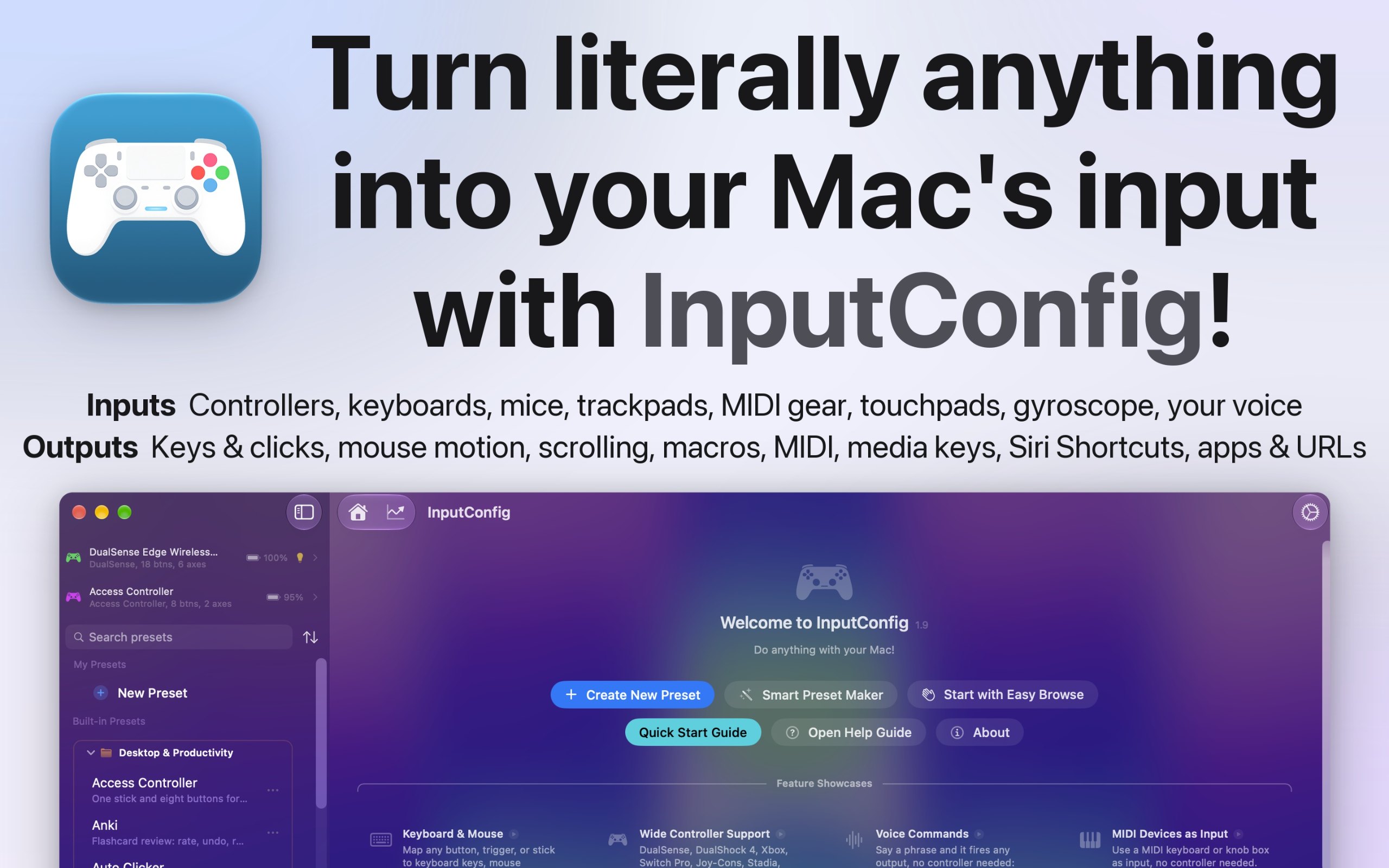
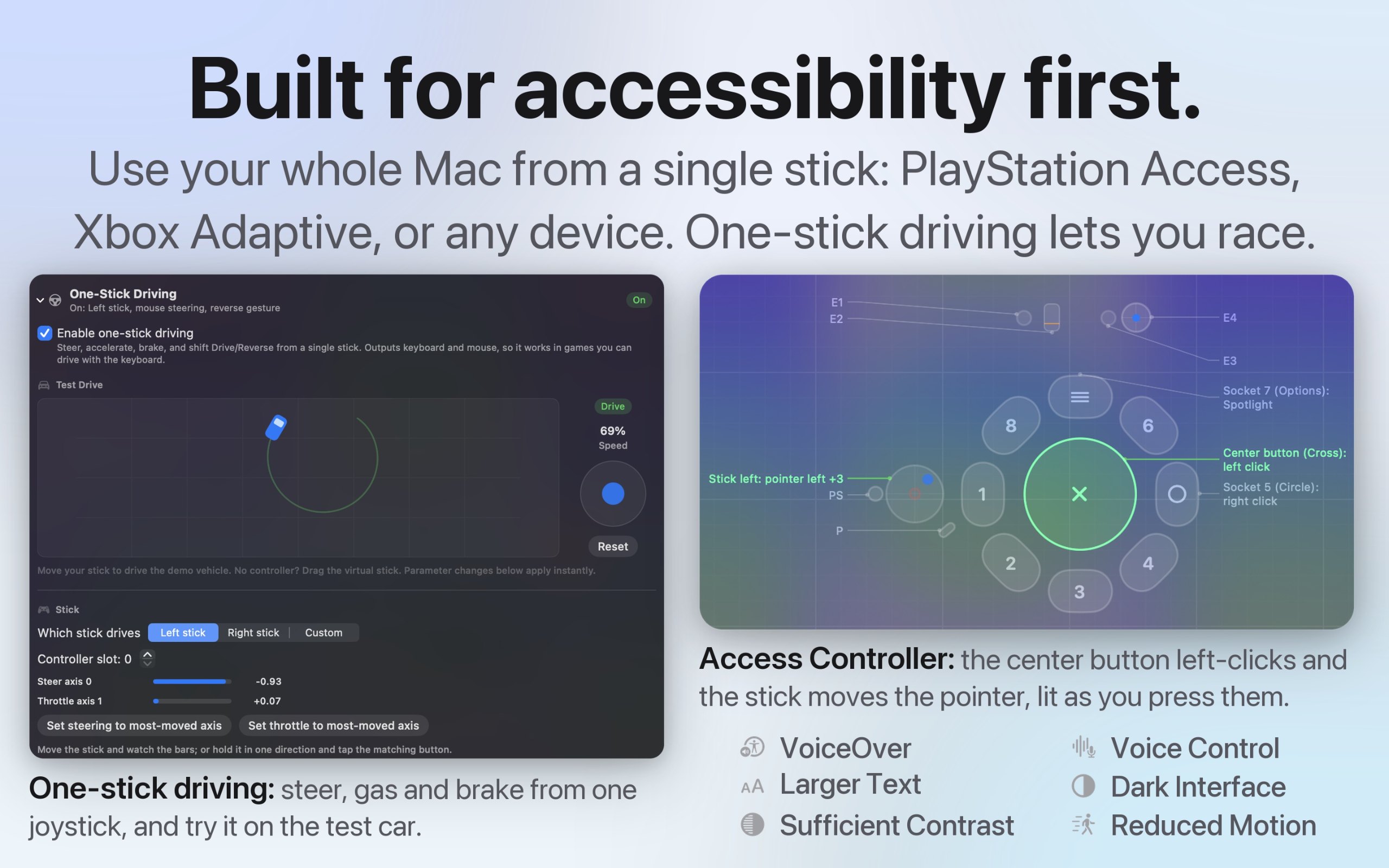
InputConfig ist eine Mac-App aus der Kategorie „Tastatur und Maus“:Use any controller as a keyboard and mouse.Preis: Free, optional tip jar.Sie läuft auf Apple silicon.Noch keine Person hat sie geprüft.
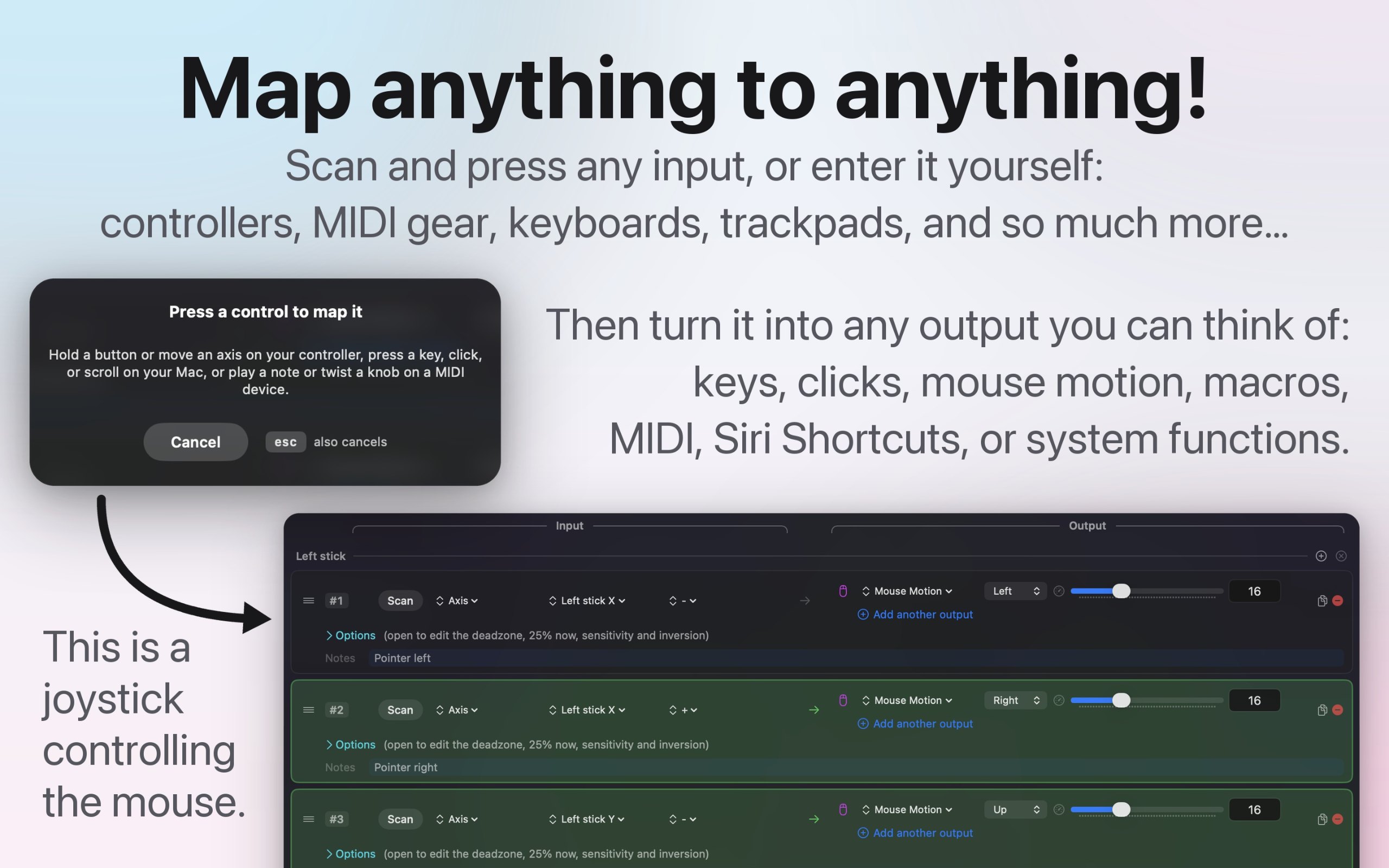
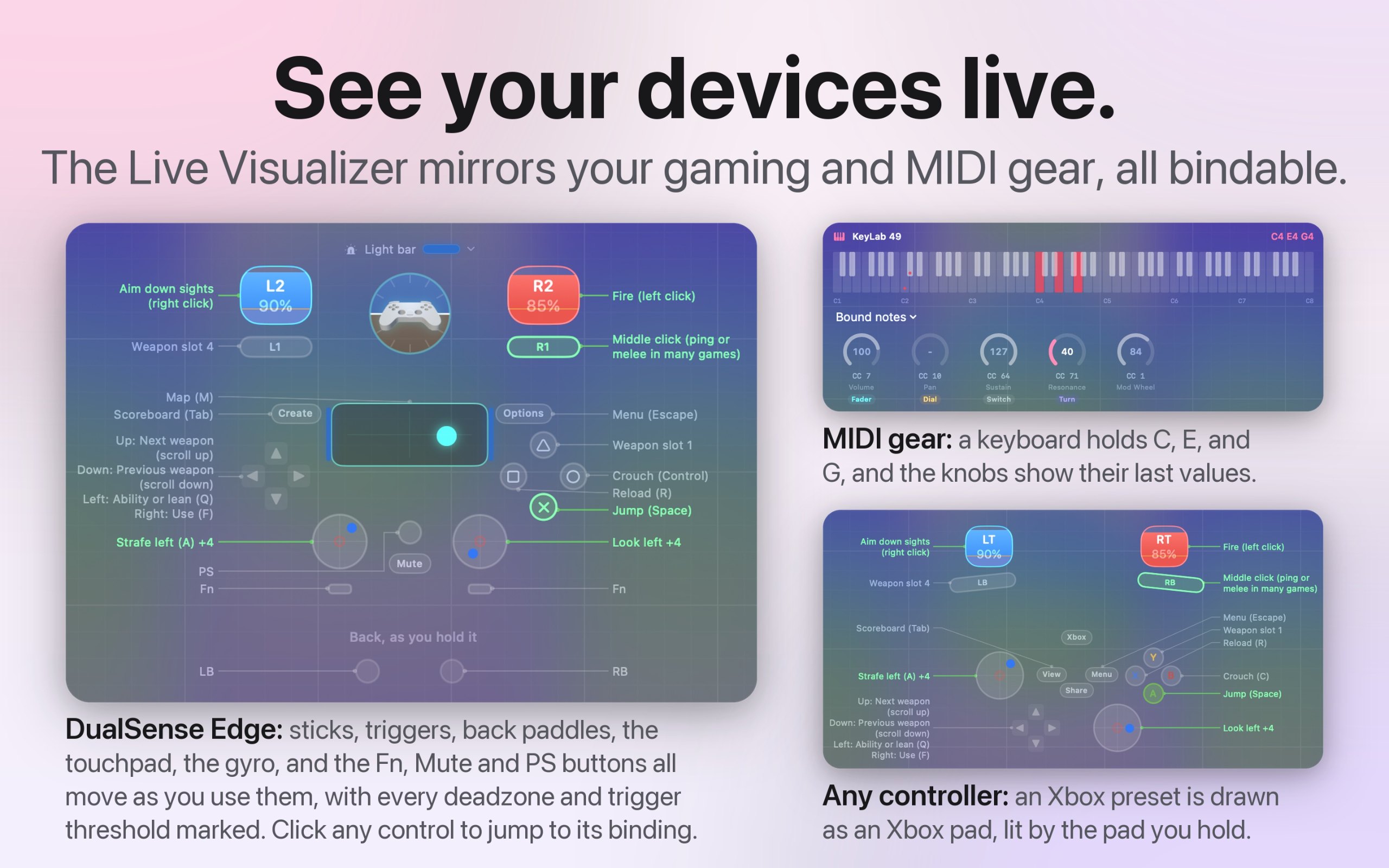
I built InputConfig because my hands don't work that well, and a keyboard and mouse ask for a kind of control I don't have. It's for anyone who would rather run their Mac with a game controller, an adaptive controller, or a MIDI keyboard, whether that's for accessibility, games, or music.
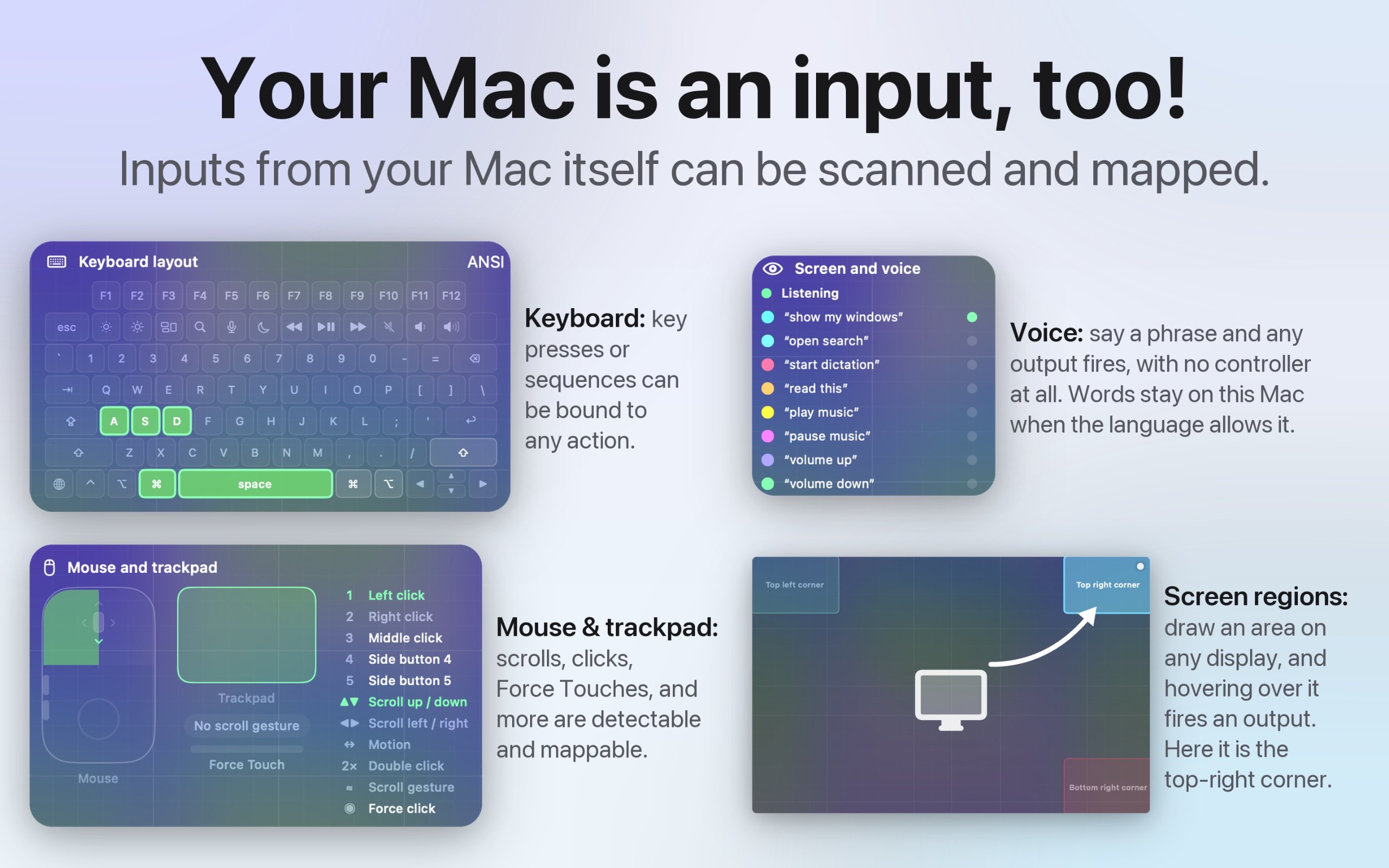
- Turns any game controller into a full keyboard and mouse, in every app
- Works with the PlayStation Access controller and Xbox Adaptive Controller
- Maps MIDI keyboards, pads, and knobs, and sends MIDI out
- A different preset for each app or game, switched automatically
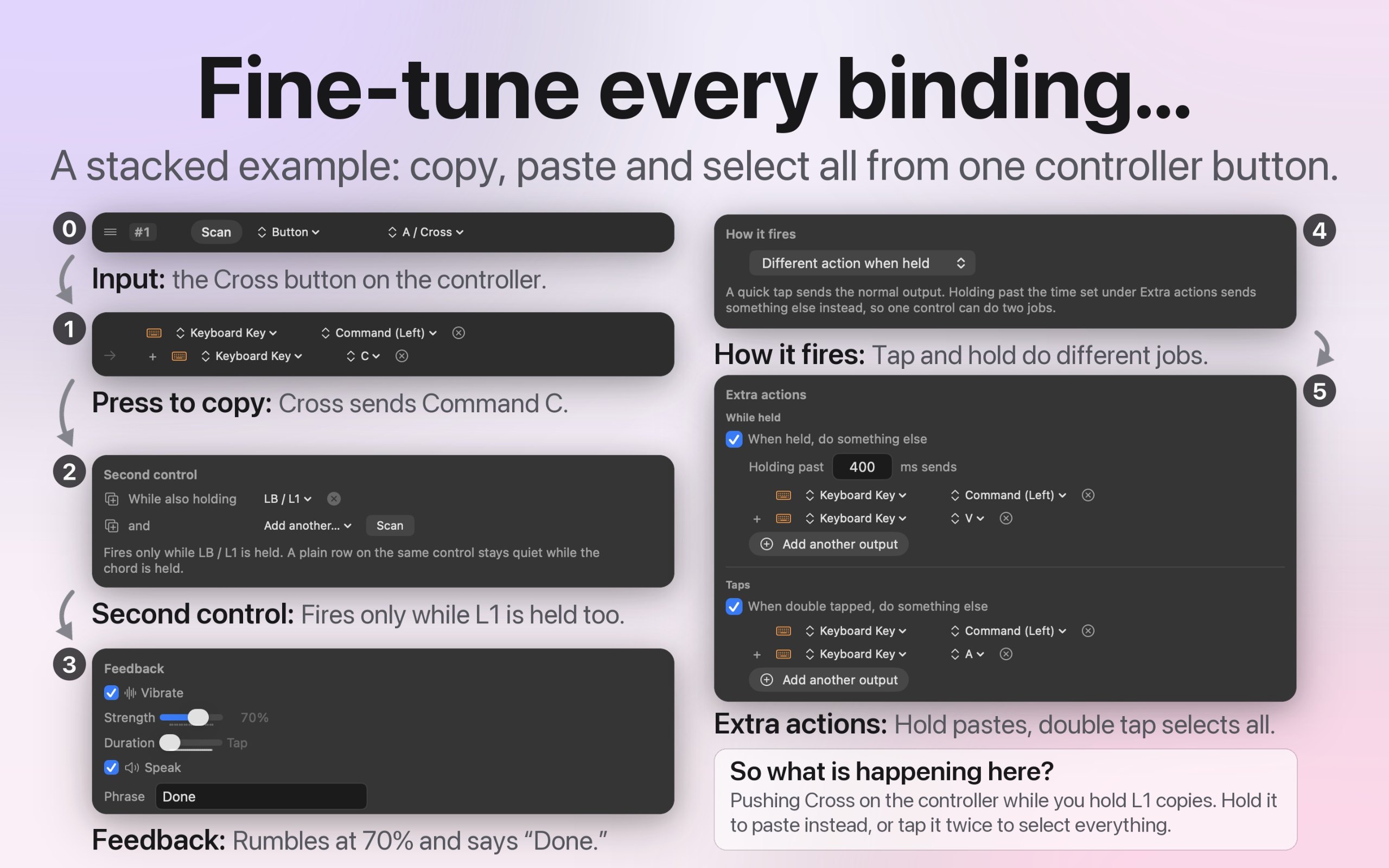
- Macros, shortcuts, typed text, and system actions from one button
- Deadzones and curves for every stick and trigger
- Open source, with no account and no tracking
- 27 languages, with VoiceOver support
Das ist deine App, also hier ihr eigenes Abzeichen für deine Website. Es verlinkt auf diese Seite, zeigt deine echten Stimmen und macht deine App zu einem Freund von MacPip.


<a href="https://macpip.com/apps/inputconfig?ref=badge"><img src="https://macpip.com/badge/inputconfig.svg" height="58" alt="InputConfig is listed on MacPip"></a>
Answers from the maker.