 ScootchOne keyboard and mouse for every computer on your desk, Mac included.di
 @AfterimageDev29 USD una tantum
Le schede restano nella lingua in cui i loro creatori le hanno scritte.

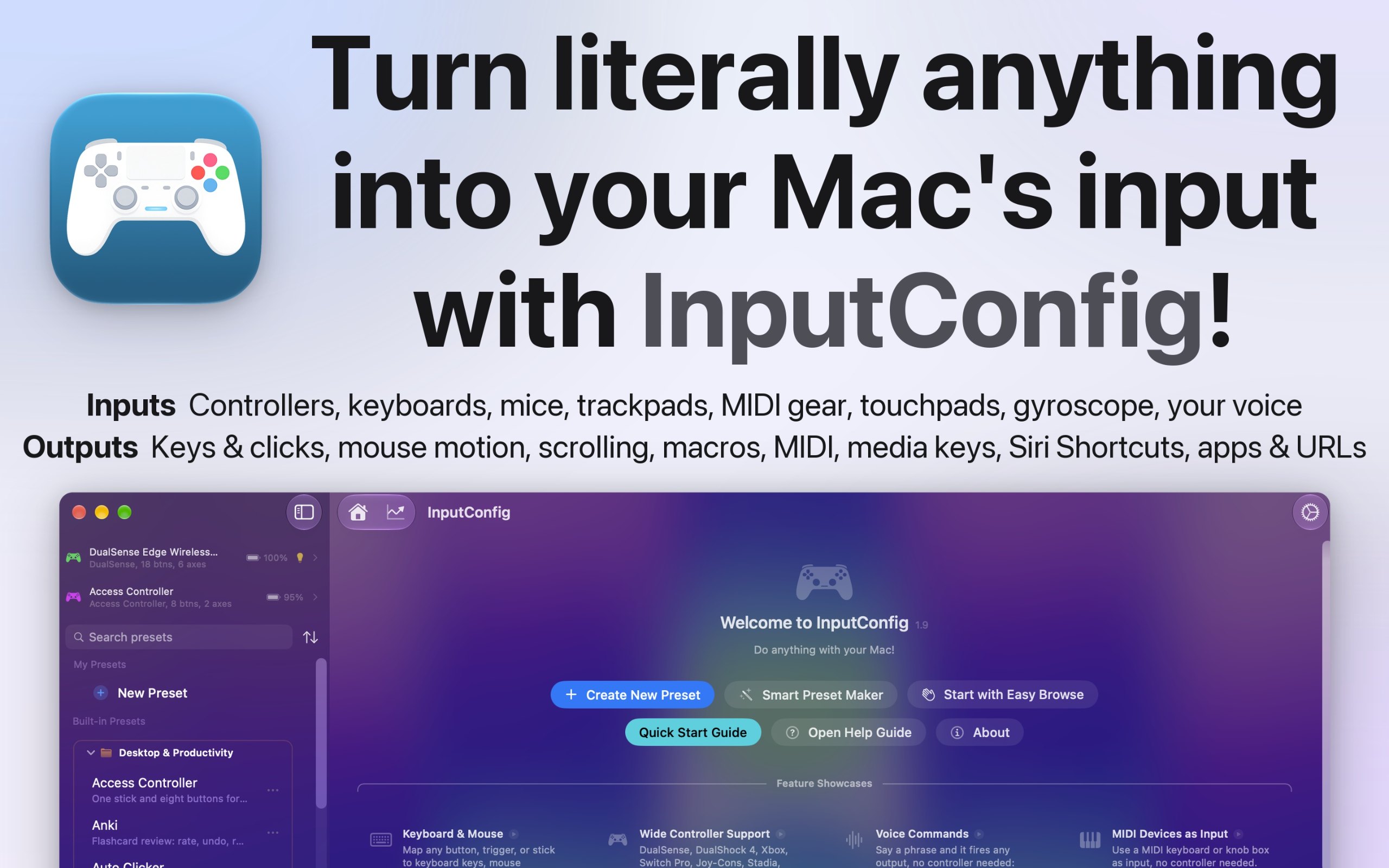
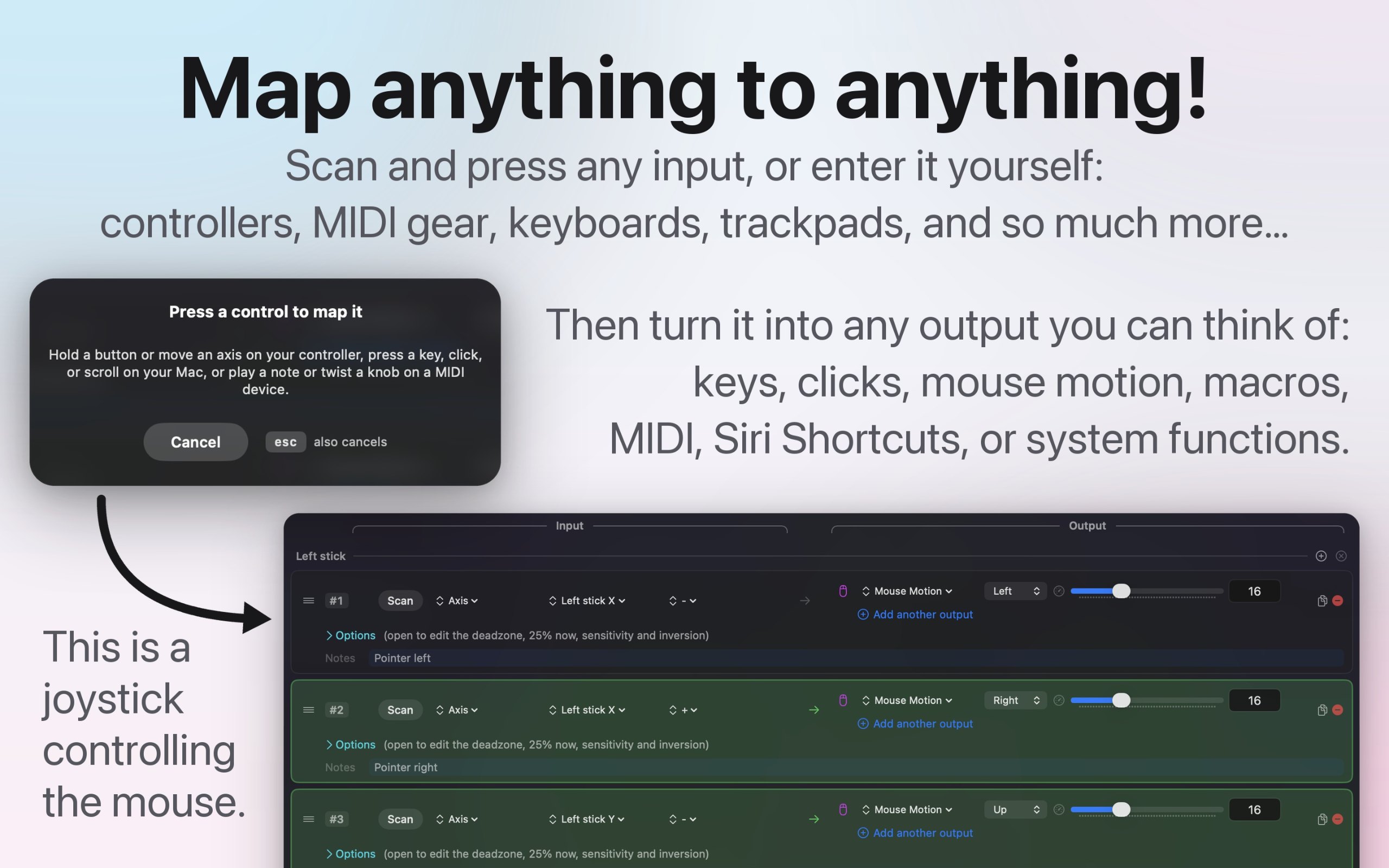
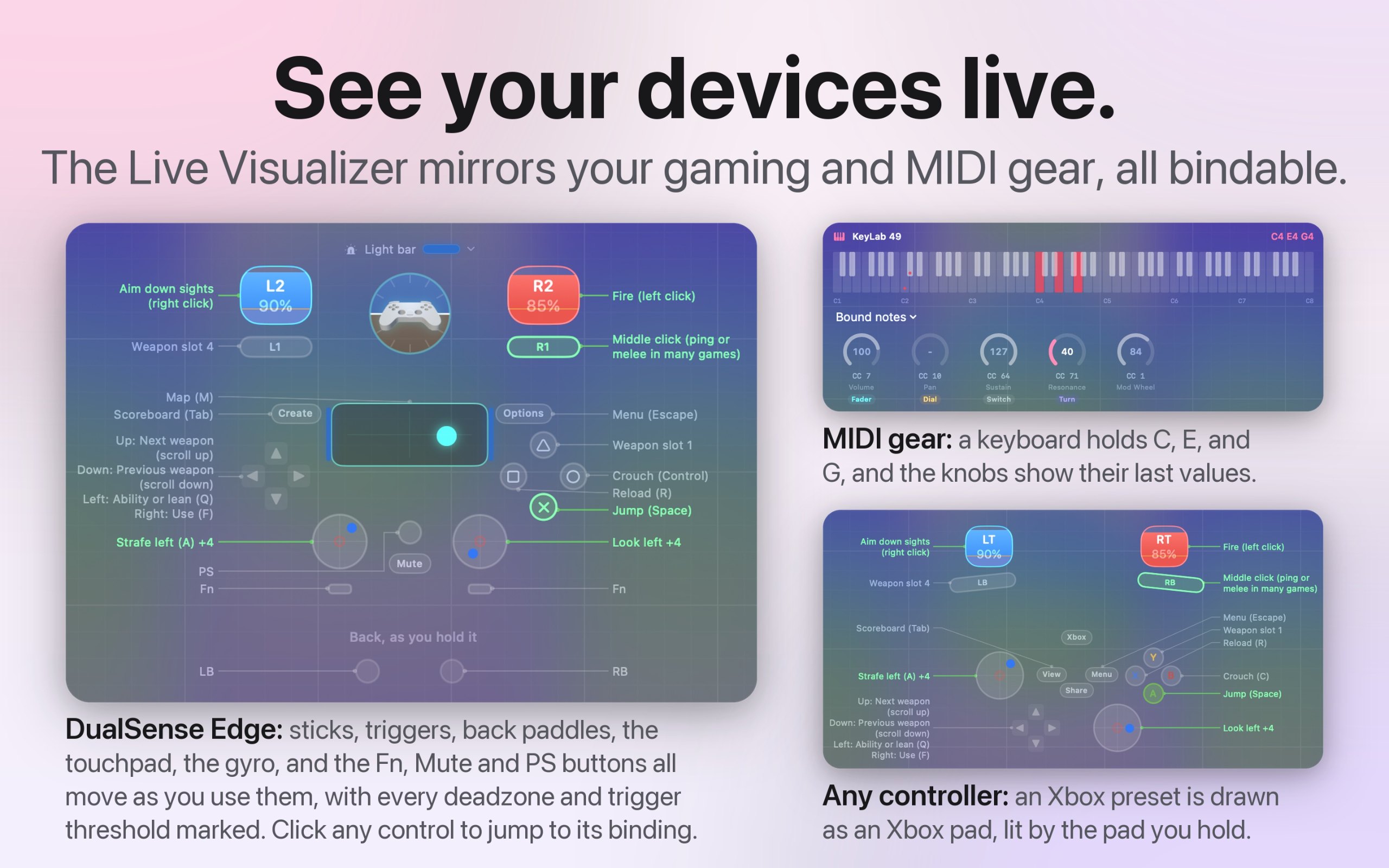
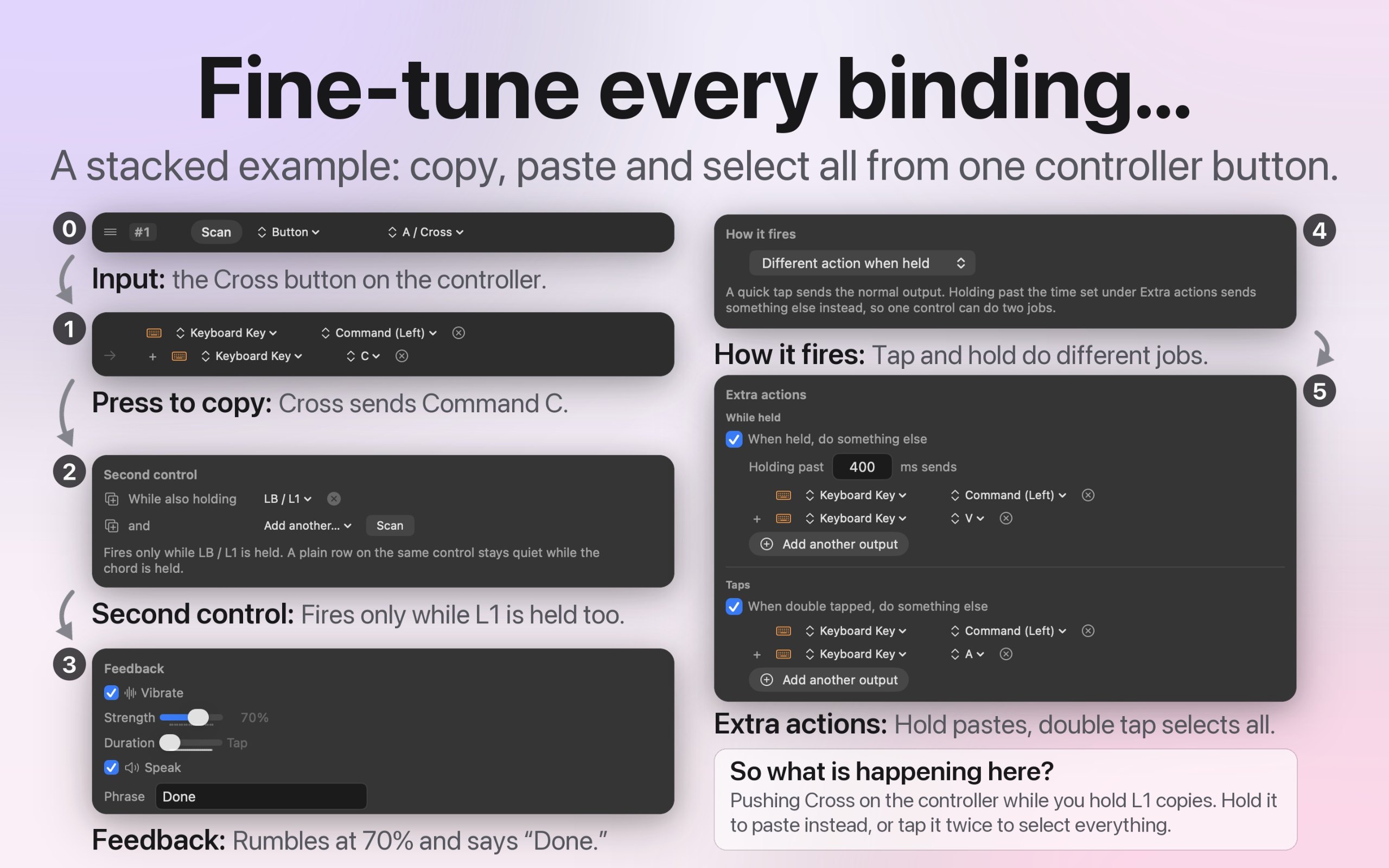
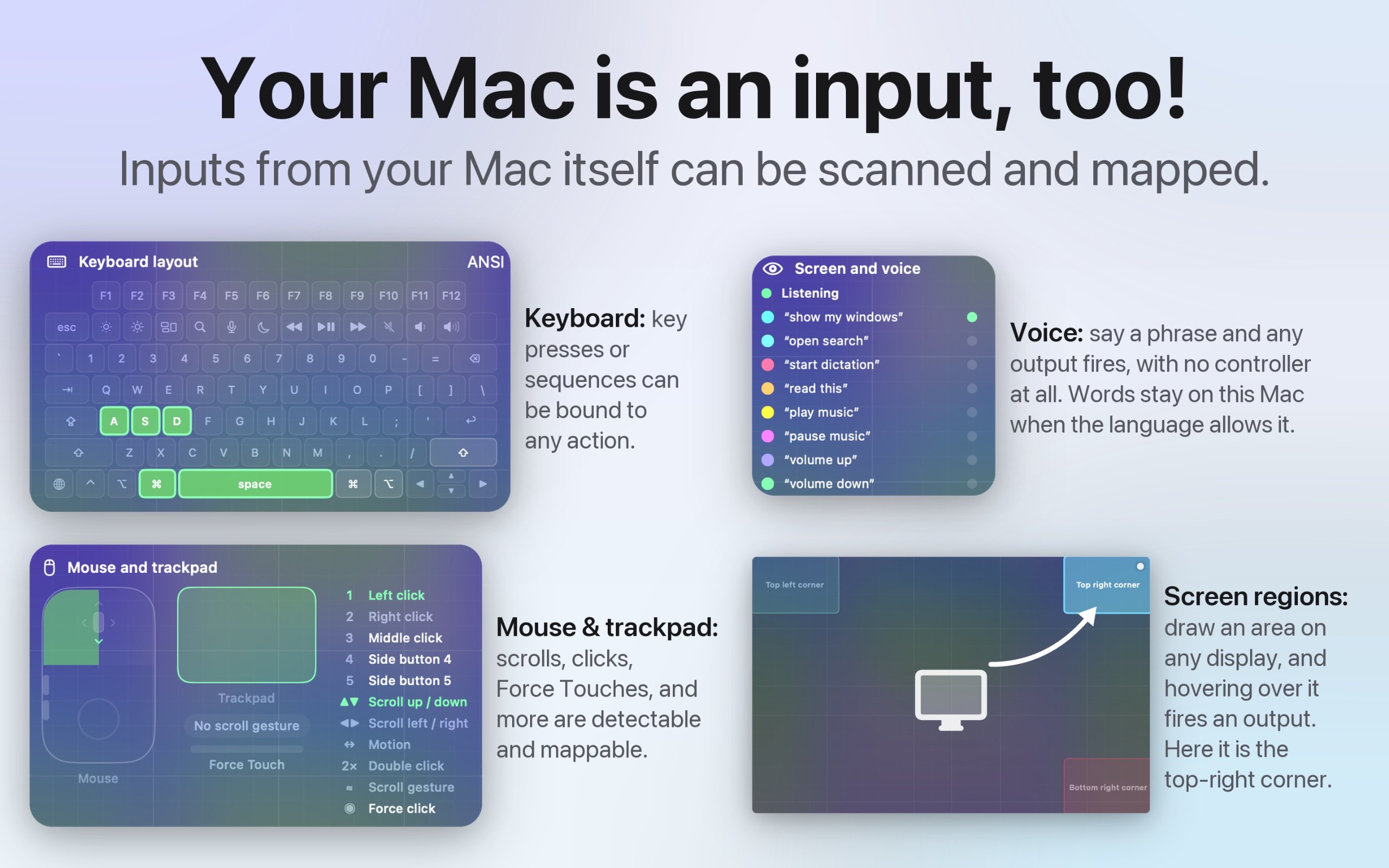
InputConfig è un'app per Mac della categoria «Tastiera e mouse»:Use any controller as a keyboard and mouse.Prezzo: Free, optional tip jar.Funziona su Apple silicon.Non l'ha ancora verificata nessuno.
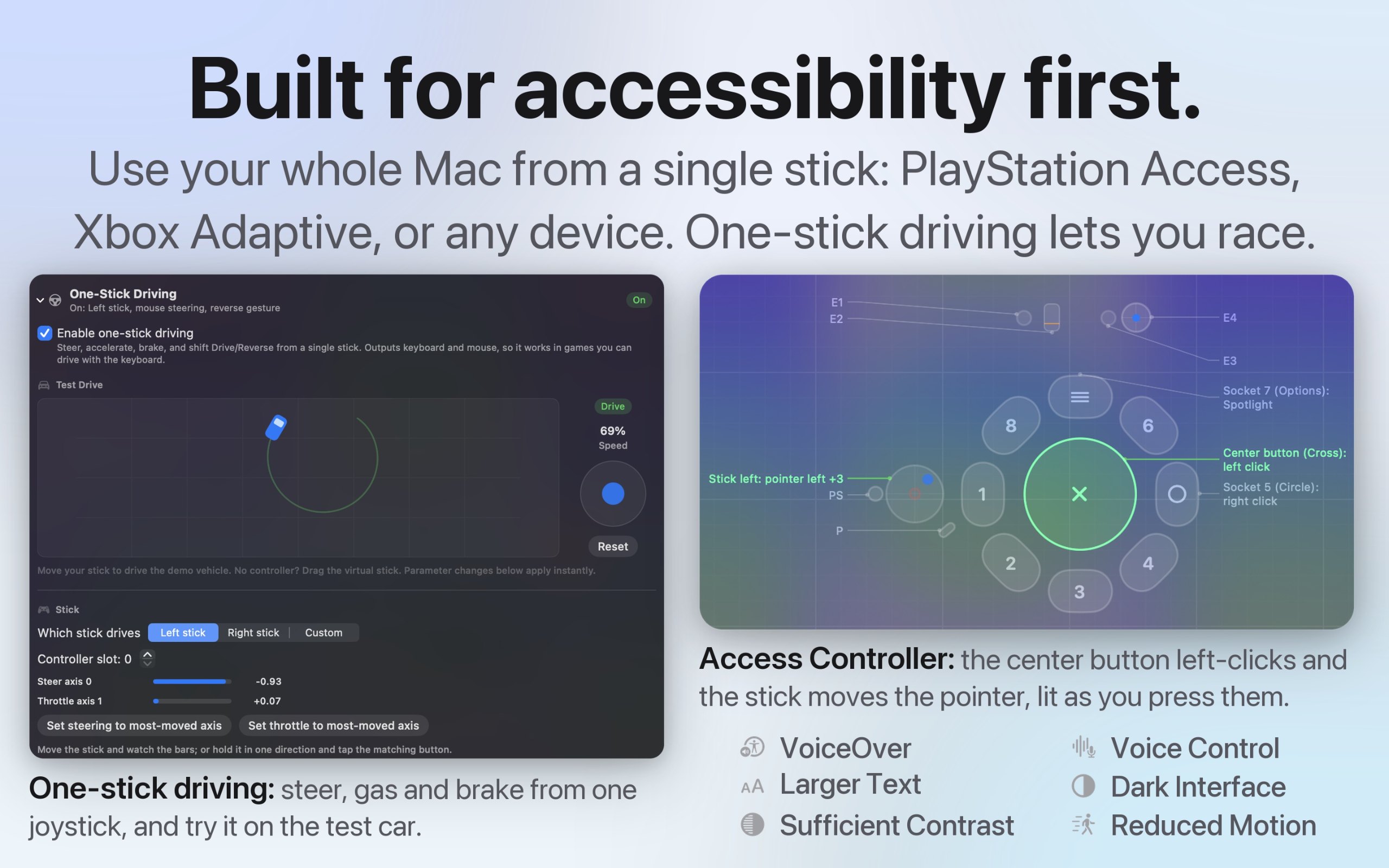
I built InputConfig because my hands don't work that well, and a keyboard and mouse ask for a kind of control I don't have. It's for anyone who would rather run their Mac with a game controller, an adaptive controller, or a MIDI keyboard, whether that's for accessibility, games, or music.
- Turns any game controller into a full keyboard and mouse, in every app
- Works with the PlayStation Access controller and Xbox Adaptive Controller
- Maps MIDI keyboards, pads, and knobs, and sends MIDI out
- A different preset for each app or game, switched automatically
- Macros, shortcuts, typed text, and system actions from one button
- Deadzones and curves for every stick and trigger
- Open source, with no account and no tracking
- 27 languages, with VoiceOver support
Questa è la tua app, quindi ecco il suo badge per il tuo sito. Rimanda a questa pagina, mostra i tuoi voti reali e rende la tua app Amica di MacPip.


<a href="https://macpip.com/apps/inputconfig?ref=badge"><img src="https://macpip.com/badge/inputconfig.svg" height="58" alt="InputConfig is listed on MacPip"></a>
Answers from the maker.