 ScootchOne keyboard and mouse for every computer on your desk, Mac included.par
 @AfterimageDev29 $US une fois
Les fiches restent dans la langue dans laquelle leurs créateurs les ont écrites.

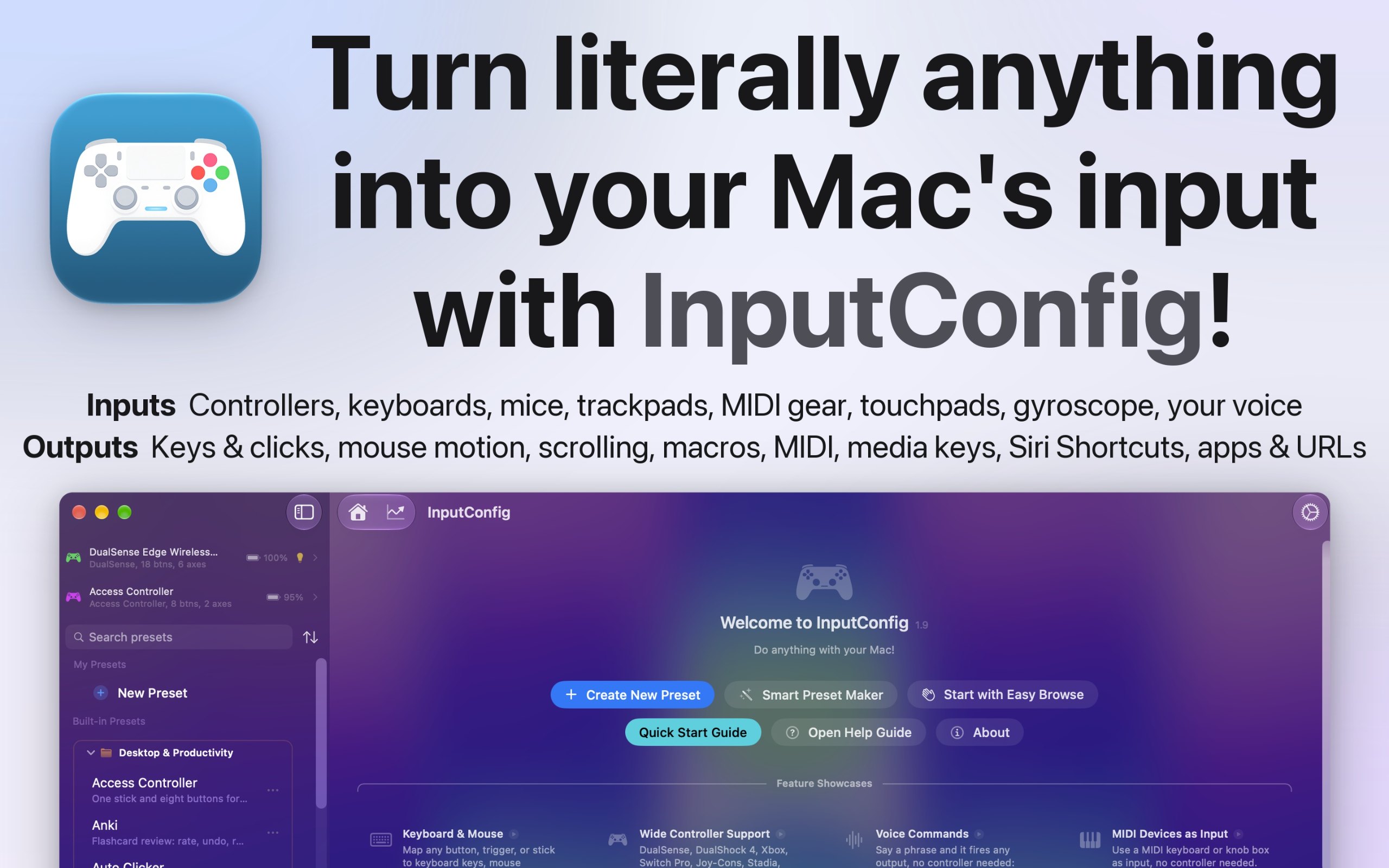
InputConfig est une app pour Mac de la catégorie « Clavier et souris » :Use any controller as a keyboard and mouse.Prix : Free, optional tip jar.Elle fonctionne sur Apple silicon.Aucune personne ne l'a encore vérifiée.
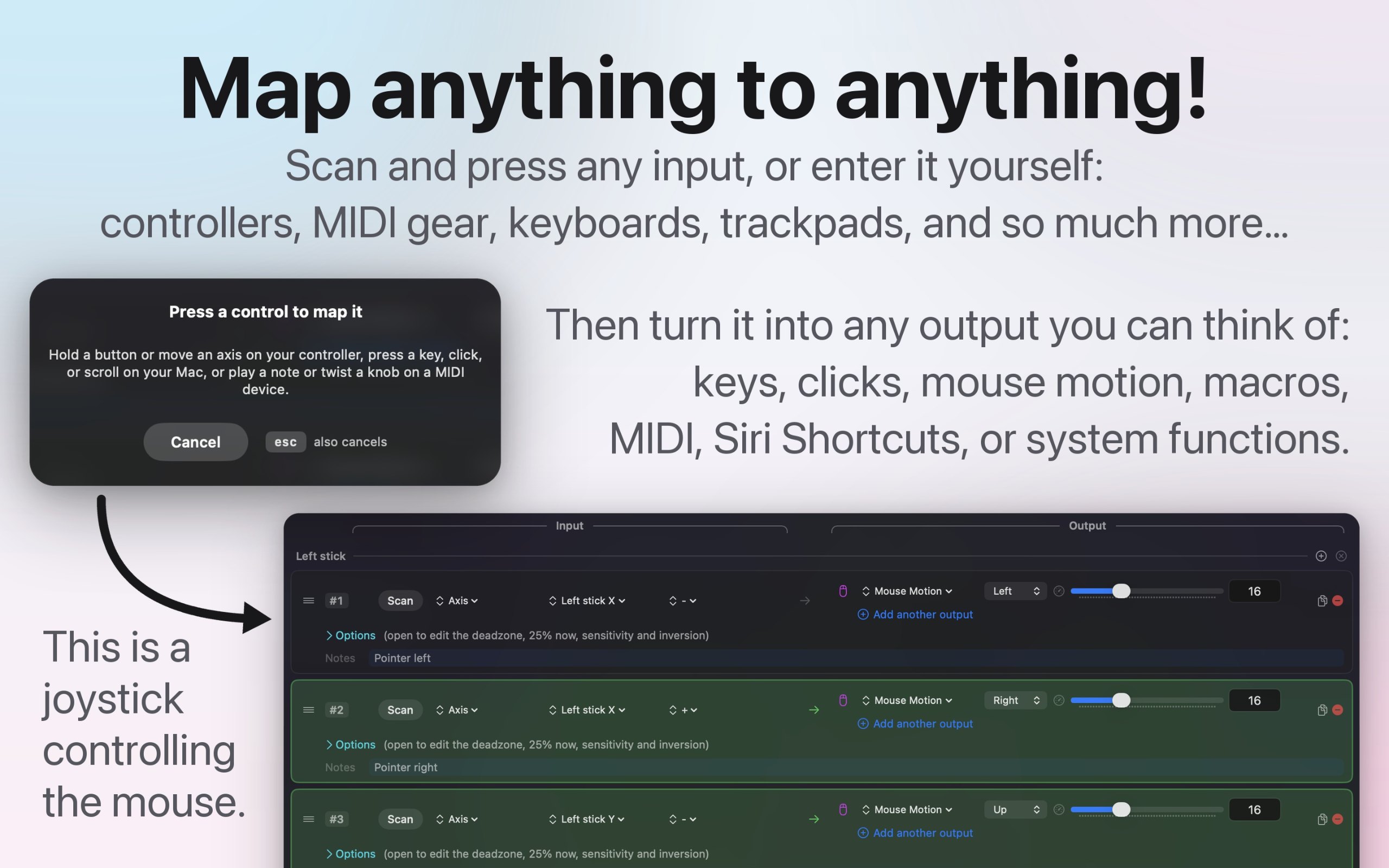
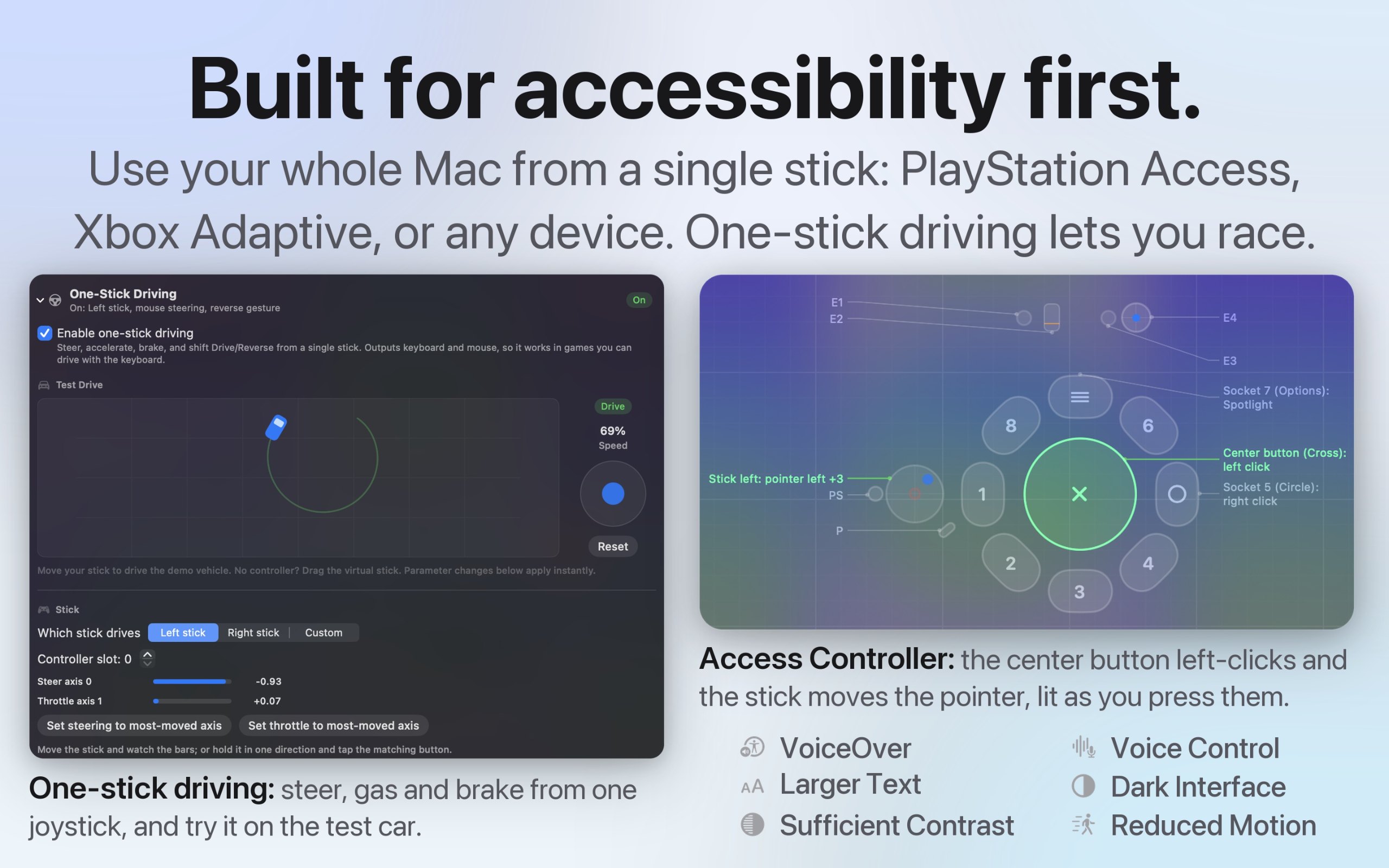
I built InputConfig because my hands don't work that well, and a keyboard and mouse ask for a kind of control I don't have. It's for anyone who would rather run their Mac with a game controller, an adaptive controller, or a MIDI keyboard, whether that's for accessibility, games, or music.
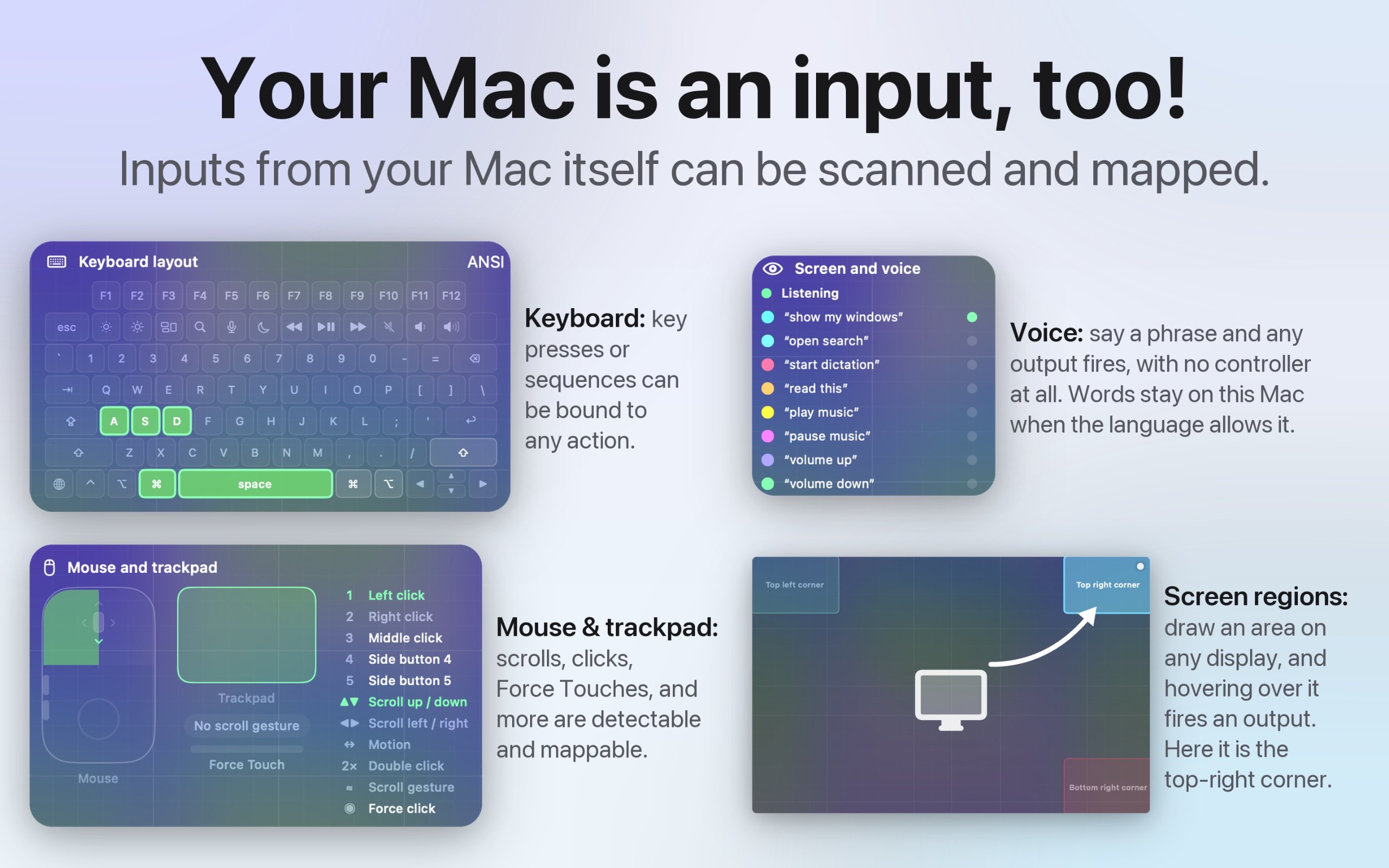
- Turns any game controller into a full keyboard and mouse, in every app
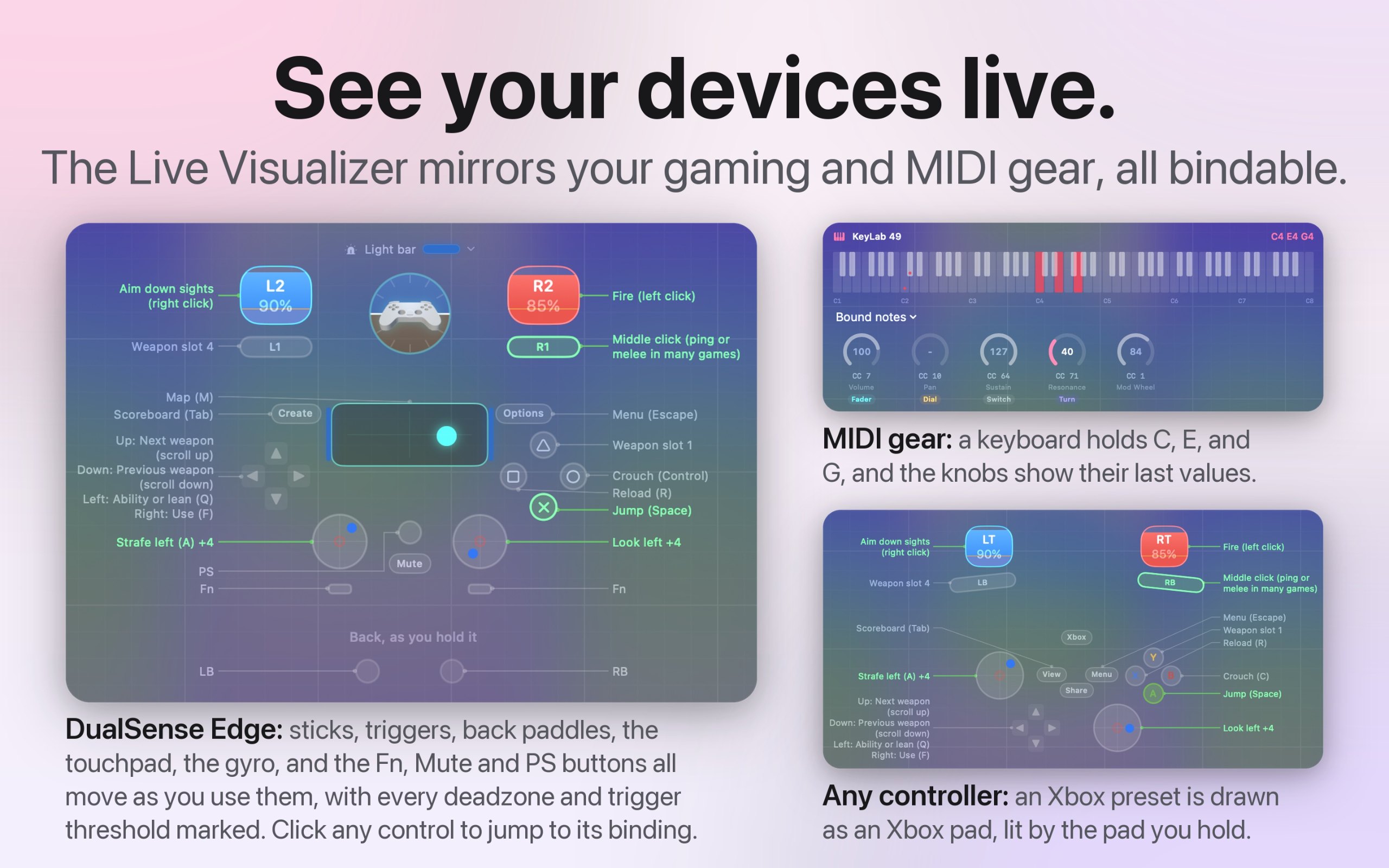
- Works with the PlayStation Access controller and Xbox Adaptive Controller
- Maps MIDI keyboards, pads, and knobs, and sends MIDI out
- A different preset for each app or game, switched automatically
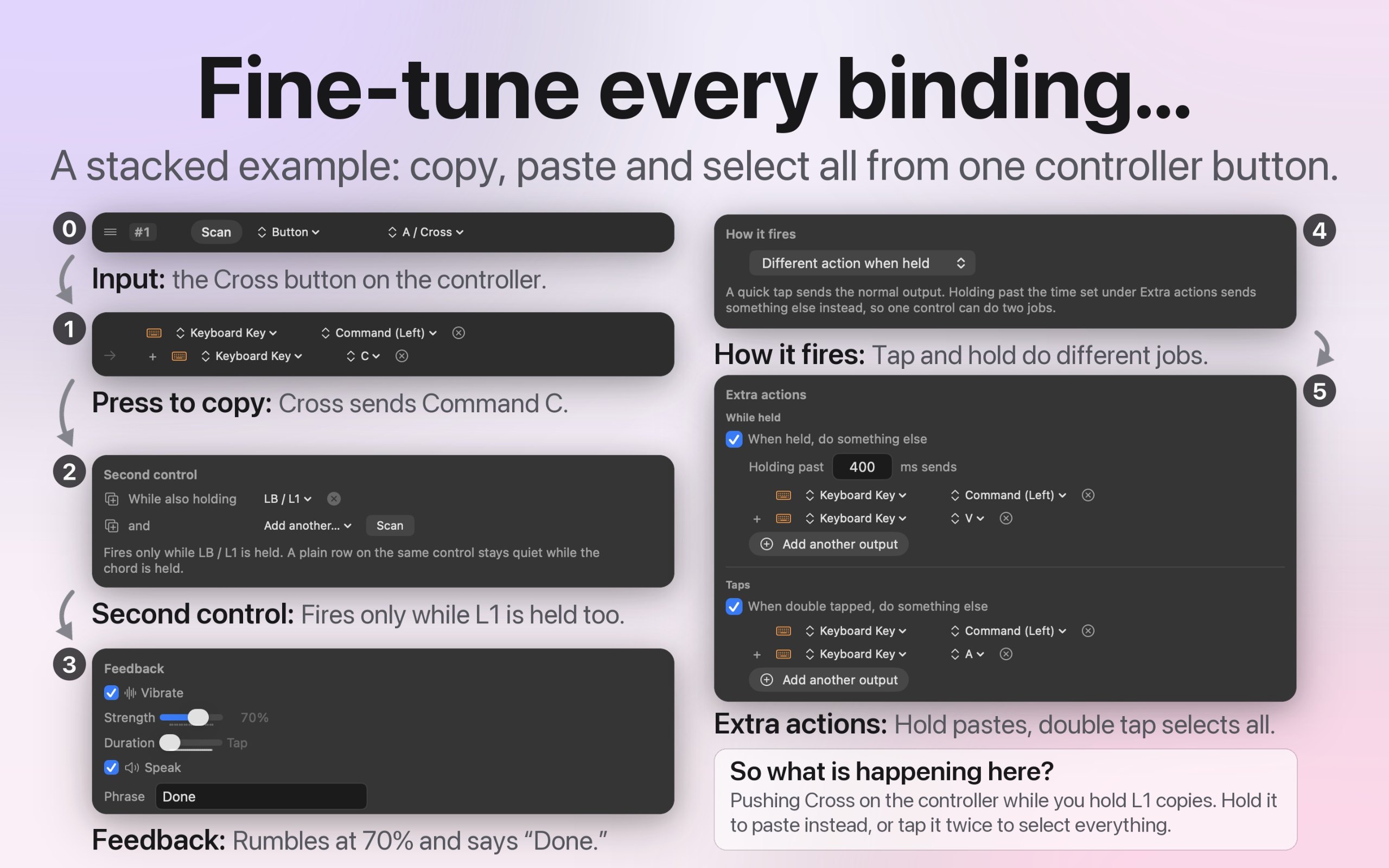
- Macros, shortcuts, typed text, and system actions from one button
- Deadzones and curves for every stick and trigger
- Open source, with no account and no tracking
- 27 languages, with VoiceOver support
C'est votre app, alors voici son propre badge pour votre site. Il renvoie vers cette page, affiche vos vrais votes et fait de votre app une Amie de MacPip.


<a href="https://macpip.com/apps/inputconfig?ref=badge"><img src="https://macpip.com/badge/inputconfig.svg" height="58" alt="InputConfig is listed on MacPip"></a>
Answers from the maker.