Ciao, sono PipQueste app Featured si alternano nel mio notch.
iPipInvia

Le schede restano nella lingua in cui i loro creatori le hanno scritte.

I migliori di MacPip

Le migliori app ad acquisto unico della categoria «Tastiera e mouse» per Mac

Aggiornato il 17 nov 2026, da ciò che MacPip elenca oggi.

Risposta breve

MacPip lists 8 one-time purchase keyboard and mouse apps for Mac, and MacPip has checked 1 of them.2 di esse hanno una versione gratuita.Si acquistano tutte con una licenza una tantum.There is no single best one-time purchase keyboard or mouse app for everyone, so MacPip does not rank them.Se la vuoi gratis, inizia da KeySound.

Le app verificate vengono prima, a partire dalla verifica più recente. L'ordine non dipende mai dai pagamenti.

Cosa offrono queste 8 app, secondo le loro schede. Un'app può offrire più cose, quindi le barre non sommano a 8.
Versione gratuita2 di 8
Paghi una volta8 di 8
Abbonamento0 di 8
Nativa per Apple silicon7 di 8
Open source1 di 8
Funziona offline3 di 8
Verificata1 di 8
Prezzo una tantum in dollari USA, come indicato da ogni scheda, dal più basso. App senza un semplice prezzo una tantum in dollari, escluse: 2. I prezzi di lancio contano quando la scheda lo dice.
WheelClick4,99 USD
MouseUp7,99 USD
EdgeBar9 USD
KeySound9,99 USD
Scootch29 USD
Padrail29 USD

A confronto

AppChe cosa faPrezzoGratis o a pagamentoApple siliconOpen sourceRealizzato daVerificata
ScootchOne keyboard and mouse for every computer on your desk, Mac included.29 USD una tantumUna tantumNon indicatoNoAfterimageDev30 ott
KeySoundRealistic mechanical keyboard sounds and customizable typing sound mixes for MacFree, Pro $9.99 onceVersione gratuitaUna tantumSì, e anche su Intel, secondo il suo creatoreSìNon indicatoIn sospeso
PadrailTrackpad volume, brightness and keyboard light29 USD una tantumUna tantumSì, e anche su Intel, secondo il suo creatoreNoNon indicatoIn sospeso
EdgeFlowOne mouse and keyboard for several Macs, even with different Apple IDs.€39.99 once, 14-day free trialUna tantumSì, e anche su Intel, secondo il suo creatoreNoJuergen Koller Software GmbHIn sospeso
FeelMyMacMake your Mac trackpad and keyboard come alive with haptic feedback$4,99 onceUna tantumSì, e anche su Intel, secondo il suo creatoreNoTheHighJackIn sospeso
EdgeBarEdgeBar trasforma i bordi del trackpad del tuo MacBook in controlli fluidi per volume e luminosità.$9 once, then $14Una tantumSì, e anche su Intel, secondo il suo creatoreNoShashank BhardwajIn sospeso
WheelClickThe missing middle click for your Mac trackpad and Magic MouseFree forever, Pro $4.99 onceVersione gratuitaUna tantumSì, e anche su Intel, secondo il suo creatoreNoArthur GinzburgIn sospeso
MouseUpFix ghost double-clicks and get trackpad-smooth scrolling on any mouse.$7.99 once, free trialUna tantumSì, e anche su Intel, secondo il suo creatoreNoDavid TranIn sospeso

Le app, una per una

Icona dell'app Scootch

Scootch

One keyboard and mouse for every computer on your desk, Mac included.

Paghi una voltaVerificata il 30 ott
Scootch su un Mac

Dal suo creatore: Scootch lets one keyboard and mouse control every computer on your desk, in any mix of Mac, Windows and Linux, and moves files between them in any direction. There is no switch box, account or subscription.

Offerta
25% off lifetime key!, until Nov 5
Prezzo
29 USD una tantum
Richiede
macOS 11 o successivo

Scootch su MacPip Altre app per tastiera e mouse

Icona dell'app KeySound

KeySound

Realistic mechanical keyboard sounds and customizable typing sound mixes for Mac

Versione gratuitaPaghi una voltaApple siliconOpen source
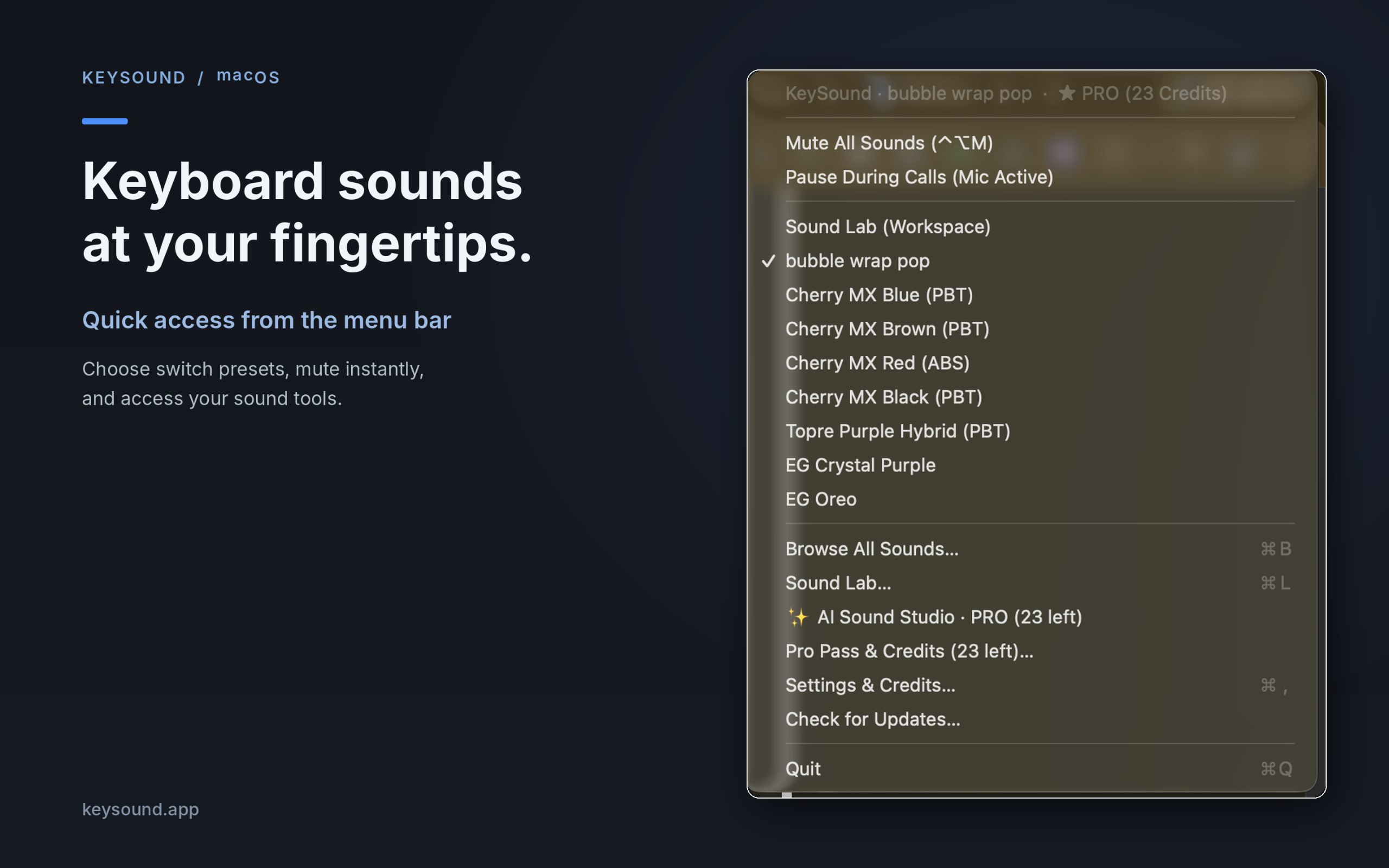
KeySound su un Mac

Dal suo creatore: KeySound is a lightweight macOS menu-bar utility that makes your keyboard sound like mechanical switches. Choose from 10 recorded switch sound packs, create your own sound combinations using an offline three-layer mixer, and optionally generate new effects using text prompts in AI Sound Studio.

Prezzo
Free, Pro $9.99 once
Richiede
macOS 13 Ventura o successivo

KeySound su MacPip Altre app per tastiera e mouse

Icona dell'app Padrail

Padrail

Trackpad volume, brightness and keyboard light

Paghi una voltaApple silicon
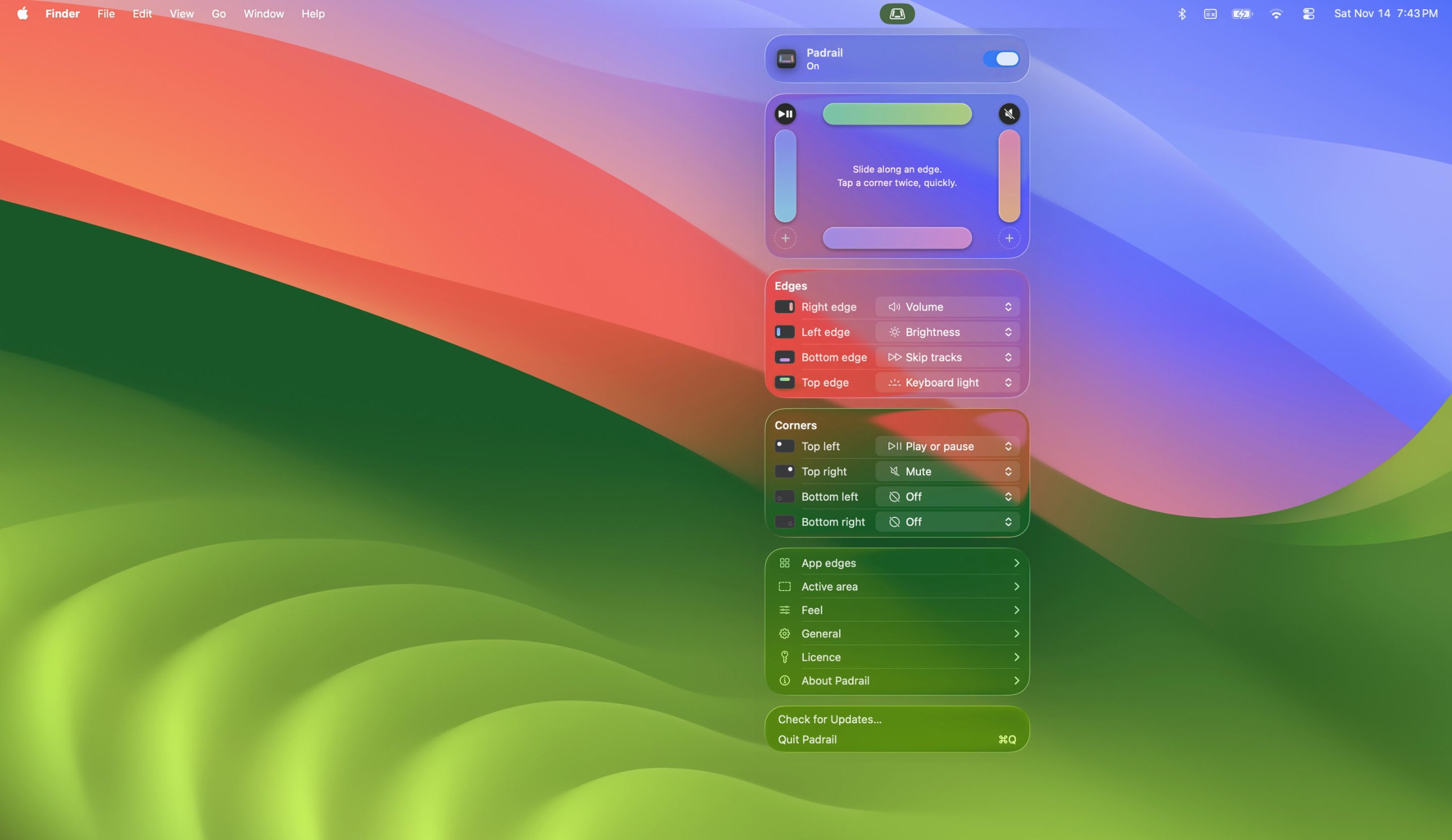
Padrail su un Mac

Dal suo creatore: Padrail is a menu bar app that gives the edges and corners of your MacBook trackpad jobs of their own. Each step ticks under your finger, and the Mac's own level display shows the change.

Offerta
$14 instead of $29, until Nov 20
Prezzo
29 USD una tantum
Richiede
macOS 13 Ventura o successivo
Secondo il creatore sostituisce
BetterTouchTool

Padrail su MacPip Altre app per tastiera e mouse

Icona dell'app EdgeFlow

EdgeFlow

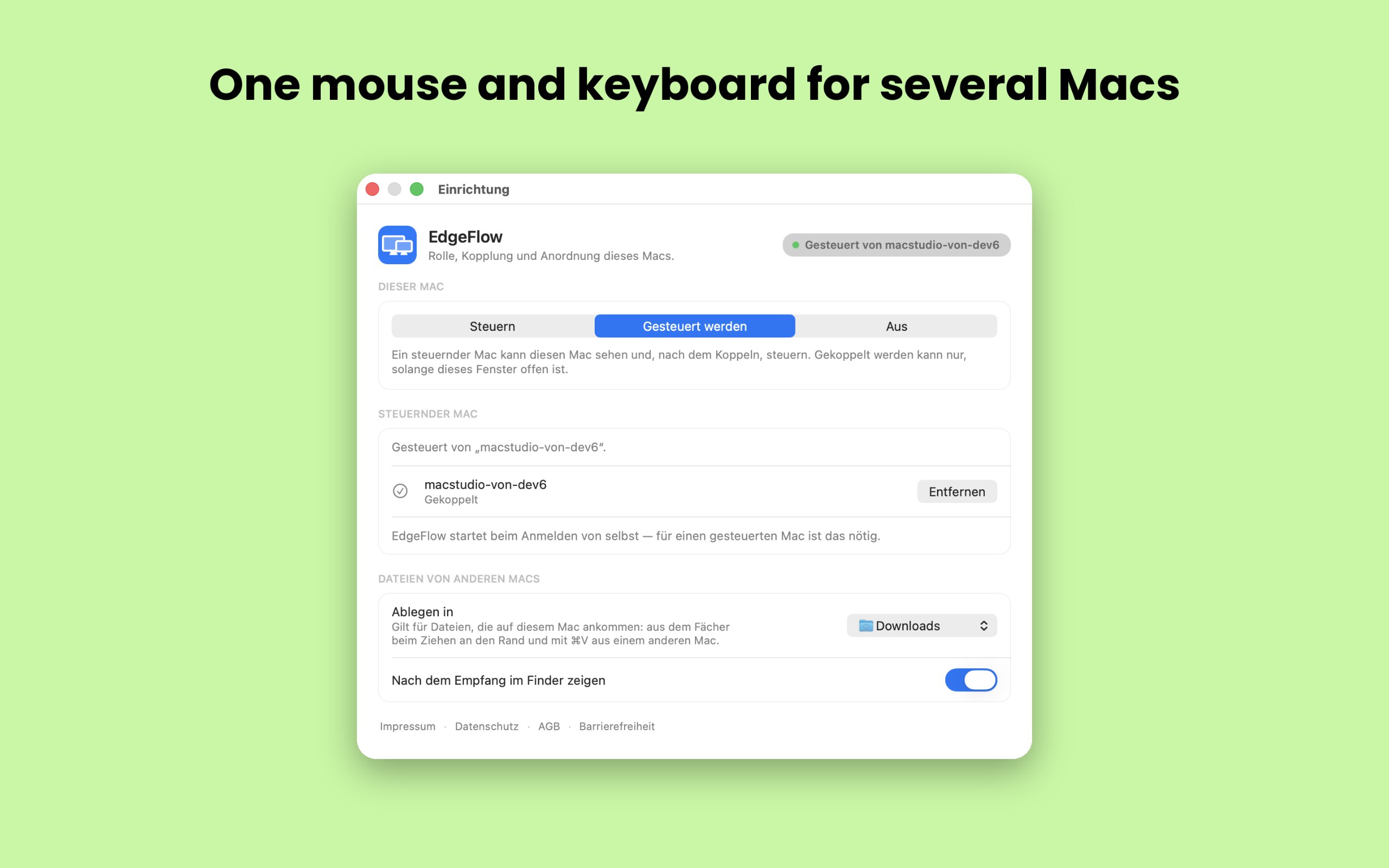
One mouse and keyboard for several Macs, even with different Apple IDs.

Paghi una voltaApple silicon
EdgeFlow su un Mac

Dal suo creatore: EdgeFlow lets you work on two or more Macs with a single mouse and keyboard. Move the pointer past the screen edge and it lands on the next Mac, with the keyboard following.

Prezzo
€39.99 once, 14-day free trial
Richiede
macOS 14 Sonoma o successivo
Secondo il creatore sostituisce
Universal Control, ShareMouse, Synergy, Barrier

EdgeFlow su MacPip Altre app per tastiera e mouse

Icona dell'app FeelMyMac

FeelMyMac

Make your Mac trackpad and keyboard come alive with haptic feedback

Paghi una voltaApple siliconFunziona offline
FeelMyMac su un Mac

Dal suo creatore: If you're looking for a more immersive experience on your Mac, FeelMyMac is for you. It adds a new level of interaction with your computer by adding haptic feedback and sound to your trackpad.

Prezzo
$4,99 once
Richiede
macOS 15 Sequoia o successivo
Secondo il creatore sostituisce
Tactile

FeelMyMac su MacPip Altre app per tastiera e mouse

Icona dell'app EdgeBar

EdgeBar

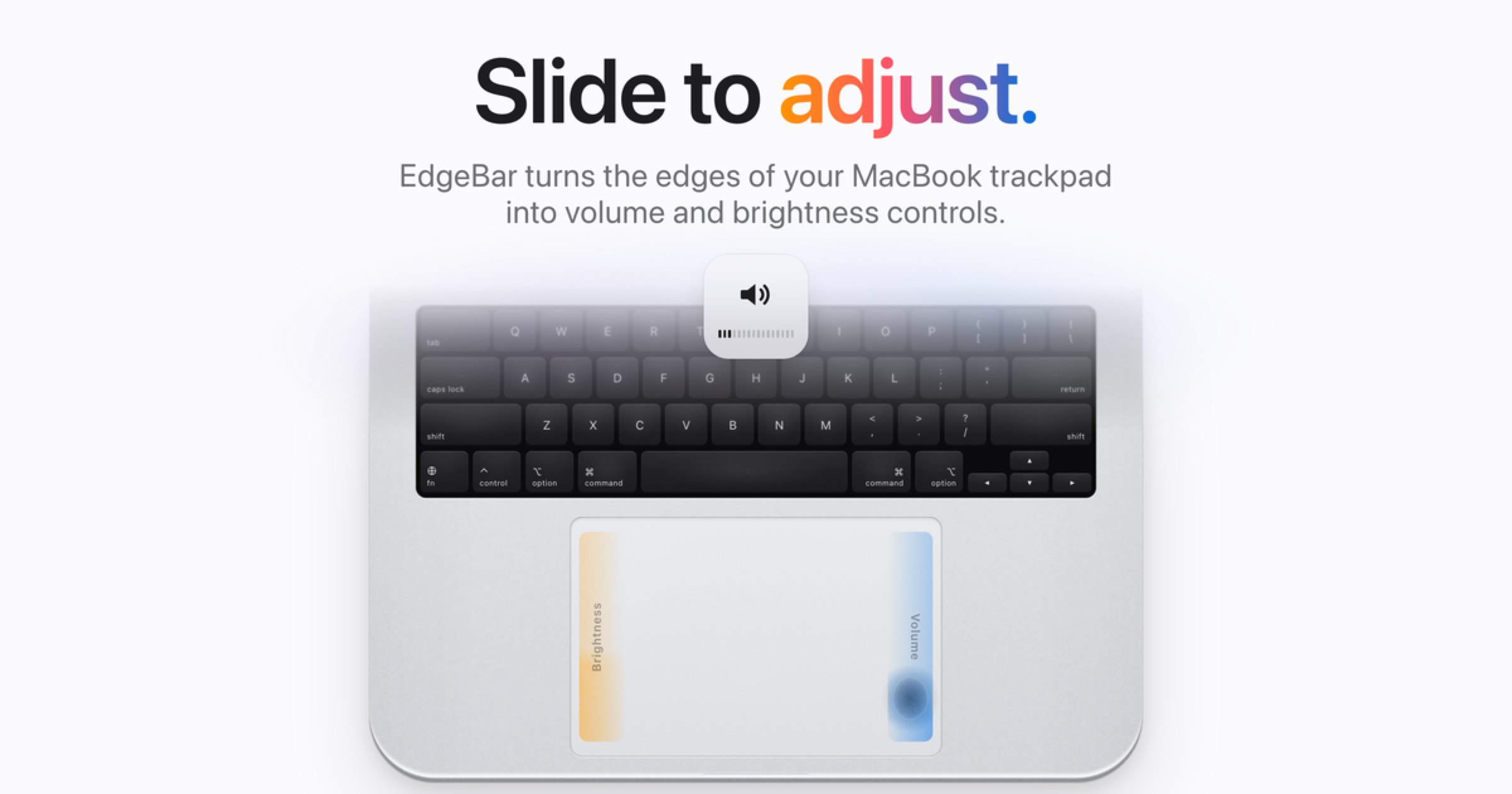
EdgeBar trasforma i bordi del trackpad del tuo MacBook in controlli fluidi per volume e luminosità.

Paghi una voltaApple siliconFunziona offline
EdgeBar su un Mac

Dal suo creatore: EdgeBar turns your MacBook trackpad edges into smooth volume and brightness controls. EdgeBar turns the edges of your MacBook trackpad into volume and brightness controls.

Prezzo
$9 once, then $14
Richiede
macOS 13 Ventura o successivo

EdgeBar su MacPip Altre app per tastiera e mouse

Icona dell'app WheelClick

WheelClick

The missing middle click for your Mac trackpad and Magic Mouse

Versione gratuitaPaghi una voltaApple siliconFunziona offline
WheelClick su un Mac

Dal suo creatore: Your Mac has no middle button. WheelClick gives it one, on the trackpad and on the Magic Mouse.

Prezzo
Free forever, Pro $4.99 once
Richiede
macOS 12 Monterey o successivo
Secondo il creatore sostituisce
MiddleClick, Middle, MiddleDrag, BetterTouchTool

WheelClick su MacPip Altre app per tastiera e mouse

Icona dell'app MouseUp

MouseUp

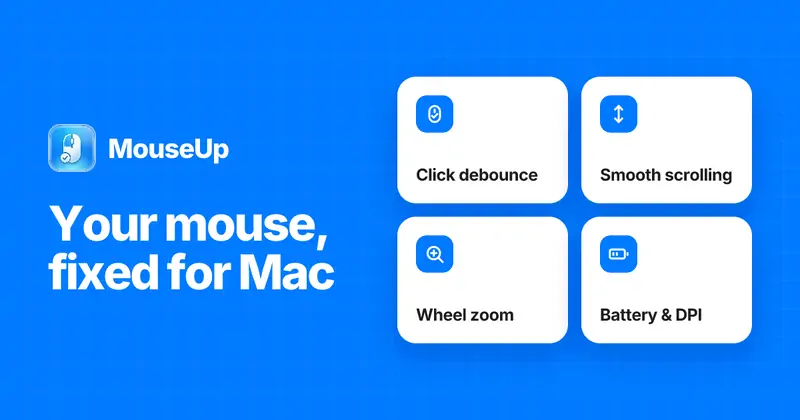
Fix ghost double-clicks and get trackpad-smooth scrolling on any mouse.

Paghi una voltaApple silicon
MouseUp su un Mac

Dal suo creatore: MouseUp (formerly Mac Mouse Fixer) makes any external mouse feel at home on macOS. It blocks the ghost double-clicks that worn switches cause, so one click is one click again, and turns every wheel notch into one smooth, trackpad-like glide.

Offerta
50% off Lifetime, until Dec 5
Prezzo
$7.99 once, free trial
Richiede
macOS 12 Monterey o successivo
Secondo il creatore sostituisce
Mac Mouse Fix, SteerMouse, Mos, Logi Options+

MouseUp su MacPip Altre app di utilità

Quale scegliere

Cosa guardare

Look for which devices it supports, whether it needs Accessibility access, and whether settings survive a restart.

Domande

What is the best one-time purchase keyboard or mouse app for Mac?

There is no single best one for everyone. MacPip lists 8: Scootch, KeySound, Padrail, EdgeFlow, FeelMyMac, EdgeBar, WheelClick, MouseUp. If you want it free, look at KeySound. If you would rather pay once than subscribe, look at Scootch. If you want it to run natively on Apple silicon, look at Padrail. If you need it to work offline, as its maker says it does, look at FeelMyMac. If you want open source code, look at KeySound.

Which one-time purchase keyboard and mouse apps run natively on Apple silicon?

Secondo i loro creatori o secondo la nostra verifica: KeySound, Padrail, EdgeFlow, FeelMyMac, EdgeBar, WheelClick, MouseUp.

Which one-time purchase keyboard and mouse apps has MacPip checked?

Ognuna ha un report con la data sulla sua pagina: Scootch.

Come ordina MacPip queste app?

Le app verificate vengono prima, a partire dalla verifica più recente, poi le altre in base a quando sono state aggiunte. I pagamenti non cambiano mai l'ordine, e le righe sponsorizzate sono etichettate e tenute a parte.

Correlati