

 TalkYA teleprompter that keeps your script next to the camera on your Mac.by
 @leo_mercerr$24.50 once

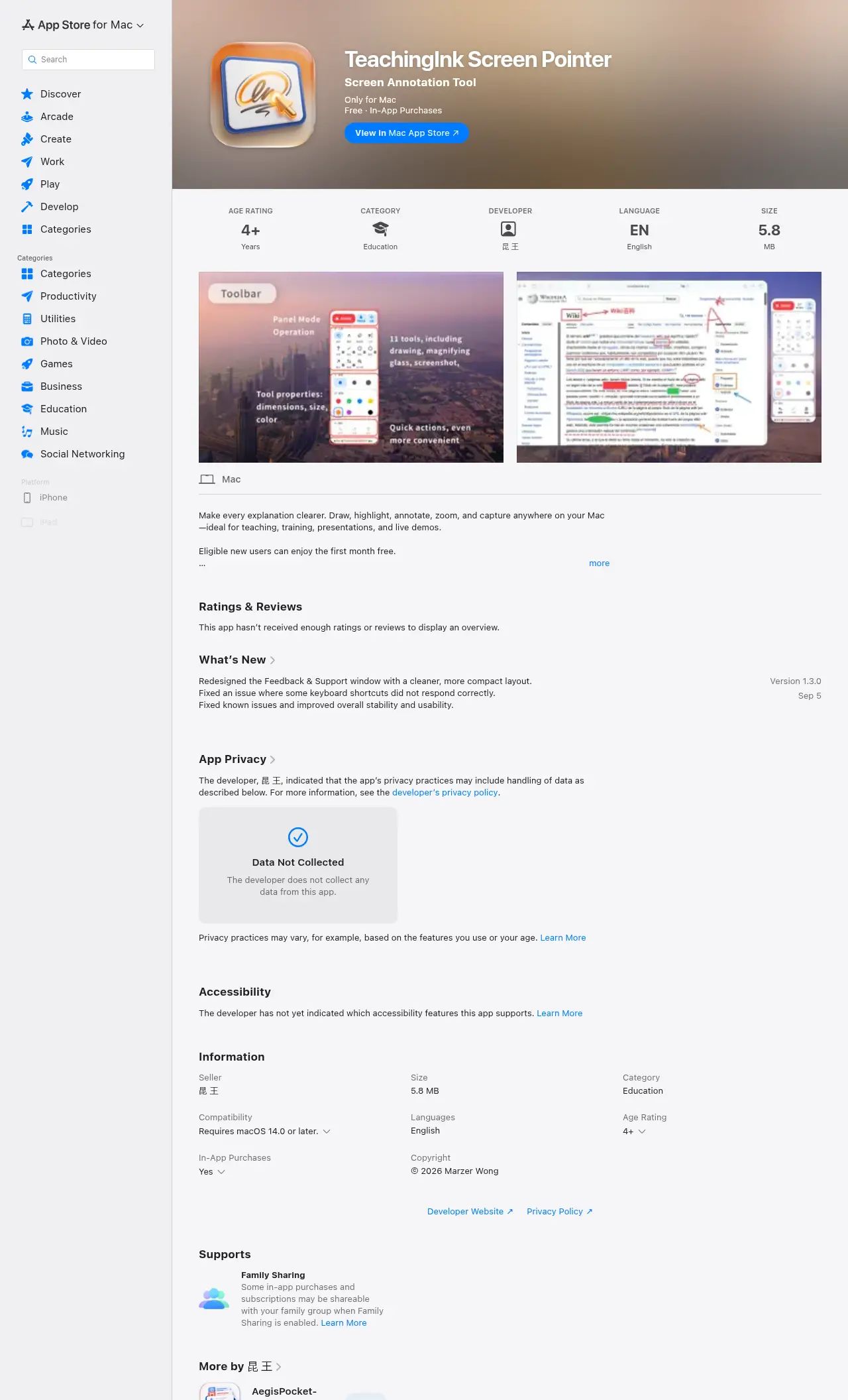
TeachingInk Screen Pointer is a meeting and presenting app for Mac:Screen annotation & whiteboard for Mac.Price: Free with in-app purchases.A person has not checked it yet.
Eligible new users can enjoy the first month free.
TeachingInk is a Mac screen annotation tool designed for teachers, lecturers, trainers, and presenters. You can write, highlight, connect ideas, and mark key points directly on your desktop, slides, web pages, or other screen content, making explanations clearer and presentations more efficient.
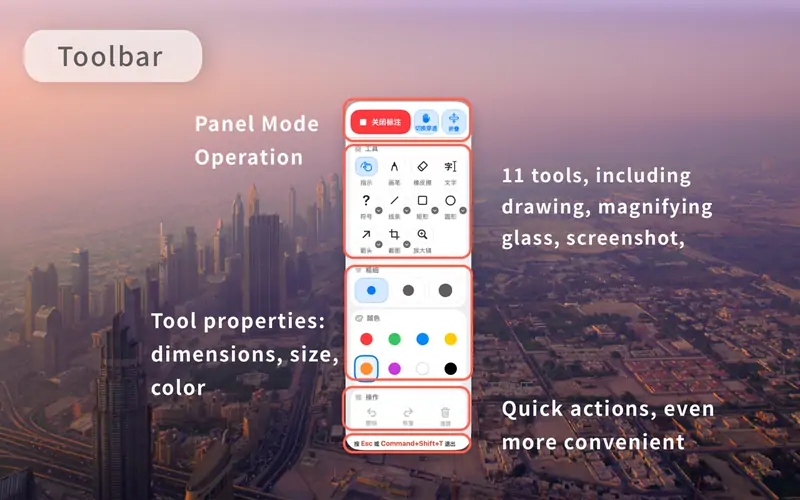
The app supports commonly used annotation tools such as freehand drawing, lines, arrows, rectangles, circles, and text input. It also provides practical features including whiteboard, blackboard, screenshot capture, and magnifier. Whether you are teaching in a classroom, hosting an online course, delivering live training, or presenting in a meeting, TeachingInk helps you get ready quickly.
Key Features:
This is your app, so here is its own badge for your site. It links back to this page, shows your real votes, and makes your app a Friend of MacPip.


<a href="https://macpip.com/apps/teachingink-screen-pointer?ref=badge"><img src="https://macpip.com/badge/teachingink-screen-pointer.svg" height="58" alt="TeachingInk Screen Pointer is listed on MacPip"></a>



 @JellyDraw_App