Hola, soy PipEstas apps Featured se turnan en mi notch.
iPipEnviar

Las fichas se mantienen en el idioma en que las escribieron sus creadores.
Sordina
Icono de la app Sordina
Explorar

Sordina

Per-app audio volume from the menu bar

Justin, creador de SordinaHecho porJustinNV 1
Free, Pro €9.99 oncemacOS 14 Sonoma+Apple silicon e IntelFunciona sin conexiónAudio y video
Nominee, MacPip Awards 2026Votar
sordina.app/?utm_source=macpip&ref=macpipImagen del sitio, desplázate para verlo completoAbrir ↗︎
The Sordina website
Sordina, captura de pantalla 1 de 6Sordina, captura de pantalla 2 de 6Sordina, captura de pantalla 3 de 6Sordina, captura de pantalla 4 de 6Sordina, captura de pantalla 5 de 6Sordina, captura de pantalla 6 de 6

Sobre esta app

Sordina es una app para Mac de la categoría «Audio y video», hecha en Países Bajos.Per-app audio volume from the menu bar.Funciona en Apple silicon.Aún no se ha revisado.

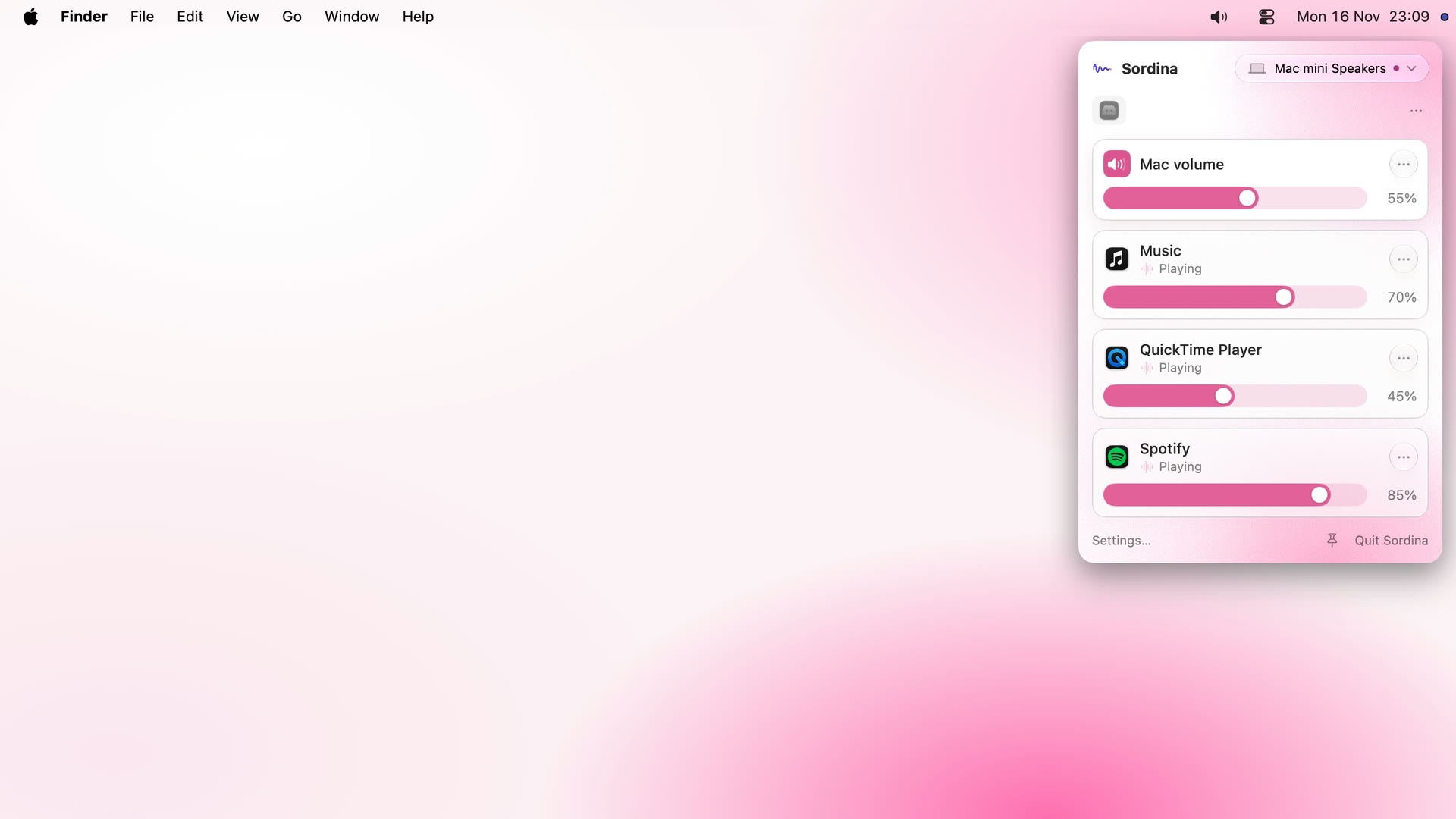
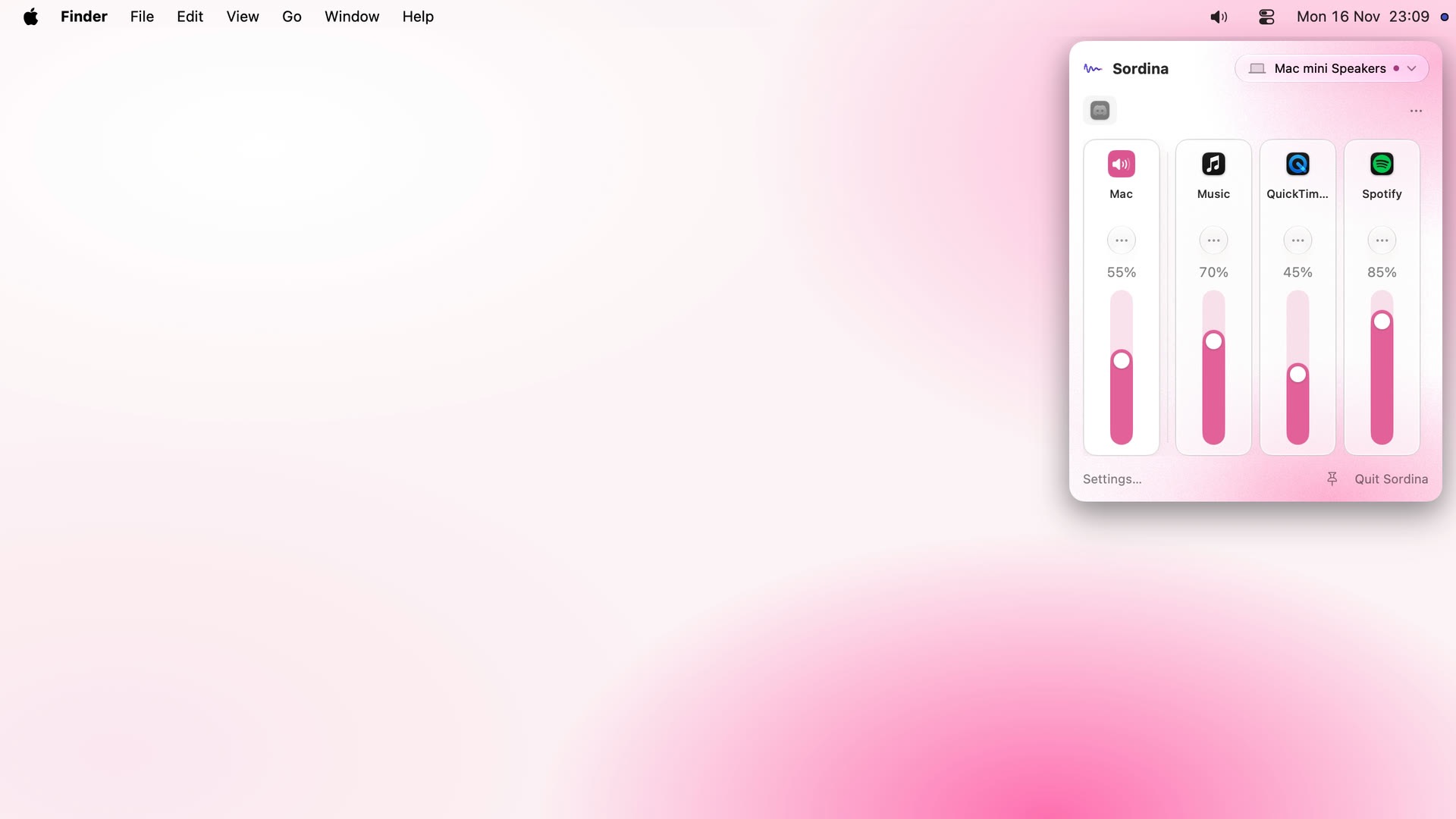
Sordina gives every app on your Mac its own volume slider and mute, right from the menu bar.

  • Atajos de teclado de Free: a slider and mute for every app, pins, a mixer layout and
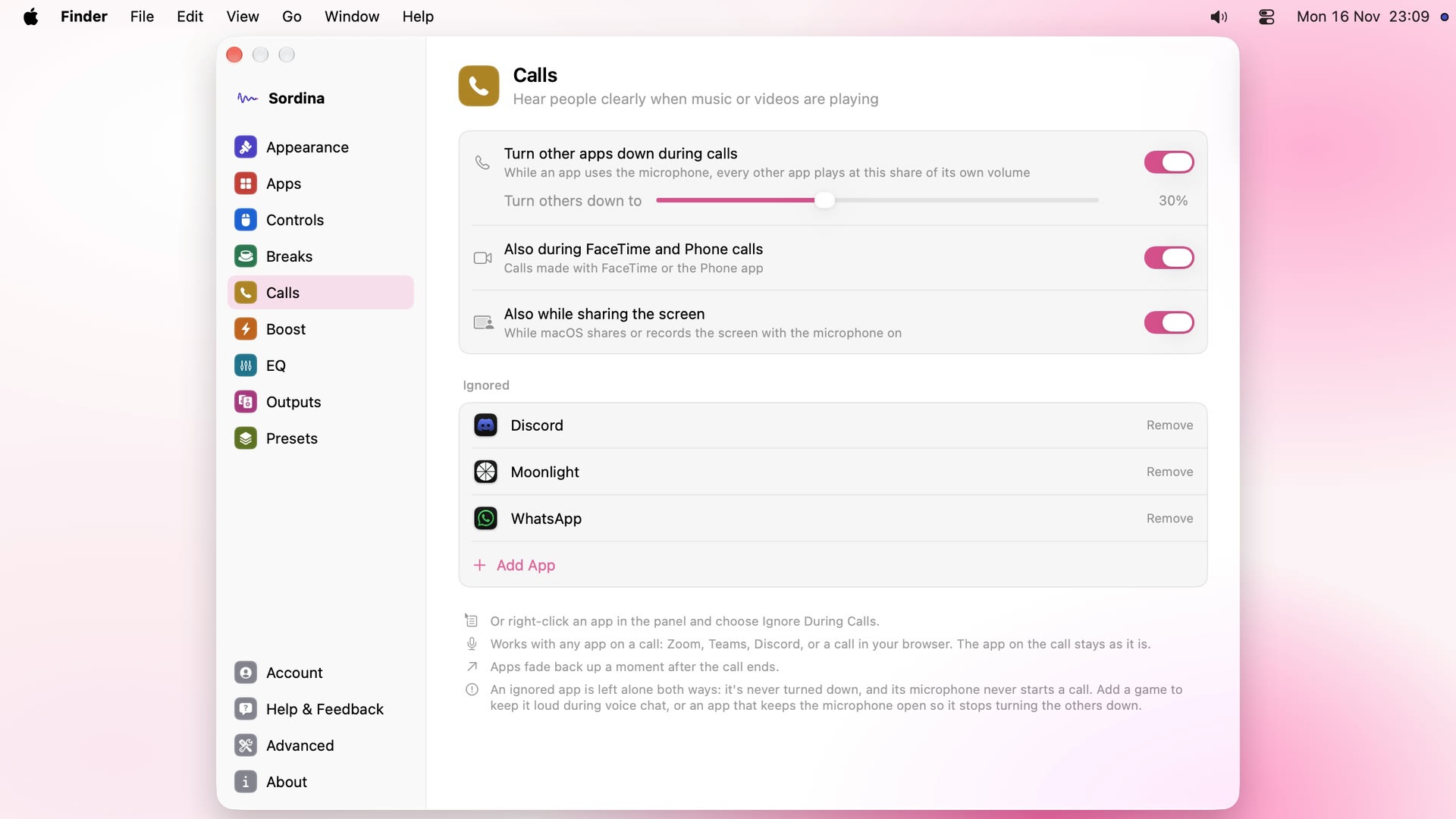
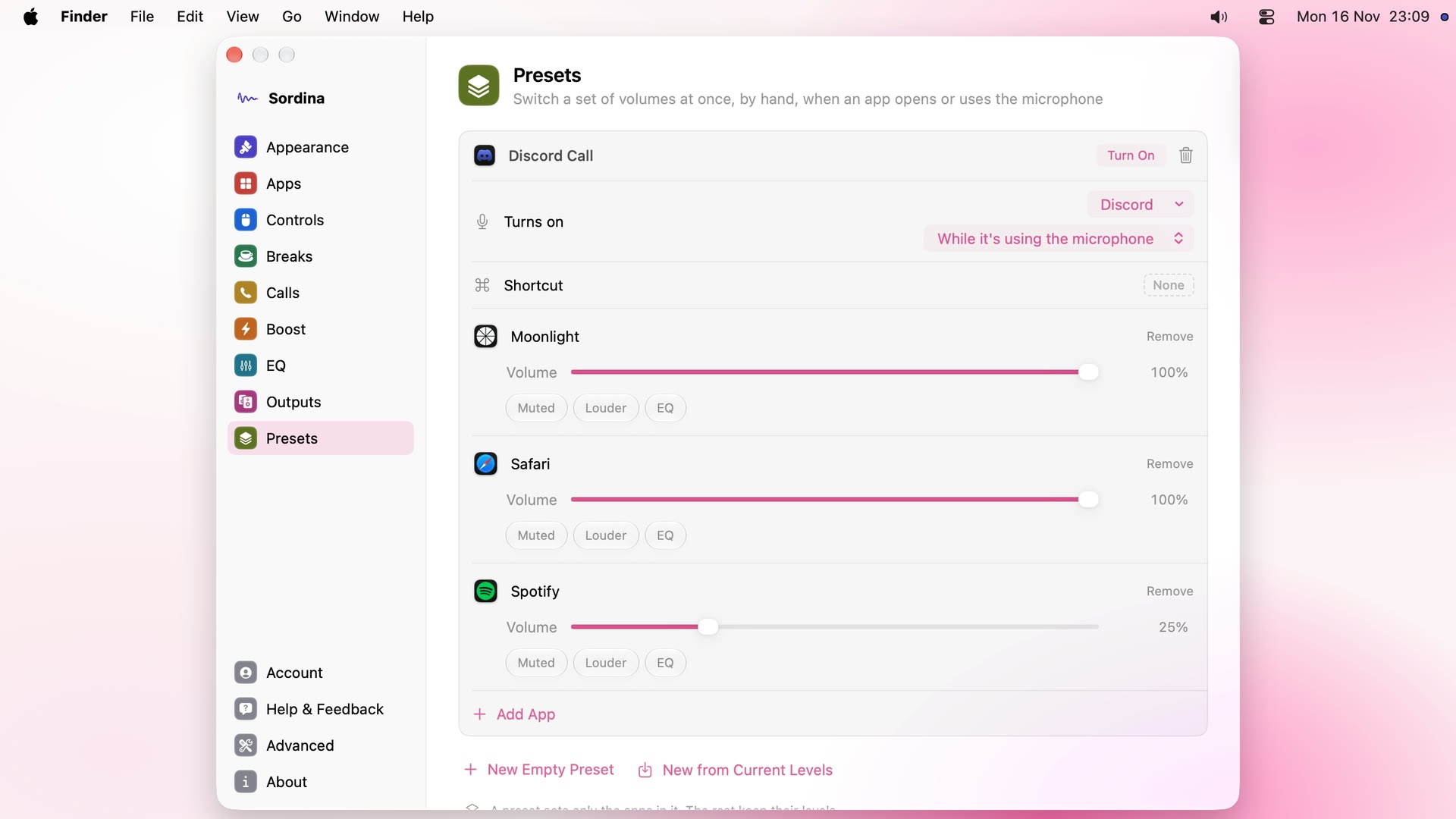
  • Pro: other apps turn down automatically during calls
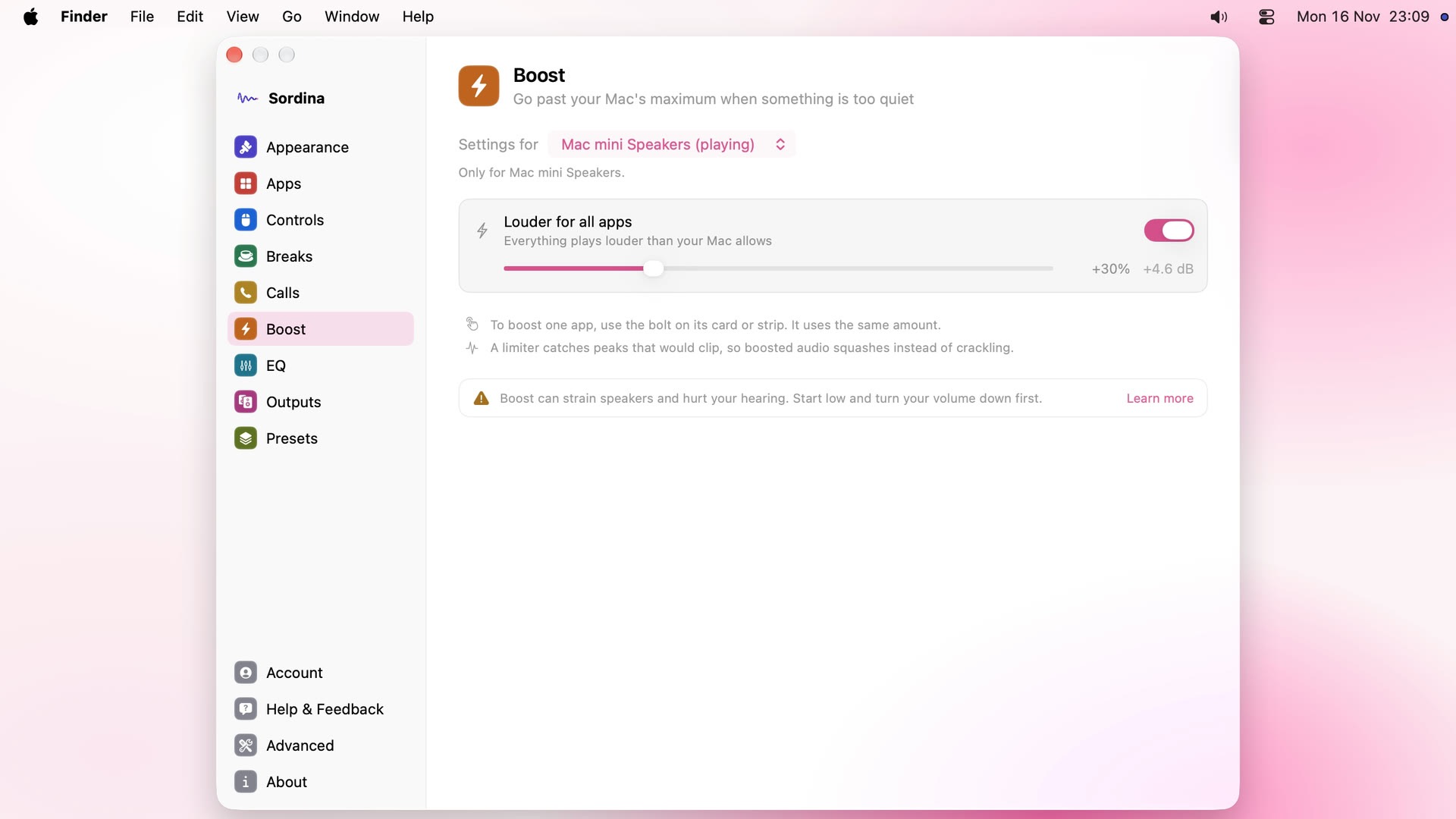
  • Pro: louder than the Mac's maximum, with a limiter
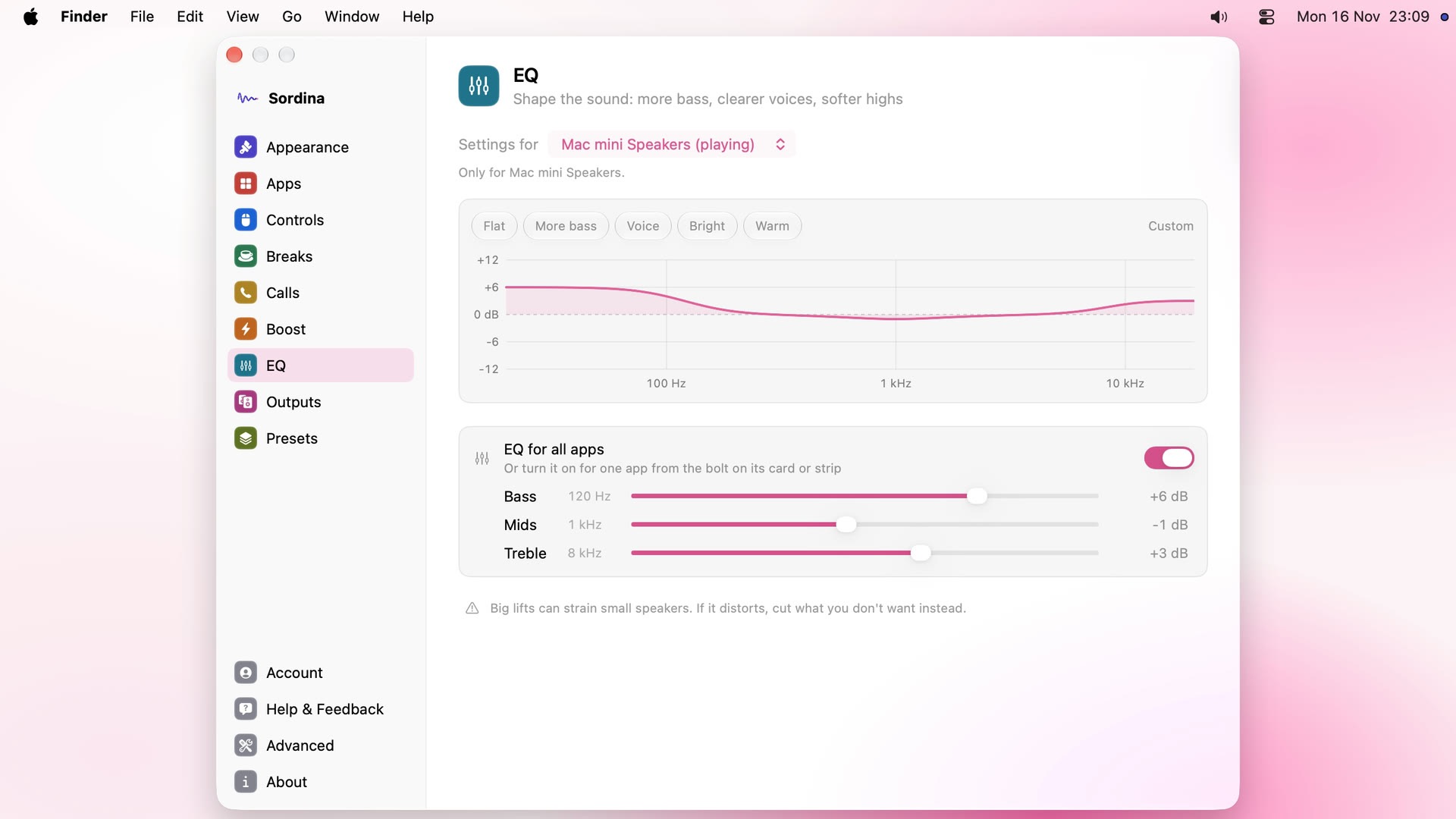
  • Pro: an EQ for every app or one, presets, and settings for each output

Does it install an audio driver? No. It uses macOS's own audio taps, and apps you don't touch play straight through.

Does it work with Zoom, Teams and Spotify? Yes, and with any other app that plays sound.

Is Pro a subscription? No, it's €9.99 once, with every update included.

Datos

Precio
Free, Pro €9.99 once
Requiere
macOS 14 Sonoma o posterior
Creado con
Nativa
Funciona en
Apple silicon e Intel
Notarizada por Apple
Sí, según su creador
Funciona sin conexión
Sí, según su creador
Idioma
English
Lanzada
miércoles, 25 de noviembre
Lo que revisamos
Revisión pendiente: aún no revisada

Una marca azul no garantiza la seguridad. Lee cómo saber si una app para Mac es segura.

Preguntas

Does it work offline?
Yes. Everything works without an internet connection, since the sliders, mutes and settings all run on your Mac. Sordina goes online for only three things: a daily update check, checking a Pro licence, and sending a message from Help & Feedback when you press Send. Pro stays unlocked for 7 days offline after its last check.
Is my data private?
Yes. Your audio never leaves your Mac and is never recorded or saved: Sordina changes each app's level live, on your Mac. The app has no account, no analytics and no tracking, and your volumes and settings stay on your Mac. When you activate a Pro key, the key and your Mac's model name (like "MacBook Pro") go to Dodo Payments, who sell Sordina Pro.
Is there a free trial?
There's a free version rather than a trial, and it doesn't expire: a slider and mute for every app, pins, the mixer layout and keyboard shortcuts. Sordina Pro is €9.99 once, with every update included and no subscription. If Pro isn't right for you, you can ask for a refund within 7 days.
Which Macs does it run on?
Any Mac with macOS 14.2 Sonoma or later, on Apple silicon or Intel. One Pro key works on one Mac, and you can move it to another Mac from Settings › Account.
Why does it ask for System Audio Recording?
To change one app's volume, Sordina passes that app's sound through itself, and macOS calls that permission "System Audio Recording". Nothing is recorded, saved or sent anywhere. Sordina uses macOS's own audio taps, so there's no audio driver to install, and apps you don't touch play straight through.

Respuestas del creador.

Alternativas y listas 3 apps, 8 listas
Pregúntale a tu IA sobre Sordina ChatGPT, Claude, Perplexity, Grok, Gemini
Preguntar a la IAMD

Pregúntale a tu IA sobre Sordina, como “¿Vale la pena Sordina?” Conecta MacPip

Más apps de audio y video