Merhaba, ben PipBu Featured uygulamalar notch'umda sırayla görünür.
iPipGönder

Listelemeler, geliştiricilerinin yazdığı dilde kalır.
Sordina
Sordina uygulama simgesi
Gözat

Sordina

Per-app audio volume from the menu bar

Justin, Sordina yapımcısıYapan:JustinLV 1
Free, Pro €9.99 oncemacOS 14 Sonoma+Apple silicon ve IntelÇevrimdışı çalışırSes ve video
Nominee, MacPip Awards 2026Oy
sordina.app/?utm_source=macpip&ref=macpipSitenin görüntüsü, tamamını görmek için kaydırınAç ↗︎
The Sordina website
Sordina ekran görüntüsü 1/6Sordina ekran görüntüsü 2/6Sordina ekran görüntüsü 3/6Sordina ekran görüntüsü 4/6Sordina ekran görüntüsü 5/6Sordina ekran görüntüsü 6/6

Bu uygulama hakkında

Sordina, Mac için “Ses ve video” kategorisinde bir uygulamadır, yapıldığı ülke: Hollanda.Per-app audio volume from the menu bar.Apple silicon üzerinde çalışır.Henüz kontrol edilmedi.

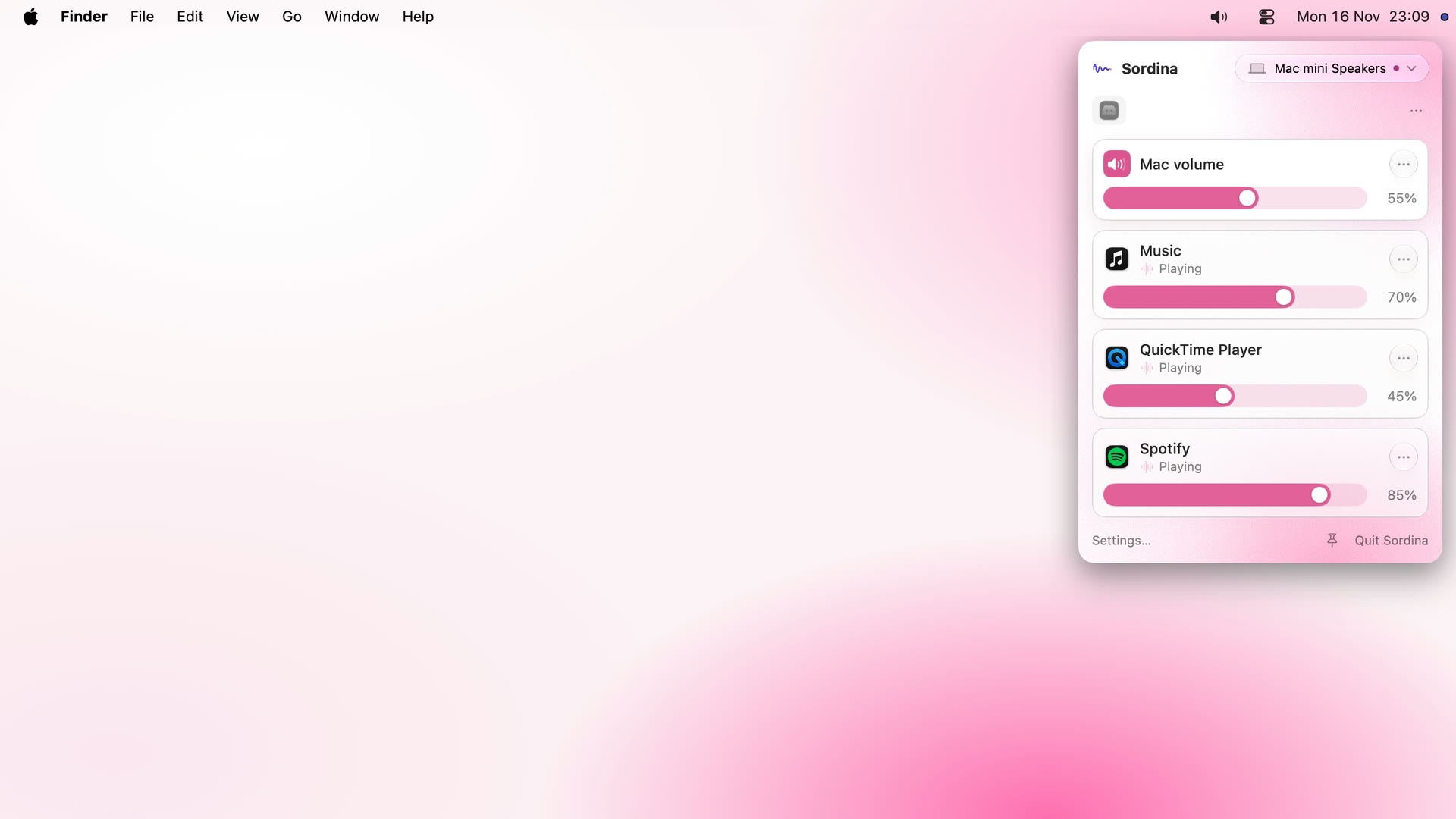
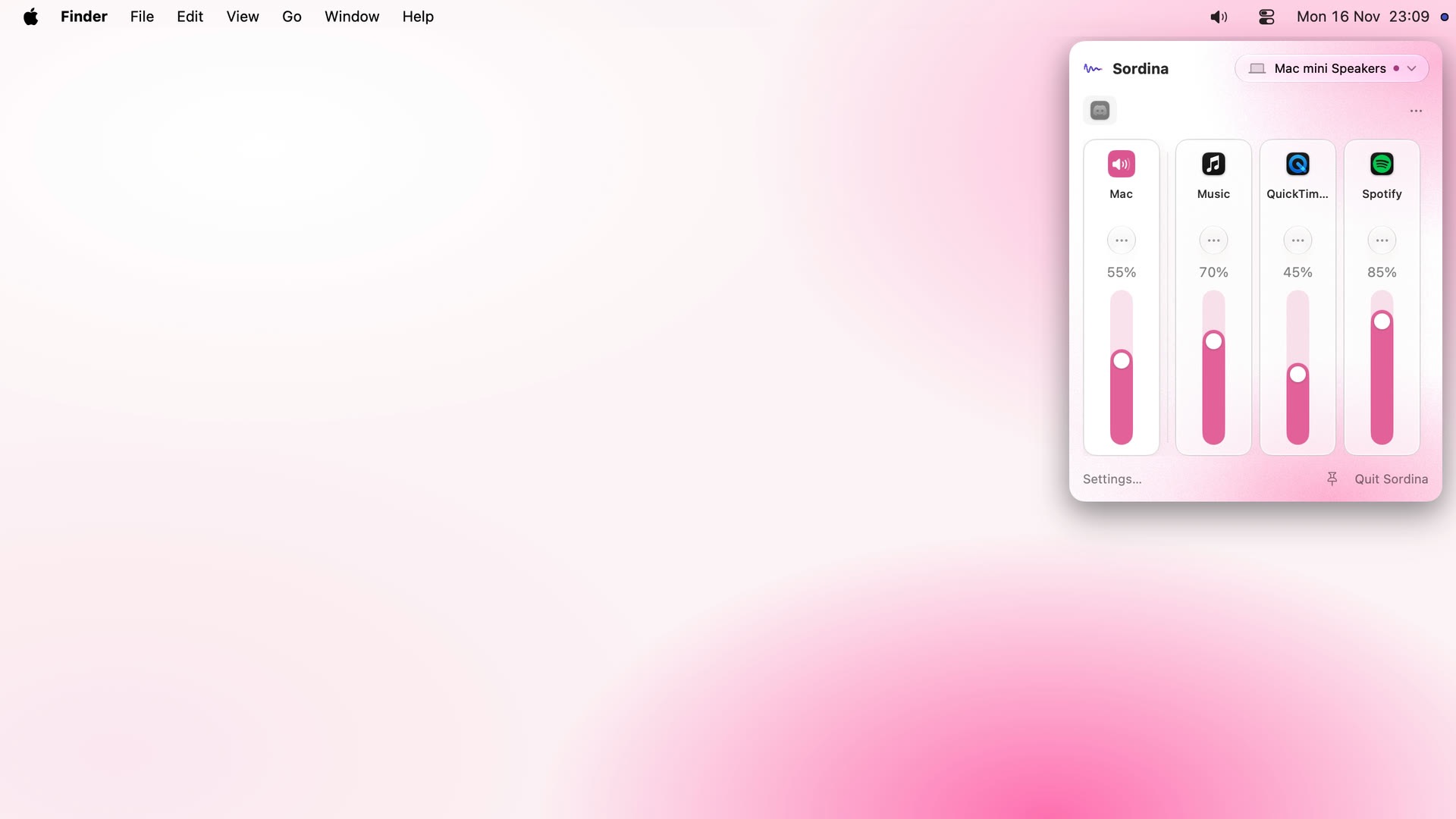
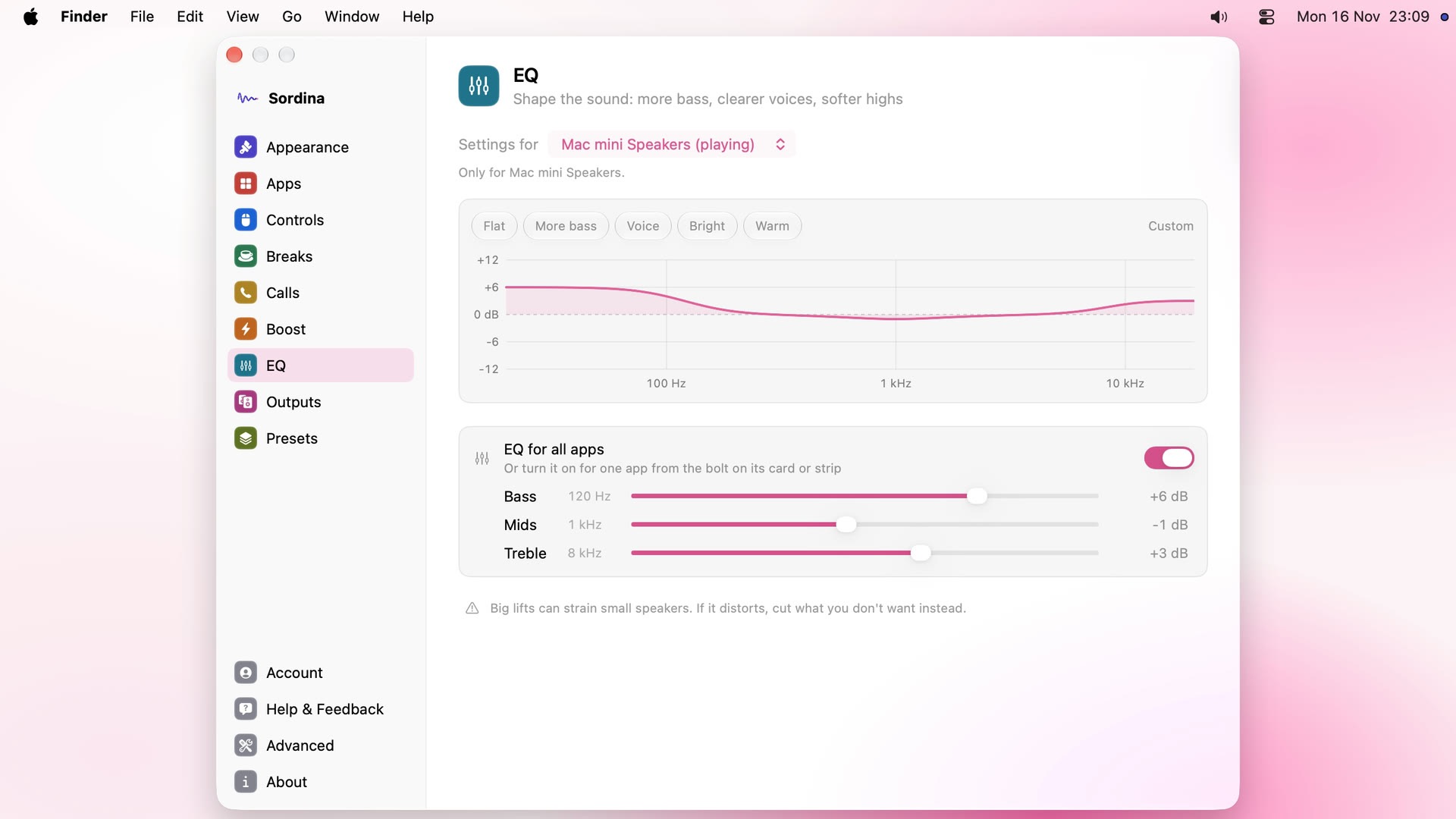
Sordina gives every app on your Mac its own volume slider and mute, right from the menu bar.

  • Klavye kısayolları: Free: a slider and mute for every app, pins, a mixer layout and
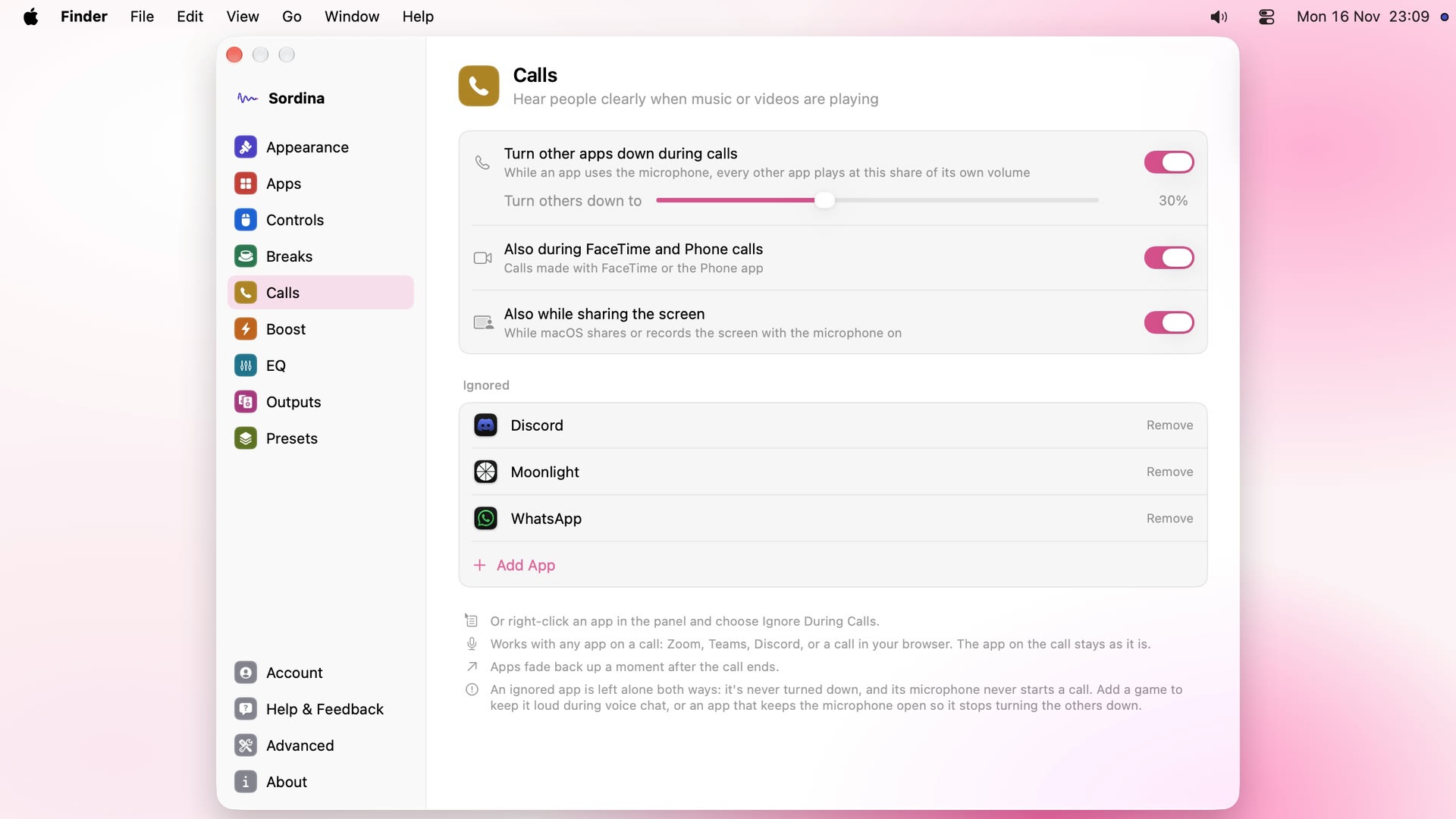
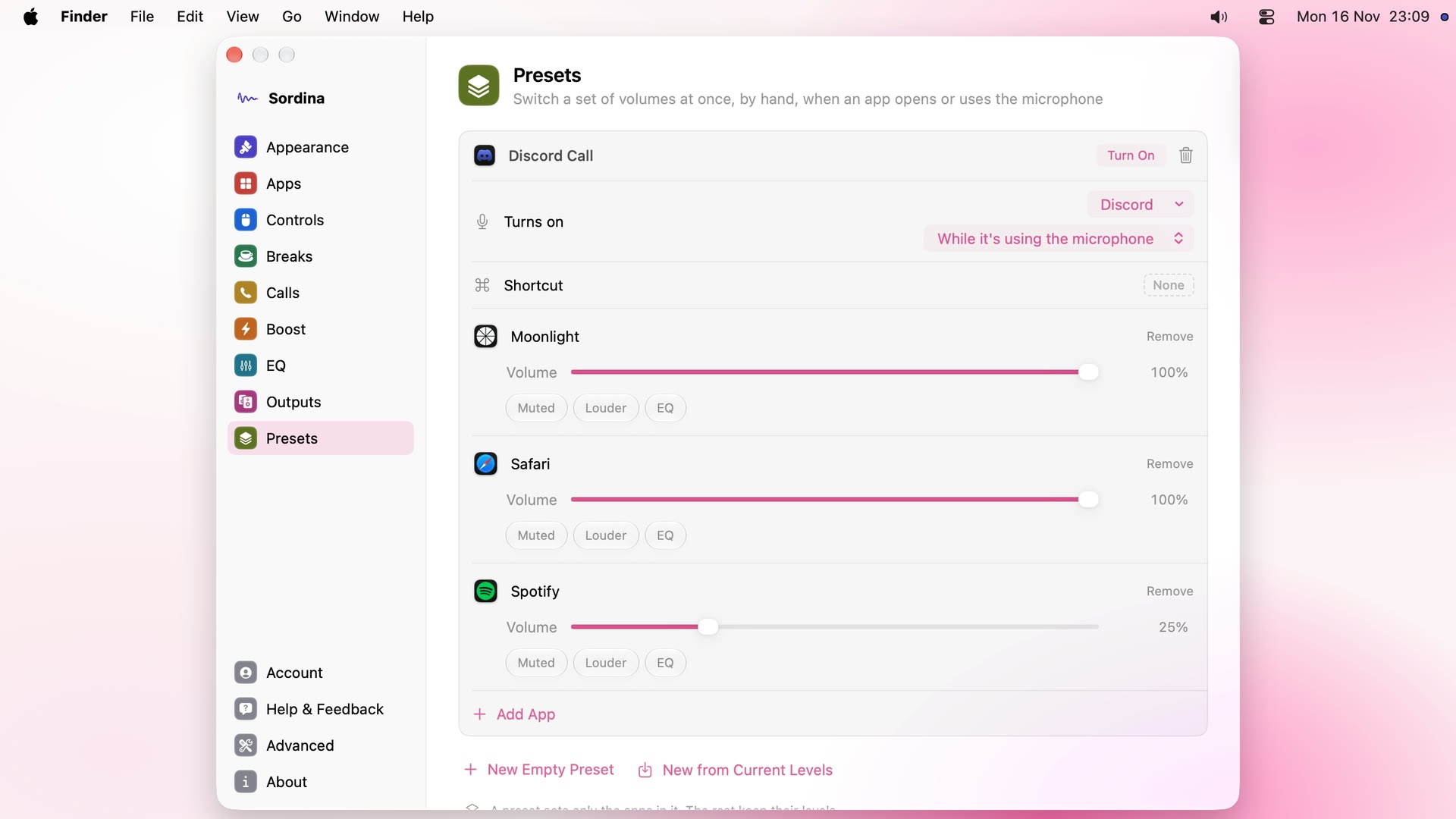
  • Pro: other apps turn down automatically during calls
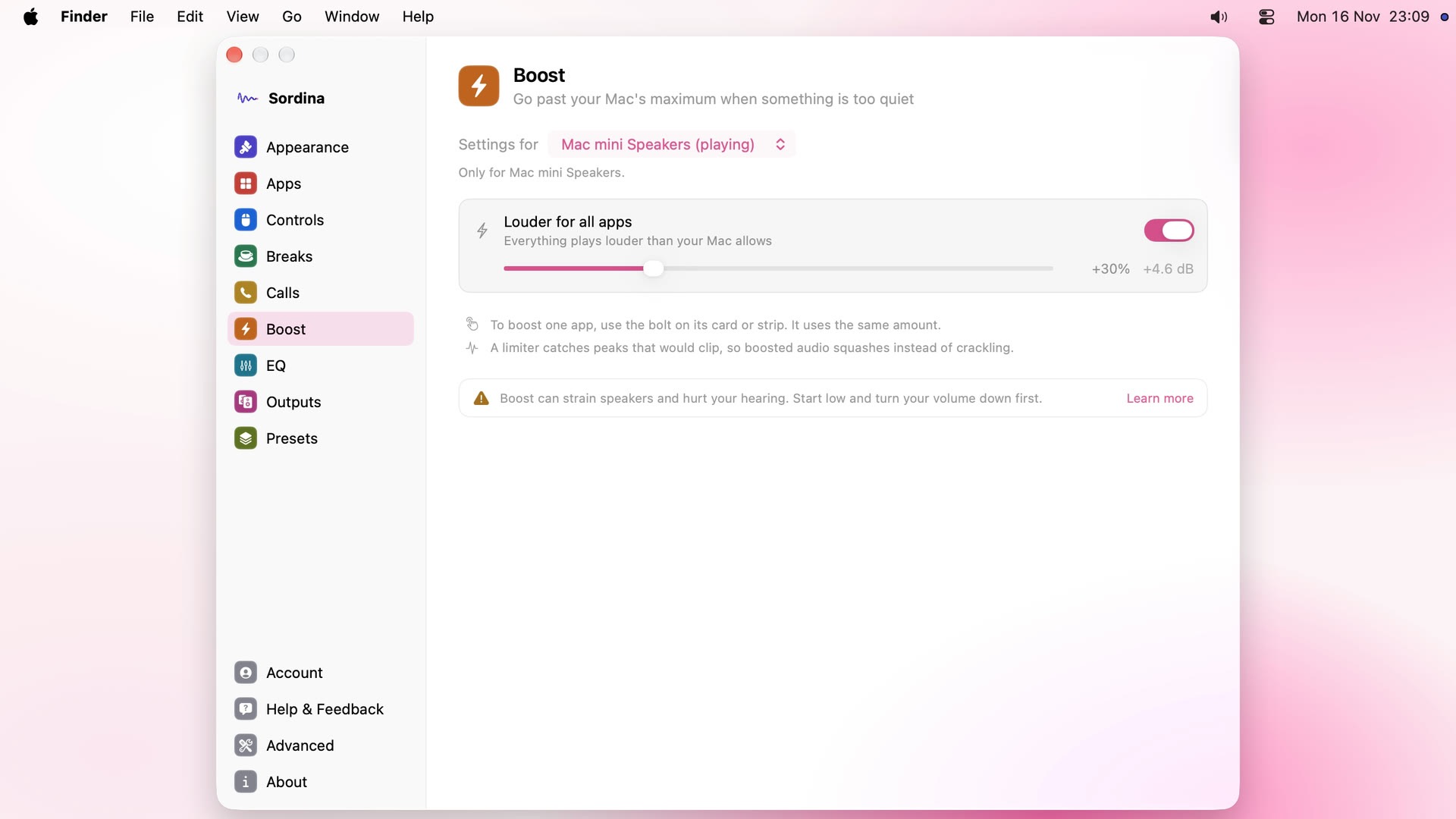
  • Pro: louder than the Mac's maximum, with a limiter
  • Pro: an EQ for every app or one, presets, and settings for each output

Does it install an audio driver? No. It uses macOS's own audio taps, and apps you don't touch play straight through.

Does it work with Zoom, Teams and Spotify? Yes, and with any other app that plays sound.

Is Pro a subscription? No, it's €9.99 once, with every update included.

Bilgiler

Fiyat
Free, Pro €9.99 once
Gerekli
macOS 14 Sonoma veya sonrası
Kullanılan teknoloji
Yerel
Yapıldığı ülke
Hollanda
Çalıştığı sistem
Apple silicon ve Intel
Apple tarafından notarize edildi
Evet, yapımcısına göre
Çevrimdışı çalışır
Evet, yapımcısına göre
Dil
English
Lansman tarihi
25 Kasım Çarşamba
Neleri kontrol ettik
Kontrol bekliyor: henüz kontrol edilmedi

Tik, güvenlik garantisi değildir. Bir Mac uygulamasının güvenli olup olmadığı nasıl anlaşılır yazısını okuyun.

Sorular

Does it work offline?
Yes. Everything works without an internet connection, since the sliders, mutes and settings all run on your Mac. Sordina goes online for only three things: a daily update check, checking a Pro licence, and sending a message from Help & Feedback when you press Send. Pro stays unlocked for 7 days offline after its last check.
Is my data private?
Yes. Your audio never leaves your Mac and is never recorded or saved: Sordina changes each app's level live, on your Mac. The app has no account, no analytics and no tracking, and your volumes and settings stay on your Mac. When you activate a Pro key, the key and your Mac's model name (like "MacBook Pro") go to Dodo Payments, who sell Sordina Pro.
Is there a free trial?
There's a free version rather than a trial, and it doesn't expire: a slider and mute for every app, pins, the mixer layout and keyboard shortcuts. Sordina Pro is €9.99 once, with every update included and no subscription. If Pro isn't right for you, you can ask for a refund within 7 days.
Which Macs does it run on?
Any Mac with macOS 14.2 Sonoma or later, on Apple silicon or Intel. One Pro key works on one Mac, and you can move it to another Mac from Settings › Account.
Why does it ask for System Audio Recording?
To change one app's volume, Sordina passes that app's sound through itself, and macOS calls that permission "System Audio Recording". Nothing is recorded, saved or sent anywhere. Sordina uses macOS's own audio taps, so there's no audio driver to install, and apps you don't touch play straight through.

Yanıtlar yapımcıdan.

Alternatifler ve listeler 3 uygulama, 8 liste
Yapay zekânıza Sordina hakkında sorun ChatGPT, Claude, Perplexity, Grok, Gemini
YZ'ye sorunMD

Yapay zekanıza sorun: Sordina, örneğin “Sordina buna değer mi?” MacPip'i bağlayın

Daha fazla ses ve video uygulaması