Labas, aš PipŠios Featured programos keičiasi mano notch.
iPipPateikti

Įrašai lieka ta kalba, kuria juos parašė kūrėjai.
Sordina
Programos piktograma: Sordina
Naršyti

Sordina

Per-app audio volume from the menu bar

Justin, Sordina kūrėjasSukūrėJustinLV 1
Free, Pro €9.99 oncemacOS 14 Sonoma+Apple silicon ir IntelVeikia be internetoGarsas ir vaizdo įrašai
Nominee, MacPip Awards 2026Balsuoti
sordina.app/?utm_source=macpip&ref=macpipSvetainės vaizdas, slinkk, kad pamatytum viskąAtidaryti ↗︎
The Sordina website
Sordina: ekrano nuotrauka 1 iš 6Sordina: ekrano nuotrauka 2 iš 6Sordina: ekrano nuotrauka 3 iš 6Sordina: ekrano nuotrauka 4 iš 6Sordina: ekrano nuotrauka 5 iš 6Sordina: ekrano nuotrauka 6 iš 6

Apie šią programą

Sordina yra „Garsas ir vaizdo įrašai“ kategorijos programa, skirta Mac, kilmės šalis: Nyderlandai.Per-app audio volume from the menu bar.Veikia su Apple silicon.Ji dar nepatikrinta.

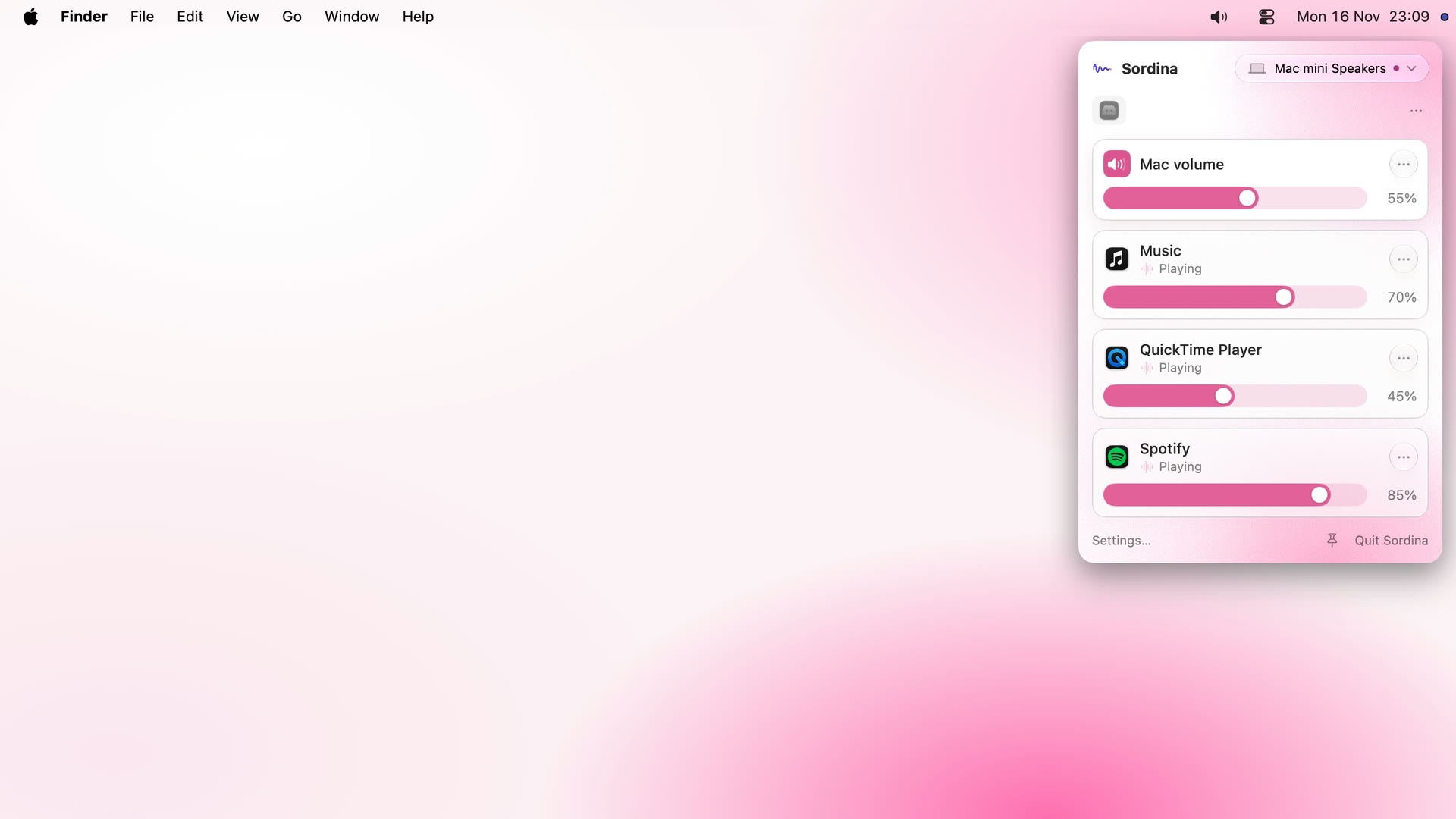
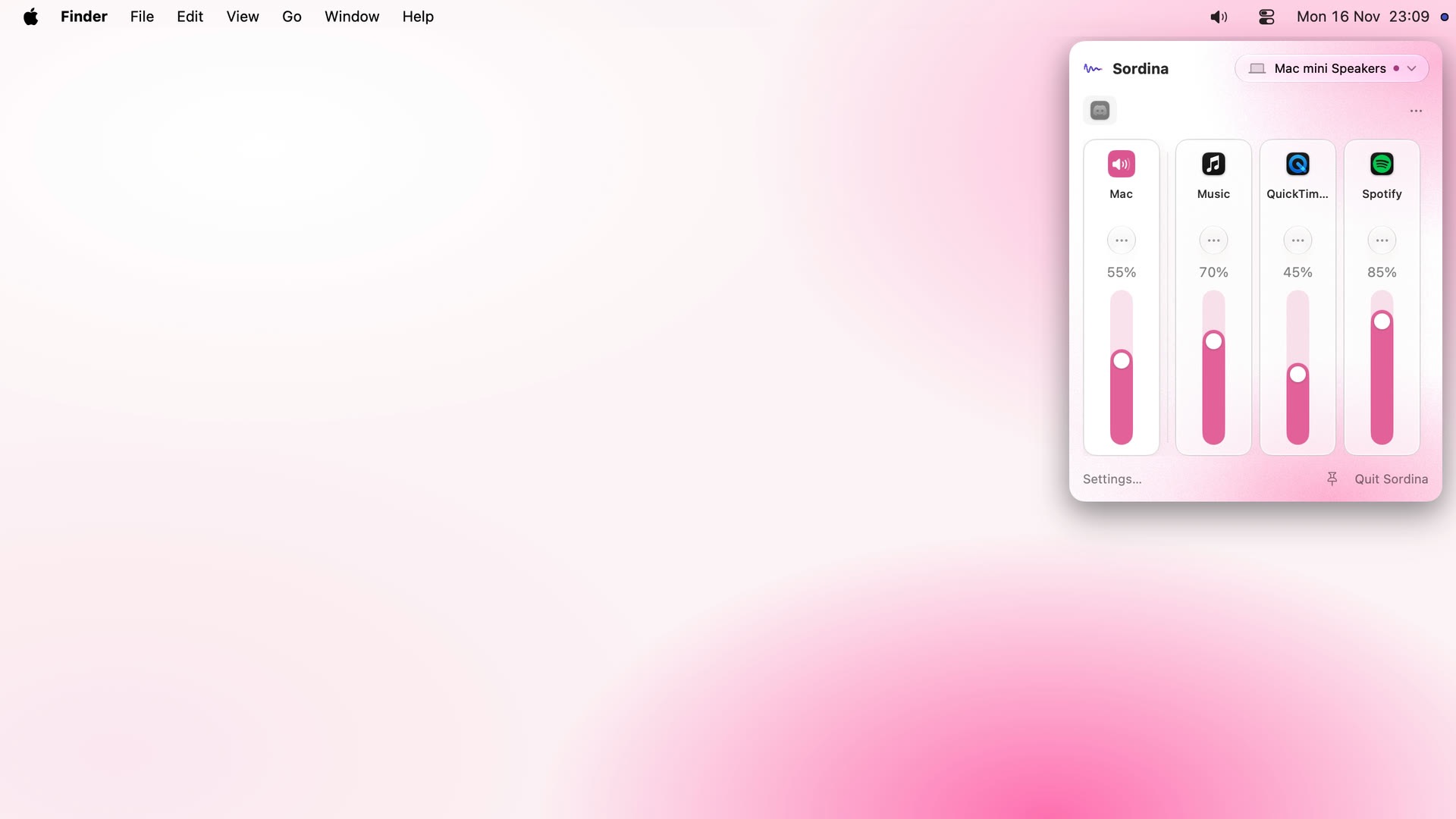
Sordina gives every app on your Mac its own volume slider and mute, right from the menu bar.

  • Spartieji klavišai: Free: a slider and mute for every app, pins, a mixer layout and
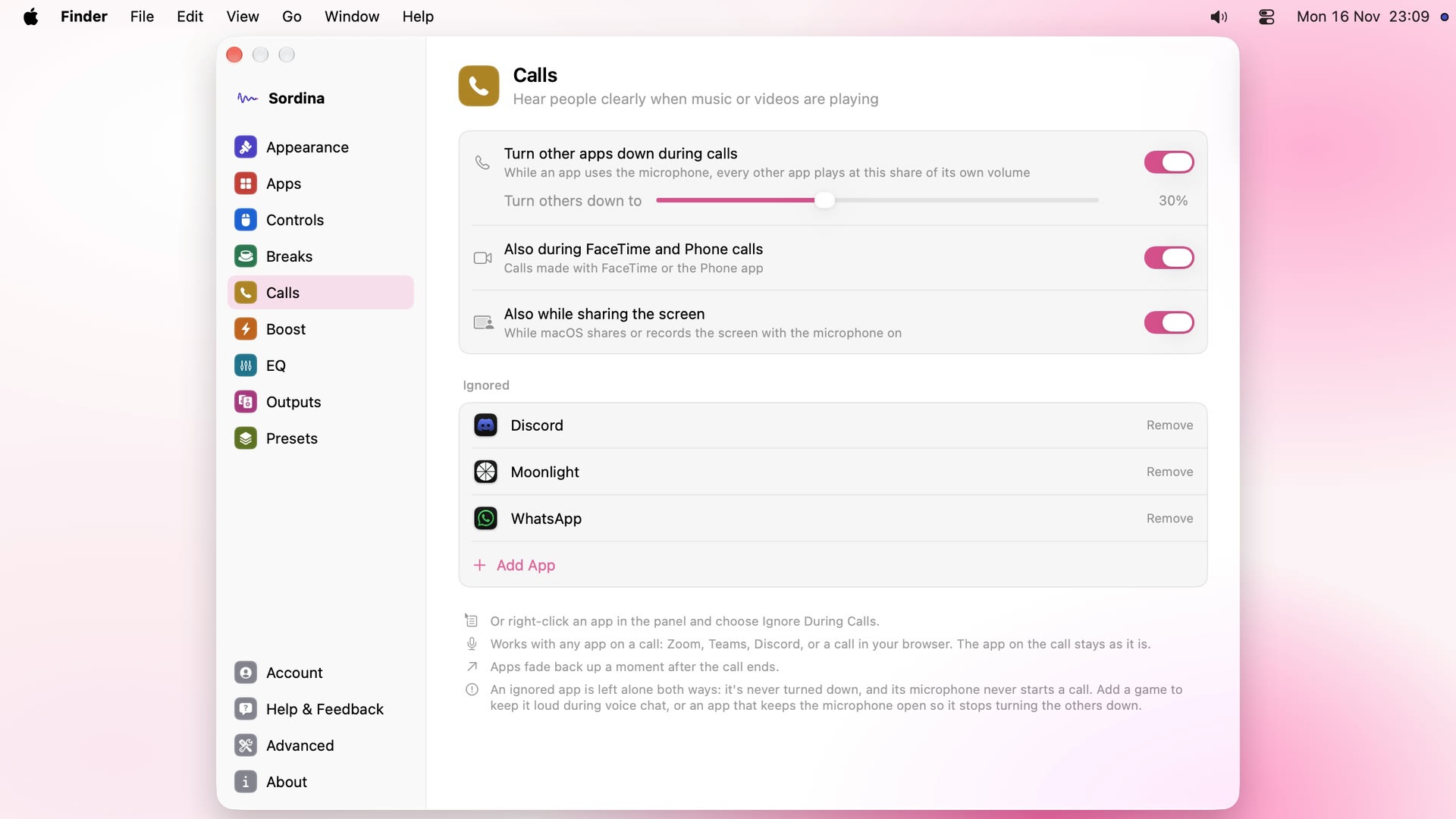
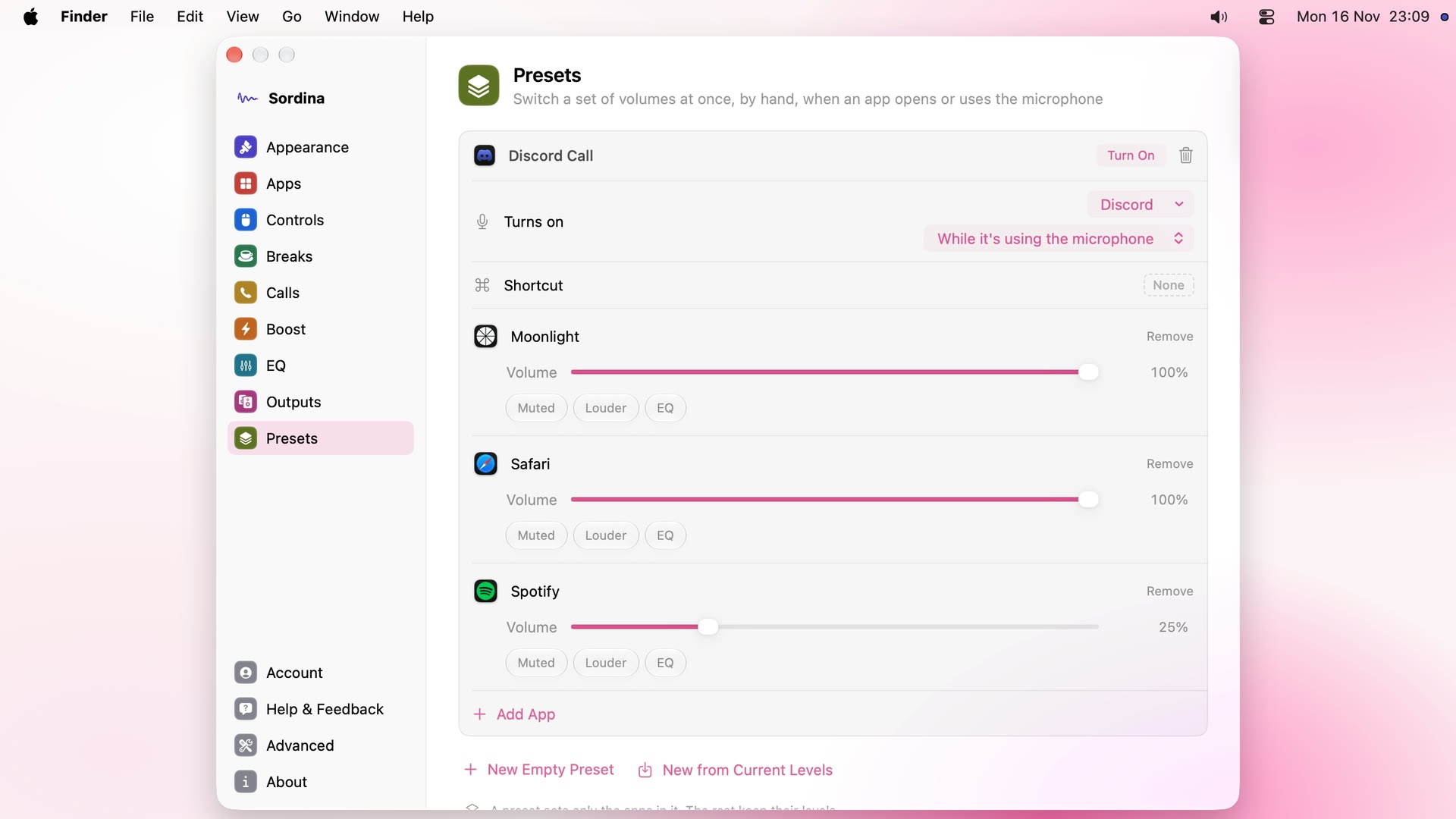
  • Pro: other apps turn down automatically during calls
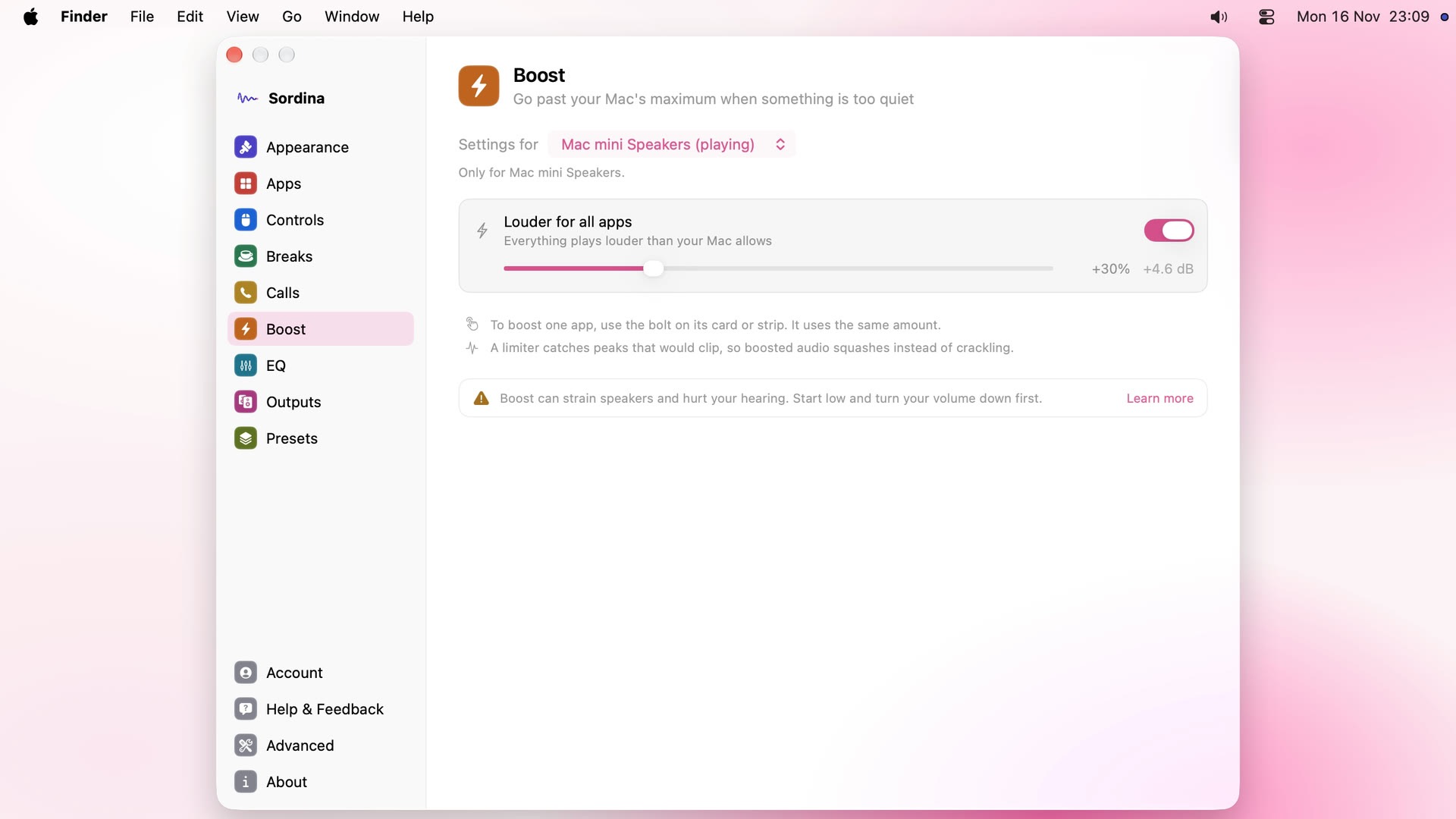
  • Pro: louder than the Mac's maximum, with a limiter
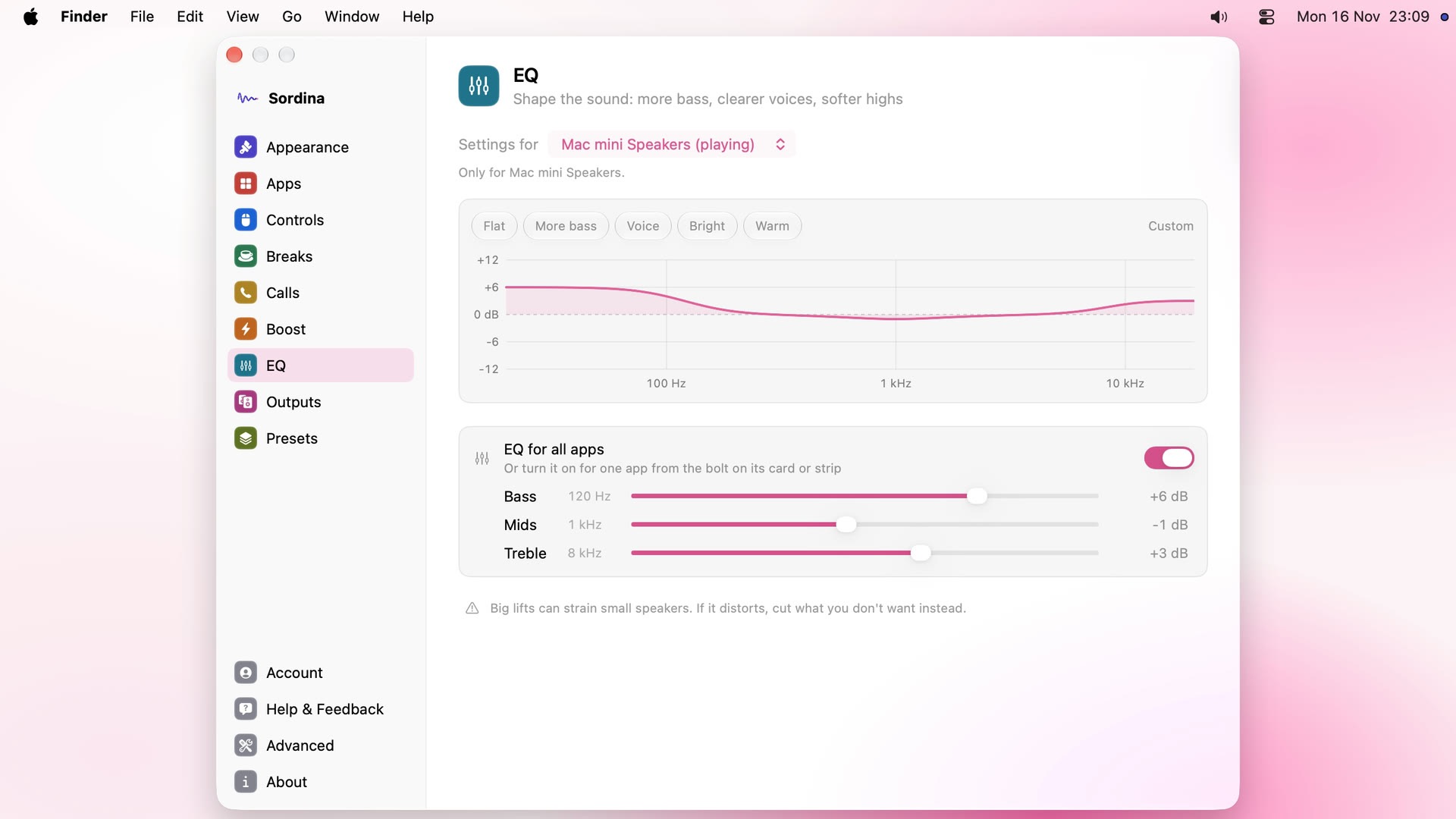
  • Pro: an EQ for every app or one, presets, and settings for each output

Does it install an audio driver? No. It uses macOS's own audio taps, and apps you don't touch play straight through.

Does it work with Zoom, Teams and Spotify? Yes, and with any other app that plays sound.

Is Pro a subscription? No, it's €9.99 once, with every update included.

Faktai

Kaina
Free, Pro €9.99 once
Reikalauja
macOS 14 Sonoma ar naujesnė
Sukurta su
Natyvi
Kilmės šalis
Nyderlandai
Veikia
Apple silicon ir Intel
Apple notarizuota
Taip, pasak kūrėjo
Veikia be interneto
Taip, pasak kūrėjo
Kalba
English
Pristatyta
lapkričio 25 d., trečiadienis
Ką patikrinome
Laukia patikros: dar nepatikrinta

Varnelė nėra saugumo garantija. Skaityk kaip atpažinti, ar Mac programa saugi.

Klausimai

Does it work offline?
Yes. Everything works without an internet connection, since the sliders, mutes and settings all run on your Mac. Sordina goes online for only three things: a daily update check, checking a Pro licence, and sending a message from Help & Feedback when you press Send. Pro stays unlocked for 7 days offline after its last check.
Is my data private?
Yes. Your audio never leaves your Mac and is never recorded or saved: Sordina changes each app's level live, on your Mac. The app has no account, no analytics and no tracking, and your volumes and settings stay on your Mac. When you activate a Pro key, the key and your Mac's model name (like "MacBook Pro") go to Dodo Payments, who sell Sordina Pro.
Is there a free trial?
There's a free version rather than a trial, and it doesn't expire: a slider and mute for every app, pins, the mixer layout and keyboard shortcuts. Sordina Pro is €9.99 once, with every update included and no subscription. If Pro isn't right for you, you can ask for a refund within 7 days.
Which Macs does it run on?
Any Mac with macOS 14.2 Sonoma or later, on Apple silicon or Intel. One Pro key works on one Mac, and you can move it to another Mac from Settings › Account.
Why does it ask for System Audio Recording?
To change one app's volume, Sordina passes that app's sound through itself, and macOS calls that permission "System Audio Recording". Nothing is recorded, saved or sent anywhere. Sordina uses macOS's own audio taps, so there's no audio driver to install, and apps you don't touch play straight through.

Kūrėjo atsakymai.

Alternatyvos ir sąrašai programos: 3, sąrašai: 8
Paklausk savo DI apie programą Sordina ChatGPT, Claude, Perplexity, Grok, Gemini
Klausk AIMD

Klausk savo DI asistento apie Sordina, pvz., „Sordina: ar verta?“ Prijunk MacPip

Daugiau garso ir vaizdo programų