Hi, I'm PipThese Featured apps take turns in my notch.
iPipSubmit
Best of MacPip

Best free meeting and presenting apps for Mac

Updated Nov 21, 2026, from what MacPip lists today.

Short answer

MacPip lists 8 free meeting and presenting apps for Mac, and MacPip has checked 1 of them.All of them have a free version.5 of them sell a one-time license.4 of them are sold by subscription.There is no single best free presentation app for everyone, so MacPip does not rank them.If you want it free, start with Phrase.

Checked apps come first, newest check first. Never ordered by payment.

What these 8 apps offer, by their listings. An app can offer several, so the bars do not add up to 8.
Free version8 of 8
Pay once5 of 8
Subscription4 of 8
Native to Apple silicon6 of 8
Open source0 of 8
Works offline2 of 8
Checked1 of 8

Compared

AppWhat it doesPriceFree or paidApple siliconOpen sourceMade byChecked
PhraseThe AI note taker for meetings. Notes that write themselves.Free up to 100 notes · Pro $20/moFree versionSubscriptionNot statedNoCaseyNov 3
RemoteTimeA native macOS menu-bar world clock for distributed teams.Free, Pro €9.99 onceFree versionOne-timeYes, Apple silicon only, its maker saysNoRemoteTimePending
WispimThe script scrolls itself as you speakFreeFree versionOne-timeSubscriptionYes, and Intel, its maker saysNoZhenyaPending
Karl: Meeting NotesMeeting notes made on your Mac. No bot, no account.Free, Pro availableFree versionOne-timeSubscriptionYes, Apple silicon only, its maker saysNoNot statedPending
ToraDictation, writing fixes, meeting notes, and call replies in your Mac's notchFree. Tora Cloud is optionalFree versionYes, Apple silicon only, its maker saysNoToraPending
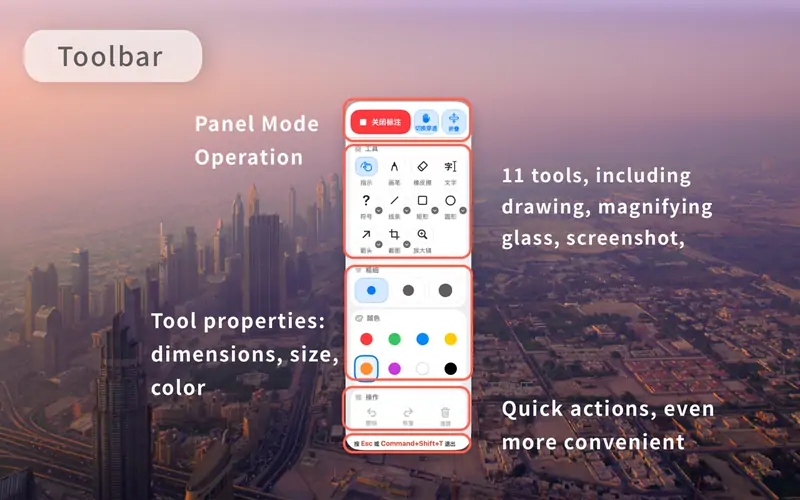
TeachingInkScreen annotation & whiteboard for MacFree with in-app purchasesFree versionNot statedNo昆 王Pending
VoxStudioRecord, transcribe, search and edit audio and video on MacFree, Pro availableFree versionOne-timeSubscriptionYes, Apple silicon only, its maker saysNoNot statedPending
JellyDrawDraw on your Mac screen. Drawings stick to the window they're on.Free, with Pro at $9.99 one-timeFree versionOne-timeYes, Apple silicon only, its maker saysNoJellyDrawPending

The apps, one by one

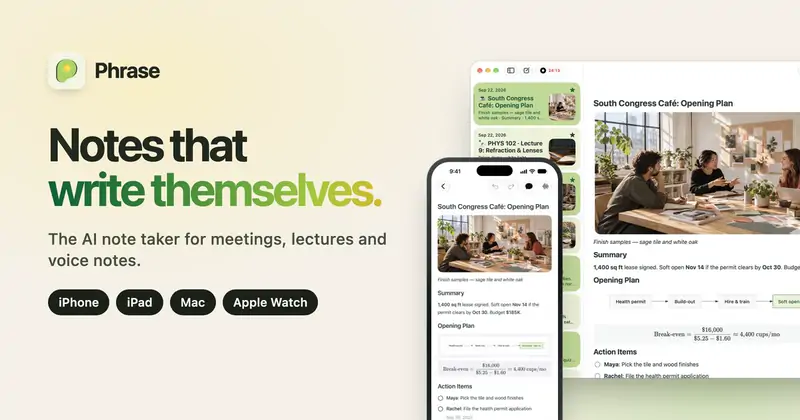
Phrase app icon

Phrase

The AI note taker for meetings. Notes that write themselves.

Free versionSubscriptionChecked Nov 3
Phrase on a Mac

From its maker: Phrase is an AI note taker for meetings, lectures and voice notes on iPhone, iPad, Mac and Apple Watch. Tap record and stay in the conversation.

Price
Free up to 100 notes · Pro $20/mo
Needs
macOS 26 or later
Its maker says it replaces
Granola, MacWhisper, Otter

Phrase on MacPip More meetings and presenting apps

RemoteTime app icon

RemoteTime

A native macOS menu-bar world clock for distributed teams.

Free versionPay onceApple siliconWorks offline
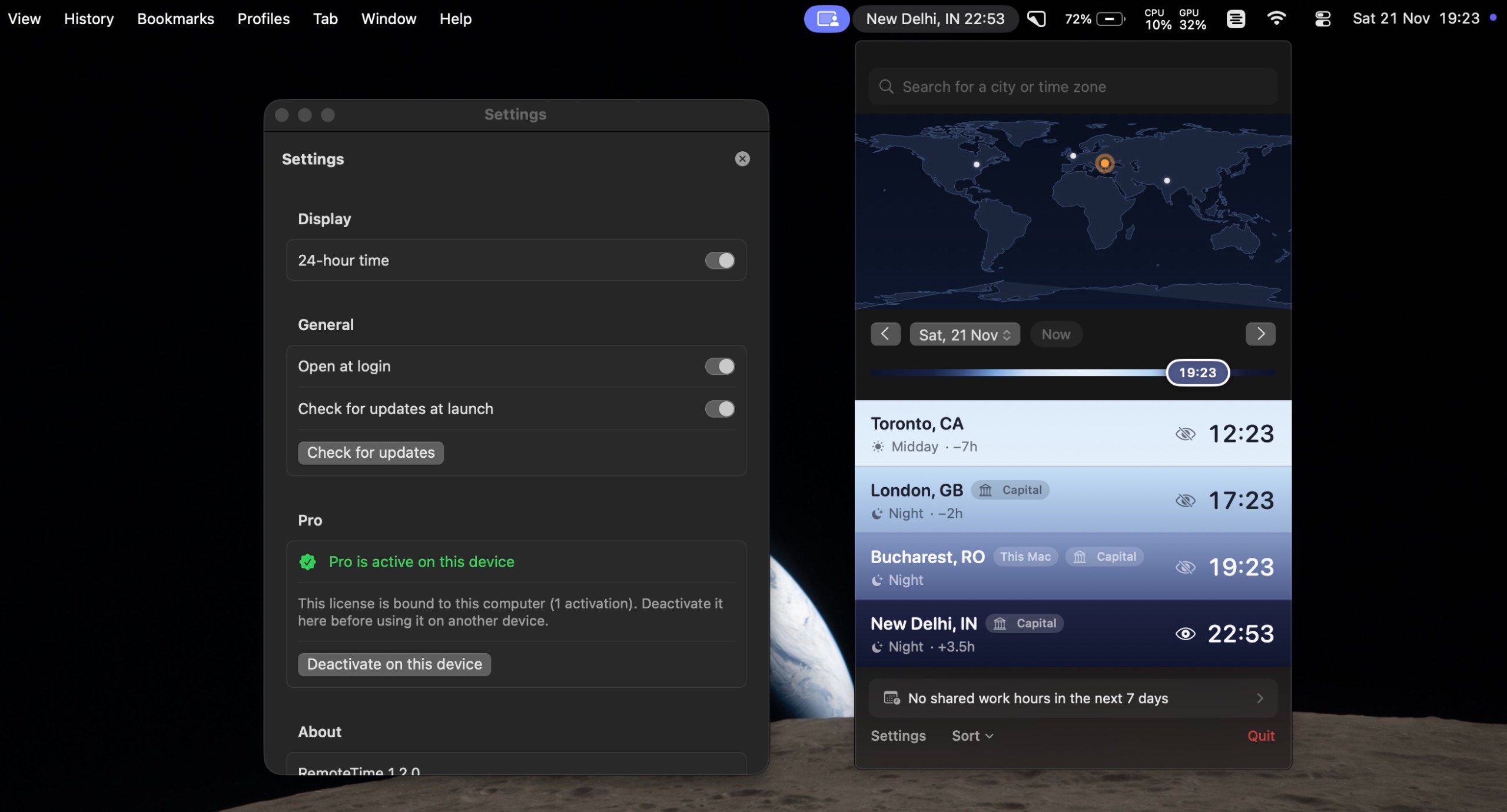
RemoteTime on a Mac

From its maker: A native macOS menu-bar world clock for distributed teams. See the live time in every city on your team, drag a what-if marker to plan meetings, and find your shared work hours, DST-correct, fully offline.

Price
Free, Pro €9.99 once
Needs
macOS 14 Sonoma or later

RemoteTime on MacPip More meetings and presenting apps

Wispim app icon

Wispim

The script scrolls itself as you speak

Free versionPay onceSubscriptionApple silicon
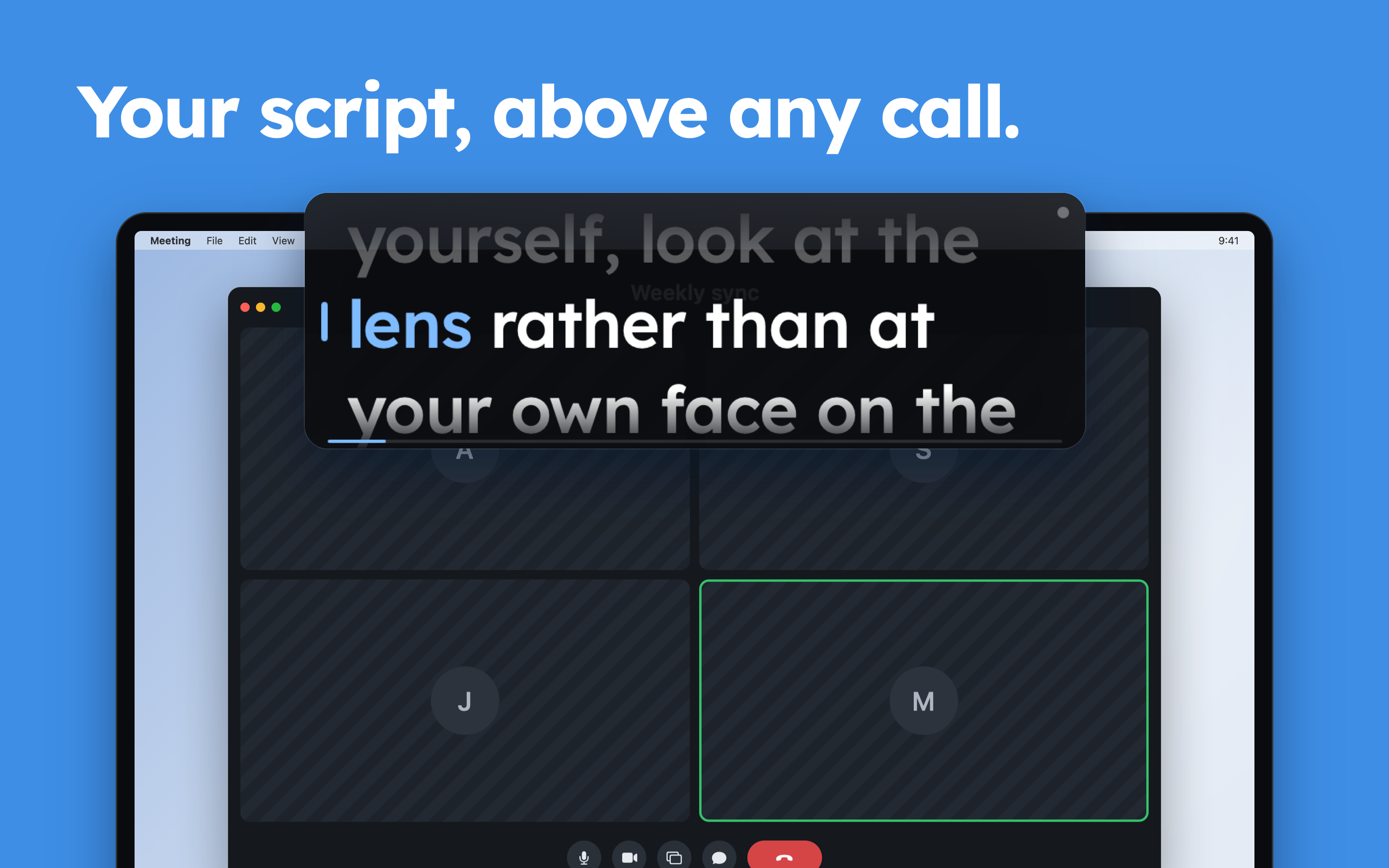
Wispim on a Mac
Made by ZhenyaWebsite

From its maker: Wispim is a teleprompter for meetings, presentations and webinars: the script sits in a floating panel above your call or your slides, right next to the camera. Most teleprompters scroll at a fixed speed and leave you chasing the text.

Price
Free
Needs
macOS 13 Ventura or later

Wispim on MacPip More meetings and presenting apps

Karl: Meeting Notes app icon

Karl: Meeting Notes

Meeting notes made on your Mac. No bot, no account.

Free versionPay onceSubscriptionApple silicon
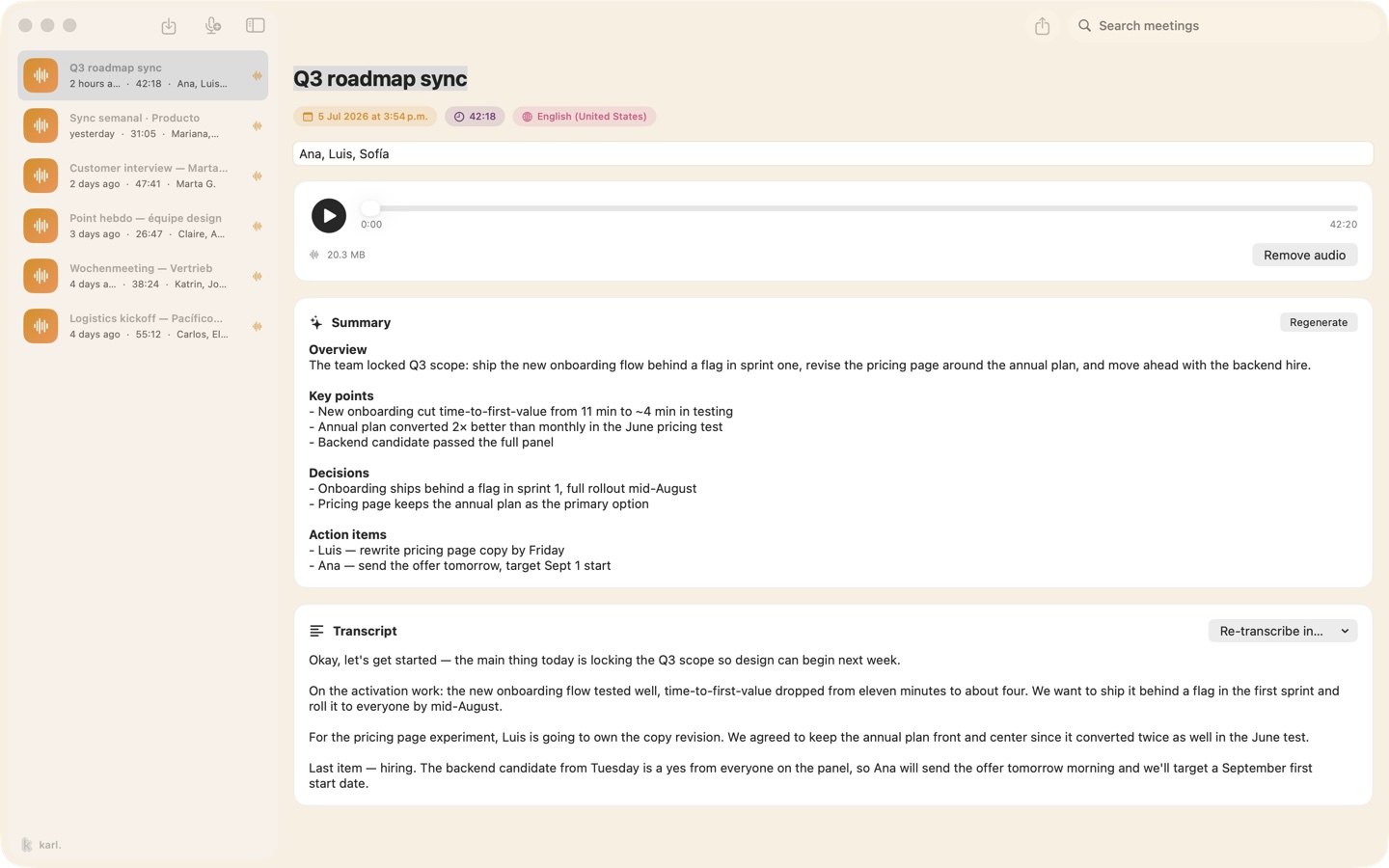
Karl: Meeting Notes on a Mac

From its maker: Karl turns meetings into notes without sending anything anywhere. On the Mac it records your microphone and the call's audio together, transcribes as you talk, and gives you a summary and action items when you stop, all on the device.

Price
Free, Pro available
Needs
macOS 26 or later

Karl: Meeting Notes on MacPip More meetings and presenting apps

Tora app icon

Tora

Dictation, writing fixes, meeting notes, and call replies in your Mac's notch

Free versionApple silicon
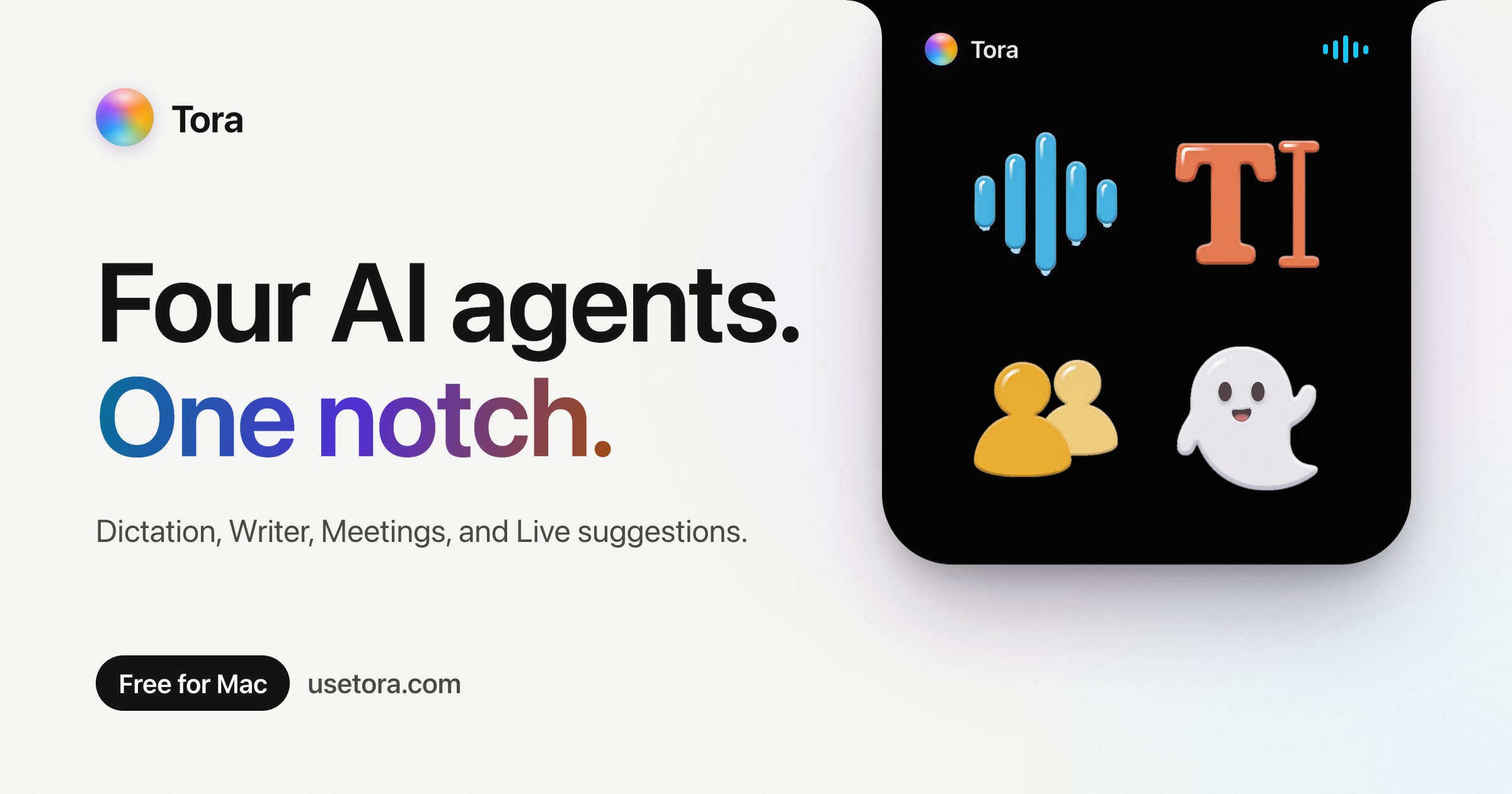
Tora on a Mac

From its maker: Tora puts four AI agents in your Mac's notch. Dictation: hold fn and talk.

Price
Free. Tora Cloud is optional
Needs
macOS 26 Tahoe or later
Its maker says it replaces
Wispr Flow, Superwhisper, MacWhisper, Granola, Otter.ai, Grammarly

Tora on MacPip More notch apps

VoxStudio app icon

VoxStudio

Record, transcribe, search and edit audio and video on Mac

Free versionPay onceSubscriptionApple silicon
VoxStudio on a Mac

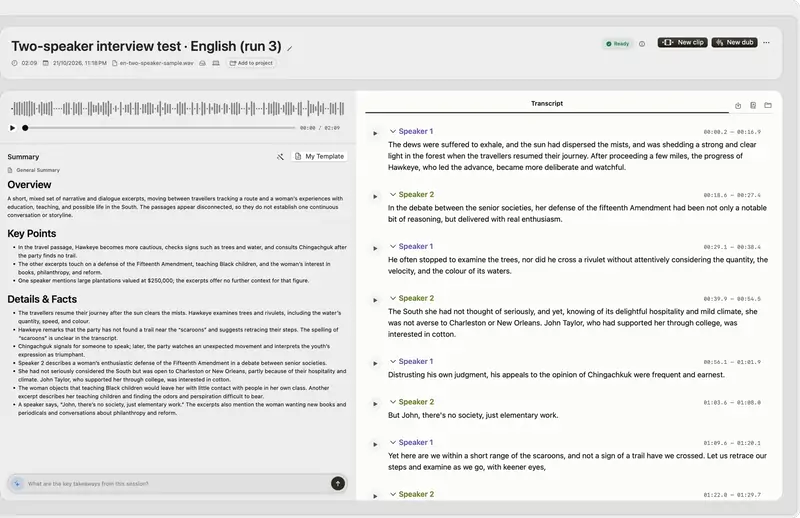
From its maker: Native Mac app for Apple silicon: on-device transcription, cited answers across your recordings, subtitles, clips, voiceover and a local MCP server. Try it for 14 days.

Price
Free, Pro available
Needs
macOS 15 Sequoia or later

VoxStudio on MacPip More dictation and transcription apps

JellyDraw app icon

JellyDraw

Draw on your Mac screen. Drawings stick to the window they're on.

Free versionPay onceApple siliconWorks offline
JellyDraw on a Mac

From its maker: JellyDraw is a menu bar app for drawing and highlighting over any app on your Mac. Each drawing sticks to the window it was drawn on, so when you move, resize or minimize the window, your marks go with it.

Price
Free, with Pro at $9.99 one-time
Needs
macOS 26 Tahoe or later
Its maker says it replaces
Presentify, Epic Pen, ScreenBrush, ZoomIt

JellyDraw on MacPip More meetings and presenting apps

Which one to pick

What to look for

Look for which meeting apps it works with, whether it records anyone, and what it shows on a shared screen.

Questions

What is the best free presentation app for Mac?

There is no single best one for everyone. MacPip lists 8: Phrase, RemoteTime, Wispim, Karl: Meeting Notes, Tora, TeachingInk, VoxStudio, JellyDraw. If you want it free, look at Phrase. If you would rather pay once than subscribe, look at RemoteTime. If you want it to run natively on Apple silicon, look at Tora. If you need it to work offline, as its maker says it does, look at JellyDraw.

Which free meeting and presenting apps run natively on Apple silicon?

By their makers' word or by our check: RemoteTime, Wispim, Karl: Meeting Notes, Tora, VoxStudio, JellyDraw.

Which free meeting and presenting apps has MacPip checked?

Each has a dated report on its page: Phrase.

How does MacPip order these apps?

Checked apps come first, newest check first, then the rest by when they were added. Payment never changes the order, and sponsored rows are labeled and kept apart.

Related