Ciao, sono PipQueste app Featured si alternano nel mio notch.
iPipInvia

Le schede restano nella lingua in cui i loro creatori le hanno scritte.

I migliori di MacPip

Le migliori app gratuite della categoria «Screenshot» per Mac

Aggiornato il 23 nov 2026, da ciò che MacPip elenca oggi.

Risposta breve

MacPip lists 8 free screenshot apps for Mac, and MacPip has checked 2 of them.Tutte hanno una versione gratuita.5 di queste si acquistano con una licenza una tantum.3 di queste sono vendute in abbonamento.There is no single best free screenshot app for everyone, so MacPip does not rank them.Se la vuoi gratis, inizia da Stitch It.

Le app verificate vengono prima, a partire dalla verifica più recente. L'ordine non dipende mai dai pagamenti.

Cosa offrono queste 8 app, secondo le loro schede. Un'app può offrire più cose, quindi le barre non sommano a 8.
Versione gratuita8 di 8
Paghi una volta5 di 8
Abbonamento3 di 8
Nativa per Apple silicon5 di 8
Open source1 di 8
Funziona offline3 di 8
Verificata2 di 8
Prezzo una tantum in dollari USA, come indicato da ogni scheda, dal più basso. App senza un semplice prezzo una tantum in dollari, escluse: 5. I prezzi di lancio contano quando la scheda lo dice.
Snapperon38,99 USD
ScreenOtter49 USD
Glisio79 USD

A confronto

AppChe cosa faPrezzoGratis o a pagamentoApple siliconOpen sourceRealizzato daVerificata
Stitch ItTurn screenshots into one long image, with precise crops and redactionFree with in-app purchasesVersione gratuitaNon indicatoNoThirty Seven Inc.23 nov
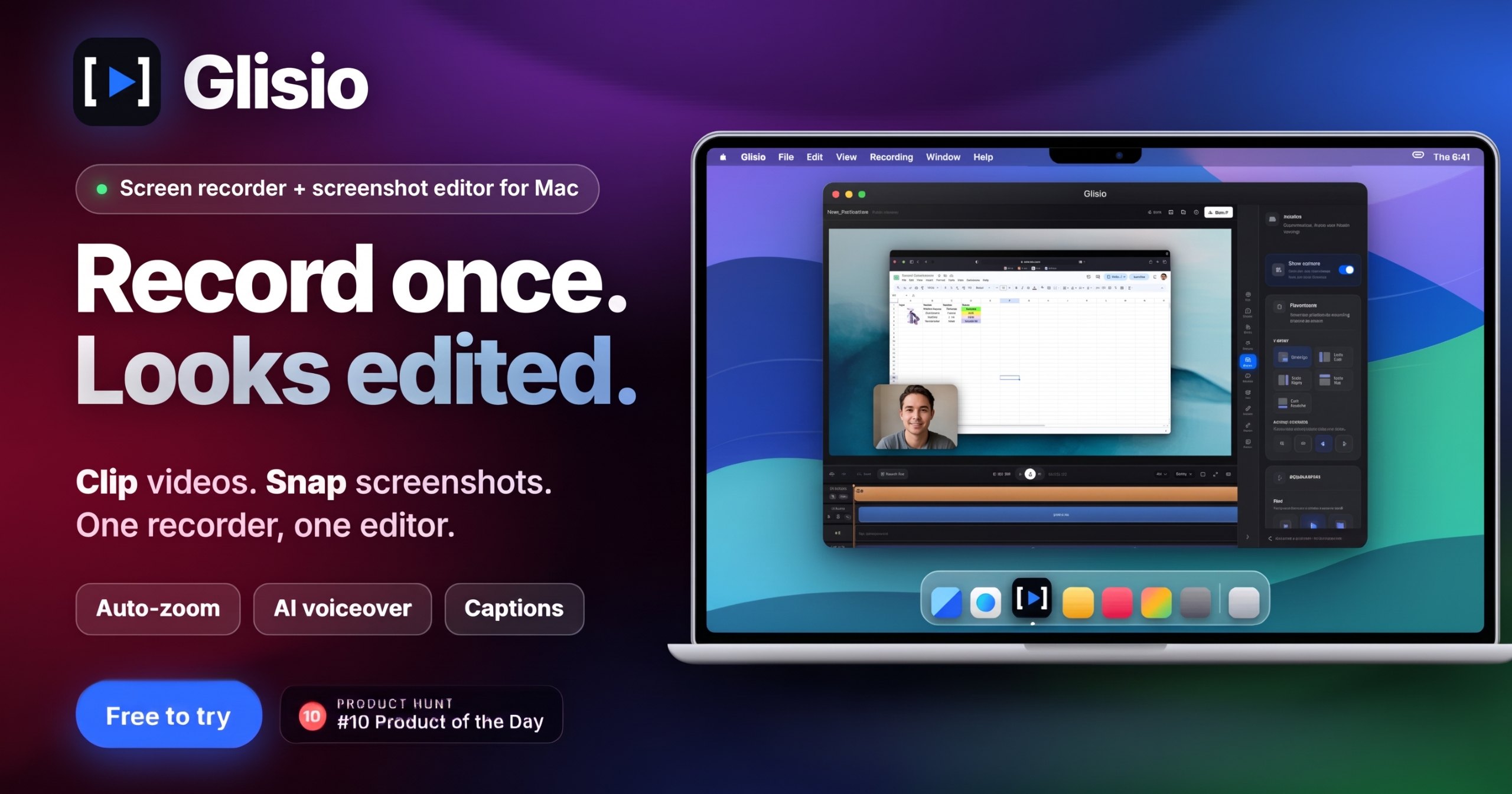
GlisioA Mac screen recorder with auto-zoom, AI voiceover and captions.Free to try, Pro $79 onceVersione gratuitaUna tantumAbbonamentoSì, e anche su Intel, secondo il suo creatoreNoEmircan30 ott
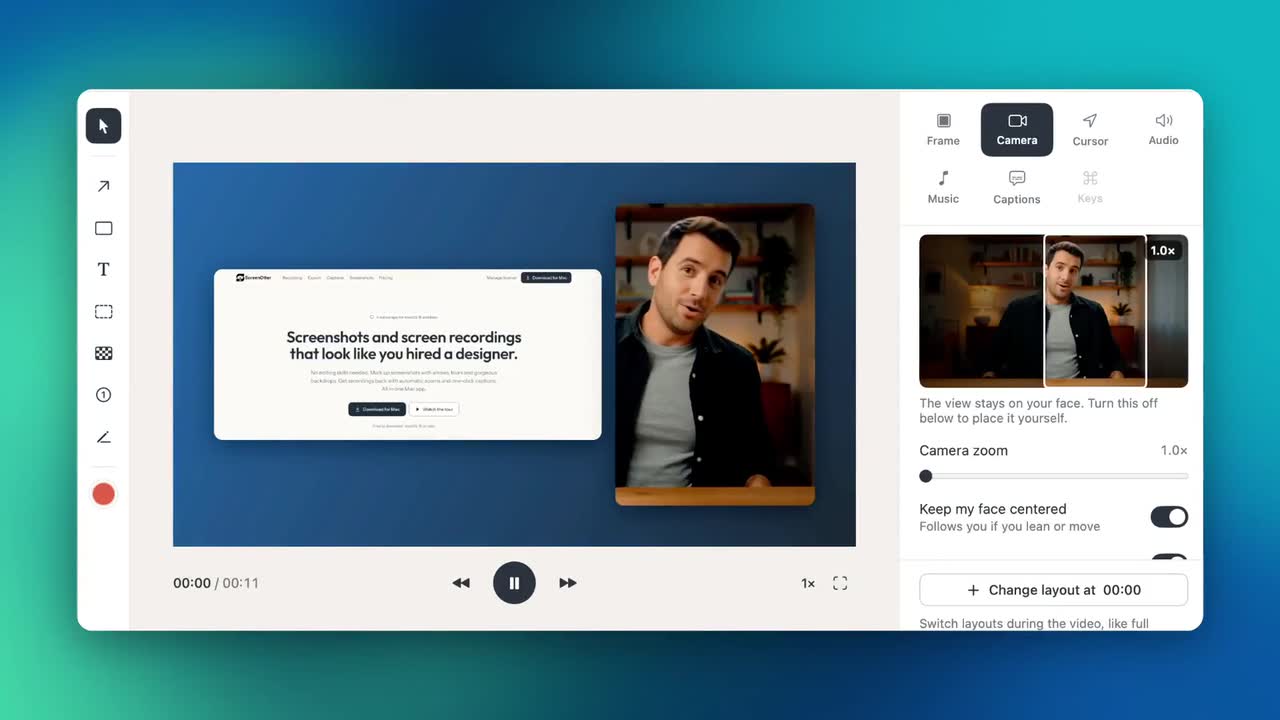
ScreenOtterScreen recordings and screenshots for Mac, edited for youFree, $49 once ($79 for 3 Macs)Versione gratuitaUna tantumNon indicatoNoMohit GangradeIn sospeso
ScreenCrabDiscover the best free apps for your Mac.GratisVersione gratuitaNon indicatoNoKushagra GourIn sospeso
SnapperonMac screenshot annotation by hand or via local MCP for Claude Desktop and Codex Desktop.Free; Pro $2/mo, $19.99/yr, $38.99 onceVersione gratuitaUna tantumAbbonamentoSì, solo Apple silicon, secondo il suo creatoreNoSnapperon TeamIn sospeso
ScreenVerbThe screenshot app built around AI. Capture, mark up, and paste AI answers in three keys.Gratis, Pro disponibileVersione gratuitaUna tantumSì, solo Apple silicon, secondo il suo creatoreNoDavid TranIn sospeso
CuttleA screen recorder for macOS that cuts the waitingFree, Pro €9.99, 7-day trialVersione gratuitaUna tantumAbbonamentoSì, solo Apple silicon, secondo il suo creatoreNoLenny EnderleIn sospeso
capcapTake a screenshot, annotate and share in one flowGratuito e open sourceVersione gratuitaSì, e anche su Intel, secondo il suo creatoreSìNon indicatoIn sospeso

Le app, una per una

Icona dell'app Glisio

Glisio

A Mac screen recorder with auto-zoom, AI voiceover and captions.

Versione gratuitaPaghi una voltaAbbonamentoApple siliconFunziona offlineVerificata il 30 ott
Glisio su un Mac

Glisio è quella da guardare se i tuoi video vanno in più di un posto. Registra schermo, webcam, microfono e audio di sistema in un'unica ripresa, poi ti fa montare sul Mac con zoom basati sui clic, cursore fluido, Smart Cut, sfondi e branding.

Le esportazioni sono in 16:9, 9:16 e 1:1, così una registrazione può diventare un tutorial e una clip verticale. Sottotitoli AI e una voce fuori campo AI ci sono se li vuoi, ed è integrato uno strumento per gli screenshot chiamato Snap.

The free version is real but limited: exports stop at 30 seconds and carry a watermark. Pro Lifetime removes both for $79, one payment.

Offerta
20% off Lifetime
Prezzo
Free to try, Pro $79 once
Richiede
macOS 13 Ventura o successivo
Secondo il creatore sostituisce
Screen Studio, Cap.so, Screen Charm, Loom

Glisio su MacPip Altre app di registrazione dello schermo

Icona dell'app ScreenOtter

ScreenOtter

Screen recordings and screenshots for Mac, edited for you

Versione gratuitaPaghi una volta
ScreenOtter su un Mac

Dal suo creatore: ScreenOtter is a native Mac app for screen recordings and screenshots. Your recordings come back already edited: a zoom on every click, a smooth pointer, and your camera in one of eight layouts you can change after you record.

Offerta
40% di sconto
Prezzo
Free, $49 once ($79 for 3 Macs)
Richiede
macOS 15 Sequoia o successivo

ScreenOtter su MacPip Altre app di registrazione dello schermo

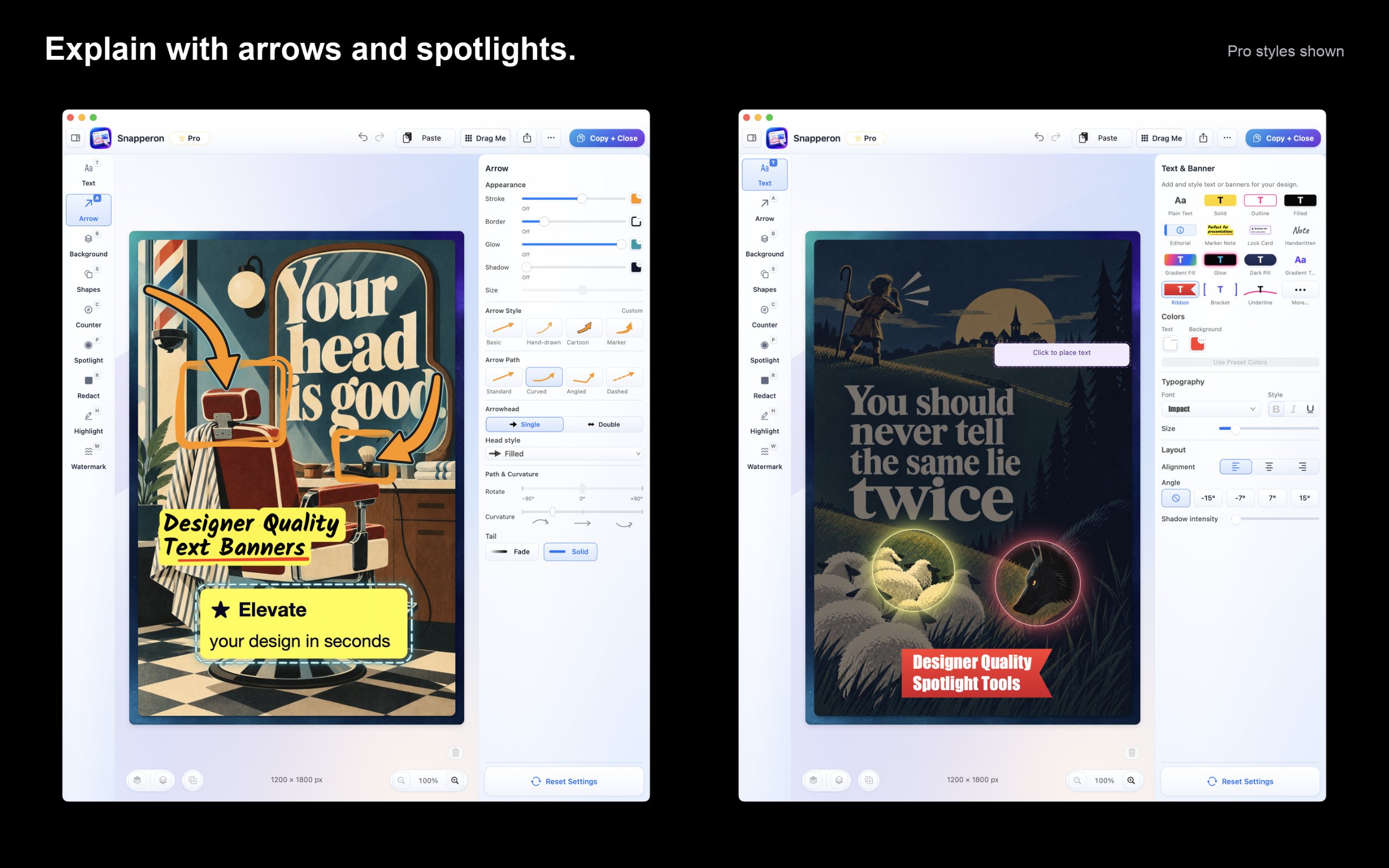
Icona dell'app Snapperon

Snapperon

Mac screenshot annotation by hand or via local MCP for Claude Desktop and Codex Desktop.

Versione gratuitaPaghi una voltaAbbonamentoApple silicon
Snapperon su un Mac

Dal suo creatore: Capture screenshots or open images and PDF pages. Add styled arrows, banners, numbered steps, highlights, shapes, spotlights, freehand and redaction.

Prezzo
Free; Pro $2/mo, $19.99/yr, $38.99 once
Richiede
macOS 14 Sonoma o successivo

Snapperon su MacPip Altre app per screenshot

Icona dell'app ScreenVerb

ScreenVerb

The screenshot app built around AI. Capture, mark up, and paste AI answers in three keys.

Versione gratuitaPaghi una voltaApple silicon
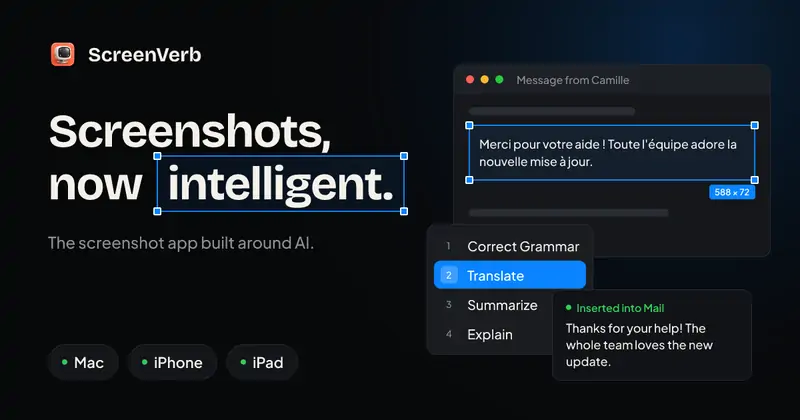
ScreenVerb su un Mac

Dal suo creatore: ScreenVerb is a screenshot app for Mac built around AI. Snap a window, drag a pixel-exact region or grab a full scrolling page with one shortcut, then press a number key to run an AI action.

Offerta
50% off Lifetime, until Dec 5
Prezzo
Gratis, Pro disponibile
Richiede
macOS 14 Sonoma o successivo
Secondo il creatore sostituisce
CleanShot X, Shottr, Xnapper

ScreenVerb su MacPip Altre app di produttività

Icona dell'app Cuttle

Cuttle

A screen recorder for macOS that cuts the waiting

Versione gratuitaPaghi una voltaAbbonamentoApple siliconFunziona offline
Cuttle su un Mac

Da From its maker: users need a record demos of their work without boring others with waiting time or sensitive information. Cuttle is a screen recorder for macOS that solves this problem.

Prezzo
Free, Pro €9.99, 7-day trial
Richiede
macOS 14 Sonoma o successivo
Secondo il creatore sostituisce
OBS Studio, QuickTime Player, ScreenFlow, Camtasia, Loom

Cuttle su MacPip Altre app di registrazione dello schermo

Icona dell'app capcap

capcap

Take a screenshot, annotate and share in one flow

Versione gratuitaApple siliconOpen sourceFunziona offline
capcap su un Mac

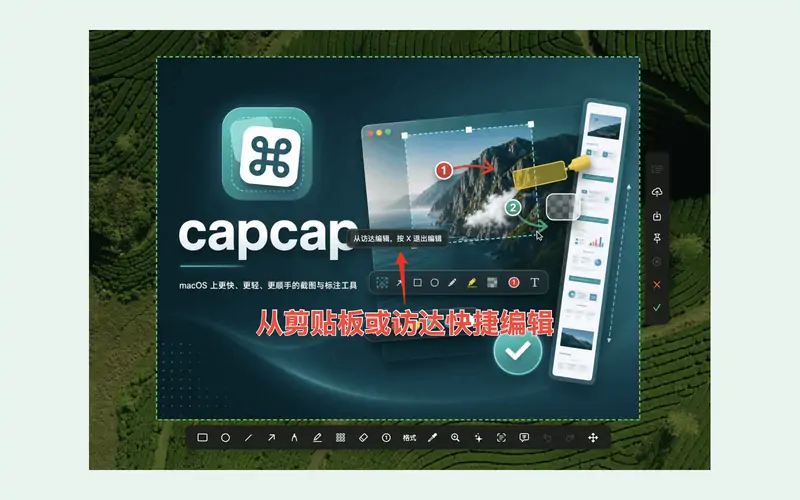
Dal suo creatore: capcap is a free, open-source screenshot and screen capture tool for macOS 14+, built with AppKit for Apple silicon and Intel. It helps developers, writers, and designers capture, annotate, and share without telemetry or a subscription.

Prezzo
Gratuito e open source
Richiede
macOS 14 Sonoma o successivo
Secondo il creatore sostituisce
Shottr, CleanShot X

capcap su MacPip Altre app per screenshot

Quale scegliere

Cosa guardare

Look for scrolling capture, quick annotation, and where the files are saved or uploaded.

Domande

What is the best free screenshot app for Mac?

There is no single best one for everyone. MacPip lists 8: Stitch It, Glisio, ScreenOtter, ScreenCrab, Snapperon, ScreenVerb, Cuttle, capcap. If you want it free, look at Stitch It. If you want it to run natively on Apple silicon, look at Glisio. If you need it to work offline, as its maker says it does, look at Glisio.

Which free screenshot apps run natively on Apple silicon?

Secondo i loro creatori o secondo la nostra verifica: Glisio, Snapperon, ScreenVerb, Cuttle, capcap.

Which free screenshot apps has MacPip checked?

Ognuna ha un report con la data sulla sua pagina: Stitch It, Glisio.

Come ordina MacPip queste app?

Le app verificate vengono prima, a partire dalla verifica più recente, poi le altre in base a quando sono state aggiunte. I pagamenti non cambiano mai l'ordine, e le righe sponsorizzate sono etichettate e tenute a parte.

Correlati